Locust MCP Server
Um servidor MCP para executar testes de carga Locust. Configure parâmetros de teste como host, usuários e taxa de spawn via variáveis de ambiente.
GitHub
13
Experimente este MCPPatrocinadoDocumentação
🚀 ⚡️ locust-mcp-server
Uma implementação de servidor Model Context Protocol (MCP) para executar testes de carga com Locust. Este servidor permite a integração perfeita dos recursos de teste de carga do Locust com ambientes de desenvolvimento orientados por IA.
✨ Recursos
- Integração simples com o framework Model Context Protocol
- Suporte para modos headless e interface gráfica (UI)
- Parâmetros de teste configuráveis (usuários, taxa de spawn, tempo de execução)
- API fácil de usar para executar testes de carga do Locust
- Saída de execução de teste em tempo real
- Suporte a protocolos HTTP/HTTPS pronto para uso
- Suporte a cenários de tarefas personalizados
🔧 Pré-requisitos
Antes de começar, certifique-se de ter o seguinte instalado:
- Python 3.13 ou superior
- Gerenciador de pacotes uv (Guia de instalação)
📦 Instalação
- Clone o repositório:
git clone https://github.com/qainsights/locust-mcp-server.git
- Instale as dependências necessárias:
uv pip install -r requirements.txt
- Configure as variáveis de ambiente (opcional):
Crie um arquivo
.envna raiz do projeto:
LOCUST_HOST=http://localhost:8089  # Default host for your tests
LOCUST_USERS=3                     # Default number of users
LOCUST_SPAWN_RATE=1               # Default user spawn rate
LOCUST_RUN_TIME=10s               # Default test duration
🚀 Começando
- Crie um script de teste do Locust (ex.:
hello.py):
from locust import HttpUser, task, between

class QuickstartUser(HttpUser):
    wait_time = between(1, 5)

    @task
    def hello_world(self):
        self.client.get("/hello")
        self.client.get("/world")

    @task(3)
    def view_items(self):
        for item_id in range(10):
            self.client.get(f"/item?id={item_id}", name="/item")
            time.sleep(1)

    def on_start(self):
        self.client.post("/login", json={"username":"foo", "password":"bar"})
- Configure o servidor MCP usando as especificações abaixo no seu cliente MCP preferido (Claude Desktop, Cursor, Windsurf e outros):
{
  "mcpServers": {
    "locust": {
      "command": "/Users/naveenkumar/.local/bin/uv",
      "args": [
        "--directory",
        "/Users/naveenkumar/Gits/locust-mcp-server",
        "run",
        "locust_server.py"
      ]
    }
  }
}
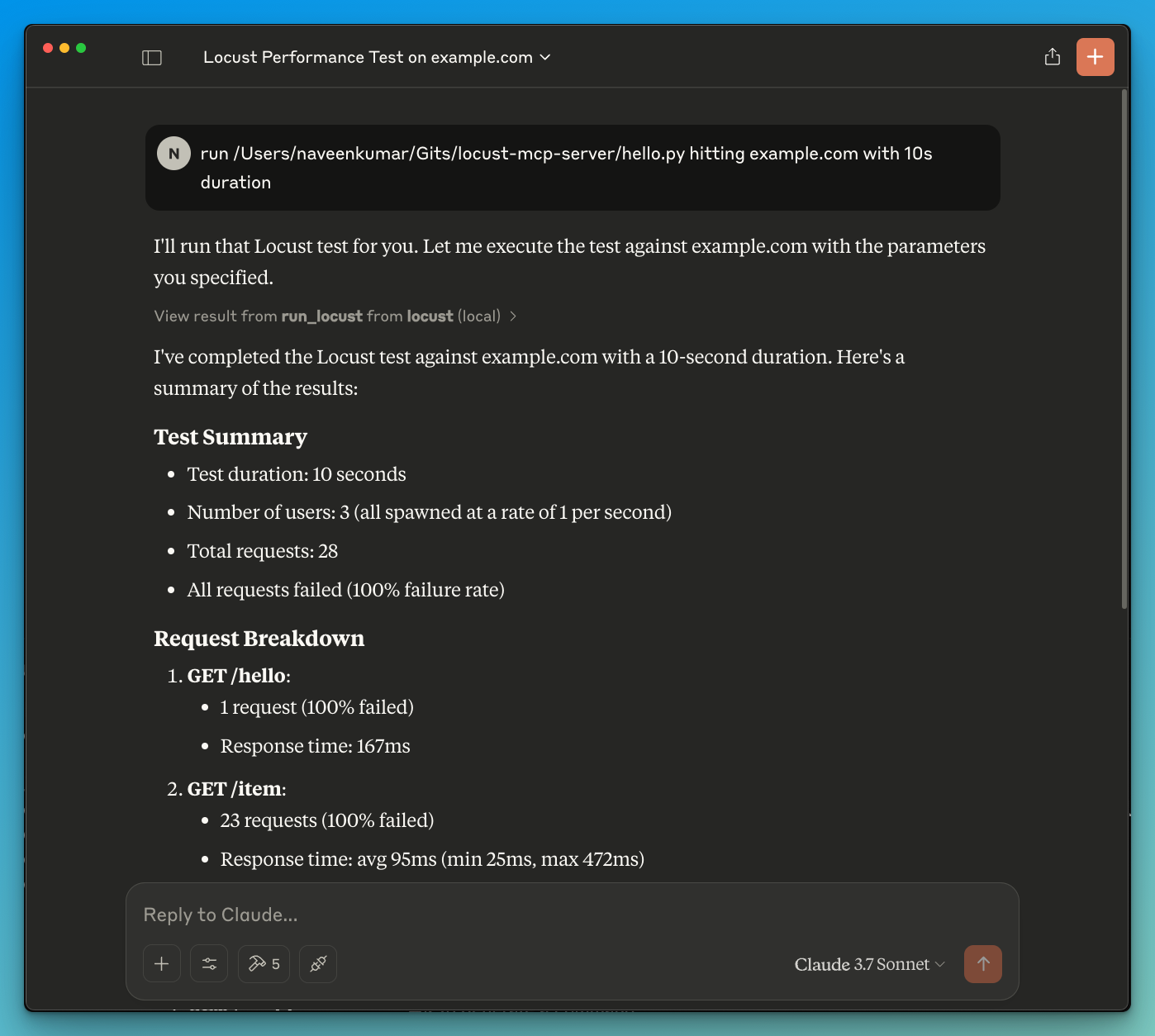
- Agora peça ao LLM para executar o teste, ex.:
run locust test for hello.py. O servidor Locust MCP usará a seguinte ferramenta para iniciar o teste:
run_locust: Executa um teste com opções configuráveis para modo headless, host, tempo de execução, usuários e taxa de spawn
📝 Referência da API
Executar Teste do Locust
run_locust(
    test_file: str,
    headless: bool = True,
    host: str = "http://localhost:8089",
    runtime: str = "10s",
    users: int = 3,
    spawn_rate: int = 1
)
Parâmetros:
test_file: Caminho para o seu script de teste do Locustheadless: Executar em modo headless (True) ou com interface gráfica (False)host: Host de destino para o teste de cargaruntime: Duração do teste (ex.: "30s", "1m", "5m")users: Número de usuários simultâneos a simularspawn_rate: Taxa na qual os usuários são criados
✨ Casos de Uso
- Análise de resultados com tecnologia LLM
- Depuração eficaz com a ajuda de LLM
🤝 Contribuindo
Contribuições são bem-vindas! Sinta-se à vontade para enviar um Pull Request.
📄 Licença
Este projeto está licenciado sob a Licença MIT - consulte o arquivo LICENSE para obter detalhes.