JMeter MCP Server
Execute testes JMeter e analise resultados através de clientes compatíveis com MCP.
Documentação
🚀 Servidor MCP JMeter
Este é um servidor Model Context Protocol (MCP) que permite executar testes JMeter por meio de clientes compatíveis com MCP e analisar os resultados dos testes.
[!IMPORTANT] 📢 Procurando um Assistente de IA dentro do JMeter? 🚀 Confira Feather Wand
📋 Recursos
Execução JMeter
- 📊 Execute testes JMeter no modo não-GUI
- 🖥️ Inicie o JMeter no modo GUI
- 📝 Capture e retorne a saída da execução
- 📊 Gere o painel de relatórios do JMeter
Análise de Resultados de Testes
- 📈 Analise e interprete os resultados dos testes JMeter (arquivos JTL)
- 📊 Calcule métricas abrangentes de desempenho
- 🔍 Identifique gargalos de desempenho automaticamente
- 💡 Gere insights e recomendações acionáveis
- 📊 Crie visualizações dos resultados dos testes
- 📑 Gere relatórios HTML com os resultados da análise
🛠️ Instalação
Instalação Local
-
Instale
uv: -
Certifique-se de que o JMeter esteja instalado no seu sistema e acessível pela linha de comando.
⚠️ Importante: Certifique-se de que o JMeter seja executável. Você pode fazer isso executando:
chmod +x /path/to/jmeter/bin/jmeter
- Instale as dependências Python necessárias:
pip install -r requirements.txt
- Configure o arquivo
.env, consulte o arquivo.env.examplepara obter detalhes.
# JMeter Configuration
JMETER_HOME=/path/to/apache-jmeter-5.6.3
JMETER_BIN=${JMETER_HOME}/bin/jmeter

# Optional: JMeter Java options
JMETER_JAVA_OPTS="-Xms1g -Xmx2g"
💻 Uso do MCP
-
Conecte-se ao servidor usando um cliente compatível com MCP (por exemplo, Claude Desktop, Cursor, Windsurf)
-
Envie um prompt para o servidor:
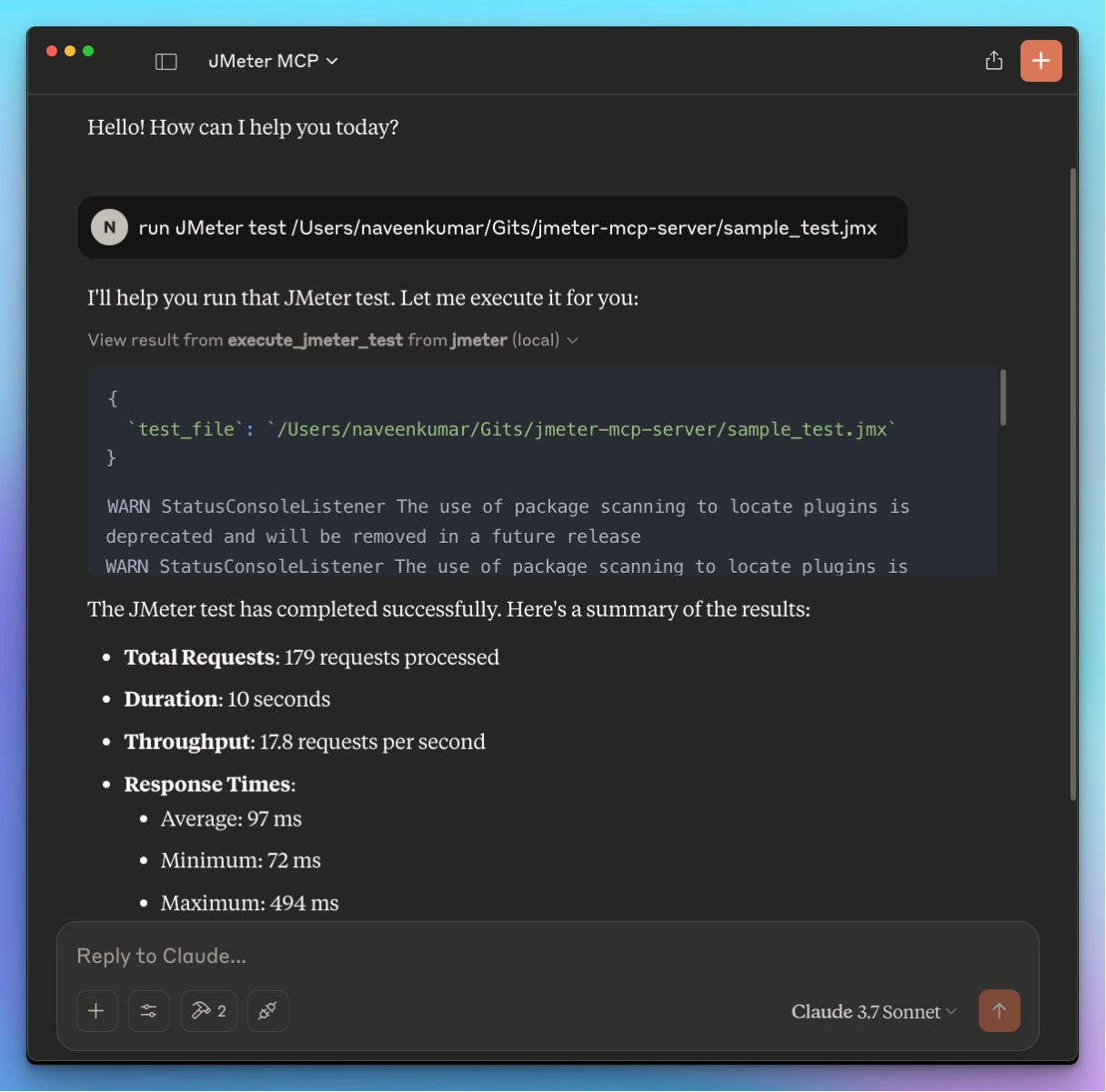
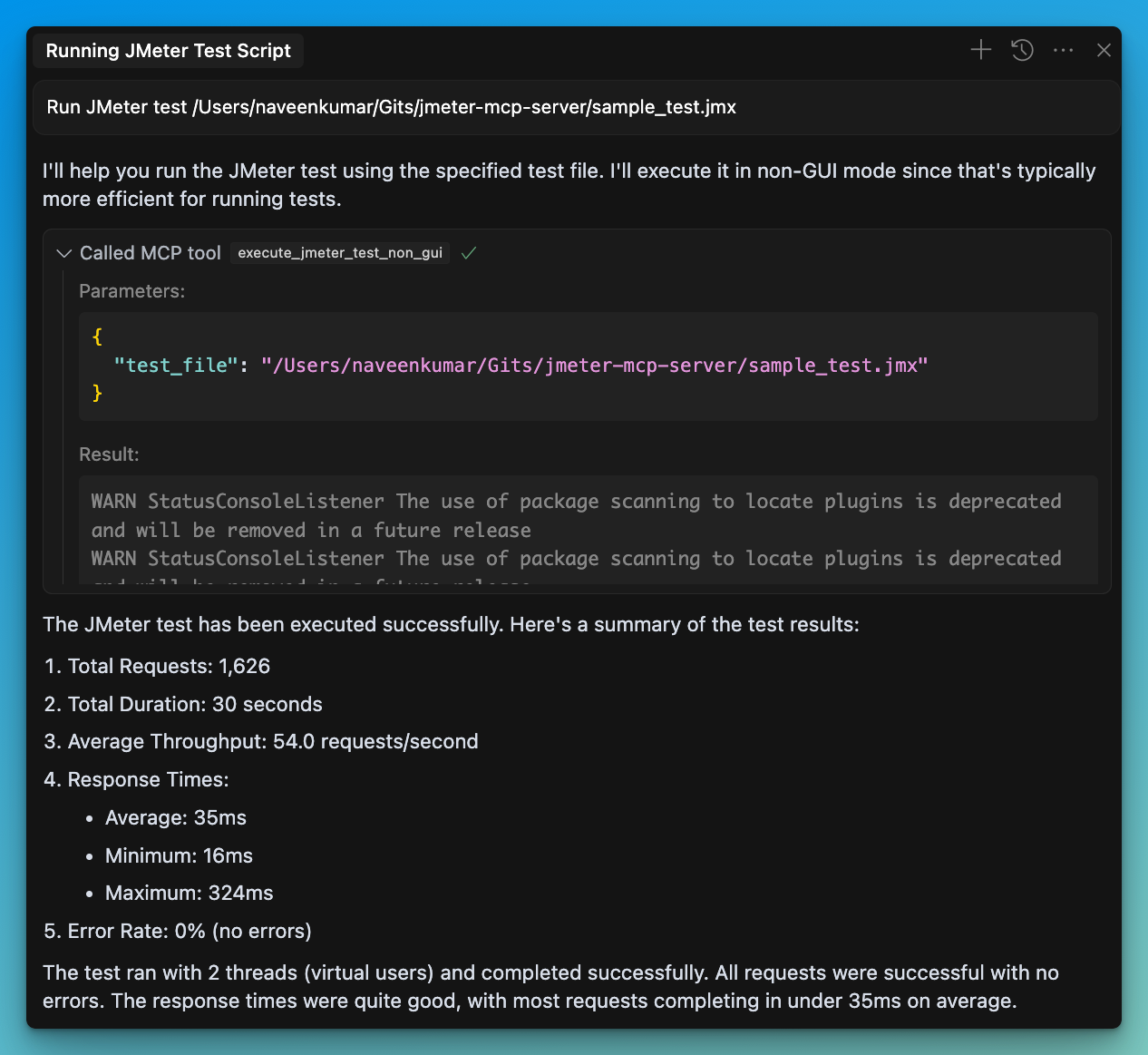
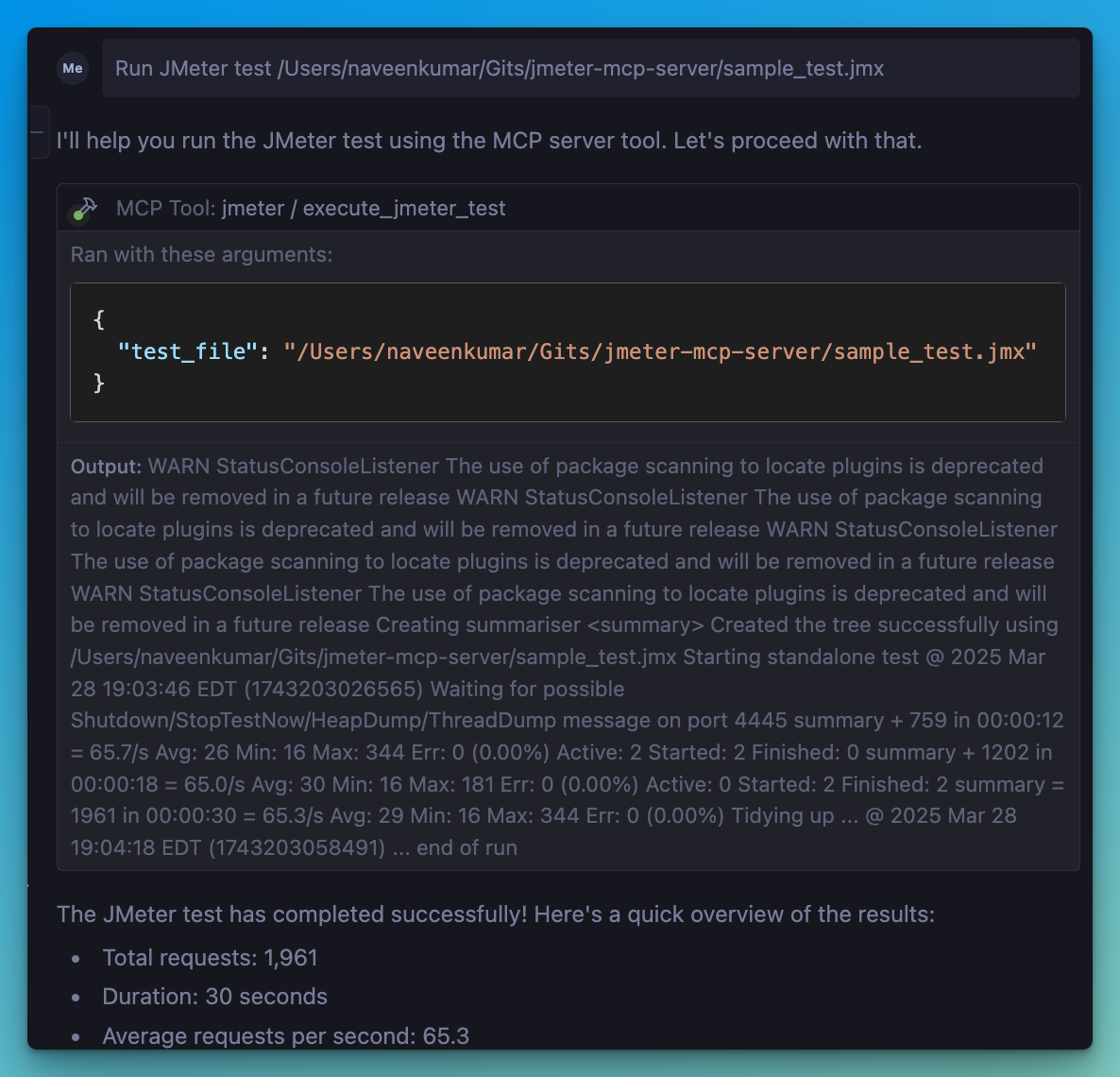
Run JMeter test /path/to/test.jmx
- O cliente compatível com MCP usará as ferramentas disponíveis:
Ferramentas de Execução JMeter
- 🖥️
execute_jmeter_test: Inicia o JMeter no modo GUI, mas não executa o teste conforme o design do JMeter - 🚀
execute_jmeter_test_non_gui: Executa um teste JMeter no modo não-GUI (modo padrão para melhor desempenho)
Ferramentas de Análise de Resultados de Testes
- 📊
analyze_jmeter_results: Analisa os resultados dos testes JMeter e fornece um resumo das principais métricas e insights - 🔍
identify_performance_bottlenecks: Identifica gargalos de desempenho nos resultados dos testes JMeter - 💡
get_performance_insights: Obtenha insights e recomendações para melhorar o desempenho - 📈
generate_visualization: Gera visualizações dos resultados dos testes JMeter
🏗️ Configuração do MCP
Adicione a seguinte configuração ao arquivo de configuração do seu cliente MCP:
{
    "mcpServers": {
      "jmeter": {
        "command": "/path/to/uv",
        "args": [
          "--directory",
          "/path/to/jmeter-mcp-server",
          "run",
          "jmeter_server.py"
        ]
      }
    }
}
✨ Casos de Uso
Execução de Testes
- Execute testes JMeter no modo não-GUI para melhor desempenho
- Inicie o JMeter no modo GUI para desenvolvimento de testes
- Gere painéis de relatórios do JMeter
Análise de Resultados de Testes
- Analise arquivos JTL para entender as características de desempenho
- Identifique gargalos de desempenho e sua gravidade
- Obtenha recomendações acionáveis para melhorias de desempenho
- Gere visualizações para melhor compreensão dos resultados
- Crie relatórios HTML abrangentes para compartilhar com as partes interessadas
🛑 Tratamento de Erros
O servidor irá:
- Validar se o arquivo de teste existe
- Verificar se o arquivo tem extensão .jmx
- Validar se os arquivos JTL existem e têm formatos válidos
- Capturar e retornar quaisquer erros de execução ou análise
📊 Analisador de Resultados de Testes
O Analisador de Resultados de Testes é um recurso poderoso que ajuda você a entender melhor os resultados dos seus testes JMeter. Ele consiste em vários componentes:
Módulo de Análise Sintática
- Suporta formatos JTL XML e CSV
- Processa eficientemente arquivos grandes com analisadores de streaming
- Valida formatos de arquivo e trata erros com elegância
Calculadora de Métricas
- Calcula métricas gerais de desempenho (média, mediana, percentis)
- Fornece métricas específicas por endpoint para análise detalhada
- Gera séries temporais de métricas para acompanhar o desempenho ao longo do tempo
- Compara métricas com benchmarks para contexto
Analisador de Gargalos
- Identifica endpoints lentos com base nos tempos de resposta
- Detecta endpoints propensos a erros com altas taxas de erro
- Encontra anomalias e valores discrepantes nos tempos de resposta
- Analisa o impacto da concorrência no desempenho
Gerador de Insights
- Fornece recomendações específicas para lidar com gargalos
- Analisa padrões de erro e sugere soluções
- Gera insights sobre comportamento de escalabilidade e limites de capacidade
- Prioriza recomendações com base no impacto potencial
Mecanismo de Visualização
- Cria gráficos de séries temporais mostrando o desempenho ao longo do tempo
- Gera gráficos de distribuição para análise de tempos de resposta
- Produz gráficos de comparação de endpoints para identificar problemas
- Cria relatórios HTML abrangentes com todos os resultados da análise
📝 Exemplo de Uso
# Run a JMeter test and generate a results file
Run JMeter test sample_test.jmx in non-GUI mode and save results to results.jtl

# Analyze the results
Analyze the JMeter test results in results.jtl and provide detailed insights

# Identify bottlenecks
What are the performance bottlenecks in the results.jtl file?

# Get recommendations
What recommendations do you have for improving performance based on results.jtl?

# Generate visualizations
Create a time series graph of response times from results.jtl