Seqora
macOS 및 Windows용 데스크톱 데이터베이스 클라이언트 Seqora에 내장된 MCP 서버입니다. 에이전트는 이름으로 PostgreSQL, MySQL, MariaDB 및 SQLite 연결에 접근하며 자격 증명은 절대 받지 않습니다. 에이전트별로 각 연결을 Off, Read 또는 Propose로 설정할 수 있습니다. 스키마를 읽고 읽기 전용 쿼리를 실행하는 것은 무료이며, Pro에서는 에이전트가 PostgreSQL 스키마 변경을 제안할 수 있고, 사용자가 앱에서 검토하고 적용할 수 있습니다.
문서
- SQL editor Completion, snippets and history.
- Data grid Edits are staged and reviewed before they run.
- Charts Line, bar, scatter and more from any result.
- Exports CSV, JSON, SQL, Excel, Parquet and more.
- Import Pro CSV and Excel into a table, every row checked.
- Terminal A shell beside your queries, in the same window.
- ER diagram The live schema, exported as PNG, SVG or Mermaid.
- Schema design Pro Draw the change, read the SQL, apply it.
- Object pages Pro Indexes, sequences, functions, views and more.
- Schema compare Pro Databases, designs and snapshots, with undo scripts.
- Schema history Every change Seqora sees. Older than 7 days is Pro.
- Schema drift Pro Dev, staging and prod, and what no migration explains.
- Visual EXPLAIN Pro Query plans as row flow and index access.
- Index advisor Unused and duplicate indexes. Workload ranking is Pro.
- Database brief Areas, big tables and smells. Fix scripts are Pro.
- MCP server Agents read what you share. Proposals are Pro.
- Connections Locked until you unlock them. SSH and TLS built in.
- Local only No account. An encrypted store on your disk.
10 more object pages: materialized views, partitions, constraints, triggers, types, row security and grants, extensions, columns across tables, schemas, tables.
Object pages for indexes, sequences, functions and views.
Free
The plan as rows of text in the result grid.
Pro
The Plan tab: row flow, time per step, index access and findings.
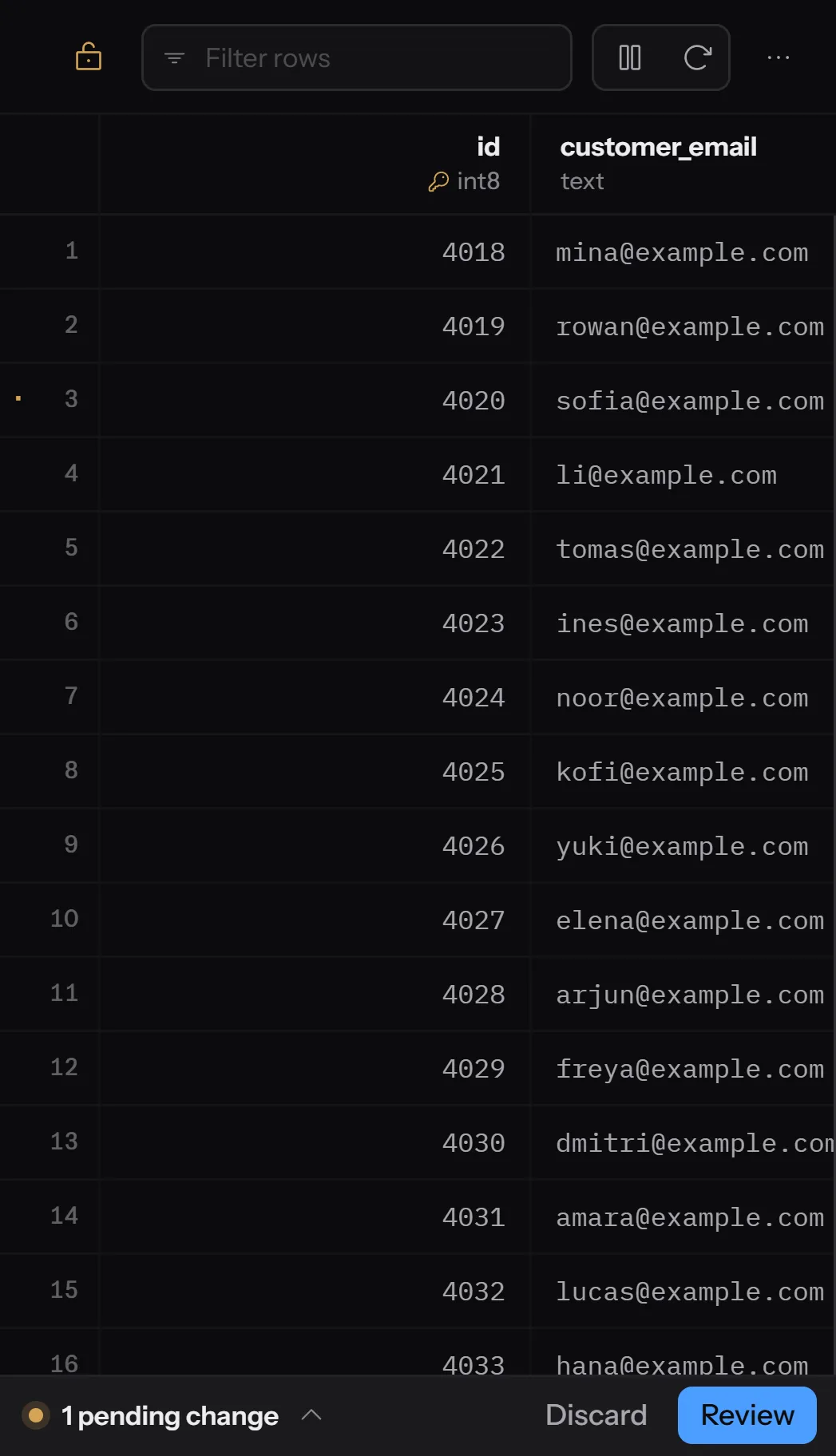
The data grid with one staged edit waiting for review.
Read-only until you unlock it
Every connection opens locked. Production is marked in colour.
Edits are staged
Nothing is written until you have reviewed every change.
Encrypted on your disk
Connections and history live in a local store keyed from your system keychain.
No account, no cloud
Nothing to sign in to. SSH tunnels and TLS are built in.
- Your AI agent
Orders need a discount code. Add the column on staging and index it for checkout lookups.
get_schemacheck_indexpropose_change - Seqora
+ discount_code text+ orders_discount_code_idxReview and apply
Free
- PostgreSQL, MySQL, MariaDB, SQLite and SQL Server
- SQL editor with completion and history
- View, insert, update and delete rows
- Watch tables live, with a write tape
- View tables as a role, hidden rows explained
- Record what your app sends, with N+1s
- Undo any write for 24 hours
- Charts and exports from any result
- ER diagram, read-only, as an image
- Every object with its properties and DDL
- Database brief and index health
- Schema history, the last 7 days
- MCP server for your agents
- Free for any use, including paid work
Pro
$99 $49/year
Founder price, for subscriptions started by 31 December 2026.
You keep $49/year for as long as you renew.
$99/year
Billed once a year. Cancel any time.
$9.99 $5.99/month
Founder price, for subscriptions started by 31 December 2026.
You keep $5.99/month for as long as you renew.
$9.99/month
Billed monthly. Cancel any time.
Everything in Free, plus
- Schema design, from canvas to SQL
- Schema compare, history and drift
- Object pages with size, usage and health
- Visual EXPLAIN, step by step
- Index advisor, ranked by time saved
- Import and full export
- Brief fixes as one script
- Pinned watches that notify and keep a log
- Queries as a role in the SQL editor
- Kept recordings and workload history
- 30 days of undo for every write
- Agent proposals, reviewed before they run
Which databases does Seqora work with?
PostgreSQL, MySQL, MariaDB, SQLite and SQL Server. PostgreSQL has every tool. The others have fewer, and the pricing page shows Pro on each engine.
Does my data leave my computer?
No. Databases, connection details, passwords and queries stay on your computer. The app sends an anonymous daily count of feature use, which you can turn off. The privacy page lists the rest.
Do I need an account?
No. Pro uses a licence key, sent by email after checkout.
How does the trial start?
From the app or from this page. A card is required, and nothing is charged for 14 days. After that, Pro continues on the plan you picked, yearly or monthly.
Can I use Free at work?
Yes, at any company and for paid client work.
What is the founder price?
$49 a year or $5.99 a month for subscriptions started on or before 31 December 2026, kept while you renew. Then $99 a year or $9.99 a month.
How many computers can I use Pro on?
Up to 3 of your own computers at once, on Windows and macOS.
Do Free users get updates?
Yes. Every update, security fixes included, goes to everyone.
Does Pro work offline?
Yes. Pro needs a connection once every 30 days. Free never does.
Is there a lifetime licence?
No. Pro is a subscription. If you stop paying, you keep Free and everything you made.
How do I cancel?
In the app: Settings › License › Manage subscription opens the customer portal. Pro stays active to the end of the period you paid for, then the app returns to Free.
What about refunds and tax?
Full refund within 14 days of your first payment or a yearly renewal. Prices are in US dollars, and local tax may be added at checkout.