MakePixel
MakePixel의 MCP 서버를 사용하면 AI 코딩 도구로 픽셀 아트를 작업할 수 있습니다. 프로젝트 목록을 확인하고, 스프라이트를 살펴보고, 픽셀을 읽고 편집하고, 캔버스에 이미지와 메모를 추가하고, Godot, Unity 또는 Aseprite로 내보낼 수 있습니다. 원격, OAuth 로그인, Pro 플랜.
호스팅형 MCP 서버
npx add-mcp 'https://makepixel.ai/mcp'Claude Code, Codex, Cursor 등에 설치됩니다
문서
Your whole game's art, on one canvas.
Draw pixel art sprites, animate characters, build tilesets and levels, then export them ready for Godot, Unity or Tiled, all in your browser.
Exports straight to
19
Drawing tools
Keyed the way Aseprite keys them
47
Autotiles
Worked out from the 13 you paint
34
Classic palettes
A click away
6
Export targets
Files your engine reads as they are
01Canvas
Lay the whole game out.
A sprite editor opens one file at a time. A game has hundreds. Here every sprite, animation, tileset and note sits side by side, so the style stays consistent and nothing gets lost in a folder called final_v3.
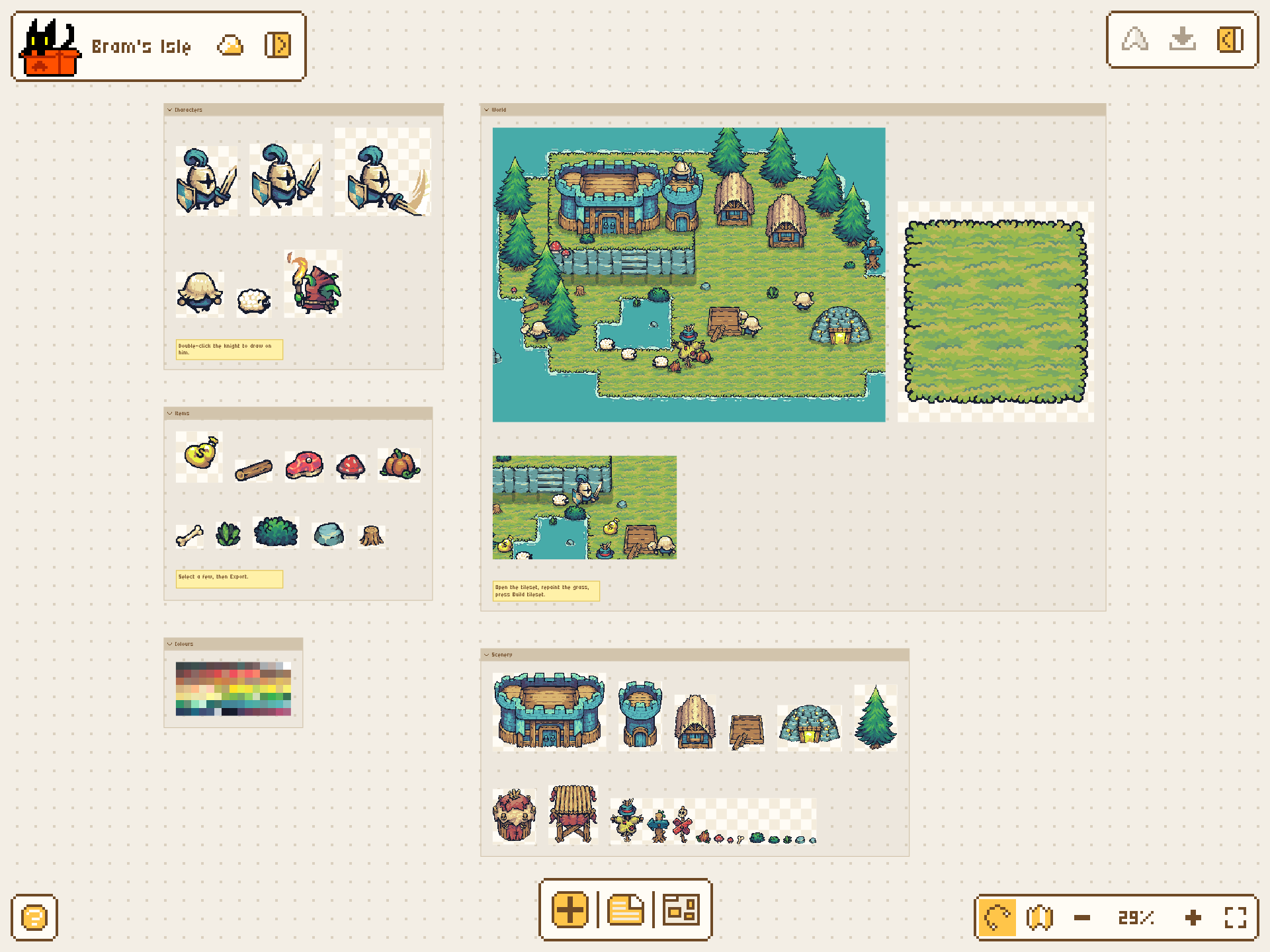
The MakePixel editor on the sample project: Canvas
- 5,000 items a project
- Figma's shortcuts
- Sections, sticky notes and an outline with search
- Arrange, align and zoom the way you already do
02Draw
Double-click. Draw.
Every sprite opens right where it sits. The tools are grouped and keyed the way Aseprite does it, so your hands already know where everything is.
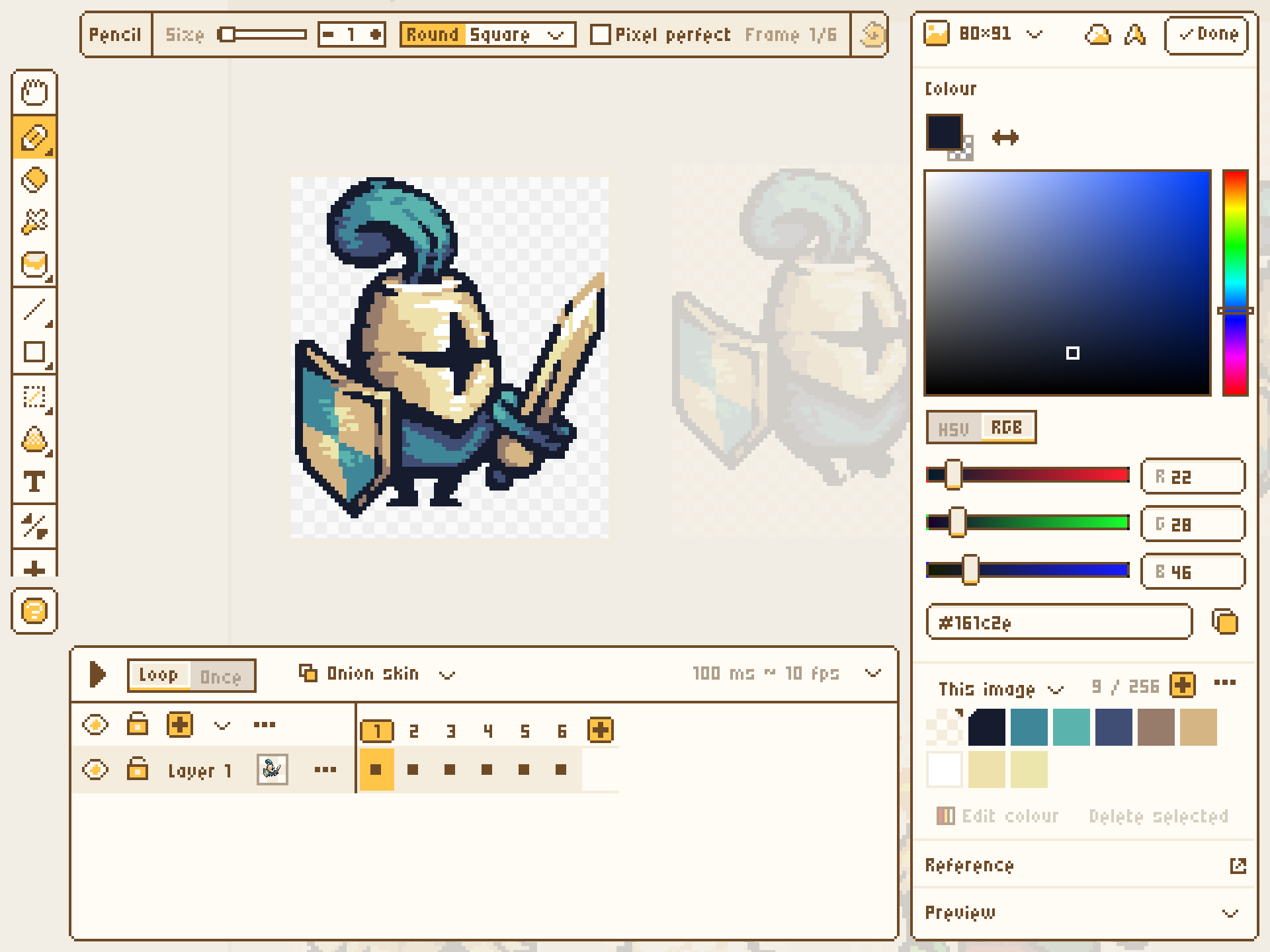
The MakePixel editor on the sample project: Draw
- 19 tools
- 500 steps of undo
- Pixel-perfect strokes, X and Y symmetry
- Outline, replace colour and HSV, previewed live Learn more
03Animate
Press play.
Frames, layers, tags and onion skin on a timeline your hands already know. Give each frame its own timing, loop a tag, and watch it play on the canvas next to everything else.
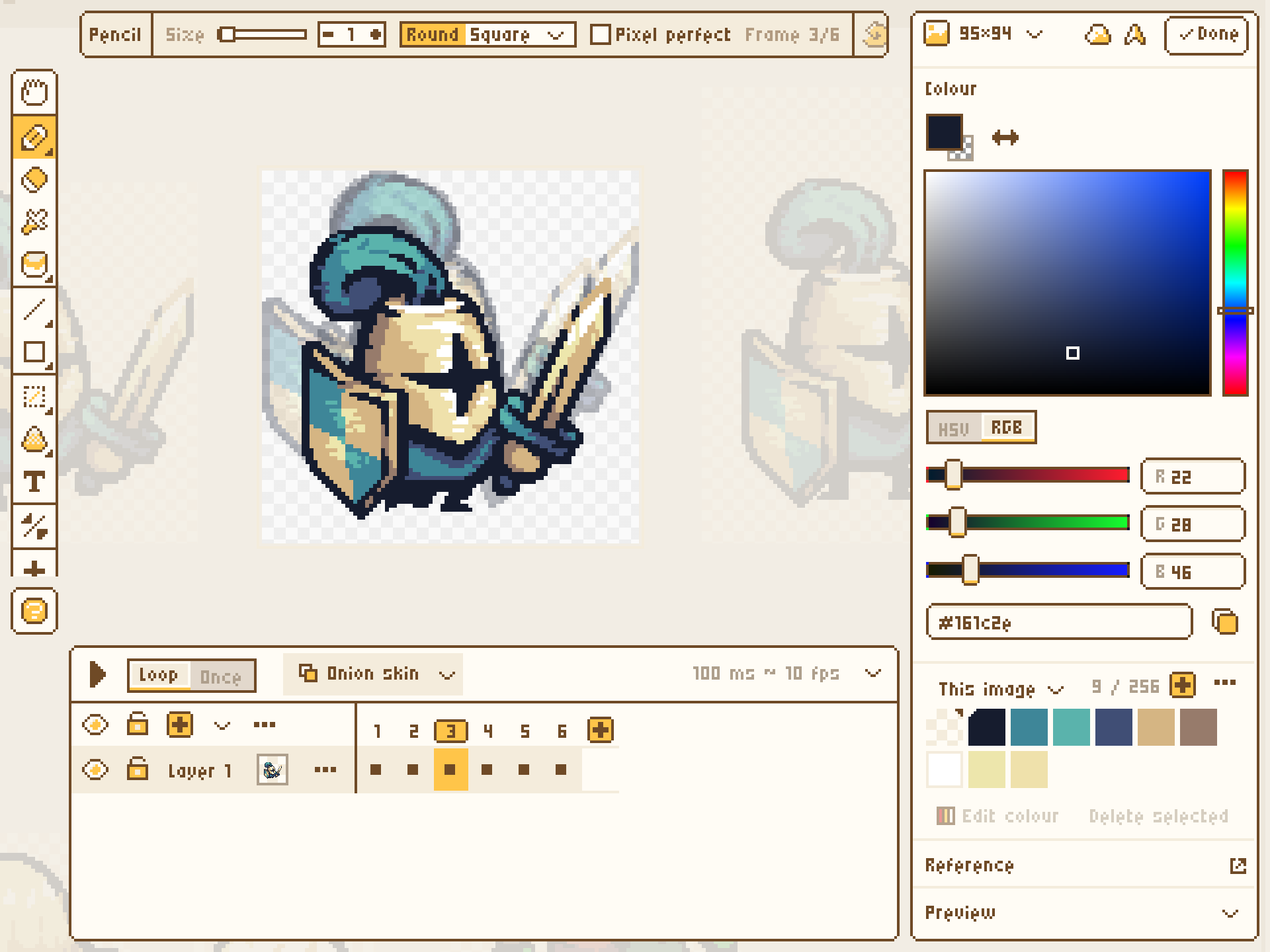
The MakePixel editor on the sample project: Animate
- 1,024 frames
- 64 layers
- 19 blend modes
- Onion skin up to three frames each way
- A frame can hold longer than the next: timing is yours Learn more
04Tilesets
Draw 13 tiles. Get all 47.
Paint one island and one hole. MakePixel works out the full autotile set, leaves alone any tile you touch up by hand, and checks the edges that don't meet.
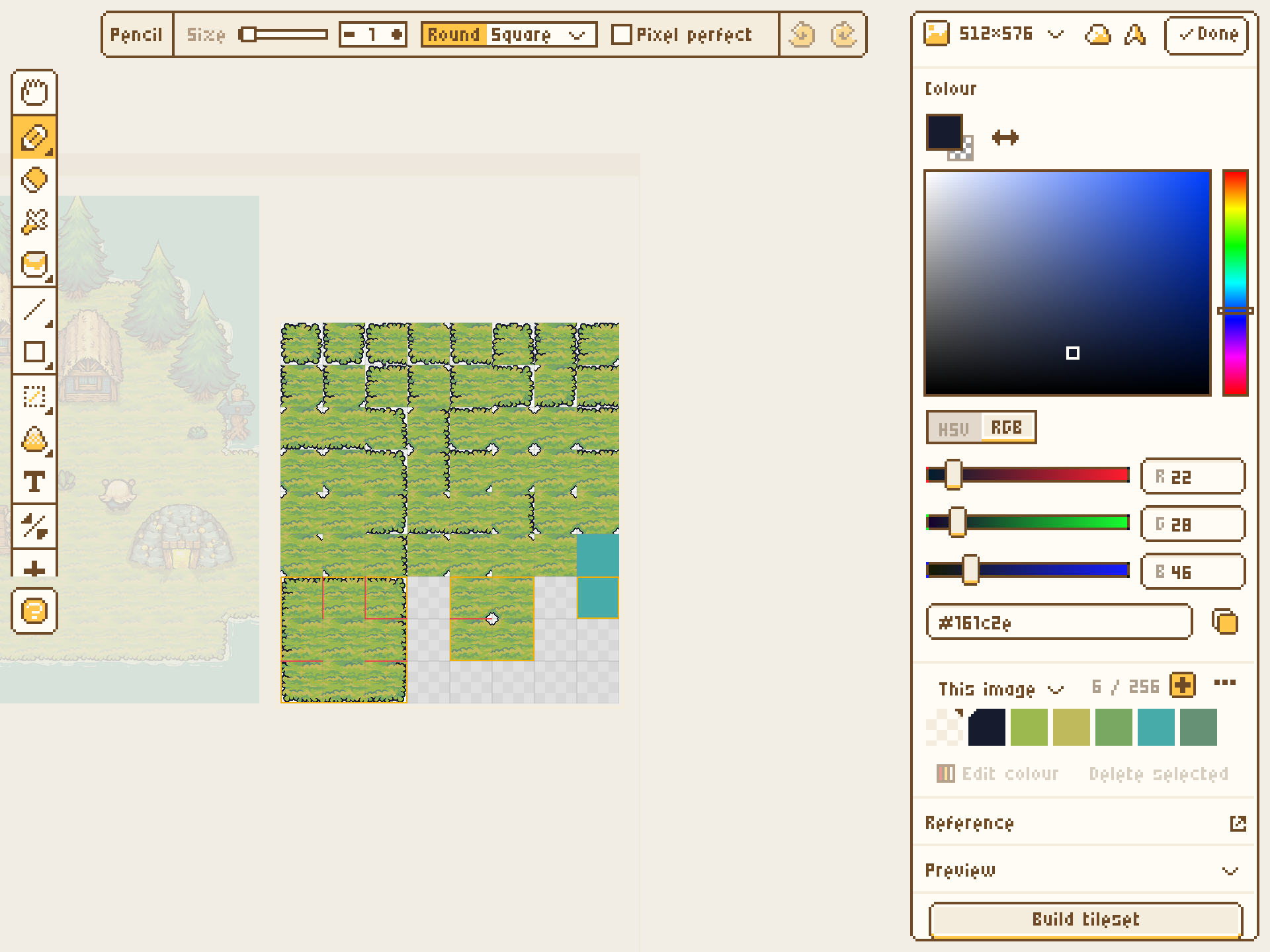
The MakePixel editor on the sample project: Tilesets
- Godot 4 TileSet
- Tiled + Wang sets
- The terrain is already set up when it lands in Godot
- Seamless tiles from 16 to 64 pixels Learn more
05Organise
Keep the set together.
Sections group what goes together, notes say what's left to do, and the outline finds anything by name. Select a few sprites and arrange, align or export them as one.
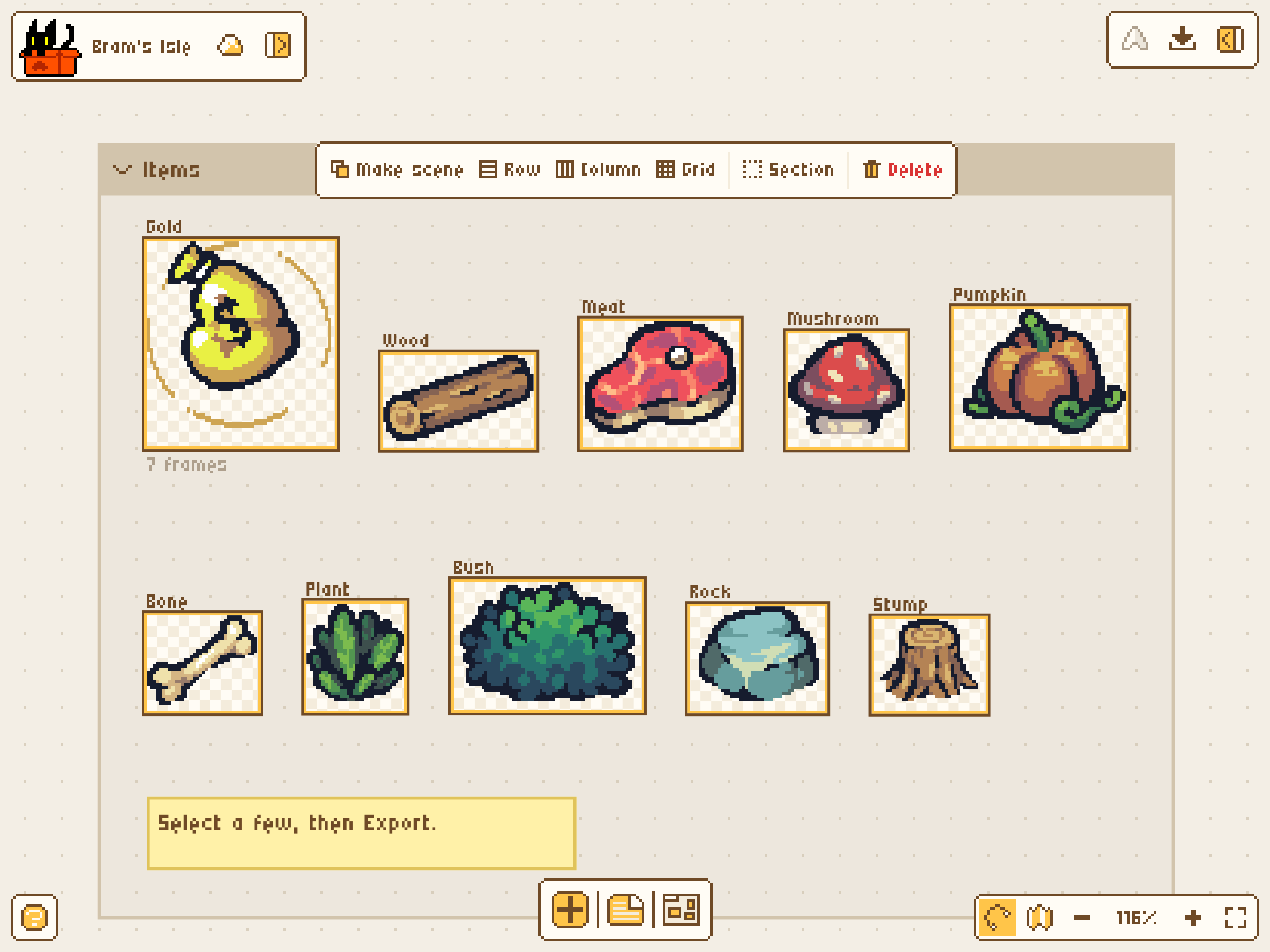
The MakePixel editor on the sample project: Organise
- Rows, columns, grids
- A link to any sprite
- One asset library across all your projects
- Edit the original and every copy follows
06Export
Ship it to your engine.
Not a PNG and a prayer. MakePixel writes the files your engine expects, with the filter, the pivot and the animation names already right.
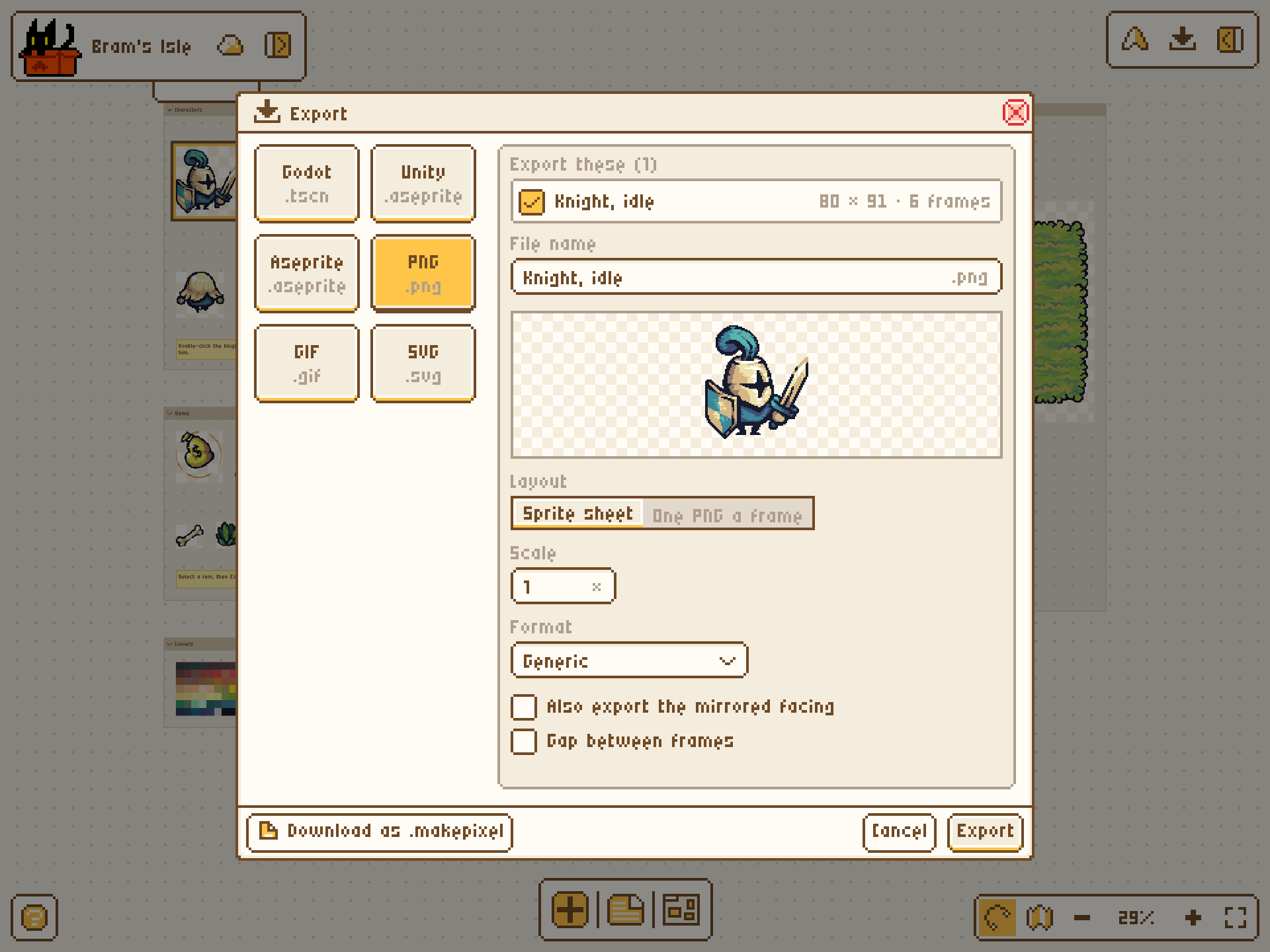
The MakePixel editor on the sample project: Export
- Godot
- Unity
- Aseprite
- PNG + JSON
- GIF / APNG
- Tiled
- SpriteFrames, scenes and TileSets for Godot
- Layers and tags intact for Unity and Aseprite Learn more
Is MakePixel free?
Yes. Drawing, animation, tilesets, characters, linked assets and every import and export format are free, with 50 MB of storage. Pro adds version history, scene playtesting, the connection for AI coding tools, more colour themes and 10 GB of storage.
Do I need to install anything?
No. MakePixel runs in the browser on a desktop, a tablet or a phone, and it keeps working when your connection drops.
Can I use it alongside Aseprite?
Yes. MakePixel opens.aseprite files and saves them back with layers, cels, tags, palette, blend modes and opacity intact, and the editor uses Aseprite's default shortcuts.
Which game engines does it export to?
Godot 4 (SpriteFrames, AnimatedSprite2D scenes and TileSets with terrains), Unity through its Aseprite Importer, and sprite sheets with JSON for Phaser, PixiJS and GameMaker. Tilesets also export for Tiled.
Can I build levels in it, or do I still need Tiled?
You can build them here. Paint maps with your own tilesets on the same canvas, with terrain that joins its edges for you and object layers for everything else, then export the map for Tiled (TMX or TMJ), as a Godot scene or as a PNG.
Is this an AI art generator?
No. MakePixel is an editor first: every tool works without AI, and the image-to-pixel-art converter runs in your browser. When you want a head start, describe a character, an item or a scene and AI makes pixel art you can edit pixel by pixel, for 1 credit a picture.
Can it turn a picture into pixel art?
Yes, for free. Drop in a photo, a sketch or an upscaled sprite, pick the size and how many colours, and it becomes a pixel image you can keep editing. It can remove the background, and in upscaled or AI-made pixel art it finds the pixel grid, so every pixel lands on one cell.
How big can a sprite or a project get?
A sprite can be up to 1024 × 1024 pixels with 1,024 frames, 64 layers and 256 colours. A project holds up to 5,000 items.
What happens if I close the tab or go offline?
Your work saves as you draw. Changes made offline are kept on your device and sent when you are back online, and deleted items can be restored from the trash.
Does it work on a tablet or a phone?
Yes. There is a touch layout with pinch to zoom, two-finger tap to undo, three-finger tap to redo and a long-press eyedropper.
Your game's art deserves one home.
Open a canvas and draw the first sprite. The rest of the game can move in when it's ready.
Start with
- ImageA character, icon or object.
- AnimationFrame-by-frame motion. Starts with two frames.
- TileOne square tile that repeats seamlessly.
- TilesetConnected terrain tiles for building maps.
Level 1
Sample art: Tiny Swords by Pixel Frog