MiniMax MCP
공식MiniMax의 강력한 텍스트 음성 변환, 이미지 및 비디오 생성 API와 상호작용합니다.
Mini Max MCP(으)로 무엇을 할 수 있나요?
- 텍스트를 음성으로 변환 — 선택한 음성을 사용하여
text_to_audio로 모든 텍스트에서 음성 오디오를 생성하도록 어시스턴트에 요청하세요. - 샘플에서 음성 복제 — 오디오 파일을 제공하고
voice_clone을 사용하여 원래 화자를 모방하는 맞춤형 음성을 만드세요. - 설명에서 음성 설계 — 원하는 음성 특성을 설명하고
voice_design을 사용하여 해당 맞춤형 음성의 미리보기를 생성하세요. - 프롬프트에서 이미지 생성 —
text_to_image로 원하는 내용을 설명하여 이미지를 만드세요. - 프롬프트에서 비디오 생성 —
generate_video를 통해 선택적 지속 시간 및 해상도 제어 기능과 함께 장면을 설명하여 비디오 클립을 제작하세요. - 프롬프트와 가사로 음악 만들기 —
music_generation에 스타일 프롬프트와 가사를 제공하여 음악 트랙을 작곡하세요.
문서









강력한 Text to Speech 및 비디오/이미지 생성 API와 상호 작용할 수 있는 공식 MiniMax 모델 컨텍스트 프로토콜(MCP) 서버입니다. 이 서버를 통해 Claude Desktop, Cursor, Windsurf, OpenAI Agents 등의 MCP 클라이언트에서 음성 생성, 음성 복제, 비디오 생성, 이미지 생성 등을 수행할 수 있습니다.
💡 권장: MiniMax CLI (mmx-cli) — 최신 모델과 텍스트, 비전, 검색, 음악 커버 등 추가 기능을 갖춘 공식 명령줄 도구입니다. Claude Code, Cursor, OpenClaw 등을 위한 AI 에이전트 스킬로 작동합니다.
문서
- 中文文档
- MiniMax-MCP-JS - MiniMax MCP의 공식 JavaScript 구현체
MCP 클라이언트 빠른 시작
- MiniMax에서 API 키를 발급받으세요.
uv(Python 패키지 관리자)를 설치하고,curl -LsSf https://astral.sh/uv/install.sh | sh로 설치하거나 추가 설치 방법은uv저장소를 참조하세요.- 중요: API 호스트와 키는 지역별로 다르며 반드시 일치해야 합니다. 그렇지 않으면
Invalid API key오류가 발생합니다.
| 지역 | 글로벌 | 중국 본토 |
|---|---|---|
| MINIMAX_API_KEY | MiniMax Global에서 발급 | MiniMax에서 발급 |
| MINIMAX_API_HOST | https://api.minimax.io | https://api.minimaxi.com |
Claude Desktop
Claude > Settings > Developer > Edit Config > claude_desktop_config.json로 이동하여 다음을 포함하세요:
{
  "mcpServers": {
    "MiniMax": {
      "command": "uvx",
      "args": [
        "minimax-mcp",
        "-y"
      ],
      "env": {
        "MINIMAX_API_KEY": "insert-your-api-key-here",
        "MINIMAX_MCP_BASE_PATH": "local-output-dir-path, such as /User/xxx/Desktop",
        "MINIMAX_API_HOST": "api host, https://api.minimax.io | https://api.minimaxi.com",
        "MINIMAX_API_RESOURCE_MODE": "optional, [url|local], url is default, audio/image/video are downloaded locally or provided in URL format"
      }
    }
  }
}
⚠️ 경고: API 키는 호스트와 일치해야 합니다. "API Error: invalid api key" 오류가 발생하면 API 호스트를 확인하세요:
- 글로벌 호스트:
https://api.minimax.io - 중국 본토 호스트:
https://api.minimaxi.com
Windows를 사용하는 경우 MCP 서버를 사용하려면 Claude Desktop에서 "개발자 모드"를 활성화해야 합니다. 왼쪽 상단의 햄버거 메뉴에서 "도움말"을 클릭하고 "개발자 모드 활성화"를 선택하세요.
Cursor
Cursor -> Preferences -> Cursor Settings -> MCP -> Add new global MCP Server로 이동하여 위 설정을 추가하세요.
이제 MCP 클라이언트가 다음 도구들을 통해 MiniMax와 상호 작용할 수 있습니다:
전송 방식
stdio와 sse 두 가지 전송 유형을 지원합니다.
| stdio | SSE |
|---|---|
| 로컬에서 실행 | 로컬 또는 클라우드에 배포 가능 |
stdout을 통한 통신 | network을 통한 통신 |
입력: local files 또는 유효한 URL 리소스 처리 지원 | 입력: 클라우드 배포 시 URL 사용 권장 |
사용 가능한 도구
| 도구 | 설명 |
|---|---|
text_to_audio | 주어진 음성으로 텍스트를 오디오로 변환 |
list_voices | 사용 가능한 모든 음성 목록 조회 |
voice_clone | 제공된 오디오 파일을 사용하여 음성 복제 |
generate_video | 프롬프트로부터 비디오 생성 |
text_to_image | 프롬프트로부터 이미지 생성 |
query_video_generation | 비디오 생성 작업 결과 조회 |
music_generation | 프롬프트와 가사로부터 음악 트랙 생성 |
voice_design | 미리보기 텍스트를 사용하여 프롬프트로 음성 생성 |
릴리스 노트
2025년 7월 2일
🆕 새로운 기능
- 음성 디자인: 새로운
voice_design도구 - 설명 프롬프트와 미리보기 오디오로 사용자 정의 음성 생성 - 비디오 개선: 초고화질 및 길이/해상도 제어 기능을 갖춘
MiniMax-Hailuo-02모델 추가 - 음악 생성:
music-1.5모델 기반의music_generation도구 강화
📈 향상된 도구
voice_design- 텍스트 설명으로 개인화된 음성 생성generate_video- 이제 6초/10초 길이 및 768P/1080P 해상도 옵션과 함께 MiniMax-Hailuo-02 지원music_generation- music-1.5 모델을 통한 고품질 음악 제작
FAQ
1. invalid api key
API 키와 API 호스트가 지역적으로 일치하는지 확인하세요.
| 지역 | 글로벌 | 중국 본토 |
|---|---|---|
| MINIMAX_API_KEY | MiniMax Global에서 발급 | MiniMax에서 발급 |
| MINIMAX_API_HOST | https://api.minimax.io | https://api.minimaxi.com |
2. spawn uvx ENOENT
터미널에서 다음 명령을 실행하여 절대 경로를 확인하세요:
which uvx
절대 경로(예: /usr/local/bin/uvx)를 얻으면 해당 경로를 사용하도록 설정을 업데이트하세요(예: "command": "/usr/local/bin/uvx").
3. 비동기 모드에서 generate_video 사용 방법
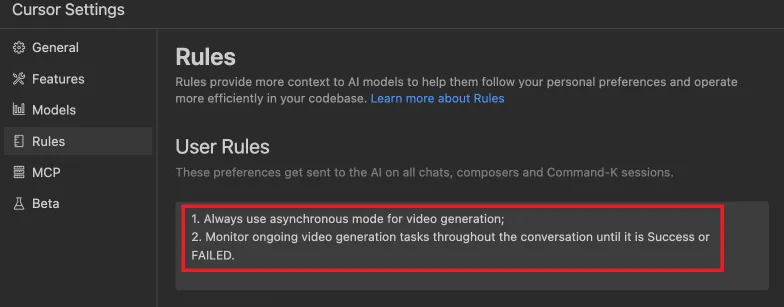
시작하기 전에 완료 규칙을 정의하세요:
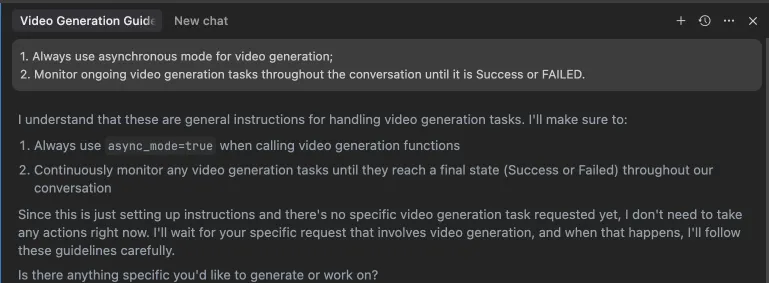 또는 IDE 설정(예: Cursor)에서 이러한 규칙을 구성할 수 있습니다:
사용 예시
⚠️ 경고: 이러한 도구를 사용하면 비용이 발생할 수 있습니다.
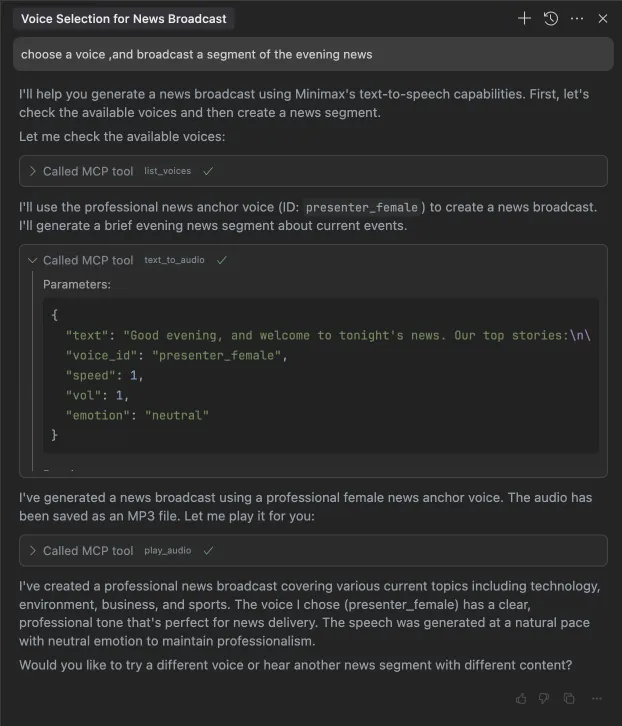
1. 저녁 뉴스 한 부분 방송
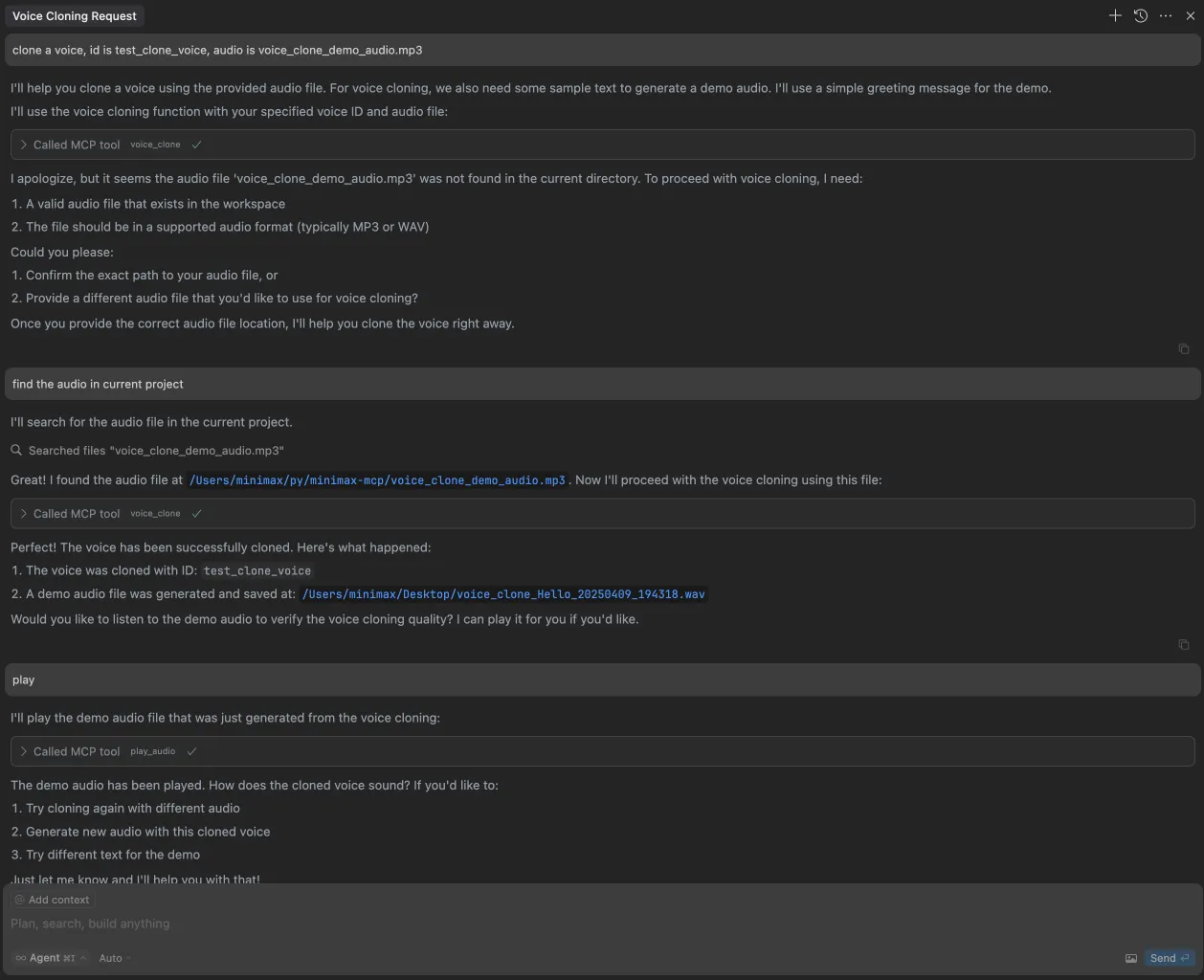
2. 음성 복제
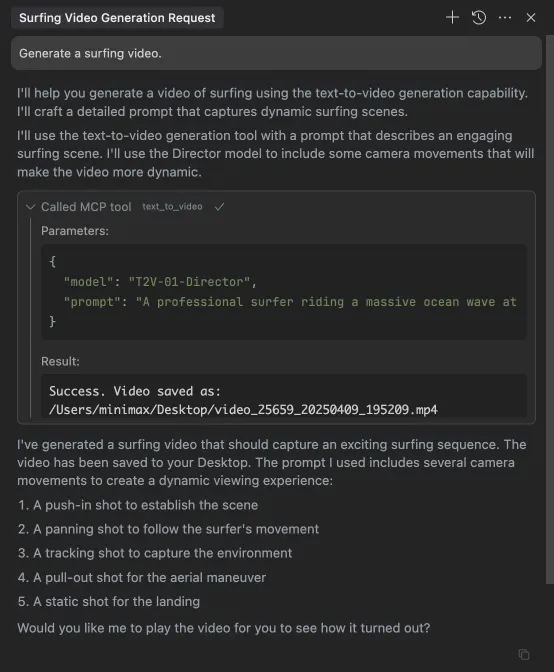
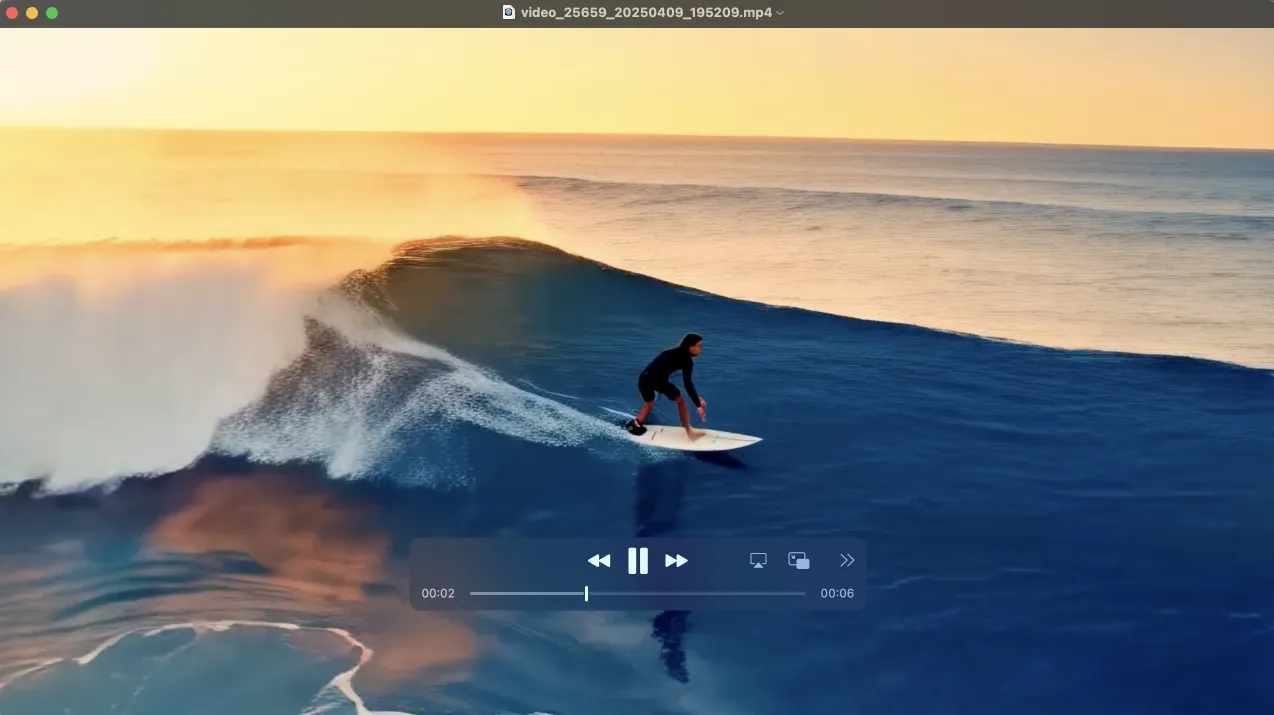
3. 비디오 생성
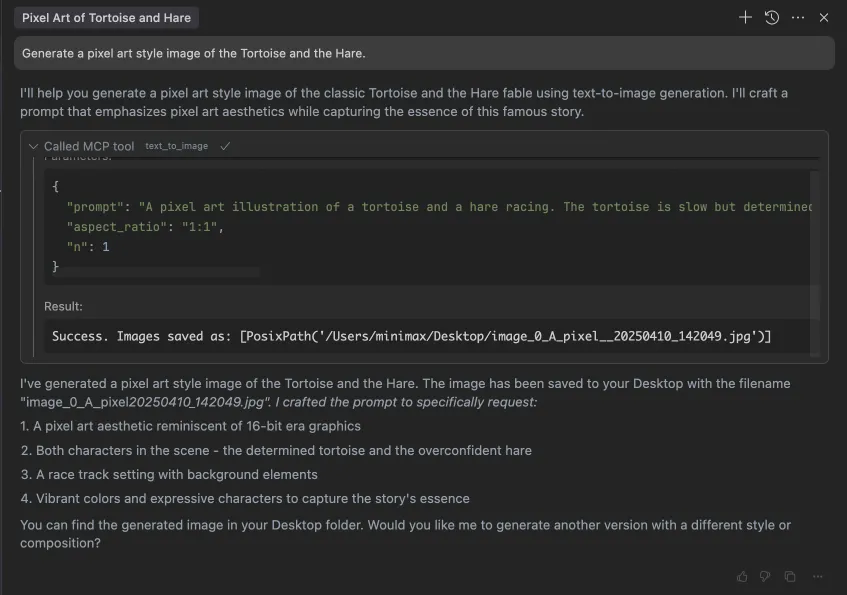
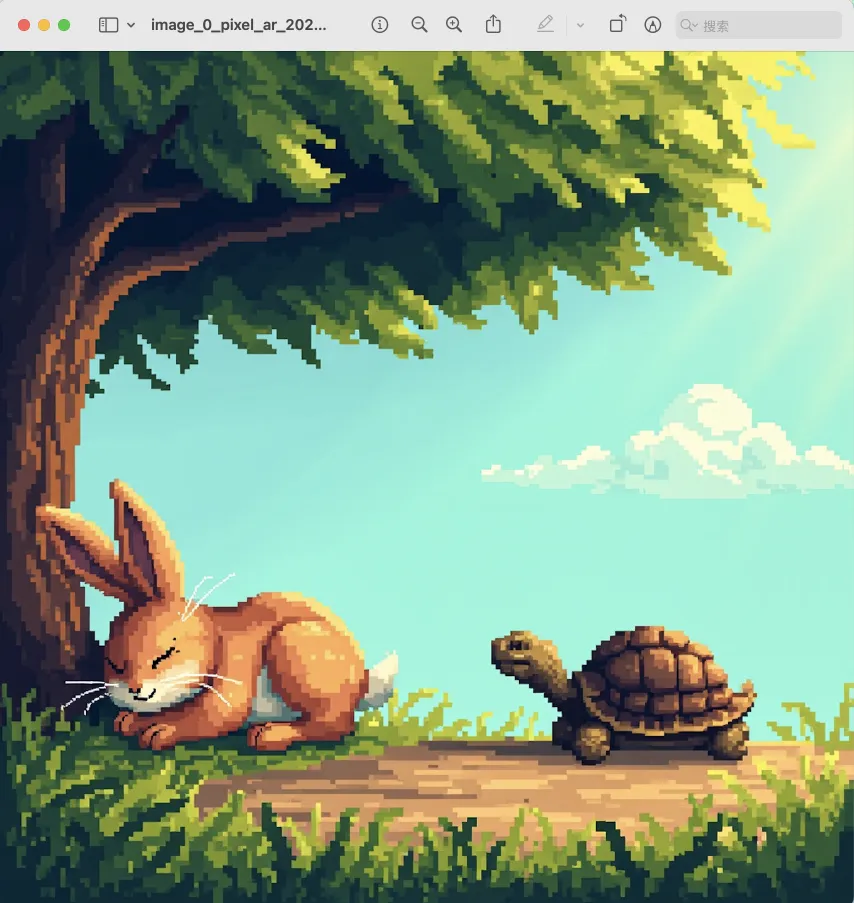
4. 이미지 생성