Agenty
공식AI를 활용한 웹 스크래핑, 크롤링 및 변경 감지
Agenty MCP(으)로 무엇을 할 수 있나요?
- 페이지를 Markdown으로 변환 —
markdown도구를 사용하여 URL 또는 원시 HTML을 깔끔하고 읽기 쉬운 Markdown으로 변환하여 LLM 친화적인 콘텐츠를 생성하도록 요청하세요. - 스크린샷 캡처 —
screenshot을 사용하여 사용자 지정 뷰포트와 기기 에뮬레이션으로 전체 페이지 또는 클리핑된 PNG/JPEG 이미지를 캡처하세요. - 렌더링된 HTML 스크래핑 —
scrape를 사용하여 동적 콘텐츠가 로드된 후 JavaScript가 많은 페이지의 전체 렌더링된 HTML을 가져오세요. - 구조화된 데이터 추출 —
extract를 사용하여 CSS 선택자 또는 XPath를 통해 가격, 헤드라인, 리뷰와 같은 특정 필드를 추출하세요. - PDF 생성 —
pdf를 사용하여 형식, 여백, 가로 방향, 머리글/바닥글 옵션을 지정하여 페이지를 PDF로 내보내세요. - 사이트 구조 탐색 —
sitemap을 사용하여 사이트의 sitemap.xml을 읽고 제외 패턴을 적용한 후 발견된 모든 URL을 반환하세요.
문서
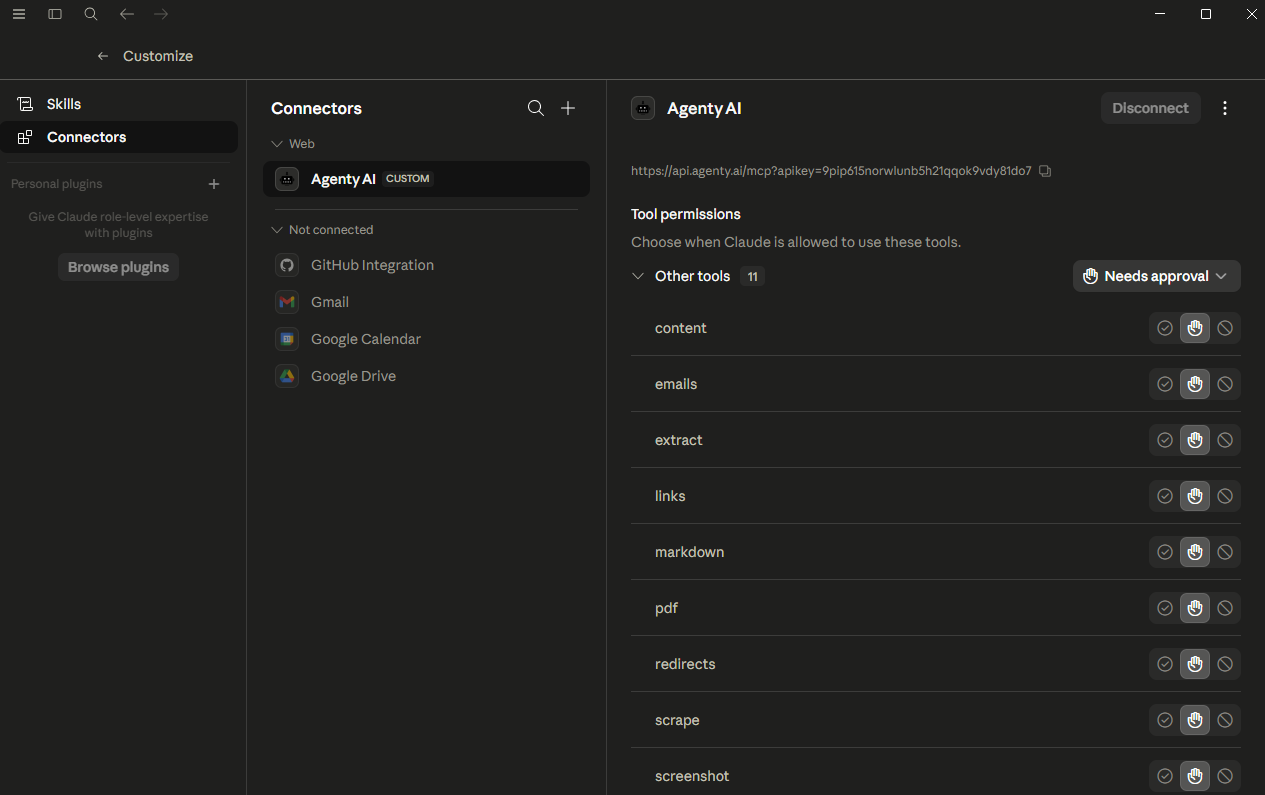
Agenty AI는 Claude, Cursor 및 MCP 호환 클라이언트와 같은 AI 어시스턴트가 브라우저 자동화 도구에 직접 액세스할 수 있게 해주는 Model Context Protocol(MCP) 서버를 제공합니다. LLM 모델을 사용하여 스크린샷 캡처, PDF 생성, 웹 페이지 스크래핑, 구조화된 데이터 추출, 페이지의 Markdown 변환 등을 수행할 수 있습니다.
이 글에서는 Agenty의 MCP 서버에 연결하는 방법과 사용 가능한 각 도구를 사용하는 방법을 다룹니다.
사전 요구 사항
연결하기 전에 다음이 필요합니다:
- Agenty AI 계정 및 API 키
- Claude Desktop, Cursor, Windsurf 또는 Model Context Protocol을 지원하는 도구와 같은 MCP 호환 클라이언트
- CLI 또는 로컬 구성 파일을 사용하는 경우 Node.js 18 이상
연결 방법
MCP 클라이언트에 다음 구성을 추가하세요. Claude Desktop의 경우 이 구성은 claude_desktop_config.json에 들어갑니다. Cursor의 경우 .cursor/mcp.json 파일에 들어갑니다.
{
  "mcpServers": {
    "agenty": {
      "url": "https://api.agenty.ai/mcp",
      "headers": {
        "Authorization": "Bearer YOUR_API_KEY"
      }
    }
  }
}
YOUR_API_KEY을 Agenty AI > Settings > API Key의 키로 교체하세요. 추가한 후 클라이언트를 다시 시작하면 Agenty 도구가 도구 목록에 나타납니다. OAuth 또는 토큰 기반 로그인을 지원하는 클라이언트의 경우 키를 수동으로 붙여넣지 않고 Agenty AI 로그인 흐름을 통해 직접 인증할 수 있습니다.
사용 가능한 도구
Agenty MCP 서버는 가장 일반적인 브라우저 자동화 요구를 포괄하는 11개의 도구를 제공합니다. 각 도구는 URL 또는 원시 HTML을 입력으로 받아들이고 브라우저 동작을 제어하는 선택적 매개변수를 함께 사용합니다.
Markdown MCP
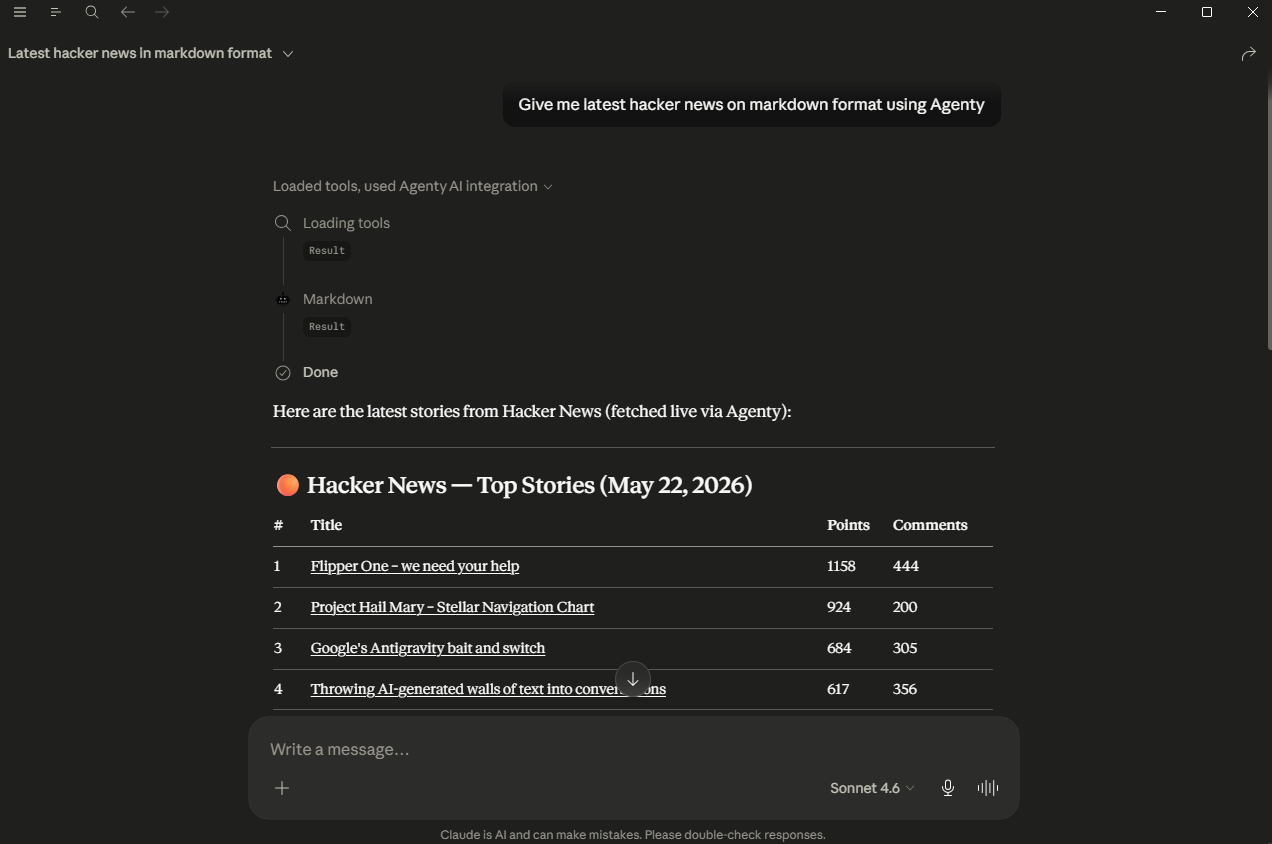
markdown 도구는 페이지를 로드하고 탐색 요소, 바닥글, 스크립트, 광고 및 기타 보일러플레이트를 제거한 다음 남은 읽을 수 있는 콘텐츠를 깔끔한 Markdown으로 변환합니다. 상대 링크를 절대 URL로 변환하고 데이터 이미지를 제거할 수 있습니다.
이는 웹 콘텐츠를 LLM에 공급하거나, RAG 파이프라인을 구축하거나, 기사의 읽기 가능한 버전을 저장하는 데 특히 유용합니다.
예시 프롬프트:
"Web scraping - Wikipedia를 Markdown으로 변환해 줘"
"이 블로그 게시물의 Markdown 콘텐츠를 가져와 줘: https://example.com/article"
Screenshot MCP
screenshot 도구는 실제 브라우저를 실행하고 페이지를 로드한 다음 PNG 또는 JPEG 이미지로 캡처합니다. 전체 페이지 스크린샷, 클리핑 영역, 사용자 지정 뷰포트, 기기 에뮬레이션, 크기 조정 및 회전과 같은 이미지 조작을 지원합니다.
페이지의 시각적 스냅샷이 필요하거나, UI를 문서화하거나, 특정 화면 크기에서 사이트가 어떻게 보이는지 확인하려는 경우에 유용합니다.
예시 프롬프트:
"https://example.com의 전체 페이지 스크린샷을 찍어 PNG로 반환해 줘"
"iPhone 14 뷰포트를 사용하여 https://agenty.ai의 모바일 스크린샷을 캡처해 줘"
Web Scraping MCP
web scrape 도구는 전체 JavaScript 실행이 포함된 실제 브라우저에서 URL을 로드하고 렌더링된 HTML을 반환합니다. 단순한 HTTP 요청과 달리 동적 콘텐츠가 로드될 때까지 대기하므로 단일 페이지 애플리케이션과 JavaScript가 많은 페이지에 안정적입니다.
모든 스크립트가 실행된 후 사용자가 보는 것과 정확히 동일한 페이지의 원시 HTML이 필요할 때 사용하세요.
예시 프롬프트:
"https://news.ycombinator.com의 HTML을 스크래핑하여 전체 렌더링 콘텐츠를 반환해 줘"
"이 페이지를 스크래핑하고 동적 콘텐츠 로드를 위해 3초를 기다려 줘: https://example.com/dashboard"
Web Crawling MCP
links crawling 도구는 페이지를 렌더링하고 DOM에서 발견된 모든 하이퍼링크를 추출합니다. 모든 앵커 href의 평면 목록을 반환하므로 크롤링 큐를 구축하거나, 내부 링크를 감사하거나, 콘텐츠를 발견하는 데 사용할 수 있습니다.
예시 프롬프트:
"https://agenty.ai의 모든 링크를 찾아 줘"
"https://example.com/blog에서 모든 링크를 추출하고 기사 URL 목록을 제공해 줘"
PDF MCP
PDF 도구는 페이지를 실제 브라우저에서 렌더링하고 PDF로 내보냅니다. 페이지 형식(A4, Letter 등)을 설정하고, 가로 모드를 활성화하고, 여백을 설정하고, 배경을 표시하거나 숨기고, 사용자 지정 머리글과 바닥글을 제공할 수 있습니다.
예시 프롬프트:
"https://agenty.ai의 PDF를 인쇄 배경이 활성화된 A4 형식으로 생성해 줘"
"https://example.com/report의 가로 PDF를 만들어 줘"
Data Extraction MCP
extract 도구는 페이지를 렌더링하고 CSS 선택자 또는 XPath를 사용하여 구조화된 데이터를 추출합니다. 제품 가격, 리뷰 수, 직함 또는 렌더링된 페이지의 반복 요소와 같은 특정 필드를 가져오는 데 적합합니다.
예시 프롬프트:
"https://example.com/products에서 제품 이름과 가격을 추출해 줘"
"https://news.ycombinator.com에서 모든 헤드라인을 가져와 줘"
Sitemap MCP
sitemap 크롤러 도구는 웹사이트의 sitemap.xml을 읽고, 사이트맵 인덱스 파일을 따라가며, 발견된 모든 URL의 전체 목록을 반환합니다. 특정 경로를 필터링하기 위한 제외 패턴을 지원합니다.
웹사이트의 전체 구조를 빠르게 파악하거나 대규모 사이트의 크롤링 목록을 구축하는 데 사용하세요.
예시 프롬프트:
"https://agenty.ai의 사이트맵에서 모든 URL을 찾아 줘"
"https://example.com의 사이트맵을 가져오고 /blog/를 포함하는 URL은 제외해 줘"
Redirect Tracing MCP
redirects 캡처 도구는 주어진 URL에 대한 모든 HTTP 리디렉션을 따라가며 각 중간 URL, 상태 코드 및 최종 대상을 포함한 전체 체인을 반환합니다.
깨진 링크를 디버깅하거나, 표준 URL을 확인하거나, 제휴 또는 단축 링크를 감사하는 데 유용합니다.
예시 프롬프트:
"https://bit.ly/some-link의 모든 리디렉션을 추적해 줘"
"https://example.com/old-page의 리디렉션 체인을 보여 줘"
Email Scraper MCP
emails 스크래퍼 도구는 하나 이상의 URL(한 번에 최대 10개)을 로드하고 렌더링된 페이지에서 발견된 모든 이메일 주소를 추출합니다. 난독화된 주소와 동적으로 로드되는 연락처 섹션을 처리합니다.
예시 프롬프트:
"https://example.com/contact에서 모든 이메일 주소를 찾아 줘"
"이 세 페이지에서 이메일을 스크래핑해 줘: https://site1.com, https://site2.com, https://site3.com"
Content MCP
content 도구는 JavaScript 실행 후 페이지의 완전한 렌더링된 HTML을 반환합니다. 스크래핑과 유사하지만 스크래핑 파이프라인보다 최종 DOM 상태가 필요한 사용 사례에 최적화되어 있습니다.
예시 프롬프트:
"https://example.com/app의 렌더링된 HTML 콘텐츠를 가져와 줘"
Snapshot MCP
snapshot 도구는 페이지의 접근성 트리(버튼, 링크, 입력 필드, 제목을 포함한 모든 대화형 및 읽기 가능한 요소의 구조화된 목록)를 캡처합니다. 원시 HTML을 처리하지 않고 페이지를 탐색하거나 추론해야 하는 AI 에이전트를 위해 설계되었습니다.
예시 프롬프트:
"https://example.com의 접근성 스냅샷을 찍어 페이지 구조를 이해할 수 있게 해 줘"
예시 프롬프트
도구를 결합하는 몇 가지 다단계 예시입니다:
웹사이트 콘텐츠 감사:
"https://example.com의 사이트맵을 가져온 다음 상위 5개 페이지를 Markdown으로 변환하고 각각을 요약해 줘"
시각적 보고서 생성:
"https://agenty.ai의 모바일 및 데스크톱 뷰포트 스크린샷을 찍고 둘 다 보여 줘"
연락처 목록 구축:
"https://example.com/team의 모든 링크를 찾은 다음 각 팀원 페이지에서 이메일 주소를 스크래핑해 줘"
링크 상태 확인:
"https://example.com/blog에서 모든 링크를 추출하고 200을 반환하지 않는 링크의 리디렉션 체인을 추적해 줘"
페이지 보관:
"https://example.com/article을 Markdown으로 변환하고 PDF 버전을 생성해 줘. 둘 다 절대 링크를 사용해 줘"
지원되는 매개변수
모든 탐색 기반 도구(screenshot, pdf, scrape, content, markdown, links, extract, redirects)는 공통 브라우저 구성 옵션 세트를 공유합니다:
| 매개변수 | 유형 | 설명 |
|---|---|---|
url | string | 로드할 페이지 URL입니다. html이 제공되지 않은 경우 필수입니다. |
html | string | URL을 로드하는 대신 렌더링할 원시 HTML 문자열입니다. |
waitFor | string 또는 number | 캡처 전에 CSS 선택자, 밀리초 수 또는 네트워크 이벤트를 기다립니다. |
viewport | object | width, height, deviceScaleFactor, isMobile, hasTouch 및 isLandscape을 설정합니다. |
device | string | iPhone 14 또는 iPad Pro와 같은 명명된 기기를 에뮬레이션합니다. |
userAgent | string | 브라우저 사용자 에이전트 문자열을 재정의합니다. |
cookies | array | 페이지 로드 전에 쿠키를 주입합니다. |
blockAds | boolean | 광고 네트워크 요청을 차단합니다. 스크래핑 도구의 경우 기본적으로 활성화됩니다. |
blockTrackers | boolean | 추적 및 분석 스크립트를 차단합니다. |
goToOptions | object | 탐색 timeout(ms) 및 waitUntil 전략(load, domcontentloaded, networkidle0, networkidle2)을 제어합니다. |
setExtraHTTPHeaders | object | 키-값 쌍으로 사용자 지정 요청 헤더를 추가합니다. |
rejectRequestPattern | array | 이러한 URL 패턴과 일치하는 요청을 차단합니다. |
requestInterceptors | array | 패턴과 일치하는 요청을 가로채고 사용자 지정 응답을 반환합니다. |
authenticate | object | 기본 인증 뒤의 페이지에 대한 HTTP username 및 password을 설정합니다. |
anonymous | object | 프록시를 통해 라우팅하고 익명 브라우징을 위해 리소스 유형을 건너뜁니다. |
Screenshot 전용 매개변수:
| 매개변수 | 유형 | 설명 |
|---|---|---|
options.fullPage | boolean | 스크롤 가능한 전체 페이지를 캡처합니다. 기본값은 true입니다. |
options.type | string | 이미지 형식: png 또는 jpeg. 기본값은 png입니다. |
options.quality | number | 0에서 100 사이의 JPEG 품질입니다. |
options.clip | object | x, y, width 및 height으로 특정 영역을 캡처합니다. |
options.omitBackground | boolean | 배경을 투명하게 만듭니다(PNG 전용). |
manipulate | object | resize, rotate, flip 및 flop로 이미지를 후처리합니다. |
responseType | string | 이미지를 buffer(기본값) 또는 호스팅된 url으로 반환합니다. |
MCP를 통해 screenshot 도구를 사용하면 결과가 기본적으로 호스팅된 URL로 반환됩니다. API를 직접 호출할 때 responseType의 기본값은 buffer입니다. 호스팅된 링크를 받으려면 responseType: 'url'을 설정하세요.
PDF 전용 매개변수:
| 매개변수 | 유형 | 설명 |
|---|---|---|
options.format | string | 페이지 크기: A4, Letter, Legal, Tabloid, Ledger, A0 – A6. |
options.landscape | boolean | 가로 방향으로 렌더링합니다. |
options.margin | object | top, bottom, left 및 right 여백을 설정합니다. |
options.printBackground | boolean | 출력에 CSS 배경을 포함합니다. |
options.displayHeaderFooter | boolean | 각 페이지에 머리글과 바닥글을 표시합니다. |
options.headerTemplate | string | 페이지 머리글용 HTML 템플릿입니다. |
options.footerTemplate | string | 페이지 바닥글용 HTML 템플릿입니다. |
options.pageRanges | string | 특정 페이지를 인쇄합니다(예: 1-5). |
options.scale | number | 페이지 콘텐츠의 배율을 조정합니다. |
emulateMedia | string | screen 또는 print 미디어 유형으로 렌더링합니다. |
responseType | string | PDF를 buffer(기본값) 또는 호스팅된 url으로 반환합니다. |
MCP를 통해 PDF 도구를 사용하면 결과가 기본적으로 호스팅된 URL로 반환됩니다. API를 직접 호출할 때 responseType의 기본값은 buffer입니다. 호스팅된 링크를 받으려면 responseType: 'url'을 설정하세요.
속도 제한 및 공정 사용
각 API 키는 요금제에 따라 월별 요청 한도가 있습니다. JavaScript가 많거나 대용량 PDF를 처리하는 오래 실행되는 페이지는 더 많은 리소스를 소비합니다. 스크래핑 작업에서 요청 속도를 높이고 대역폭 사용량을 줄이려면 blockAds 및 blockTrackers를 사용하세요.
Agenty AI 요청 및 응답 스키마는 Browserless, Firecrawl, Cloudflare Browser Rendering 및 유사한 서비스를 포함하여 가장 널리 사용되는 브라우저 자동화 API와 호환되도록 의도적으로 유지됩니다. 이미 이러한 공급자 중 하나를 사용 중이라면 기본 URL과 API 키만 업데이트하면 기존 요청을 다시 작성하지 않고도 Agenty AI로 전환할 수 있습니다.
| 공급자 | 마이그레이션 |
|---|---|
| Browserless | 기본 URL과 API 키를 변경하세요. 모든 매개변수가 호환됩니다. |
| Firecrawl | 기본 URL과 API 키를 변경하세요. Scrape, markdown 및 crawl 엔드포인트가 직접 매핑됩니다. |
| Cloudflare Browser Rendering | 기본 URL과 인증 헤더를 변경하세요. 스크린샷 및 콘텐츠 매개변수가 호환됩니다. |
| Puppeteer HTTP APIs | 대부분의 goToOptions 및 페이지 옵션이 1:1로 매핑됩니다. |