Twilio MCP Server
AI 어시스턴트가 Twilio API를 사용하여 SMS 및 MMS 메시지를 보낼 수 있도록 합니다.
문서
Twilio MCP Server
A Model Context Protocol (MCP) server that enables Claude and other AI assistants to send SMS and MMS messages using Twilio.
Demo
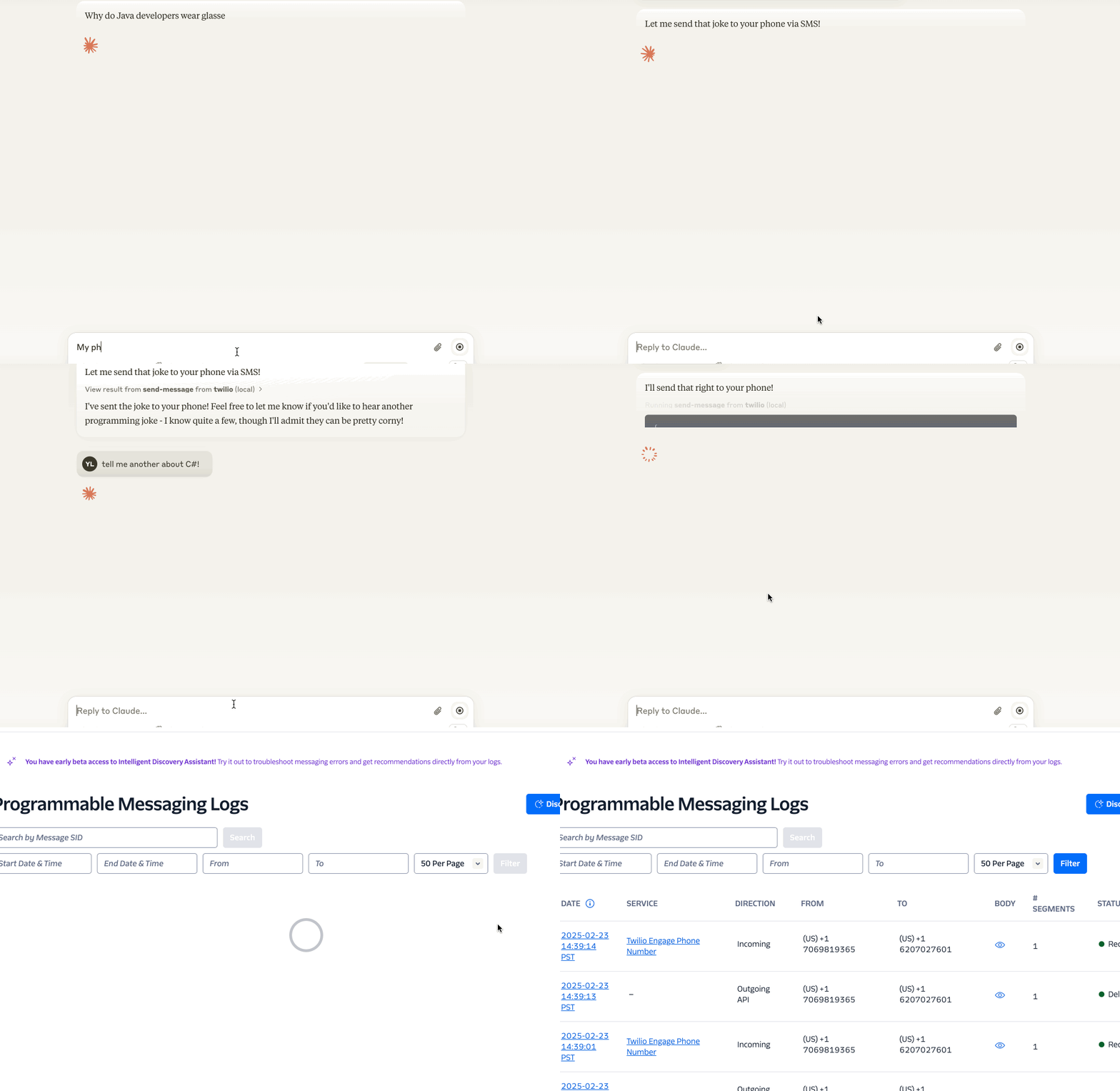
Features
- Send SMS messages 📱
- Pre-built prompts for common messaging scenarios 📝
- Secure handling of Twilio credentials 🔒
Requirements
- Node.js >= 18
- If you need to update Node.js, we recommend using
nvm(Node Version Manager):nvm install 18.14.2 nvm alias default 18.14.2 - If you encounter any errors in Claude Desktop, try running the following command in your terminal to verify the installation:
npx -y @yiyang.1i/sms-mcp-server
- If you need to update Node.js, we recommend using
Configuration
The server requires three environment variables:
ACCOUNT_SID: Your Twilio account SIDAUTH_TOKEN: Your Twilio auth tokenFROM_NUMBER: Your Twilio phone number (in E.164 format, e.g., +11234567890)
Claude Desktop Configuration
To use this server with Claude Desktop, add the following to your configuration file:
macOS: ~/Library/Application Support/Claude/claude_desktop_config.json
Windows: %APPDATA%\Claude\claude_desktop_config.json
{
  "mcpServers": {
    "twilio": {
      "command": "npx",
      "args": [
        "-y",
        "@yiyang.1i/sms-mcp-server"
      ],
      "env": {
        "ACCOUNT_SID": "your_account_sid",
        "AUTH_TOKEN": "your_auth_token",
        "FROM_NUMBER": "your_twilio_number"
      }
    }
  }
}
After that, restart Claude Desktop to reload the configuration. If connected, you should see Twilio under the 🔨 menu.
Example Interactions with Claude
Here are some natural ways to interact with the server through Claude:
- Simple SMS:
Send a text message to the number +11234567890 saying "Don't forget about dinner tonight!"
- Creative SMS:
Write a haiku about autumn and send it to my number +11234567890
Important Notes
- Phone Number Format: All phone numbers must be in E.164 format (e.g., +11234567890)
- Rate Limits: Be aware of your Twilio account's rate limits and pricing
- Security: Keep your Twilio credentials secure and never commit them to version control
Troubleshooting
Common error messages and solutions:
-
"Phone number must be in E.164 format"
- Make sure the phone number starts with "+" and the country code
-
"Invalid credentials"
- Double-check your ACCOUNT_SID and AUTH_TOKEN. You can copy them from the Twilio Console
Contributing
Contributions are welcome! Please read our contributing guidelines before submitting pull requests.
License
This project is licensed under the MIT License - see the LICENSE file for details.
Security
Please do not include any sensitive information (like phone numbers or Twilio credentials) in GitHub issues or pull requests.