LambdaTest MCP Server
公式LambdaTest MCPサーバーは、アクセシビリティ、SmartUI、自動化、HyperExecuteにわたり、AIアシスタントをテストワークフローに接続し、セットアップの効率化、障害の分析、修正の生成を通じてテストを迅速化し、効率を向上させます。
Lambda Test MCPで何ができますか?
- HyperExecute YAML設定の生成 — AIに依頼して、
generateHyperExecuteYAMLを使用してテストプロジェクトのYAML設定を作成します。 - 失敗した自動化テストのトリアージ — Automation MCPツールを使用して、特定のテストのコマンドログ、ネットワークログ、コンソールエラーを取得し、根本原因を特定します。
- URLに対するアクセシビリティ監査の実行 —
getAccessibilityReportを使用して、任意の公開ページのWCAG準拠レポートを取得します。 - ビジュアルリグレッションのデバッグ —
summarizeSmartUIPixelDiff、summarizeSmartUILayoutDiff、および関連するSmartUIツールを使用して、スクリーンショット間のピクセル、レイアウト、DOM、人間が知覚する差異を要約します。 - HyperExecuteジョブ詳細の取得 —
getHyperExecuteJobInfoおよびgetHyperExecuteJobSessionsを使用して、テスト実行のジョブレベル情報とセッション詳細を取得します。
ドキュメント


エージェントテストのためのTestMu AI MCPサーバー
Cursor、Claude、Copilot、その他のMCPクライアントで自然言語を使用し、IDEから直接、HyperExecute、Automation、SmartUI、アクセシビリティツールを強化するTestMu AIのMCPサーバーでテストを実行、デバッグ、トリアージします。
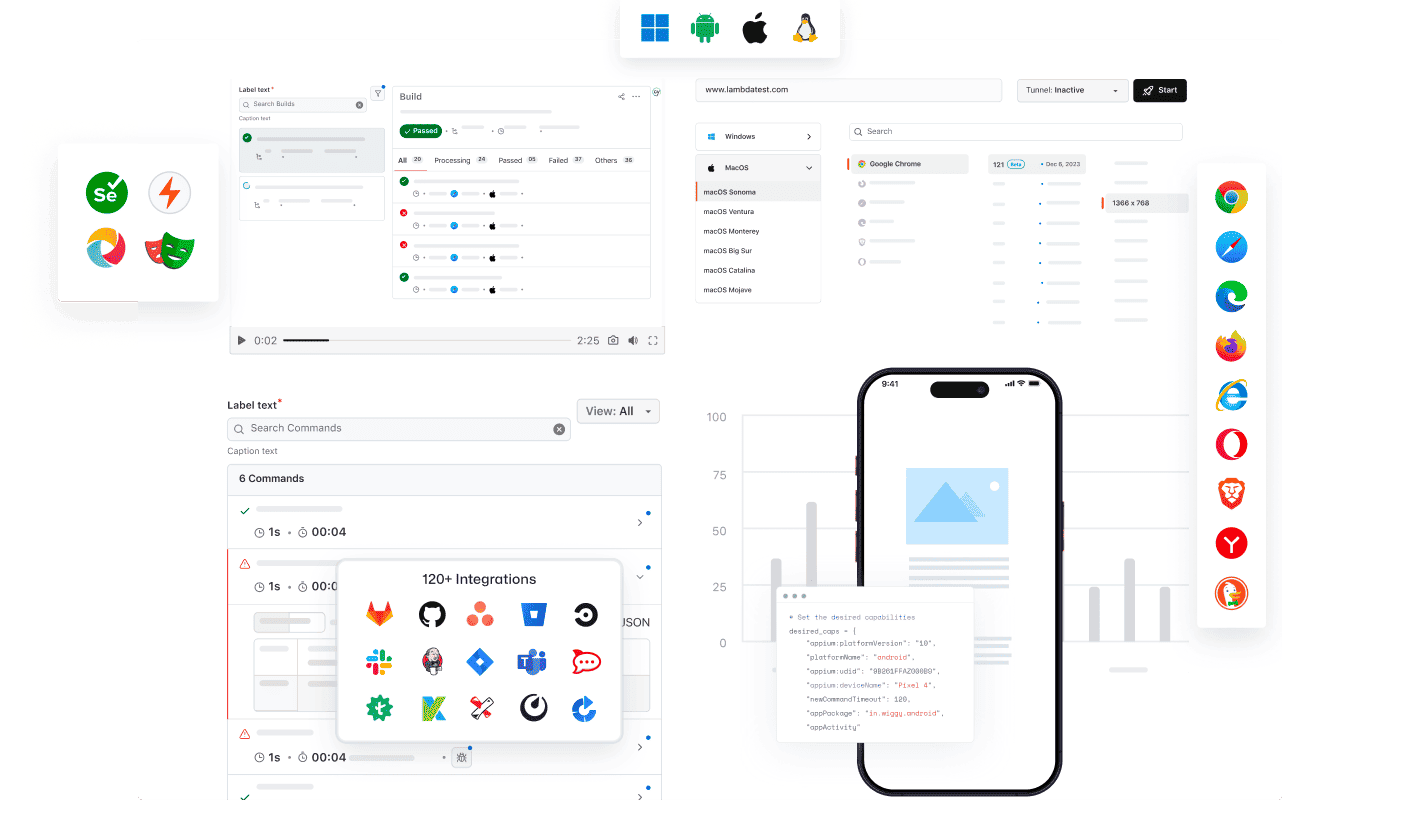
あらゆるAIクライアントがTestMu AIのMCPを利用可能
TestMu AI MCPサーバーを使用して、あらゆるAIアシスタントでテストを実行、デバッグ、トリアージします。
AIクライアントを選択して、数分でセットアップできます。

Cursor
エディター内で平易な英語を使用して、設定の生成、スイートの実行、失敗のデバッグ、結果のトリアージを行います。

Claude Code
ターミナル内で平易な英語を使用して、設定の生成、スイートの実行、失敗のデバッグ、結果のトリアージを行います。

GitHub Copilot
VS Codeチャット内で平易な英語を使用して、設定の生成、スイートの実行、失敗のデバッグ、結果のトリアージを行います。

OpenAI Codex
コマンドラインから平易な英語を使用して、設定の生成、スイートの実行、失敗のデバッグ、結果のトリアージを行います。

Antigravity
エージェントパネルから平易な英語を使用して、設定の生成、スイートの実行、失敗のデバッグ、結果のトリアージを行います。
TestMu AI(旧LambdaTest)による組み込みMCPサーバー
自然言語を使用して、HyperExecute、Automation、Accessibility、SmartUI MCPツールでIDEからテストを実行、デバッグ、トリアージします。
HyperExecute MCPツールAutomation MCPツールAccessibility MCPツールSmartUI MCPツール
HyperExecute MCPによるテストオーケストレーション
TestMu AIのHyperExecute MCPは、手動でのYAML作成やダッシュボードの切り替えを不要にします。自然言語でIDEからYAML設定、ランナーコマンドを生成し、ジョブを監視します。
generateHyperExecuteYAML: テストプロジェクト実行用のYAML設定を生成します。
answerHyperExecuteQuery: HyperExecuteドキュメントから即座に回答を得ます。
getHyperExecuteJobInfo: 特定のテスト実行に関する詳細なジョブレベルの情報を取得します。
getHyperExecuteJobSessions: HyperExecuteジョブにリンクされたすべてのセッション詳細を取得します。
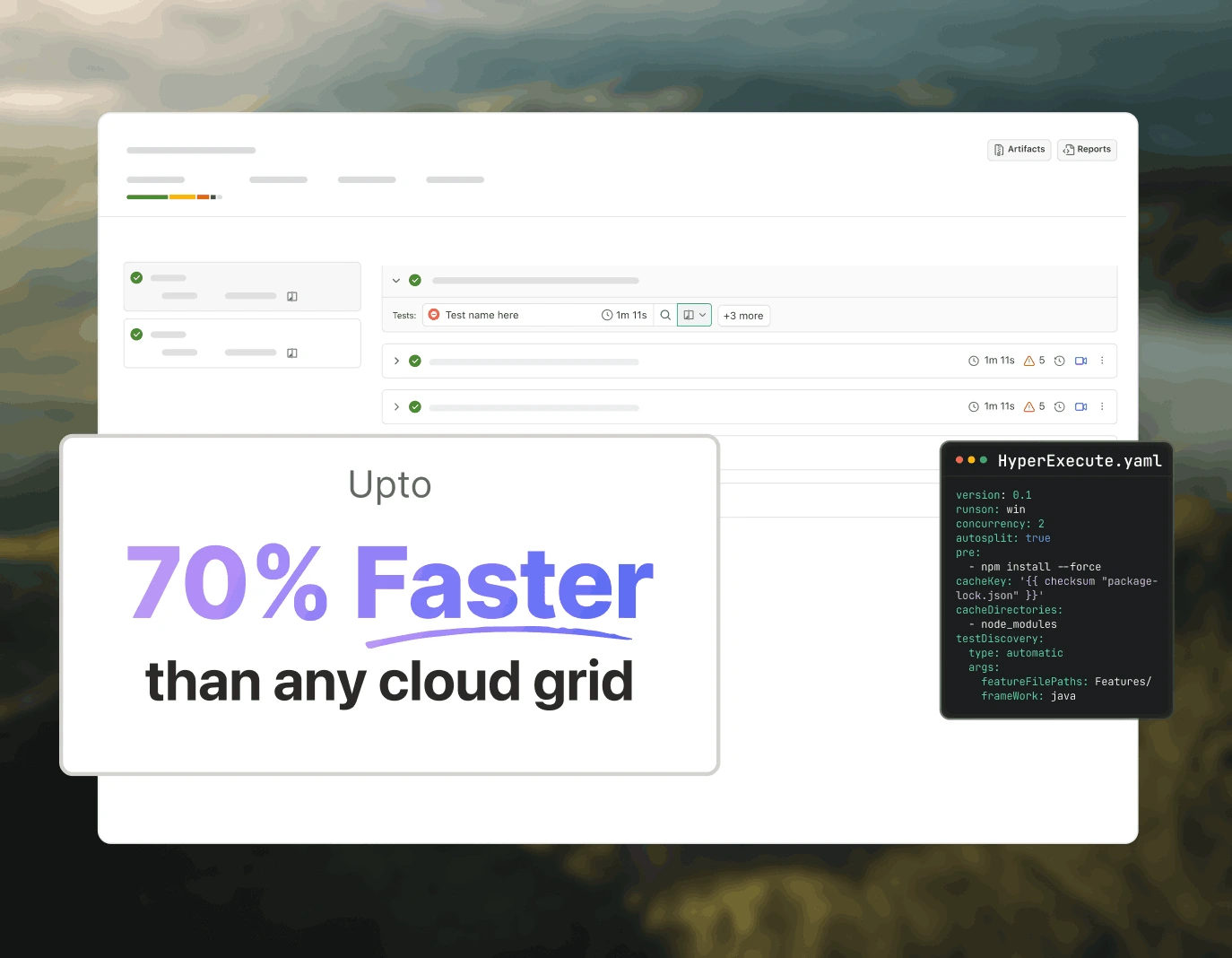
Automation MCPによるテスト失敗トリアージ
TestMu AIのAutomation MCPは、TestIDの詳細、コマンドログ、ネットワークログ、コンソールエラーを1つのチャットにまとめ、即座に根本原因分析を行うことで、テスト失敗のトリアージを加速します。
Automation Test Details: 特定のテストに関する包括的な情報を取得します。
Automation Command Logs: すべてのSeleniumコマンドの実行ログにアクセスします。
Automation Network Logs: テスト中のブラウザトラフィックとネットワーク動作を分析します。
Automation Console Logs: エラーや警告を含むブラウザコンソール出力を確認します。
upload_app Tool: テスト用にモバイルアプリケーションをアップロードします。
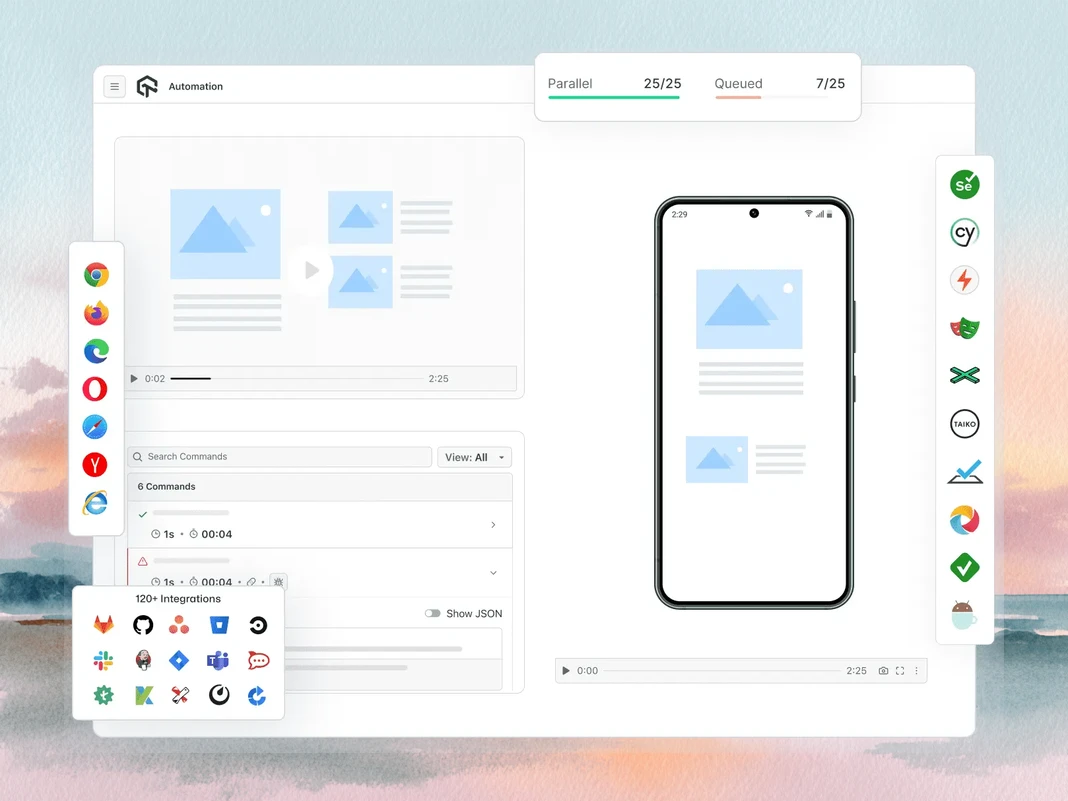
Accessibility MCPによるWCAGおよびa11y監査
TestMu AIのAccessibility MCPは、すぐに適用可能な修復ガイダンス付きの詳細な監査レポートを返すことで、WCAGおよびa11y違反が本番環境に到達する前に検出します。
getAccessibilityReport: 任意の公開URLのアクセシビリティレポートを取得します。
buildLocalAppForAnalysis: アクセシビリティの問題を検出するためにローカルのReactアプリをビルドして提供します。
analyseAppViaTunnel: TestMu AIトンネル経由でローカルアプリテストのアクセシビリティ障害を分析します。
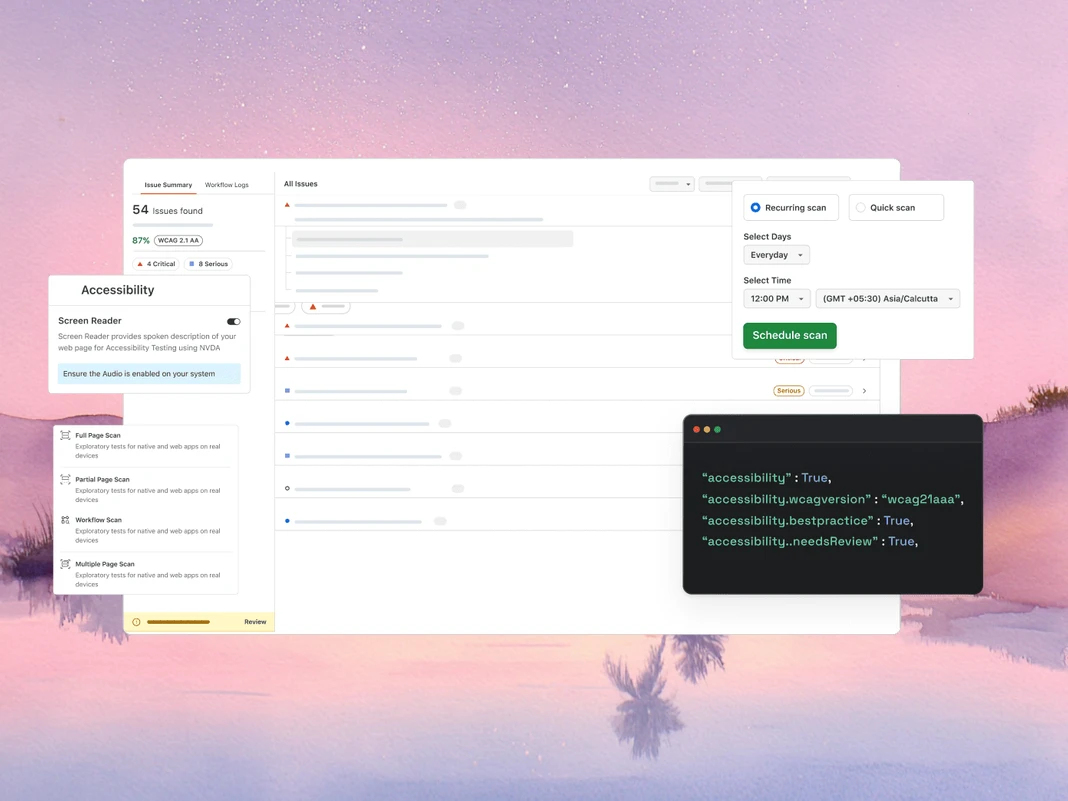
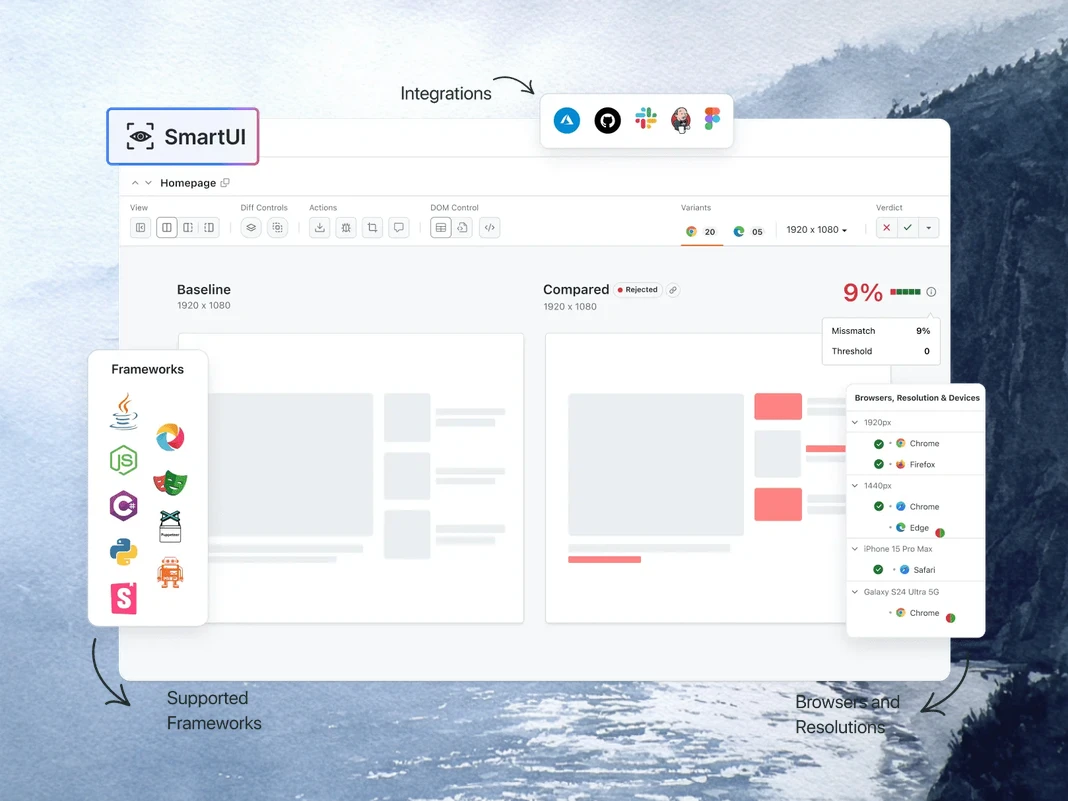
SmartUI MCPによるビジュアルリグレッションデバッグ
TestMu AIのSmartUI MCPは、ピクセル、レイアウト、DOM、知覚的な変化を平易な英語でIDE内で直接説明することで、ビジュアルリグレッションデバッグから手動の差分調査を省きます。
getSmartUIResources: 比較実行のすべてのビジュアルアセットを取得します。
summarizeSmartUIPixelDiff: スクリーンショット間の生のピクセル差分を特定して説明します。
summarizeSmartUILayoutDiff: 間隔、配置、サイズに関連するレイアウトの問題を検出します。
summarizeSmartUIDomDiff: DOM構造と属性の変更を説明します。
analyzeSmartUIHumanDiff: 人間が視覚的な変化をどのように知覚するかをシミュレートします。
analyzeSmartUIRun: すべての分析レイヤーにわたる完全なデバッグサマリーを提供します。
getSmartUIScreenshotInfo: SmartUIスクリーンショットに関するメタデータと詳細を取得します。
downloadSmartUIDomFiles: 詳細な分析のためにDOM構造ファイルをダウンロードします。
AIエージェントによる品質エンジニアリング
ブラウザ、10,000以上の実デバイス、CIパイプラインにわたって、IDEからテストを計画、作成、実行、トリアージするAIネイティブエージェント。
エージェントテスト
KaneAI
ブラウザテスト
実デバイスクラウド
アプリ自動化
HyperExecute
ビジュアルUIテスト
アクセシビリティテスト
エージェントテスト
チャットボットや音声アシスタントなどのAIエージェントをテストします。
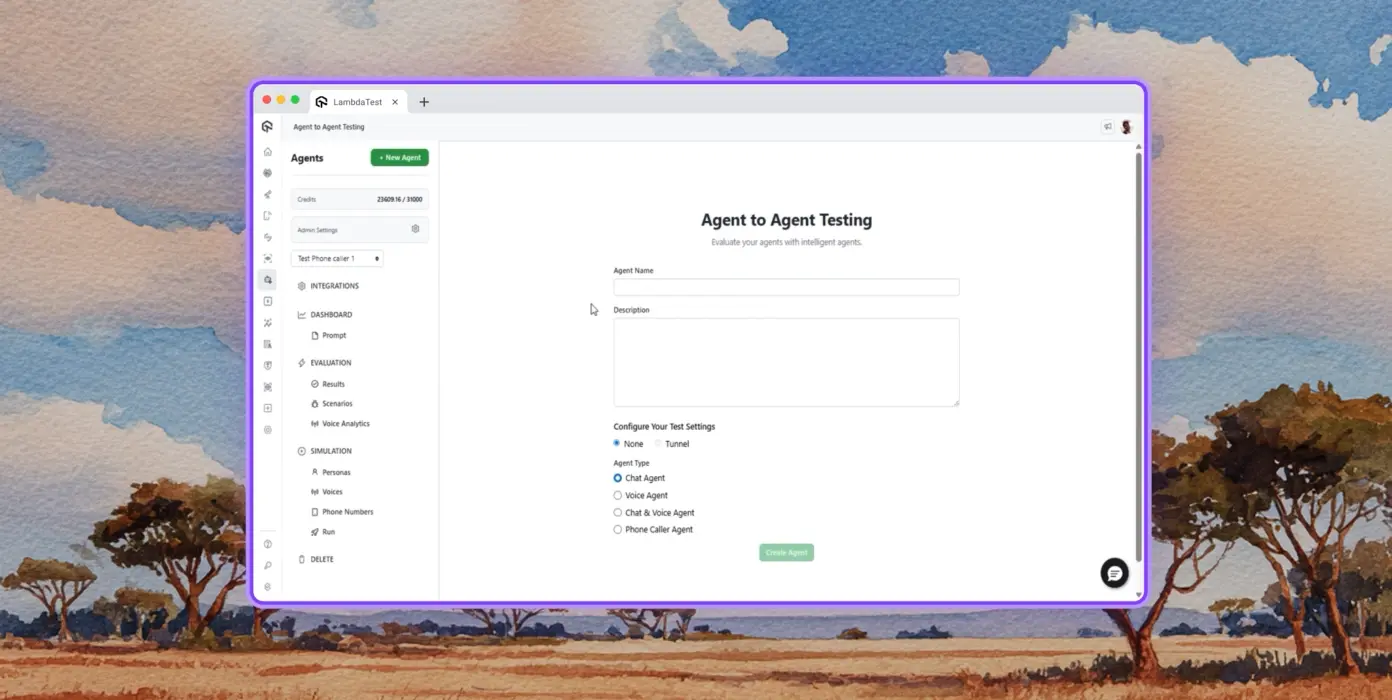
自律テスト
合成エンドユーザーの視点から、テスト対象エージェントの詳細な分析を行います。
マルチペルソナシミュレーション
International Caller、Digital Noviceなど、多様なユーザーペルソナ。
リスクスコアリングと回帰
洞察を含む、テスト対象エージェントのエンドツーエンドの回帰テスト。
KaneAI by TestMu AI
自然言語を使用して、エンドツーエンドのテストを計画、作成、進化させます。
自然言語
説明するだけでテストを作成。スクリプト不要、コード不要、平易な英語のみ。
テストシナリオ生成
テキスト、JIRAチケット、PRD、画像、スプレッドシートから構造化されたテストケースを生成します。
テストオーサリング
KaneAIを使用して、デスクトップおよびモバイルデバイス向けのウェブサイトやウェブアプリのブラウザテストを作成します。
ブラウザテスト
3000以上のブラウザ-OS-デバイスの組み合わせでウェブサイトを迅速に検証します。
レスポンシブテスト
デスクトップ、タブレット、モバイルデバイスのビューポート間でウェブサイトのレンダリングを確認します。
DevToolsデバッグ
プリインストールされたChromeおよびSafari DevToolsでクロスブラウザの問題をデバッグします。
ジオロケーションテスト
さまざまな地理的IPテストにより、あらゆる場所のユーザーに適切なエクスペリエンスを保証します。
実デバイスクラウド
10,000以上の実デバイスでウェブおよびモバイルアプリケーションをテストします。
ジェスチャーテスト
タップ、スクロール、ズーム、スワイプなどの自然なジェスチャーをテストします。
実世界のシナリオ
実際のハードウェアデバイスであらゆるエッジケースをテストするための40以上の機能を活用します。
高度なデバッグ
テストセッションから直接、デバイスログ、ネットワークログ、UIインスペクターでデバッグします。
アプリ自動化
10,000以上の実モバイルおよびタブレットでの自動モバイルアプリテスト。
並列実行
数百の実AndroidおよびiOSデバイスで自動テストを同時に実行します。
フレームワークサポート
Appium、XCUITest、Espresso、Detox、モバイル自動化のためのすべてのオプション。
ローカルテスト
ローカルおよびプライベートにホストされたアプリを、さまざまな実AndroidおよびiOSデバイスでテストします。
HyperExecute
最大70%高速なAIネイティブテストオーケストレーションクラウド。
自己修復テスト
テストスクリプトを自動修復し、不安定性と手動メンテナンスを削減します。
スマートオーケストレーション
過去のデータに基づいてテスト実行を自動並べ替えし、障害をより早く表面化させ、フィードバック時間を短縮します。
根本原因分析
エラーを分類し、リアルタイムログでAI駆動の修正インサイトを取得します。
ビジュアルUIテスト
ブラウザやデバイス間でUIリグレッションを検出するAIネイティブのビジュアルテスト。
ピクセル比較
レイアウト、色、フォント、要素の位置における視覚的な偏差を検出します。
デザインから開発へ
FigmaデザインとライブWebページおよびアプリ画面を比較し、正確さを確保します。
スマート無視
AIネイティブ検出で無関係なレイアウトシフトをフィルタリングし、誤検出を削減します。
アクセシビリティテスト
インクルーシブなユーザーエクスペリエンスのためのウェブおよびモバイルアプリアクセシビリティテスト。
WCAG準拠
WCAG、ADA、Section 508標準に対してウェブおよびモバイルアプリをスキャンします。
定期スキャン
毎日、毎週、または毎月、定期的なアクセシビリティ監査を自動化します。
スクリーンリーダー
実デバイスでのスクリーンリーダーおよび支援ツールとの互換性をテストします。
 PLAY
PLAY
TestMu AI(旧LambdaTest)の成功事例

50%
テスト実行時間の削減
「HyperExecuteは非常に信頼性の高いテスト実行プラットフォームであり、優れたカスタマーサポートを提供しています。」
Sagar Uday Kumar
シニアエンジニアリングマネージャー

Dashlane
Lereta
Dunelm
Trepp
Transavia
デモを予約する
TestMu AI(旧LambdaTest)を愛用するさらなる理由
TestMu AIが、Web、モバイル、AIアプリケーション全体で、AIネイティブのオーサリング、より高速な実行、より深いテストインサイトにより、テストをどのように高速化するかをご覧ください。
TestMu AIが2025年Gartner® Magic Quadrant™でChallengerに選出
TestMu AIがThe Forrester Wave™: Autonomous Testing Platforms, Q4 2025で評価
ウォール・オブ・フェイム
TestMu AIは、世界中のSMBおよびエンタープライズにとって第1の選択肢です。
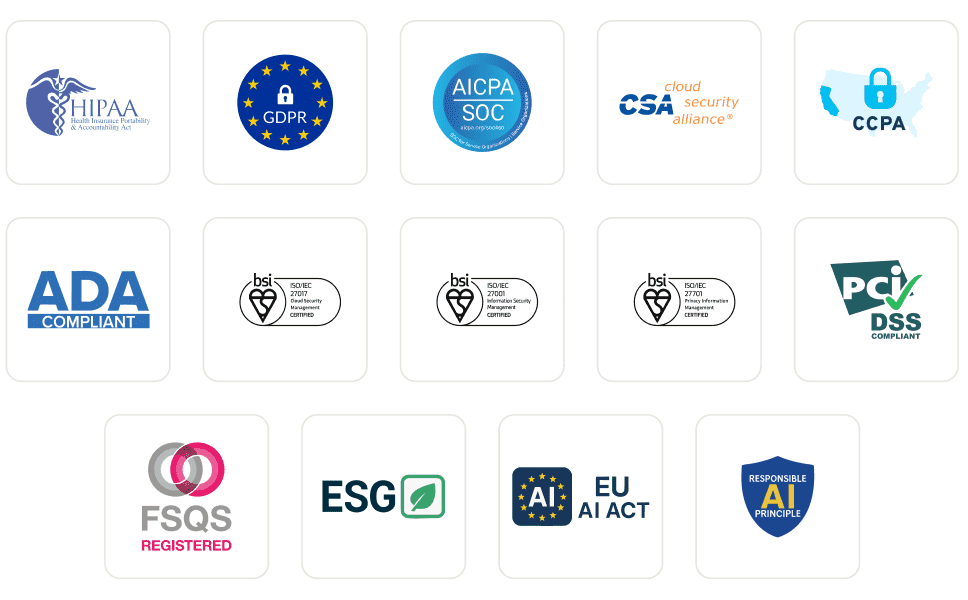
エンタープライズグレードのセキュリティ
グローバルなセキュリティ、プライバシー、責任あるAI、ESG基準でお客様のデータとAIシステムを保護します。
統合
120以上の統合により、チームが依存するツールと連携します。
ユーザー数
300万以上
テスト数
15億以上
企業数
18,000以上
国数
132
紹介メディア
よくある質問
MCPサーバーとは何ですか?
MCPサーバーは、2024年11月にAnthropicによって導入されたオープンスタンダードであるModel Context Protocolを通じて、AIエージェントにツール、リソース、プロンプトを公開するプログラムです。サーバーはその機能をMCP互換クライアントに通知し、クライアント(AIエージェント)は実行時にそれらのツールを呼び出して、モデルのトレーニングデータ外のデータを取得したりアクションを実行したりします。
ソフトウェアテストにおけるMCPの用途は何ですか?
ソフトウェアテストにおいて、MCPはAIエージェントが自然言語を通じてテストワークフローを駆動することを可能にします。設定の生成、スイートの実行、ログの取得、失敗の要約、ビジュアルチェックやアクセシビリティチェックの実行などです。IDE、ダッシュボード、ターミナルを切り替える代わりに、エージェントは適切なMCPツールをインラインで呼び出し、チャットで結果を返すため、オーケストレーションとデバッグの時間を短縮します。
MCPサーバーはAIエージェントとどのように連携しますか?
クライアント(Claude CodeやCursorなどのAIエージェント)は、stdioまたはHTTP/SSE経由でサーバーに接続し、その機能を要求します。サーバーはJSON Schema定義を持つツールのリストを返します。ユーザーがエージェントにプロンプトを出すと、エージェントは関連するツールを選択し、構造化された呼び出しを送信し、サーバーはそれを基盤となるシステムに対して実行し、モデルが推論できる型付きレスポンスを返します。
MCPサーバーをサポートするAIクライアントはどれですか?
Claude Code、Claude Desktop、Cursor、Windsurf、GitHub Copilot Chat、Cline、Continue、Zed AI、JetBrains AI Assistantはすべて、現在MCPサーバーをサポートしています。Model Context Protocol仕様(stdioまたはHTTP/SSEトランスポート)を実装するクライアントはすべて接続できるため、新しいMCP対応ツールはサーバー統合を書き直すことなく動作します。
CursorまたはClaude CodeでMCPサーバーをセットアップするにはどうすればよいですか?
Cursorでは、設定 → MCP → 新しいMCPサーバーを追加 を開き、サーバーのコマンドまたはHTTPエンドポイントを指定します。Claude Codeでは、"claude mcp add " を実行するか、~/.claude.json を直接編集します。登録が完了すると、エージェントが利用可能なツールを自動的に検出し、チャットで呼び出せるようになります。ほとんどのエンタープライズMCPサーバーでは、ツールが呼び出し可能になる前にOAuthステップが追加されます。
MCPとAPIの違いは何ですか?
APIはコード間の呼び出しのために構築された固定エンドポイントの契約であり、クライアントはエンドポイントやバージョン変更ごとにカスタム統合が必要です。MCPはAIとツール間の呼び出しのために構築されており、エージェントが実行時に機能を検出し、呼び出し間でセッション状態を維持し、型付きの応答を解析する方法を標準化します。MCPサーバーに新しいツールが追加されると、接続されているすべてのエージェントが再デプロイなしでそれを取得します。
MCPサーバーはSelenium、Playwright、Cypress、またはAppiumテストを実行できますか?
はい。MCPサーバーはテストフレームワークを置き換えるのではなく、ラップします。TestMu AI MCPサーバーは、プロジェクト分析中にSelenium、Playwright、Cypress、Appium、TestNG、JUnit、PyTest、WebdriverIO、および類似のフレームワークを検出し、AIエージェントが実行するための適切な設定とランナーコマンドを生成します。テスト実行自体は、基盤となるクラウドグリッド上で行われます。
MCPは失敗したテストのデバッグにどのように役立ちますか?
MCPサーバーは、失敗した実行のテストメタデータ、Seleniumコマンドログ、ブラウザネットワークアクティビティ、コンソールエラーを取得し、そのデータをチャットでAIエージェントに渡すことができます。エージェントはログを推論し、イベントを関連付け、根本原因を提案することで、これまで複数タブのダッシュボードを探し回っていた作業を単一のプロンプトに変えます。
Model Context Protocolは安全ですか?
MCP自体はトランスポートとメッセージ形式を定義しており、認証は定義していません。セキュリティはサーバーの実装に依存します。本番サーバーは通常、OAuth 2.1、スコープ付きトークン、TLS暗号化トランスポートを使用します。エンタープライズデプロイメントでは、ロールベースの権限、監査ログ、データレジデンシー制御が追加され、MCPトラフィックが本番ログや顧客データを運ぶ場合に重要になります。
MCPサーバーは無料で使用できますか?
プロトコルはオープンソースで無料です。サーバーの価格はさまざまです。多くのコミュニティサーバーは無料ですが、ベンダーがホストするサーバーは、MCPレイヤー自体ではなく、基盤となるプラットフォーム(使用量、シート数、またはコンピューティング)に対して課金されます。TestMu AI MCPサーバーはすべてのTestMu AIアカウントに含まれており、チームが既に支払っているテスト実行時間のみを消費します。
TestMu AI MCPサーバーにはどのようなツールが含まれていますか?
サーバーには4つのMCPツールが同梱されています。HyperExecute MCPは、プロジェクト分析、YAML生成、ランナーコマンド、ジョブ情報、セッション詳細を処理します。Automation MCPは、テスト詳細、Seleniumコマンドログ、ネットワークログ、コンソールログを取得します。SmartUI MCPは、ピクセル、レイアウト、DOM、および人間が知覚する視覚的な差分を要約します。Accessibility MCPは、公開URL、ローカルのReactビルド、トンネル経由のアプリに対してWCAG監査を実行します。
TestMu AI MCPサーバーはどのAIアシスタントをサポートしていますか?
TestMu AI MCPサーバーには、Cursor、Claude Code、Claude Desktop、Claude.ai (Web)、VS CodeのGitHub Copilot、Antigravity、OpenAI Codex CLI、Cline、Continueのセットアップ手順が文書化されています。他のMCP互換クライアントは、mcp-remoteを使用したユニバーサルSTDIO設定を通じて接続できるため、プロトコルを採用する新しいアシスタントはサーバー側の変更なしで動作します。
TestMu AI MCPサーバーはどのようなトランスポート方式を使用していますか?
サーバーは2つのトランスポートをサポートしています。Streamable HTTPはほとんどのクライアントに推奨されるオプションで、OAuth認証付きのエンドポイントを使用します。STDIOは、まだStreamable HTTPをサポートしていないクライアント向けにmcp-remoteを通じて利用可能で、背後では同じOAuth認証付きエンドポイントを使用します。
設定後にAIクライアントにMCPツールが表示されないのはなぜですか?
通常、3つの原因が考えられます。第一に、クライアントを完全に終了して再起動します(ソフトリロードでは不十分なことがよくあります)。第二に、JSON、TOML、またはYAML設定の構文エラー、特に末尾のカンマやエスケープされていないパスを検証します。第三に、Continueのようなクライアントでは、チャットモードではなくエージェントモードになっていることを確認します。OAuthが完了してもツールが表示されない場合は、クライアントのMCP設定から再認証します。
その他の質問を見る
TestMu AI (旧LambdaTest)/MCPサーバー
[{"@context":"https://schema.org","@type":"BreadcrumbList","itemListElement":[{"@type":"ListItem","position":1,"name":"Home","item":"https://www.testmuai.com"},{"@type":"ListItem","position":2,"name":"TestMu AI MCP Server","item":"https://www.testmuai.com/mcp/"}]}]
{"@context":"https://schema.org","@type":"WebPage","name":"TestMu AI (Formerly LambdaTest) MCP Server For Agentic Testing","description":"TestMu AI (Formerly LambdaTest) MCP Server with four tools: HyperExecute, Automation, SmartUI, & Accessibility. Run, debug, and triage tests from your IDE using natural language.","url":"https://www.testmuai.com/mcp/","inLanguage":"en","isPartOf":{"@type":"WebSite","name":"TestMu AI (Formerly LambdaTest)","url":"https://www.testmuai.com"},"datePublished":"2025-01-01","dateModified":"2026-05-14","about":{"@type":"Organization","name":"TestMu AI (Formerly LambdaTest)","alternateName":["LambdaTest","LambdaTesting","lamda test","lambatest","Lambda Test"]}}
{"@context":"https://schema.org","@type":"FAQPage","mainEntity":[{"@type":"Question","name":"What is an MCP server?","acceptedAnswer":{"@type":"Answer","text":"An MCP server is a program that exposes tools, resources, and prompts to AI agents through the Model Context Protocol, an open standard introduced by Anthropic in November 2024. The server advertises its capabilities to any MCP-compatible client, and the client (an AI agent) calls those tools at runtime to fetch data or perform actions outside the model's training data."}},{"@type":"Question","name":"What is MCP used for in software testing?","acceptedAnswer":{"@type":"Answer","text":"In software testing, MCP lets AI agents drive the test workflow through natural language: generating configs, executing suites, pulling logs, summarizing failures, and running visual or accessibility checks. Instead of switching between an IDE, a dashboard, and a terminal, the agent calls the right MCP tool inline and returns results in chat, which compresses orchestration and debugging time."}},{"@type":"Question","name":"How does an MCP server work with AI agents?","acceptedAnswer":{"@type":"Answer","text":"The client (an AI agent like Claude Code or Cursor) connects to the server over stdio or HTTP/SSE and asks for its capabilities. The server returns a list of tools with JSON Schema definitions. When the user prompts the agent, it picks the relevant tool, sends a structured call, and the server executes it against the underlying system, then returns a typed response the model can reason over."}},{"@type":"Question","name":"Which AI clients support MCP servers?","acceptedAnswer":{"@type":"Answer","text":"Claude Code, Claude Desktop, Cursor, Windsurf, GitHub Copilot Chat, Cline, Continue, Zed AI, and JetBrains AI Assistant all support MCP servers today. Any client that implements the Model Context Protocol spec (stdio or HTTP/SSE transport) can connect, which means new MCP-aware tools work without rewriting the server integration."}},{"@type":"Question","name":"How do you set up an MCP server in Cursor or Claude Code?","acceptedAnswer":{"@type":"Answer","text":"In Cursor, open Settings → MCP → Add new MCP Server and point it at the server's command or HTTP endpoint. In Claude Code, run \"claude mcp add <name> <command>\" or edit ~/.claude.json directly. Once registered, the agent discovers the available tools automatically and you can invoke them in chat. Most enterprise MCP servers add an OAuth step before tools become callable."}},{"@type":"Question","name":"What is the difference between MCP and an API?","acceptedAnswer":{"@type":"Answer","text":"An API is a fixed endpoint contract built for code-to-code calls; clients need custom integration for every endpoint and version change. MCP is built for AI-to-tool calls: it standardizes how an agent discovers capabilities at runtime, maintains session state across calls, and parses typed responses. When a new tool is added to an MCP server, every connected agent picks it up without redeployment."}},{"@type":"Question","name":"Can MCP servers run Selenium, Playwright, Cypress, or Appium tests?","acceptedAnswer":{"@type":"Answer","text":"Yes. MCP servers don't replace your test framework; they wrap it. The TestMu AI MCP Server detects Selenium, Playwright, Cypress, Appium, TestNG, JUnit, PyTest, WebdriverIO, and similar frameworks during project analysis, then generates the right config and runner command for your AI agent to execute. Test execution still happens on the underlying cloud grid."}},{"@type":"Question","name":"How does MCP help debug failed tests?","acceptedAnswer":{"@type":"Answer","text":"An MCP server can pull test metadata, Selenium command logs, browser network activity, and console errors for any failed run, then hand the data back to the AI agent in chat. The agent reasons over the logs, correlates events, and suggests a root cause, turning what used to be a multi-tab dashboard hunt into a single prompt."}},{"@type":"Question","name":"Is the Model Context Protocol secure?","acceptedAnswer":{"@type":"Answer","text":"MCP itself defines transport and message format, not authentication; security depends on the server implementation. Production servers typically use OAuth 2.1, scoped tokens, and TLS-encrypted transport. Enterprise deployments add role-based permissions, audit logging, and data-residency controls, which become important when MCP traffic carries production logs or customer data."}},{"@type":"Question","name":"Are MCP servers free to use?","acceptedAnswer":{"@type":"Answer","text":"The protocol is open source and free. Server pricing varies: many community servers are free, while vendor-hosted servers bill against the underlying platform (usage, seats, or compute) rather than the MCP layer itself. The TestMu AI MCP Server is included with every TestMu AI account and only consumes the test execution minutes a team already pays for."}},{"@type":"Question","name":"What tools are inside the TestMu AI MCP Server?","acceptedAnswer":{"@type":"Answer","text":"Four MCP tools ship in the server. HyperExecute MCP handles project analysis, YAML generation, runner commands, job info, and session details. Automation MCP fetches test details, Selenium command logs, network logs, and console logs. SmartUI MCP summarizes pixel, layout, DOM, and human-perceived visual diffs. Accessibility MCP runs WCAG audits on public URLs, local React builds, and tunneled apps."}},{"@type":"Question","name":"What AI assistants does the TestMu AI MCP Server support?","acceptedAnswer":{"@type":"Answer","text":"The TestMu AI MCP Server has documented setup paths for Cursor, Claude Code, Claude Desktop, Claude.ai (Web), GitHub Copilot in VS Code, Antigravity, OpenAI Codex CLI, Cline, and Continue. Any other MCP-compatible client can connect through the universal STDIO configuration using mcp-remote, so newer assistants that adopt the protocol work without changes on the server side."}},{"@type":"Question","name":"What transport methods does the TestMu AI MCP Server use?","acceptedAnswer":{"@type":"Answer","text":"The server supports two transports. Streamable HTTP is the recommended option for most clients and uses the endpoint with OAuth authentication. STDIO is available through mcp-remote for clients that don't yet support Streamable HTTP, and uses the same OAuth-authenticated endpoint behind the scenes."}},{"@type":"Question","name":"Why aren't MCP tools showing up in my AI client after configuration?","acceptedAnswer":{"@type":"Answer","text":"Three things usually cause this. First, fully quit and relaunch the client (a soft reload often isn't enough). Second, validate the JSON, TOML, or YAML config for syntax errors, especially trailing commas and unescaped paths. Third, for clients like Continue, confirm you are in Agent Mode rather than Chat Mode. If OAuth completed but tools still don't appear, re-authenticate from the client's MCP settings."}}]}
{"@context":"https://schema.org","@type":"Organization","name":"TestMu AI (Formerly LambdaTest)","legalName":"LambdaTest, Inc.","alternateName":["LambdaTest","LambdaTesting","Lambda Test","TestMu AI"],"url":"https://www.testmuai.com","logo":"https://www.testmuai.com/logo.png","description":"TestMu AI (formerly LambdaTest) is an AI-native, agentic testing cloud for end-to-end software quality engineering across web, mobile, and AI applications. LambdaTest rebranded to TestMu AI on January 12, 2026.","foundingDate":"2017","founder":[{"@type":"Person","name":"Asad Khan","jobTitle":"Co-Founder & CEO"},{"@type":"Person","name":"Jay Singh","jobTitle":"Co-Founder & Chief Customer Officer"},{"@type":"Person","name":"Mayank Bhola","jobTitle":"Co-Founder & Head of Product"},{"@type":"Person","name":"Mudit Singh","jobTitle":"Co-Founder & Head of Growth"}],"address":[{"@type":"PostalAddress","addressLocality":"California","postalCode":"94102","streetAddress":"Suite 200, 1390 market Street San Francisco","addressCountry":"USA"},{"@type":"PostalAddress","streetAddress":"Noida One, Tower A, 2nd Floor, KLJ, Sector 62","addressLocality":"Noida","postalCode":"201309","addressCountry":"India"}],"sameAs":["https://www.lambdatest.com","https://www.linkedin.com/company/testmu-ai/","https://www.linkedin.com/company/lambdatest/","https://www.instagram.com/testmuai/","https://www.facebook.com/testmuai/","https://x.com/testmuai","https://x.com/lambdatesting","https://medium.com/lambdatest","https://testmuai.medium.com/","https://www.youtube.com/@TestMuAI","https://www.pinterest.com/testmuai/","https://github.com/lambdaTest"]}
{"@context":"https://schema.org","@type":"ItemList","name":"TestMu AI (Formerly LambdaTest) MCP Server Tools","description":"The four MCP tools included with the TestMu AI (Formerly LambdaTest) MCP Server: HyperExecute MCP, Automation MCP, SmartUI MCP, and Accessibility MCP.","url":"https://www.testmuai.com/mcp/","numberOfItems":4,"itemListOrder":"https://schema.org/ItemListOrderAscending","itemListElement":[{"@type":"ListItem","position":1,"item":{"@type":"SoftwareApplication","name":"HyperExecute MCP Tool","applicationCategory":"DeveloperApplication","operatingSystem":"Windows, macOS, Linux","url":"https://www.testmuai.com/support/docs/hyperexecute-mcp-server/","description":"An MCP tool that analyzes your test project, auto-detects the framework, and generates HyperExecute YAML configs and runner commands. Also fetches job and session details and answers documentation queries inline.","offers":{"@type":"Offer","price":"0","priceCurrency":"USD"},"aggregateRating":{"@type":"AggregateRating","ratingValue":"4.8","ratingCount":"451","bestRating":"5","worstRating":"1"},"provider":{"@type":"Organization","name":"TestMu AI (Formerly LambdaTest)","url":"https://www.testmuai.com"}}},{"@type":"ListItem","position":2,"item":{"@type":"SoftwareApplication","name":"Automation MCP Tool","applicationCategory":"DeveloperApplication","operatingSystem":"Windows, macOS, Linux","url":"https://www.testmuai.com/support/docs/automation-mcp-server/","description":"An MCP tool that retrieves test details, Selenium command logs, network logs, and browser console logs for any TestID, enabling AI agents to root-cause failed tests from the IDE.","offers":{"@type":"Offer","price":"0","priceCurrency":"USD"},"aggregateRating":{"@type":"AggregateRating","ratingValue":"4.8","ratingCount":"451","bestRating":"5","worstRating":"1"},"provider":{"@type":"Organization","name":"TestMu AI (Formerly LambdaTest)","url":"https://www.testmuai.com"}}},{"@type":"ListItem","position":3,"item":{"@type":"SoftwareApplication","name":"Accessibility MCP Tool","applicationCategory":"DeveloperApplication","operatingSystem":"Windows, macOS, Linux","url":"https://www.testmuai.com/support/docs/accessibility-mcp-server/","description":"An MCP tool that runs WCAG, ADA, and Section 508 accessibility audits on public URLs, locally-built React apps, or apps tunneled through TestMu AI.","offers":{"@type":"Offer","price":"0","priceCurrency":"USD"},"aggregateRating":{"@type":"AggregateRating","ratingValue":"4.8","ratingCount":"451","bestRating":"5","worstRating":"1"},"provider":{"@type":"Organization","name":"TestMu AI (Formerly LambdaTest)","url":"https://www.testmuai.com"}}},{"@type":"ListItem","position":4,"item":{"@type":"SoftwareApplication","name":"SmartUI MCP Tool","applicationCategory":"DeveloperApplication","operatingSystem":"Windows, macOS, Linux","url":"https://www.testmuai.com/support/docs/smartui-mcp-server/","description":"An MCP tool that turns raw visual diffs into natural-language summaries across pixel, layout, DOM, and human-perceived layers, with access to screenshots, DOM snapshots, and metadata.","offers":{"@type":"Offer","price":"0","priceCurrency":"USD"},"aggregateRating":{"@type":"AggregateRating","ratingValue":"4.8","ratingCount":"451","bestRating":"5","worstRating":"1"},"provider":{"@type":"Organization","name":"TestMu AI (Formerly LambdaTest)","url":"https://www.testmuai.com"}}}]}