pilot-mcp
高速ブラウザ自動化MCPサーバー — インプロセスPlaywright、58ツール、Chrome/Arc/Braveからのクッキーインポート、@playwright/mcpより41%高速。
ドキュメント
pilot — browser automation MCP for AI agents


Native Playwright-backed browser sessions by default. No Chrome extension required for QA automation.
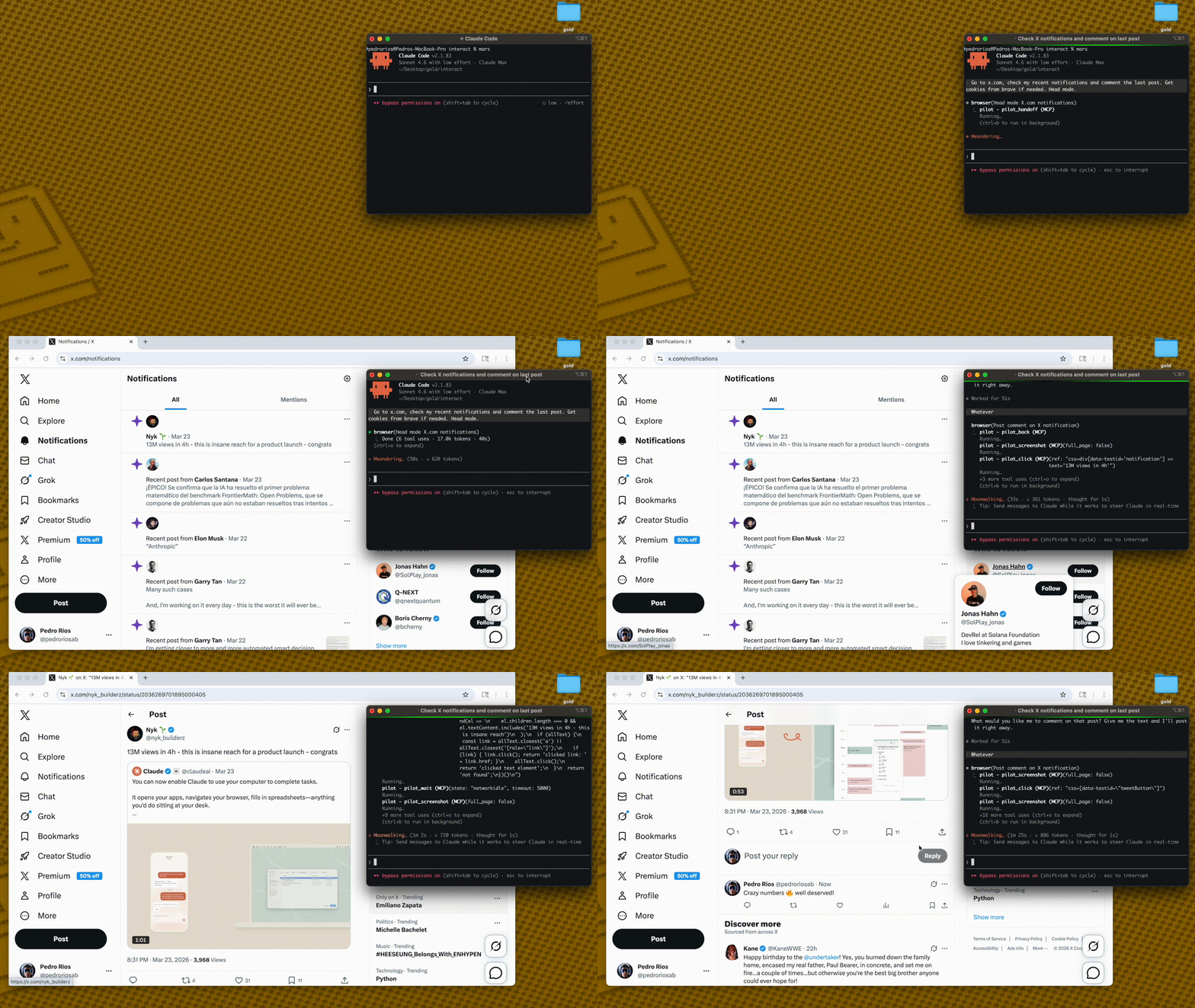
Pilot has two browser backends:
- Native mode (default): isolated Playwright browser contexts. This is the supported path for parallel QA automation and reliable screenshots.
- Extension mode (legacy/opt-in): connects to your real Chrome profile when you need existing cookies and logged-in sessions.
Native mode avoids chrome.tabs.captureVisibleTab() entirely, so screenshots do not depend on Chrome being foregrounded, a tab being visibly active, or the extension service worker being fresh.
How it works
AI Agent → MCP Server → Broker on 127.0.0.1:3131 → Native browser session
         (stdio)       (first process owns broker)  (Playwright context/page)
- Pilot runs as an MCP server — Claude Code, Cursor, or any MCP client connects via stdio
- The first Pilot process becomes the broker on localhost
- Later Pilot processes connect as broker clients
- Each session gets an isolated native browser context/page
- Screenshots come from Playwright, not the Chrome extension capture API
Quick Start
1. Add the MCP server
codex mcp add pilot \
  --env PILOT_BROWSER_MODE=native \
  --env PILOT_PROFILE=full \
  -- npx -y pilot-mcp
For a local checkout:
npm install
npm run build
codex mcp add pilot \
  --env PILOT_BROWSER_MODE=native \
  --env PILOT_PROFILE=full \
  -- node /absolute/path/to/pilot/dist/index.js
2. Use it
"Open https://example.com, take a screenshot, and summarize the page."
No extension install. No Chrome foreground requirement.
For full native-mode operations, stress commands, and cleanup checks, see docs/native-mode.md.
Lean snapshots
Other tools dump 50K+ chars per page into your context window. Pilot keeps things small:
Other tools:   navigate(58K) → navigate(58K) → answer        = 116K chars
Pilot:         navigate(2K)  → navigate(2K)  → snapshot(9K)  =  13K chars
snapshot_diff shows only what changed between actions — no redundant re-reads.
Less context = faster responses, cheaper API calls, fewer hallucinations.
Pilot vs @playwright/mcp
| Pilot | @playwright/mcp | |
|---|---|---|
| Browser | Native Playwright context by default; real Chrome via legacy extension | New Chromium instance |
| Auth state | Native isolated by default; extension mode can use real Chrome cookies | Anonymous — manual setup |
| Bot detection | Native for automation; extension mode for real-profile handoff | Blocked by Cloudflare |
| Snapshot size | ~2K navigate, ~9K full | ~50-60K |
| Snapshot diff | pilot_snapshot_diff | ❌ |
| Cookie import | Chrome, Arc, Brave, Edge, Comet | Manual JSON |
| Iframes | ✅ | ❌ |
| Tool profiles | core (9) / standard (40) / full (69) | --caps groups |
| Transport | stdio | stdio, HTTP, SSE |
69 tools across 3 profiles
LLMs degrade as tool lists grow. Load only what you need:
| Profile | Tools | What's included |
|---|---|---|
core | 9 | navigate, snapshot, click, fill, type, press_key, wait, screenshot, snapshot_diff |
standard | 40 | Core + pilot_act, pilot_guide, evidence, doctor/reset, tabs, scroll, hover, drag, iframes, auth, block, find |
full | 69 | Standard + network intercept, assertions, clipboard, geolocation, CDP, evaluate, PDF, responsive, deep inspection |
{
  "mcpServers": {
    "pilot": {
      "command": "npx",
      "args": ["-y", "pilot-mcp"],
      "env": { "PILOT_PROFILE": "standard" }
    }
  }
}
Default: standard. Full tool reference →
Native mode
Native mode is the default:
PILOT_BROWSER_MODE=native
Use it for QA automation, parallel MCP sessions, and screenshot evidence.
Verify it before QA runs:
PILOT_HEADLESS=1 npm run stress:screenshots
npm run stress:codex
Expected: both report 6/6 passed.
Extension mode
Extension mode is legacy and opt-in:
PILOT_BROWSER_MODE=extension
Use it only when you need a user's already-authenticated real Chrome profile.
Import cookies from your real browser: pilot_import_cookies({ browser: "chrome", domains: [".github.com"] })
Supports Chrome, Arc, Brave, Edge, Comet via macOS Keychain / Linux libsecret. For CAPTCHAs: pilot_handoff → you intervene → pilot_resume.
Requirements
- Node.js >= 18
- Playwright Chromium
- macOS or Linux
- Extension mode only: Chrome + Pilot extension
If Chromium is missing:
npx playwright install chromium
Security
- Extension communicates on localhost only (127.0.0.1)
- Native broker communicates on localhost only (127.0.0.1)
- Native sessions use isolated browser contexts per MCP session
- Output path validation prevents writes outside
PILOT_OUTPUT_DIR - Path traversal protection on all file operations
PILOT_PROFILEcontrols which tools are exposed (core/standard/full)
Credits
Core architecture — ref-based element selection, snapshot diffing, annotated screenshots — ported from gstack by Garry Tan. Built on Playwright and the MCP SDK.
If Pilot is useful, star the repo — it helps others find it.