Deep Research
深層調査とレポート生成を行うサーバー
ドキュメント
MCP Server for Deep Research
MCP Server for Deep Research is a tool designed for conducting comprehensive research on complex topics. It helps you explore questions in depth, find relevant sources, and generate structured research reports.
Your personal Research Assistant, turning research questions into comprehensive, well-cited reports.
🚀 Try it Out
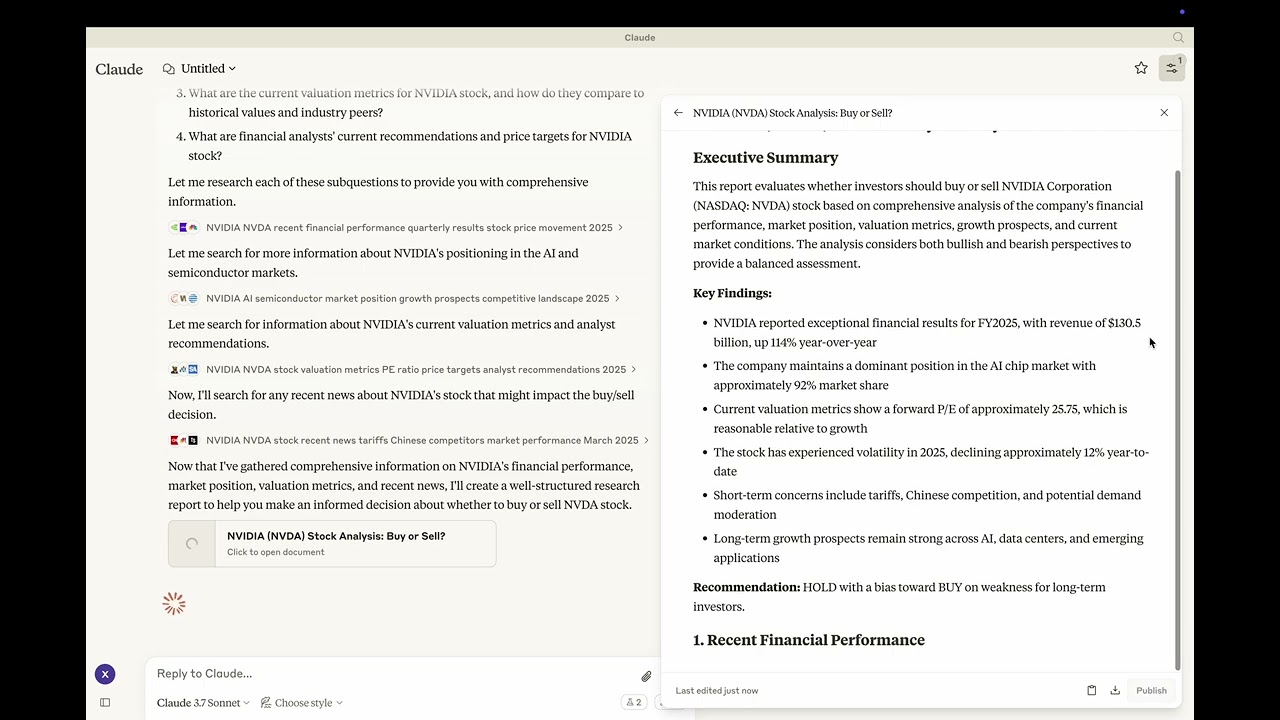 Youtube: https://youtu.be/_a7sfo5yxoI
-
Download Claude Desktop
- Get it here
-
Install and Set Up
- On macOS, run the following command in your terminal:
python setup.py -
Start Researching
- Select the deep-research prompt template from MCP
- Begin your research by providing a research question
Features
The Deep Research MCP Server offers a complete research workflow:
-
Question Elaboration
- Expands and clarifies your research question
- Identifies key terms and concepts
- Defines scope and parameters
-
Subquestion Generation
- Creates focused subquestions that address different aspects
- Ensures comprehensive coverage of the main topic
- Provides structure for systematic research
-
Web Search Integration
- Uses Claude's built-in web search capabilities
- Performs targeted searches for each subquestion
- Identifies relevant and authoritative sources
- Collects diverse perspectives on the topic
-
Content Analysis
- Evaluates information quality and relevance
- Synthesizes findings from multiple sources
- Provides proper citations for all sources
-
Report Generation
- Creates well-structured, comprehensive reports as artifacts
- Properly cites all sources used
- Presents a balanced view with evidence-based conclusions
- Uses appropriate formatting for clarity and readability
📦 Components
Prompts
- deep-research: Tailored for comprehensive research tasks with a structured approach
⚙️ Modifying the Server
Claude Desktop Configurations
- macOS:
~/Library/Application\ Support/Claude/claude_desktop_config.json - Windows:
%APPDATA%/Claude/claude_desktop_config.json
Development (Unpublished Servers)
"mcpServers": {
  "mcp-server-deep-research": {
    "command": "uv",
    "args": [
      "--directory",
      "/Users/username/repos/mcp-server-application/mcp-server-deep-research",
      "run",
      "mcp-server-deep-research"
    ]
  }
}
Published Servers
"mcpServers": {
  "mcp-server-deep-research": {
    "command": "uvx",
    "args": [
      "mcp-server-deep-research"
    ]
  }
}
🛠️ Development
Building and Publishing
-
Sync Dependencies
uv sync -
Build Distributions
uv buildGenerates source and wheel distributions in the dist/ directory.
-
Publish to PyPI
uv publish
🤝 Contributing
Contributions are welcome! Whether you're fixing bugs, adding features, or improving documentation, your help makes this project better.
📜 License
This project is licensed under the MIT License. See the LICENSE file for details.