PoliteReach
LinkedInでのアウトリーチをClaudeから実行:安全な日次上限内での招待、フォローアップシーケンス、返信と受信トレイの仕分け。
ホスト型 MCP サーバー
npx add-mcp 'https://mcp.politereach.com/mcp'Claude Code、Codex、Cursor などにインストールできます
ドキュメント
Your AI runs your LinkedIn outreach.
It writes, targets, and replies. PoliteReach sends from your own accounts and stops the second someone answers.
First 14 days free
claude · connected over MCP
li_ingest_prospects 20 prospects, notes prefilled
li_check_acceptance 3 accepted overnight
li_send_message Day 1 to Sarah, typed at human speed
li_read_conversation reply from James
claude sequence halted, drafting answer for approval
li_send_message approved reply sent
invites today 19 / 20 · verified account · under weekly cap
Works with the AI you already use
ClaudeChatGPTCodexCursorGeminiWindsurf
Brain and hands.
Your AI does the thinking. PoliteReach is the pair of hands on the browser.
Your AI
Picks targets. Writes every invite and reply.
MCP
linkedin.com · your account
Connect
1. Your AI writes, you approve
2.Invites drip at your account’s pace
3. Acceptance starts the sequence
4. One reply stops it, forever
The sequence writes itself.
Your AI drafts the note and every follow-up. PoliteReach sends them on schedule and stops the moment the person replies.
Drafts the sequence
Day 013714
sent on schedule, stops the moment they reply
Drafts the week’s posts
Postednext: Thu 9:00
So do your posts.
Your AI drafts the week’s posts, you approve them once, and they publish to your feed on schedule.
Replies come back to you.
One inbox for every account, and a dashboard that shows what went out.
1 reply needs an answer
Replies inbox
acceptances this week
Live dashboard
Most tools spend your account like it’s theirs.
Daily invites, as each vendor ships them. They sell more sends. We sell an account that’s still there in a year.
Dripify
up to 75/day, sold as an upgrade
Meet Alfred
30/day default
HeyReach
20-25/day, user-configurable
PoliteReach
18-24/day on a verified account, fixed in code
Vendor numbers from their own pricing pages and help docs, 2026-09-02. Why lower wins
Paced to the account it’s sending from.
There is no single “100 a week”. PoliteReach reads each account’s type when it signs in and paces it to match: a new account goes gently, Premium gets more room. LinkedIn publishes no invitation limit, so every number here is ours.
New or unverified63-70/wk
9
8
7
7
6
5
6
5-10 per day, jittered
Verified90-100/wk
19
18
20
19
18
2
·
18-24 per day, jittered
Premium135-150/wk
26
25
27
25
26
15
·
25-30 per day, jittered
One week for each account type: 5-10 a day when new or unverified, 18-24 a day once verified, 25-30 a day on Premium. A fresh number every day so no two match, and never past the weekly allowance, so a quiet day is the allowance holding, not a weekend.
Typing speedhuman, per keystroke
Wrong-recipient guardspre-send + read-back
Hits a LinkedIn limitone tier down, 8 days
Connection notePremium only
LinkedIn challengeaccount halts
Stale-invite cleanupoff until you turn it on
It gets on with the day.
Five jobs run on every account, on their own. Three more are routines your AI runs on a timer you set, inside limits PoliteReach enforces.
PoliteReach, on its own
08:00-20:00
Sending hours
Invites and follow-ups wait for your working day. Eight to eight by default, in your account’s timezone.
About every 90 min
Acceptance watch
Sees who accepted, and schedules their first message a day later by default.
About hourly
Reply guard
Reads your inbox. A reply stops the rest of the sequence before one of them talks over it.
Every day
Invite cleanup
Withdraws invitations nobody answered in months. Off on every account until you switch it on.
20:00
Evening report
What went out, who accepted, who replied, what is waiting on you. Then sending stops until morning.
Your AI, on a schedule you set
Mon-Fri 9:00
Invitations accepted
Your AI reads who invited you, accepts the people who fit your ICP and starts their sequence. It never declines anyone.
Mon-Fri 9:00
Booking follow-up
Checks your calendar for who booked. Anyone who agreed to a call but has not booked gets one nudge, then a polite close.
Mon-Fri, twice
Replies answered
Answers the clear replies in your voice. Pricing, contracts and anything unsure come to you as a draft.
One weekday, top to bottom. The daily jobs sit at a different hour on every account, so they never all fire at once. What runs, and when
You can see all of it.
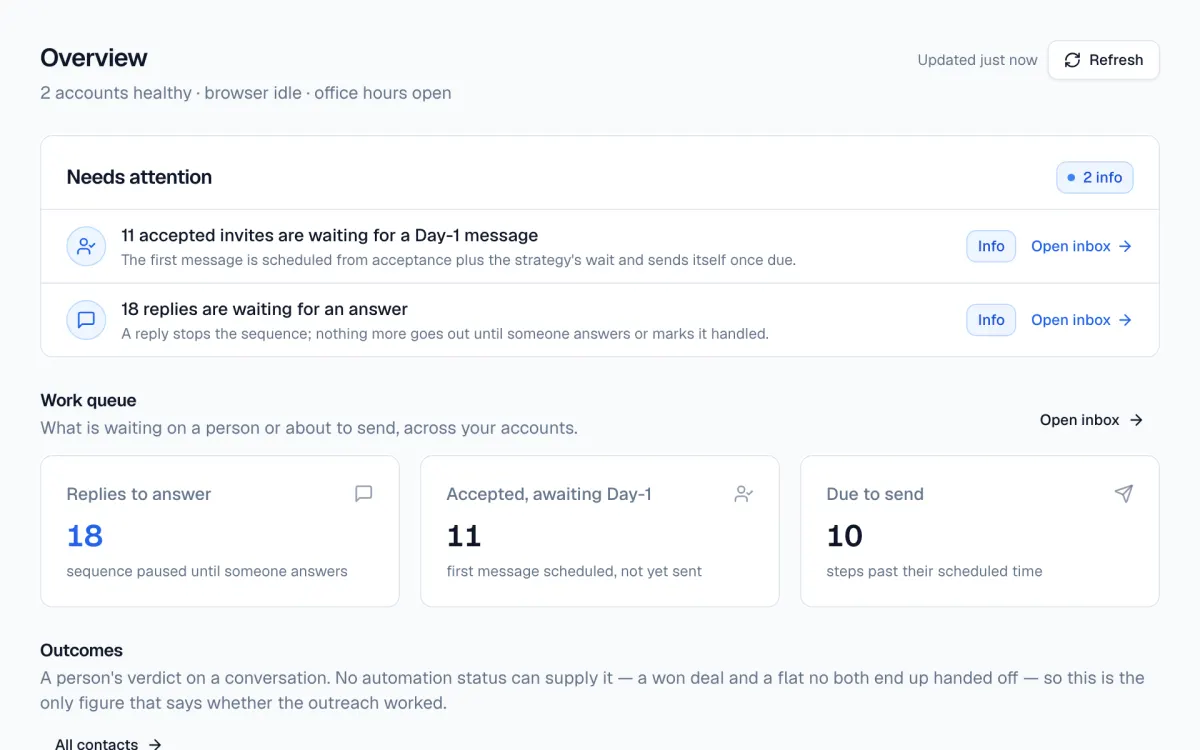 01 your whole day, one page overview
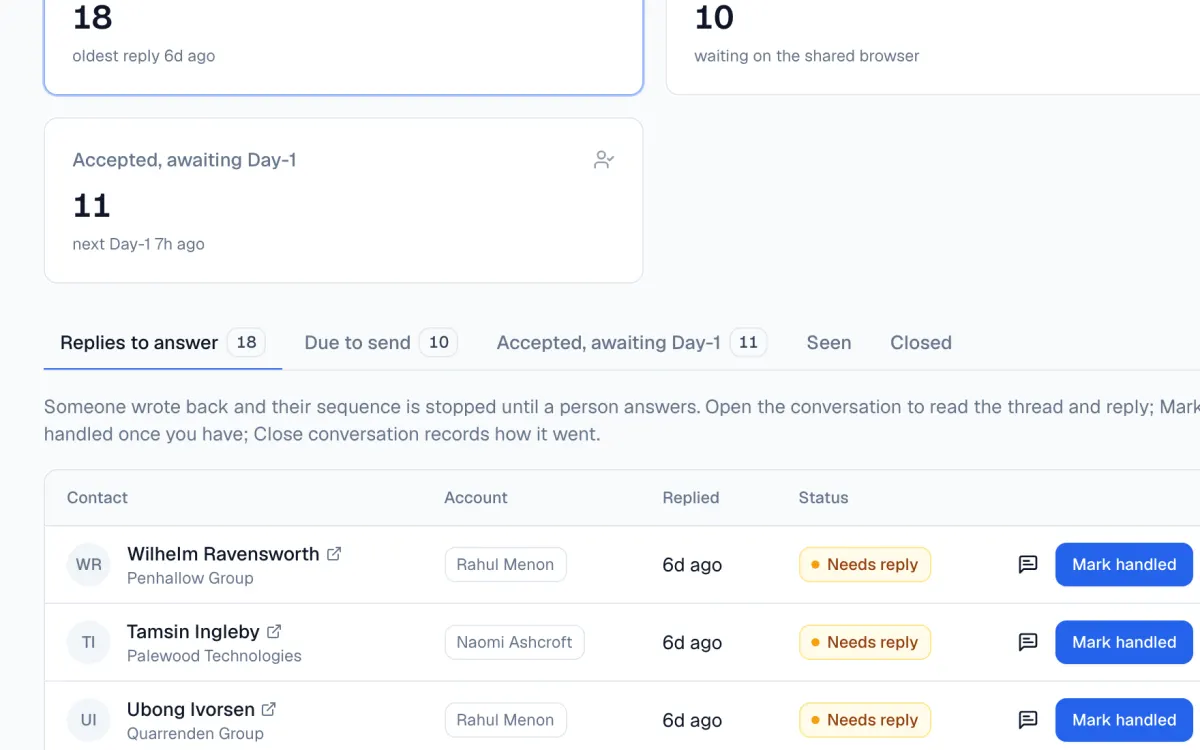 02 replies, already waiting inbox
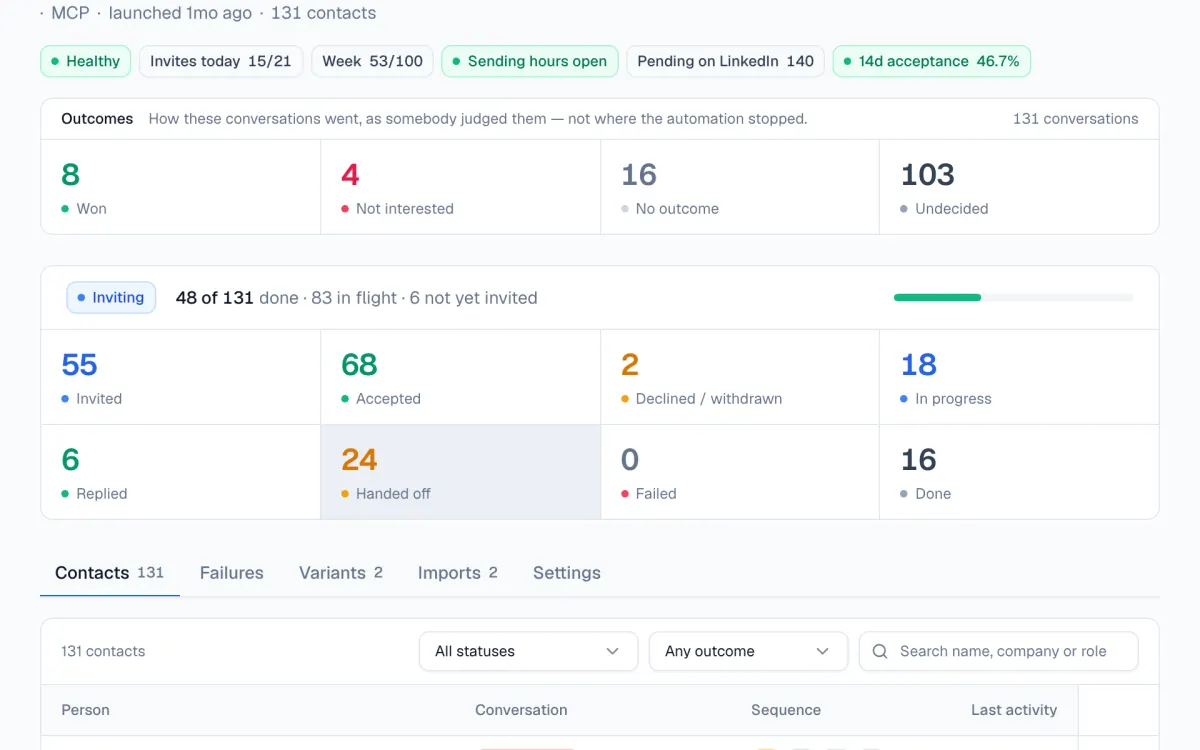 03 every prospect, every stage campaigns
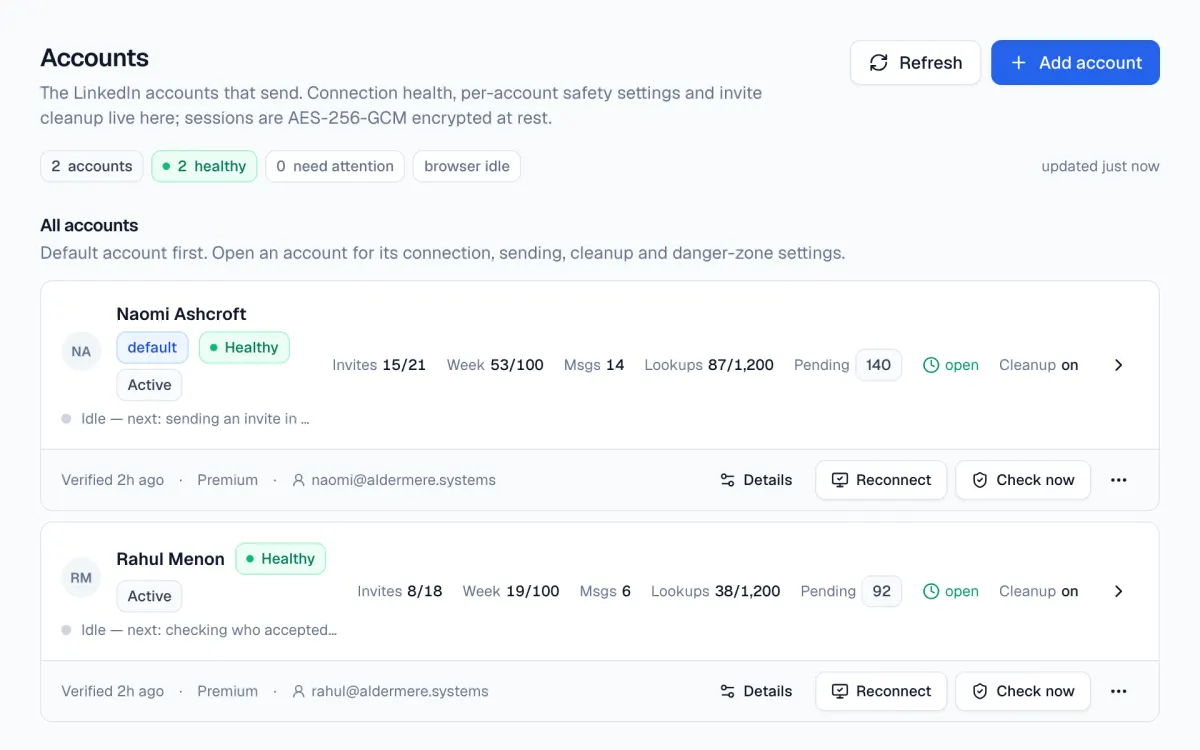 04 pace and limits, per account accounts
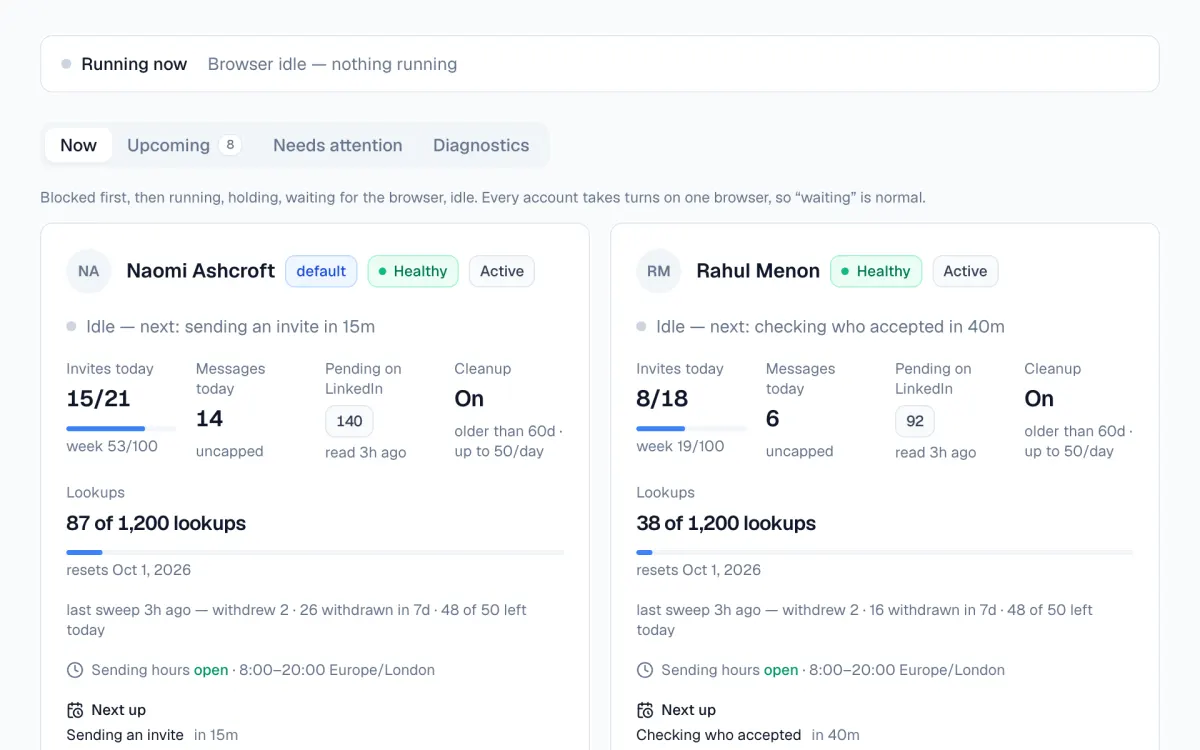 05 what it’s doing now activity
Straight answers.
Do I need Claude?+
Any AI that speaks MCP works: Claude, ChatGPT, or any other assistant or agent you already use. PoliteReach exposes its actions as tools, so your AI can ingest prospects, check acceptances, read conversations, send messages, and create posts.
Does PoliteReach write my messages?+
Your AI writes them and you approve them before the campaign starts. PoliteReach sends exactly what was approved, so every word that reaches a prospect is one you chose.
Is this against LinkedIn’s terms?+
LinkedIn’s User Agreement prohibits third-party automation, and that covers every tool in this category, including this one. The practical question is detection risk. PoliteReach bounds it with published caps, human pacing, and a circuit breaker that stops an account the moment LinkedIn challenges it.
How many invites does it send?+
It depends on the account. PoliteReach reads each account’s type when it signs in and paces it to match: 5-10 a day for a new or unverified account, 18-24 a day for a verified one, 25-30 a day for Premium, each under a rolling weekly allowance. LinkedIn publishes no invitation limit, so these numbers are ours. They are constants in code, out of reach of any settings screen, and an account that hits a LinkedIn limit drops a tier for eight days.
Can it accept invitations and answer replies on its own?+
If you want it to. Paste a routine into your AI as a scheduled task and it accepts invitations from people who fit your ICP, answers clear replies in your voice, and follows up once with anyone who agreed to a call but has not booked. Pricing, contracts and anything unclear come back to you as a draft. PoliteReach holds the limits itself: one nudge, and never to someone who wrote back or is on your do-not-contact list.
Your AI is ready. Bring your account.
Thirty minutes, your prospect list, your AI. We’ll import your first prospects and write the Day 0/1/3/7/14 copy with you, personally.
A product by Diverse Labs