LambdaTest MCP Server
公式LambdaTest MCPサーバーは、アクセシビリティ、SmartUI、自動化、HyperExecuteにわたり、AIアシスタントをテストワークフローに接続し、セットアップの効率化、障害の分析、修正の生成を通じてテストを迅速化し、効率を向上させます。
LambdaTest MCPで何ができますか?
- HyperExecute YAML 設定を生成 — アシスタントに依頼して、手動でYAMLを書かずに
generateHyperExecuteYAML経由でテスト実行設定を作成します。 - ログでテスト失敗をトリアージ — 根本原因分析のために、Automation MCP ツール経由でテスト詳細、Selenium コマンドログ、ネットワークログ、コンソールエラーを取得します。
- アクセシビリティ監査を実行 —
getAccessibilityReportで公開URLのWCAG準拠レポートを取得するか、トンネル経由でローカルアプリを分析します。 - ビジュアルリグレッションの差分を要約 —
summarizeSmartUIPixelDiffやanalyzeSmartUIRunなどの SmartUI MCP ツールを使用して、ピクセル、レイアウト、DOM の変更を説明します。 - HyperExecute ジョブ詳細を取得 —
getHyperExecuteJobInfoとgetHyperExecuteJobSessionsを使用して、ジョブレベルの情報とセッション詳細を取得します。
ドキュメント
TestMu Conf '26 をお見逃しなく。エージェンティックシフトに参加しましょう。無料登録

エージェンティックテストのための TestMu AI MCP サーバー
TestMu AI の MCP サーバーは、HyperExecute、Automation、SmartUI、Accessibility ツールを支え、Cursor、Claude、Copilot などの MCP クライアントで自然言語を使って IDE から直接テストの実行、デバッグ、トリアージを行うことができます。
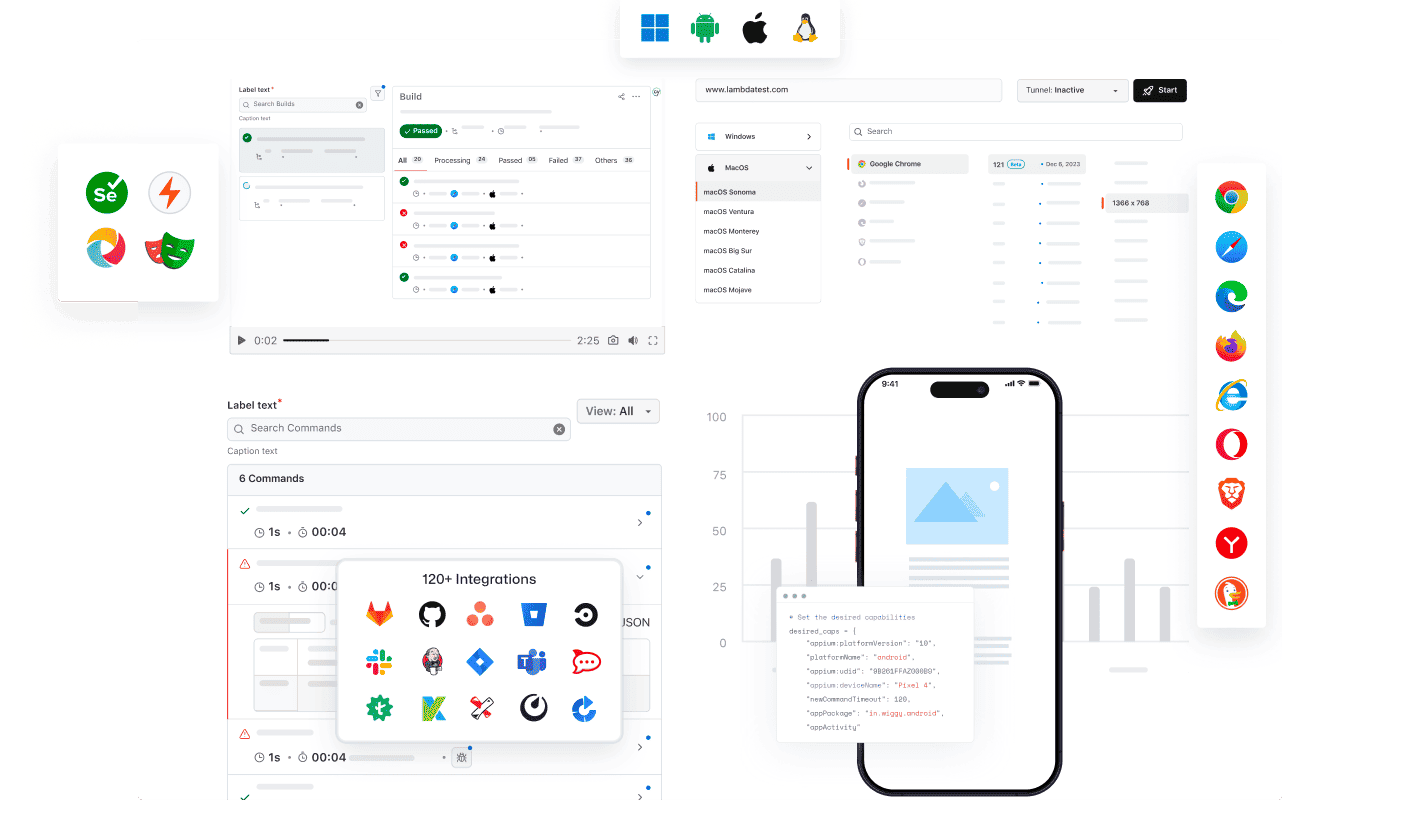
あらゆる AI クライアントが TestMu AI の MCP を使用可能
TestMu AI MCP サーバーを使用して、あらゆる AI アシスタントでテストの実行、デバッグ、トリアージができます。
AI クライアントを選択して、数分でセットアップしましょう。

Cursor
設定ファイルの生成、スイートの実行、失敗のデバッグ、結果のトリアージを、エディタ内で平易な英語で行えます。

Claude Code
設定ファイルの生成、スイートの実行、失敗のデバッグ、結果のトリアージを、ターミナル内で平易な英語で行えます。

GitHub Copilot
設定ファイルの生成、スイートの実行、失敗のデバッグ、結果のトリアージを、VS Code チャット内で平易な英語で行えます。

OpenAI Codex
設定ファイルの生成、スイートの実行、失敗のデバッグ、結果のトリアージを、コマンドラインから平易な英語で行えます。

Antigravity
設定ファイルの生成、スイートの実行、失敗のデバッグ、結果のトリアージを、エージェントパネルから平易な英語で行えます。
TestMu AI(旧 LambdaTest)による組み込み MCP サーバー
HyperExecute、Automation、Accessibility、SmartUI の MCP ツールを使用して、自然言語で IDE からテストの実行、デバッグ、トリアージができます。
HyperExecute MCP ToolAutomation MCP ToolAccessibility MCP ToolSmartUI MCP Tool
HyperExecute MCP によるテストオーケストレーション
TestMu AI の HyperExecute MCP は、手動での YAML 記述やダッシュボードの切り替えを不要にします。IDE から自然言語で YAML 設定、ランナーコマンドを生成し、ジョブを監視できます。
generateHyperExecuteYAML: テストプロジェクト実行用の YAML 設定を生成します。
answerHyperExecuteQuery: HyperExecute ドキュメントから即座に回答を得られます。
getHyperExecuteJobInfo: 指定したテスト実行の詳細なジョブレベル情報を取得します。
getHyperExecuteJobSessions: HyperExecute ジョブに関連するすべてのセッション詳細を取得します。
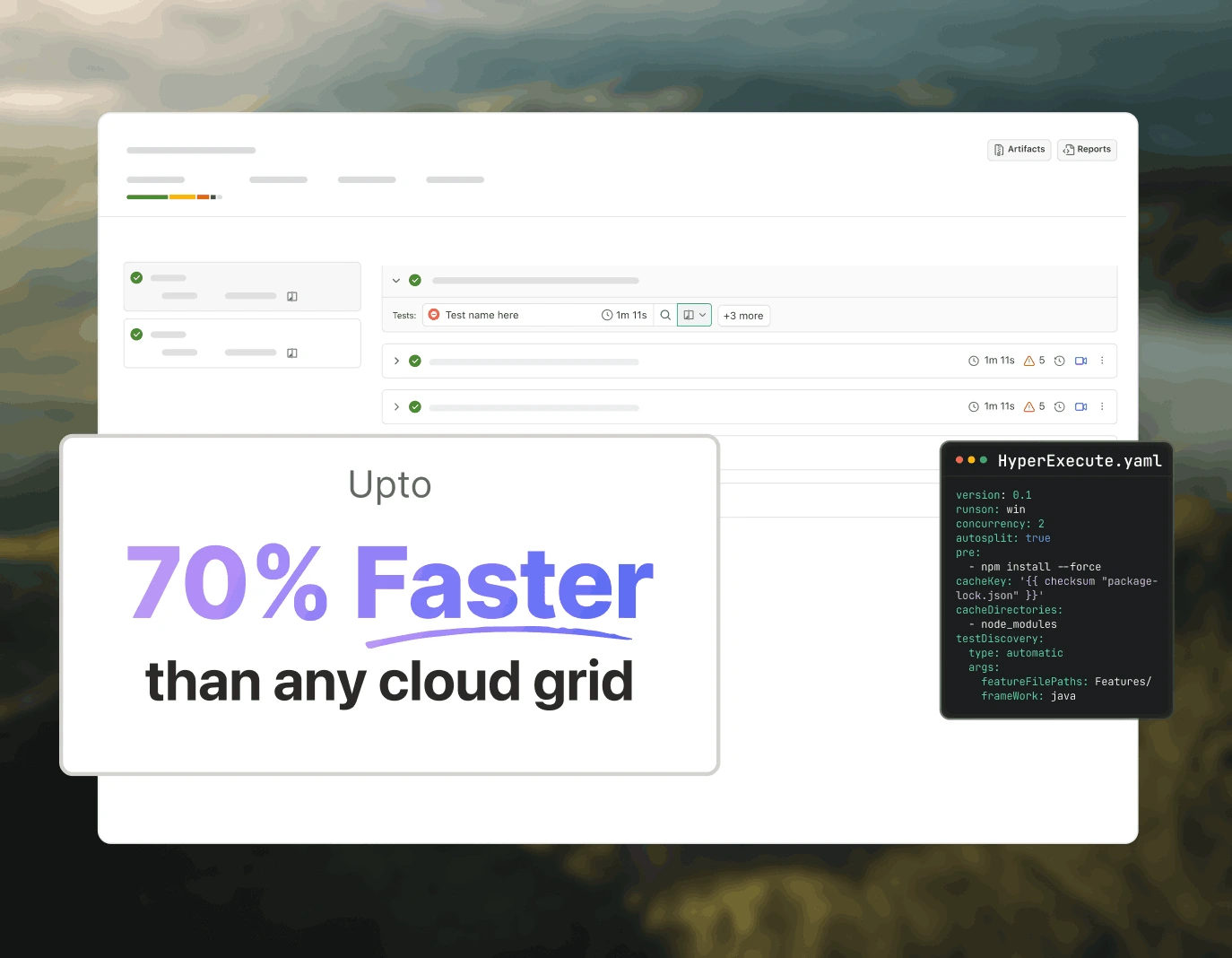
Automation MCP によるテスト失敗のトリアージ
TestMu AI の Automation MCP は、TestID の詳細、コマンドログ、ネットワークログ、コンソールエラーを 1 つのチャットに集約し、根本原因分析を即座に行えるようにすることで、テスト失敗のトリアージを高速化します。
Automation Test Details: 特定のテストに関する包括的な情報を取得します。
Automation Command Logs: すべての Selenium コマンドの実行ログにアクセスします。
Automation Network Logs: テスト中のブラウザトラフィックとネットワーク動作を分析します。
Automation Console Logs: エラーや警告を含むブラウザコンソール出力を確認します。
upload_app Tool: テスト用にモバイルアプリケーションをアップロードします。
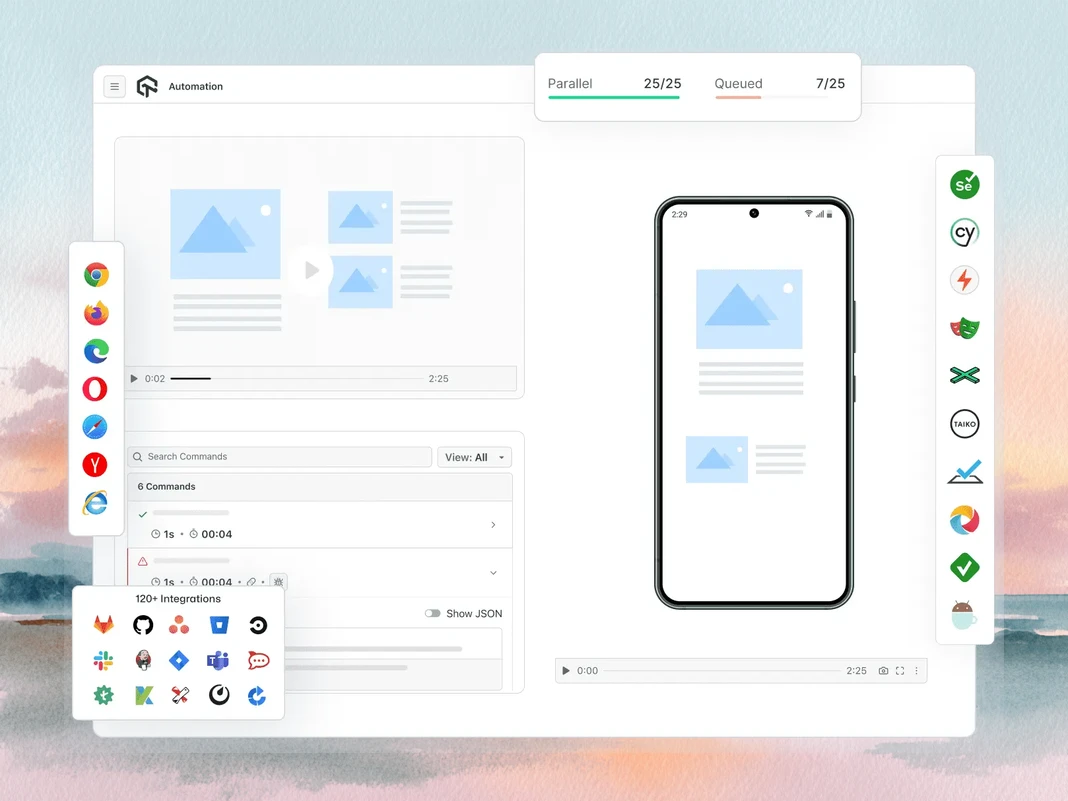
Accessibility MCP による WCAG および a11y 監査
TestMu AI の Accessibility MCP は、詳細な監査レポートとすぐに適用できる修正ガイダンスを返すことで、WCAG および a11y 違反を本番環境に到達する前に検出します。
getAccessibilityReport: 任意の公開 URL のアクセシビリティレポートを取得します。
buildLocalAppForAnalysis: アクセシビリティ問題を検出するためのローカル React アプリをビルドして提供します。
analyseAppViaTunnel: TestMu AI トンネル経由でローカルアプリのテストを分析し、アクセシビリティの失敗を検出します。
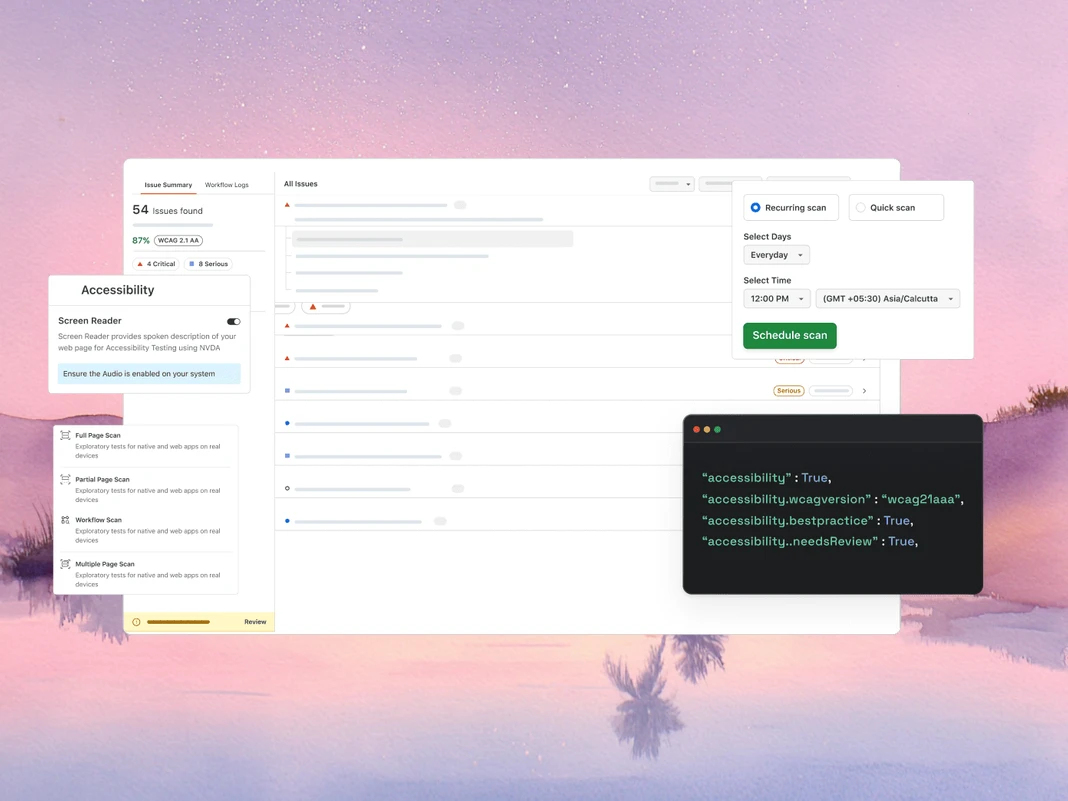
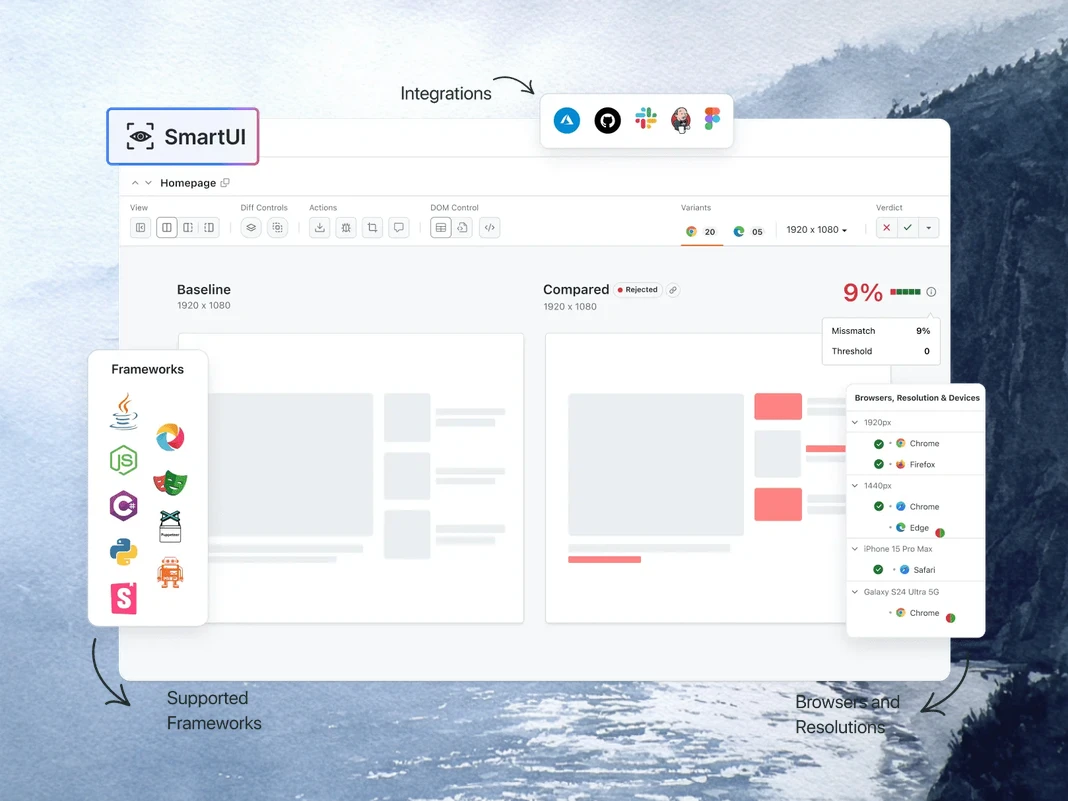
SmartUI MCP によるビジュアルリグレッションデバッグ
TestMu AI の SmartUI MCP は、ピクセル、レイアウト、DOM、知覚の変化を IDE 内で平易な英語で説明することで、ビジュアルリグレッションデバッグにおける手動の diff 調査を削減します。
getSmartUIResources: 比較実行のためのすべてのビジュアルアセットを取得します。
summarizeSmartUIPixelDiff: スクリーンショット間の生のピクセル差分を特定して説明します。
summarizeSmartUILayoutDiff: 間隔、配置、サイズ関連のレイアウト問題を検出します。
summarizeSmartUIDomDiff: DOM 構造と属性の変更を説明します。
analyzeSmartUIHumanDiff: 人間が視覚的な変更をどのように知覚するかをシミュレートします。
analyzeSmartUIRun: すべての分析レイヤーにわたる完全なデバッグサマリーを提供します。
getSmartUIScreenshotInfo: SmartUI スクリーンショットに関するメタデータと詳細を取得します。
downloadSmartUIDomFiles: より深い分析のために DOM 構造ファイルをダウンロードします。
AI エージェンティック品質エンジニアリング
ブラウザ、10,000 以上の実機、CI パイプラインにわたってテストを計画、作成、実行、トリアージする AI ネイティブエージェントを IDE から利用できます。
Agent Testing
KaneAI
Browser Testing
Real Device Cloud
App Automation
HyperExecute
Visual UI Testing
Accessibility Testing
Agent Testing
チャットボット、音声アシスタントなどの AI エージェントをテストします。
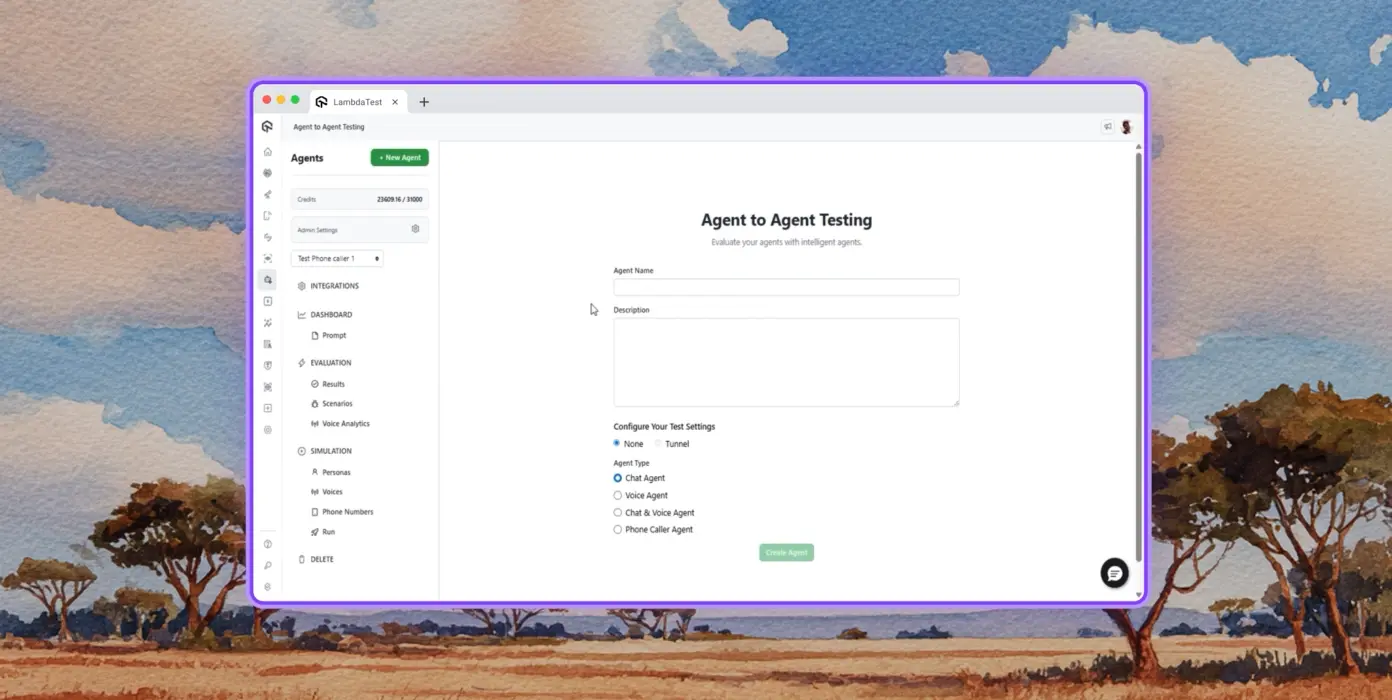
Autonomous Testing
合成エンドユーザーの視点から、テスト対象のエージェントを詳細に分析します。
Multi-Persona Simulation
International Caller、Digital Novice など、多様なユーザーペルソナをシミュレートします。
Risk Scoring & Regression
洞察を伴う、テスト対象エージェントのエンドツーエンドのリグレッションテスト。
KaneAI by TestMu AI
自然言語を使用してエンドツーエンドのテストを計画、作成、進化させます。
Natural Language
スクリプトもコードも不要。平易な英語で記述するだけでテストを作成できます。
Test Scenario Generation
テキスト、JIRA チケット、PRD、画像、スプレッドシートから構造化されたテストケースを生成します。
Test Authoring
KaneAI を使用して、デスクトップおよびモバイルデバイス向けの Web サイトや Web アプリのブラウザテストを作成します。
Browser Testing
3,000 以上のブラウザ・OS・デバイスの組み合わせで Web サイトを迅速に検証します。
Responsive Testing
デスクトップ、タブレット、モバイルデバイスのさまざまなビューポートで Web サイトのレンダリングを確認します。
DevTools Debugging
プリインストールされた Chrome および Safari DevTools でクロスブラウザの問題をデバッグします。
Geolocation Testing
さまざまな地理的 IP でテストし、すべてのユーザーに適切なエクスペリエンスを保証します。
Real Device Cloud
10,000 以上の実機で Web およびモバイルアプリケーションをテストします。
Gesture Testing
タップ、スクロール、ズーム、スワイプなどの自然なジェスチャーをテストします。
Real World Scenarios
実機ハードウェア上のあらゆるエッジケースをテストするための 40 以上の機能を活用します。
Advanced Debugging
テストセッションから直接、デバイスログ、ネットワークログ、UI インスペクターでデバッグします。
App Automation
10,000 以上の実機モバイルおよびタブレットでの自動モバイルアプリテスト。
Parallel Execution
数百台の実機 Android および iOS デバイスで自動テストを同時に実行します。
Frameworks Support
Appium、XCUITest、Espresso、Detox など、モバイル自動化のすべてのオプション。
Local Testing
さまざまな実機 Android および iOS デバイスでローカルおよびプライベートにホストされたアプリをテストします。
HyperExecute
最大 70% 高速な AI ネイティブテストオーケストレーションクラウド。
Self-Healing Tests
テストスクリプトを自動修復し、不安定性と手動メンテナンスを削減します。
Smart Orchestration
過去のデータに基づいてテスト実行を自動的に並べ替え、失敗をより早く表面化し、フィードバック時間を短縮します。
Root Cause Analysis
エラーを分類し、リアルタイムログで AI 駆動の修正インサイトを得られます。
Visual UI Testing
ブラウザやデバイス間の UI リグレッションを検出する AI ネイティブなビジュアルテスト。
Pixel Comparison
レイアウト、色、フォント、要素位置の視覚的なずれを検出します。
Design-to-Dev
Figma デザインとライブ Web ページおよびアプリ画面を比較し、正確性を確保します。
Smart Ignore
AI ネイティブな検出で無関係なレイアウトシフトを除外し、誤検知を削減します。
Accessibility Testing
包括的なユーザーエクスペリエンスのための Web およびモバイルアプリのアクセシビリティテスト。
WCAG Compliance
WCAG、ADA、Section 508 標準に照らして Web およびモバイルアプリをスキャンします。
Scheduled Scans
毎日、毎週、毎月のアクセシビリティ監査を自動化します。
Screen Reader
実機上のスクリーンリーダーおよび支援ツールとの互換性をテストします。
 再生
再生
TestMu AI(旧 LambdaTest)の成功事例

50%
テスト実行時間の削減
「HyperExecute は非常に信頼性の高いテスト実行プラットフォームであり、優れたカスタマーサポートを備えています。」
Sagar Uday Kumar
シニアエンジニアリングマネージャー

Dashlane
Lereta
Dunelm
Trepp
Transavia
デモを予約
TestMu AI(旧 LambdaTest)を愛するさらなる理由
TestMu AI が、AI ネイティブな作成、より高速な実行、Web、モバイル、AI アプリケーションにわたるより深いテストインサイトでテストを高速化する方法をご覧ください。
TestMu AI が 2025 Gartner® Magic Quadrant™ でチャレンジャーに選出
TestMu AI が The Forrester Wave™: Autonomous Testing Platforms, Q4 2025 で評価
ウォール・オブ・フェイム
TestMu AI は、世界中の SMB およびエンタープライズに選ばれる第 1 位の選択肢です。

エンタープライズグレードのセキュリティ
グローバルなセキュリティ、プライバシー、責任ある AI、ESG 基準により、お客様のデータと AI システムを保護します。

インテグレーション
お客様のチームが依存するツールとの 120 以上のインテグレーションで、お客様の作業環境に対応します。

ユーザー
3M+
テスト
1.5B+
企業
18K+
国
132
掲載メディア
よくある質問
MCP サーバーとは何ですか?
MCP サーバーは、2024 年 11 月に Anthropic が導入したオープン標準である Model Context Protocol を通じて、AI エージェントにツール、リソース、プロンプトを公開するプログラムです。サーバーはその機能を MCP 互換のクライアントに公開し、クライアント(AI エージェント)は実行時にそれらのツールを呼び出して、モデルのトレーニングデータの外部にあるデータを取得したりアクションを実行したりします。
MCP はソフトウェアテストで何に使用されますか?
ソフトウェアテストにおいて、MCP は AI エージェントが自然言語でテストワークフローを駆動できるようにします。設定の生成、スイートの実行、ログの取得、失敗の要約、ビジュアルまたはアクセシビリティチェックの実行などです。IDE、ダッシュボード、ターミナルを切り替える代わりに、エージェントが適切な MCP ツールをインラインで呼び出し、チャットで結果を返すため、オーケストレーションとデバッグの時間を短縮できます。
MCP サーバーは AI エージェントとどのように連携しますか?
クライアント(Claude Code や Cursor などの AI エージェント)は、stdio または HTTP/SSE 経由でサーバーに接続し、その機能を要求します。サーバーは JSON Schema 定義を含むツールのリストを返します。ユーザーがエージェントにプロンプトを送信すると、エージェントは関連するツールを選択し、構造化された呼び出しを送信します。サーバーは基盤となるシステムに対してそれを実行し、モデルが推論できる型付きレスポンスを返します。
MCP サーバーをサポートする AI クライアントはどれですか?
Claude Code、Claude Desktop、Cursor、Windsurf、GitHub Copilot Chat、Cline、Continue、Zed AI、JetBrains AI Assistant はすべて現在 MCP サーバーをサポートしています。Model Context Protocol 仕様(stdio または HTTP/SSE トランスポート)を実装するクライアントは接続できるため、サーバー統合を書き直すことなく新しい MCP 対応ツールを利用できます。
Cursor または Claude Code で MCP サーバーをセットアップするにはどうすればよいですか?
Cursorで、設定 → MCP → 新しいMCPサーバーを追加 を開き、サーバーのコマンドまたはHTTPエンドポイントを指定します。Claude Codeでは、"claude mcp add " を実行するか、~/.claude.json を直接編集します。登録すると、エージェントが利用可能なツールを自動的に検出し、チャットで呼び出せるようになります。ほとんどのエンタープライズMCPサーバーでは、ツールが呼び出し可能になる前にOAuthステップが追加されます。
MCPとAPIの違いは何ですか?
APIはコード間呼び出し用に構築された固定エンドポイント契約であり、クライアントはエンドポイントやバージョン変更のたびにカスタム統合が必要です。MCPはAIからツールへの呼び出し用に構築されており、エージェントが実行時に機能を発見する方法、呼び出し間のセッション状態の維持、型付きレスポンスの解析を標準化します。MCPサーバーに新しいツールが追加されると、接続されているすべてのエージェントが再デプロイなしでそれを取得します。
MCPサーバーはSelenium、Playwright、Cypress、Appiumのテストを実行できますか?
はい。MCPサーバーはテストフレームワークを置き換えるのではなく、ラップします。TestMu AI MCP Serverは、プロジェクト分析中にSelenium、Playwright、Cypress、Appium、TestNG、JUnit、PyTest、WebdriverIOなどのフレームワークを検出し、AIエージェントが実行するための適切な設定とランナーコマンドを生成します。テスト実行は引き続き基盤となるクラウドグリッド上で行われます。
MCPは失敗したテストのデバッグにどのように役立ちますか?
MCPサーバーは、失敗した実行のテストメタデータ、Seleniumコマンドログ、ブラウザのネットワークアクティビティ、コンソールエラーを取得し、そのデータをチャット内のAIエージェントに渡すことができます。エージェントはログを分析し、イベントを関連付け、根本原因を提案するため、かつて複数タブのダッシュボードを探し回っていた作業が単一のプロンプトで完了します。
Model Context Protocolは安全ですか?
MCP自体はトランスポートとメッセージ形式を定義するものであり、認証は定義しません。セキュリティはサーバーの実装に依存します。本番サーバーは通常、OAuth 2.1、スコープ付きトークン、TLS暗号化トランスポートを使用します。エンタープライズ展開では、ロールベースの権限、監査ログ、データレジデンシー制御が追加され、MCPトラフィックが本番ログや顧客データを運ぶ場合に重要になります。
MCPサーバーは無料で使用できますか?
プロトコルはオープンソースで無料です。サーバーの価格設定はさまざまで、多くのコミュニティサーバーは無料ですが、ベンダーがホストするサーバーはMCPレイヤー自体ではなく、基盤となるプラットフォーム(使用量、シート、またはコンピュート)に対して課金されます。TestMu AI MCP ServerはすべてのTestMu AIアカウントに含まれており、チームがすでに支払っているテスト実行時間のみを消費します。
TestMu AI MCP Serverにはどのようなツールが含まれていますか?
サーバーには4つのMCPツールが含まれています。HyperExecute MCPは、プロジェクト分析、YAML生成、ランナーコマンド、ジョブ情報、セッション詳細を処理します。Automation MCPは、テスト詳細、Seleniumコマンドログ、ネットワークログ、コンソールログを取得します。SmartUI MCPは、ピクセル、レイアウト、DOM、人間が知覚するビジュアル差分を要約します。Accessibility MCPは、公開URL、ローカルのReactビルド、トンネル化されたアプリに対してWCAG監査を実行します。
TestMu AI MCP ServerはどのAIアシスタントをサポートしていますか?
TestMu AI MCP Serverには、Cursor、Claude Code、Claude Desktop、Claude.ai(Web)、VS CodeのGitHub Copilot、Antigravity、OpenAI Codex CLI、Cline、Continue向けのセットアップ手順が文書化されています。その他のMCP互換クライアントは、mcp-remoteを使用したユニバーサルSTDIO設定を通じて接続できるため、プロトコルを採用する新しいアシスタントはサーバー側の変更なしで動作します。
TestMu AI MCP Serverはどのトランスポート方式を使用しますか?
サーバーは2つのトランスポートをサポートしています。Streamable HTTPはほとんどのクライアントで推奨されるオプションであり、OAuth認証付きのエンドポイントを使用します。STDIOは、Streamable HTTPをまだサポートしていないクライアント向けにmcp-remoteを通じて利用でき、バックグラウンドで同じOAuth認証エンドポイントを使用します。
設定後、MCPツールがAIクライアントに表示されないのはなぜですか?
通常、3つの原因が考えられます。まず、クライアントを完全に終了して再起動します(ソフトリロードでは不十分なことがよくあります)。次に、JSON、TOML、またはYAML設定の構文エラーを検証します。特に末尾のカンマとエスケープされていないパスに注意してください。3つ目に、Continueなどのクライアントでは、チャットモードではなくエージェントモードであることを確認してください。OAuthが完了したのにツールが表示されない場合は、クライアントのMCP設定から再認証してください。
その他の質問を見る
TestMu AI (Formerly LambdaTest)/MCP Server
[{"@context":"https://schema.org","@type":"BreadcrumbList","itemListElement":[{"@type":"ListItem","position":1,"name":"Home","item":"https://www.testmuai.com"},{"@type":"ListItem","position":2,"name":"TestMu AI MCP Server","item":"https://www.testmuai.com/mcp/"}]}]
{"@context":"https://schema.org","@type":"WebPage","name":"TestMu AI (Formerly LambdaTest) MCP Server For Agentic Testing","description":"TestMu AI (Formerly LambdaTest) MCP Server with four tools: HyperExecute, Automation, SmartUI, & Accessibility. Run, debug, and triage tests from your IDE using natural language.","url":"https://www.testmuai.com/mcp/","inLanguage":"en","isPartOf":{"@type":"WebSite","name":"TestMu AI (Formerly LambdaTest)","url":"https://www.testmuai.com"},"datePublished":"2025-01-01","dateModified":"2026-05-14","about":{"@type":"Organization","name":"TestMu AI (Formerly LambdaTest)","alternateName":["LambdaTest","LambdaTesting","lamda test","lambatest","Lambda Test"]}}
{"@context":"https://schema.org","@type":"FAQPage","mainEntity":[{"@type":"Question","name":"What is an MCP server?","acceptedAnswer":{"@type":"Answer","text":"An MCP server is a program that exposes tools, resources, and prompts to AI agents through the Model Context Protocol, an open standard introduced by Anthropic in November 2024. The server advertises its capabilities to any MCP-compatible client, and the client (an AI agent) calls those tools at runtime to fetch data or perform actions outside the model's training data."}},{"@type":"Question","name":"What is MCP used for in software testing?","acceptedAnswer":{"@type":"Answer","text":"In software testing, MCP lets AI agents drive the test workflow through natural language: generating configs, executing suites, pulling logs, summarizing failures, and running visual or accessibility checks. Instead of switching between an IDE, a dashboard, and a terminal, the agent calls the right MCP tool inline and returns results in chat, which compresses orchestration and debugging time."}},{"@type":"Question","name":"How does an MCP server work with AI agents?","acceptedAnswer":{"@type":"Answer","text":"The client (an AI agent like Claude Code or Cursor) connects to the server over stdio or HTTP/SSE and asks for its capabilities. The server returns a list of tools with JSON Schema definitions. When the user prompts the agent, it picks the relevant tool, sends a structured call, and the server executes it against the underlying system, then returns a typed response the model can reason over."}},{"@type":"Question","name":"Which AI clients support MCP servers?","acceptedAnswer":{"@type":"Answer","text":"Claude Code, Claude Desktop, Cursor, Windsurf, GitHub Copilot Chat, Cline, Continue, Zed AI, and JetBrains AI Assistant all support MCP servers today. Any client that implements the Model Context Protocol spec (stdio or HTTP/SSE transport) can connect, which means new MCP-aware tools work without rewriting the server integration."}},{"@type":"Question","name":"How do you set up an MCP server in Cursor or Claude Code?","acceptedAnswer":{"@type":"Answer","text":"In Cursor, open Settings → MCP → Add new MCP Server and point it at the server's command or HTTP endpoint. In Claude Code, run \"claude mcp add <name> <command>\" or edit ~/.claude.json directly. Once registered, the agent discovers the available tools automatically and you can invoke them in chat. Most enterprise MCP servers add an OAuth step before tools become callable."}},{"@type":"Question","name":"What is the difference between MCP and an API?","acceptedAnswer":{"@type":"Answer","text":"An API is a fixed endpoint contract built for code-to-code calls; clients need custom integration for every endpoint and version change. MCP is built for AI-to-tool calls: it standardizes how an agent discovers capabilities at runtime, maintains session state across calls, and parses typed responses. When a new tool is added to an MCP server, every connected agent picks it up without redeployment."}},{"@type":"Question","name":"Can MCP servers run Selenium, Playwright, Cypress, or Appium tests?","acceptedAnswer":{"@type":"Answer","text":"Yes. MCP servers don't replace your test framework; they wrap it. The TestMu AI MCP Server detects Selenium, Playwright, Cypress, Appium, TestNG, JUnit, PyTest, WebdriverIO, and similar frameworks during project analysis, then generates the right config and runner command for your AI agent to execute. Test execution still happens on the underlying cloud grid."}},{"@type":"Question","name":"How does MCP help debug failed tests?","acceptedAnswer":{"@type":"Answer","text":"An MCP server can pull test metadata, Selenium command logs, browser network activity, and console errors for any failed run, then hand the data back to the AI agent in chat. The agent reasons over the logs, correlates events, and suggests a root cause, turning what used to be a multi-tab dashboard hunt into a single prompt."}},{"@type":"Question","name":"Is the Model Context Protocol secure?","acceptedAnswer":{"@type":"Answer","text":"MCP itself defines transport and message format, not authentication; security depends on the server implementation. Production servers typically use OAuth 2.1, scoped tokens, and TLS-encrypted transport. Enterprise deployments add role-based permissions, audit logging, and data-residency controls, which become important when MCP traffic carries production logs or customer data."}},{"@type":"Question","name":"Are MCP servers free to use?","acceptedAnswer":{"@type":"Answer","text":"The protocol is open source and free. Server pricing varies: many community servers are free, while vendor-hosted servers bill against the underlying platform (usage, seats, or compute) rather than the MCP layer itself. The TestMu AI MCP Server is included with every TestMu AI account and only consumes the test execution minutes a team already pays for."}},{"@type":"Question","name":"What tools are inside the TestMu AI MCP Server?","acceptedAnswer":{"@type":"Answer","text":"Four MCP tools ship in the server. HyperExecute MCP handles project analysis, YAML generation, runner commands, job info, and session details. Automation MCP fetches test details, Selenium command logs, network logs, and console logs. SmartUI MCP summarizes pixel, layout, DOM, and human-perceived visual diffs. Accessibility MCP runs WCAG audits on public URLs, local React builds, and tunneled apps."}},{"@type":"Question","name":"What AI assistants does the TestMu AI MCP Server support?","acceptedAnswer":{"@type":"Answer","text":"The TestMu AI MCP Server has documented setup paths for Cursor, Claude Code, Claude Desktop, Claude.ai (Web), GitHub Copilot in VS Code, Antigravity, OpenAI Codex CLI, Cline, and Continue. Any other MCP-compatible client can connect through the universal STDIO configuration using mcp-remote, so newer assistants that adopt the protocol work without changes on the server side."}},{"@type":"Question","name":"What transport methods does the TestMu AI MCP Server use?","acceptedAnswer":{"@type":"Answer","text":"The server supports two transports. Streamable HTTP is the recommended option for most clients and uses the endpoint with OAuth authentication. STDIO is available through mcp-remote for clients that don't yet support Streamable HTTP, and uses the same OAuth-authenticated endpoint behind the scenes."}},{"@type":"Question","name":"Why aren't MCP tools showing up in my AI client after configuration?","acceptedAnswer":{"@type":"Answer","text":"Three things usually cause this. First, fully quit and relaunch the client (a soft reload often isn't enough). Second, validate the JSON, TOML, or YAML config for syntax errors, especially trailing commas and unescaped paths. Third, for clients like Continue, confirm you are in Agent Mode rather than Chat Mode. If OAuth completed but tools still don't appear, re-authenticate from the client's MCP settings."}}]}
{"@context":"https://schema.org","@type":"Organization","name":"TestMu AI (Formerly LambdaTest)","legalName":"LambdaTest, Inc.","alternateName":["LambdaTest","LambdaTesting","Lambda Test","TestMu AI"],"url":"https://www.testmuai.com","logo":"https://www.testmuai.com/logo.png","description":"TestMu AI (formerly LambdaTest) is an AI-native, agentic testing cloud for end-to-end software quality engineering across web, mobile, and AI applications. LambdaTest rebranded to TestMu AI on January 12, 2026.","foundingDate":"2017","founder":[{"@type":"Person","name":"Asad Khan","jobTitle":"Co-Founder & CEO"},{"@type":"Person","name":"Jay Singh","jobTitle":"Co-Founder & Chief Customer Officer"},{"@type":"Person","name":"Mayank Bhola","jobTitle":"Co-Founder & Head of Product"},{"@type":"Person","name":"Mudit Singh","jobTitle":"Co-Founder & Head of Growth"}],"address":[{"@type":"PostalAddress","addressLocality":"California","postalCode":"94102","streetAddress":"Suite 200, 1390 market Street San Francisco","addressCountry":"USA"},{"@type":"PostalAddress","streetAddress":"Noida One, Tower A, 2nd Floor, KLJ, Sector 62","addressLocality":"Noida","postalCode":"201309","addressCountry":"India"}],"sameAs":["https://www.lambdatest.com","https://www.linkedin.com/company/testmu-ai/","https://www.linkedin.com/company/lambdatest/","https://www.instagram.com/testmuai/","https://www.facebook.com/testmuai/","https://x.com/testmuai","https://x.com/lambdatesting","https://medium.com/lambdatest","https://testmuai.medium.com/","https://www.youtube.com/@TestMuAI","https://www.pinterest.com/testmuai/","https://github.com/lambdaTest","https://www.netlify.com/integrations/lambdatest/","https://newrelic.com/instant-observability/lambdatest"]}
{"@context":"https://schema.org","@type":"ItemList","name":"TestMu AI (Formerly LambdaTest) MCP Server Tools","description":"The four MCP tools included with the TestMu AI (Formerly LambdaTest) MCP Server: HyperExecute MCP, Automation MCP, SmartUI MCP, and Accessibility MCP.","url":"https://www.testmuai.com/mcp/","numberOfItems":4,"itemListOrder":"https://schema.org/ItemListOrderAscending","itemListElement":[{"@type":"ListItem","position":1,"item":{"@type":"SoftwareApplication","name":"HyperExecute MCP Tool","applicationCategory":"DeveloperApplication","operatingSystem":"Windows, macOS, Linux","url":"https://www.testmuai.com/support/docs/hyperexecute-mcp-server/","description":"An MCP tool that analyzes your test project, auto-detects the framework, and generates HyperExecute YAML configs and runner commands. Also fetches job and session details and answers documentation queries inline.","offers":{"@type":"Offer","price":"0","priceCurrency":"USD"},"aggregateRating":{"@type":"AggregateRating","ratingValue":"4.8","ratingCount":"451","bestRating":"5","worstRating":"1"},"provider":{"@type":"Organization","name":"TestMu AI (Formerly LambdaTest)","url":"https://www.testmuai.com"}}},{"@type":"ListItem","position":2,"item":{"@type":"SoftwareApplication","name":"Automation MCP Tool","applicationCategory":"DeveloperApplication","operatingSystem":"Windows, macOS, Linux","url":"https://www.testmuai.com/support/docs/automation-mcp-server/","description":"An MCP tool that retrieves test details, Selenium command logs, network logs, and browser console logs for any TestID, enabling AI agents to root-cause failed tests from the IDE.","offers":{"@type":"Offer","price":"0","priceCurrency":"USD"},"aggregateRating":{"@type":"AggregateRating","ratingValue":"4.8","ratingCount":"451","bestRating":"5","worstRating":"1"},"provider":{"@type":"Organization","name":"TestMu AI (Formerly LambdaTest)","url":"https://www.testmuai.com"}}},{"@type":"ListItem","position":3,"item":{"@type":"SoftwareApplication","name":"Accessibility MCP Tool","applicationCategory":"DeveloperApplication","operatingSystem":"Windows, macOS, Linux","url":"https://www.testmuai.com/support/docs/accessibility-mcp-server/","description":"An MCP tool that runs WCAG, ADA, and Section 508 accessibility audits on public URLs, locally-built React apps, or apps tunneled through TestMu AI.","offers":{"@type":"Offer","price":"0","priceCurrency":"USD"},"aggregateRating":{"@type":"AggregateRating","ratingValue":"4.8","ratingCount":"451","bestRating":"5","worstRating":"1"},"provider":{"@type":"Organization","name":"TestMu AI (Formerly LambdaTest)","url":"https://www.testmuai.com"}}},{"@type":"ListItem","position":4,"item":{"@type":"SoftwareApplication","name":"SmartUI MCP Tool","applicationCategory":"DeveloperApplication","operatingSystem":"Windows, macOS, Linux","url":"https://www.testmuai.com/support/docs/smartui-mcp-server/","description":"An MCP tool that turns raw visual diffs into natural-language summaries across pixel, layout, DOM, and human-perceived layers, with access to screenshots, DOM snapshots, and metadata.","offers":{"@type":"Offer","price":"0","priceCurrency":"USD"},"aggregateRating":{"@type":"AggregateRating","ratingValue":"4.8","ratingCount":"451","bestRating":"5","worstRating":"1"},"provider":{"@type":"Organization","name":"TestMu AI (Formerly LambdaTest)","url":"https://www.testmuai.com"}}}]}