Terraform RAG
あなたのTerraformモジュールのためのAI搭載ナレッジベース。インデックス、検索、作成、監査をすべて一箇所で行えます。
ドキュメント
⬡
Terraform RAG
AI-powered knowledge base for your Terraform modules.
Index, search, compose, and audit - all from one place.
Live Demo - Architecture - Quick Start - MCP Server





Try the live demo
Web UI - browse 2700+ modules across 175+ repos (AWS / Azure / GCP):
Login:
demo@terraform-rag.io/demo(read-only)
MCP - connect your IDE to the knowledge base:
{
  "mcpServers": {
    "terraform-rag": {
      "type": "http",
      "url": "https://terraform-rag.io/mcp",
      "headers": {
        "Authorization": "Bearer trag_6c495d7a027369cb5d324d877626c272"
      }
    }
  }
}
9 tools available: query_modules, pick_modules, list_modules,
get_module_details, get_dependencies, get_module_usage,
find_similar_usages, fetch_example_code, get_stats (list_modules
also takes semantic_query for natural-language search).
What it does
Point it at your Terraform module repositories. It clones them, parses every HCL file, generates embeddings, and builds a searchable knowledge base in PostgreSQL + pgvector. Then it learns how those modules are actually used across your consumer repos - naming patterns, variable conventions, tagging strategies, deployment layouts - and distils that into authoritative guidance.
An agentic pipeline (Claude, Bedrock, or any OpenAI-compatible model) explores the knowledge base across multiple tool-use turns to assemble grounded, reviewable answers - assistive retrieval with a human in the loop, not an autonomous code generator. Query from the web UI, the REST API, or directly from your IDE via MCP.
See it in action
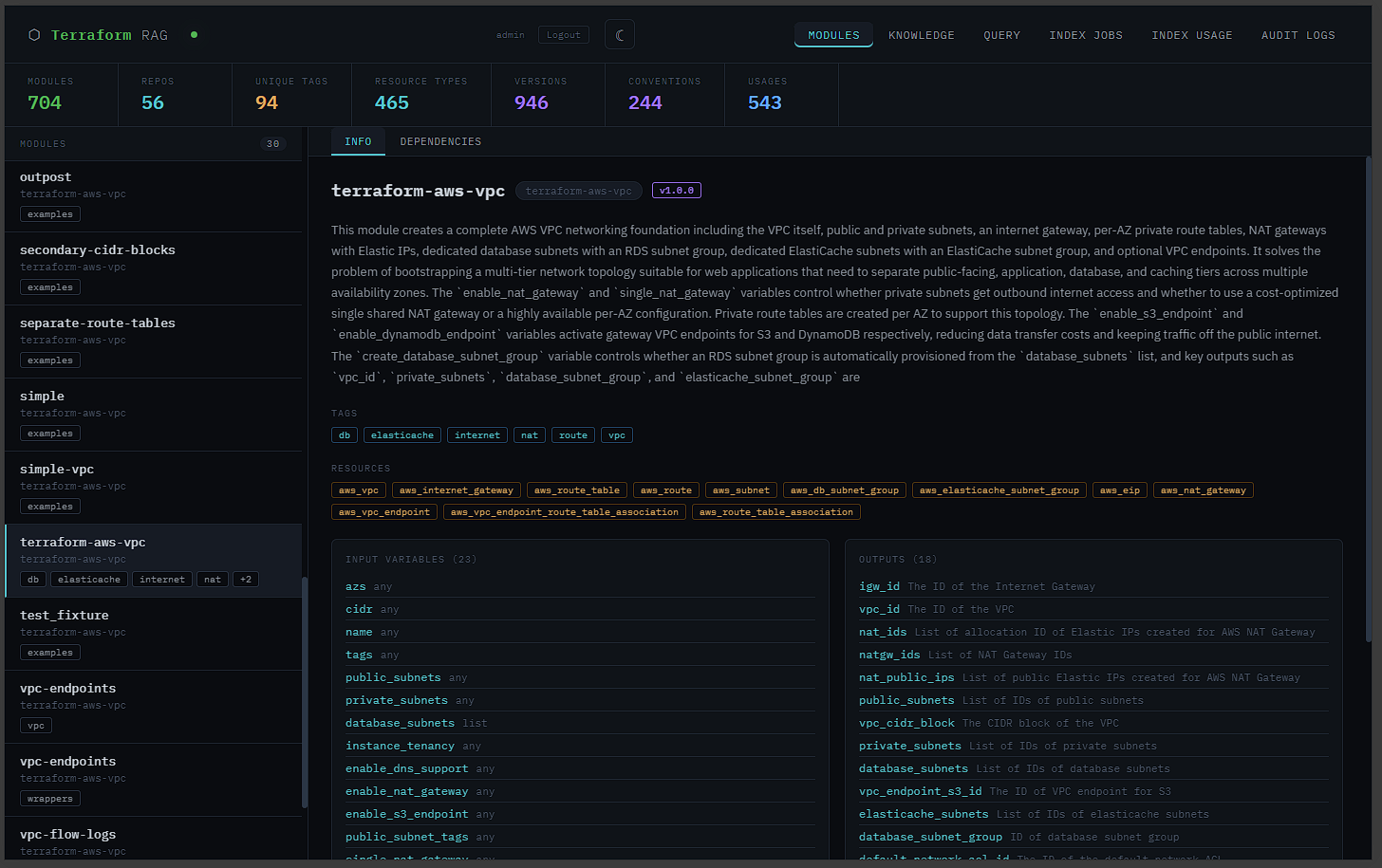
Module Browser - 2700+ modules across 175+ repos |
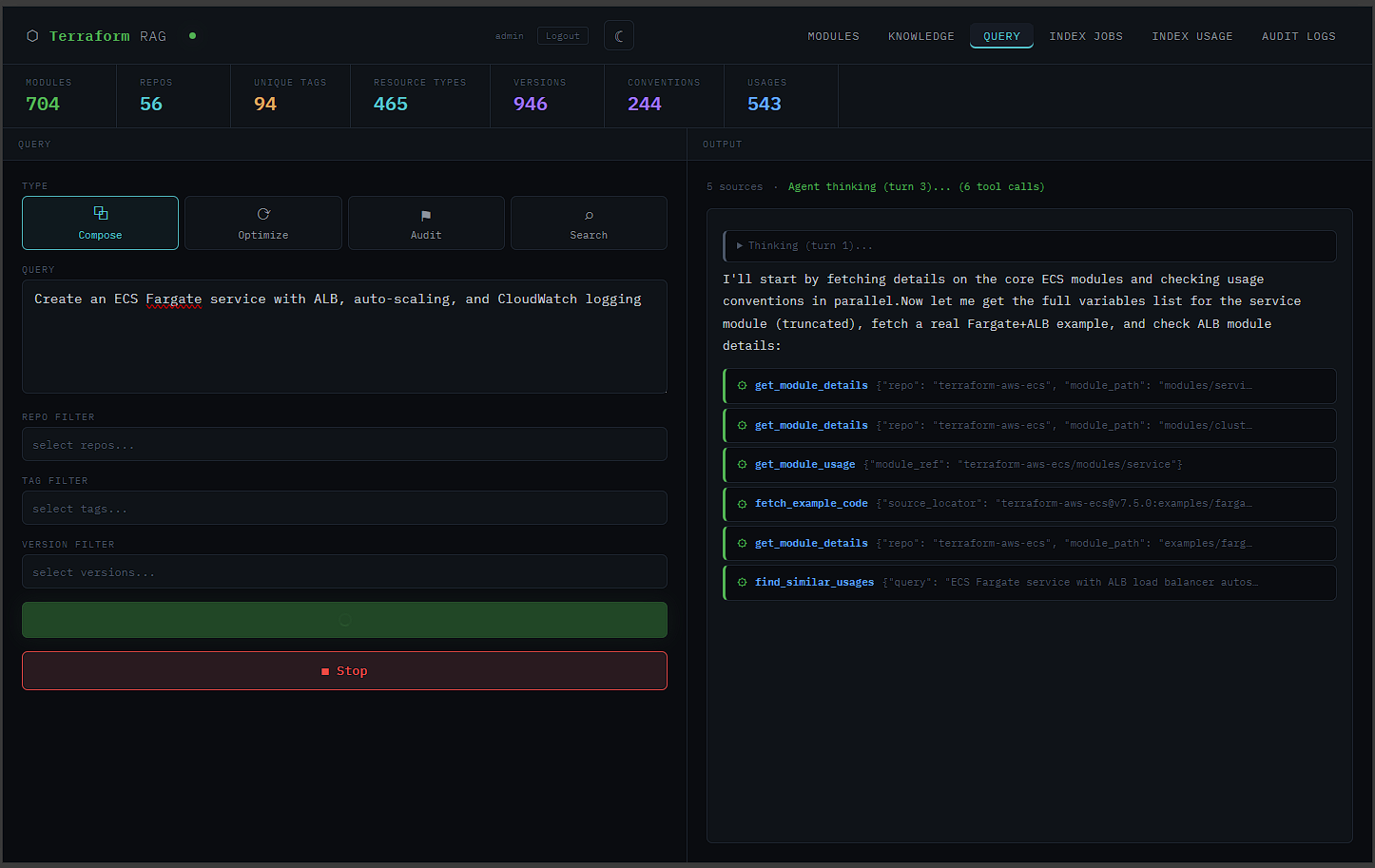
Agentic Compose - tool calls and reasoning in real time |
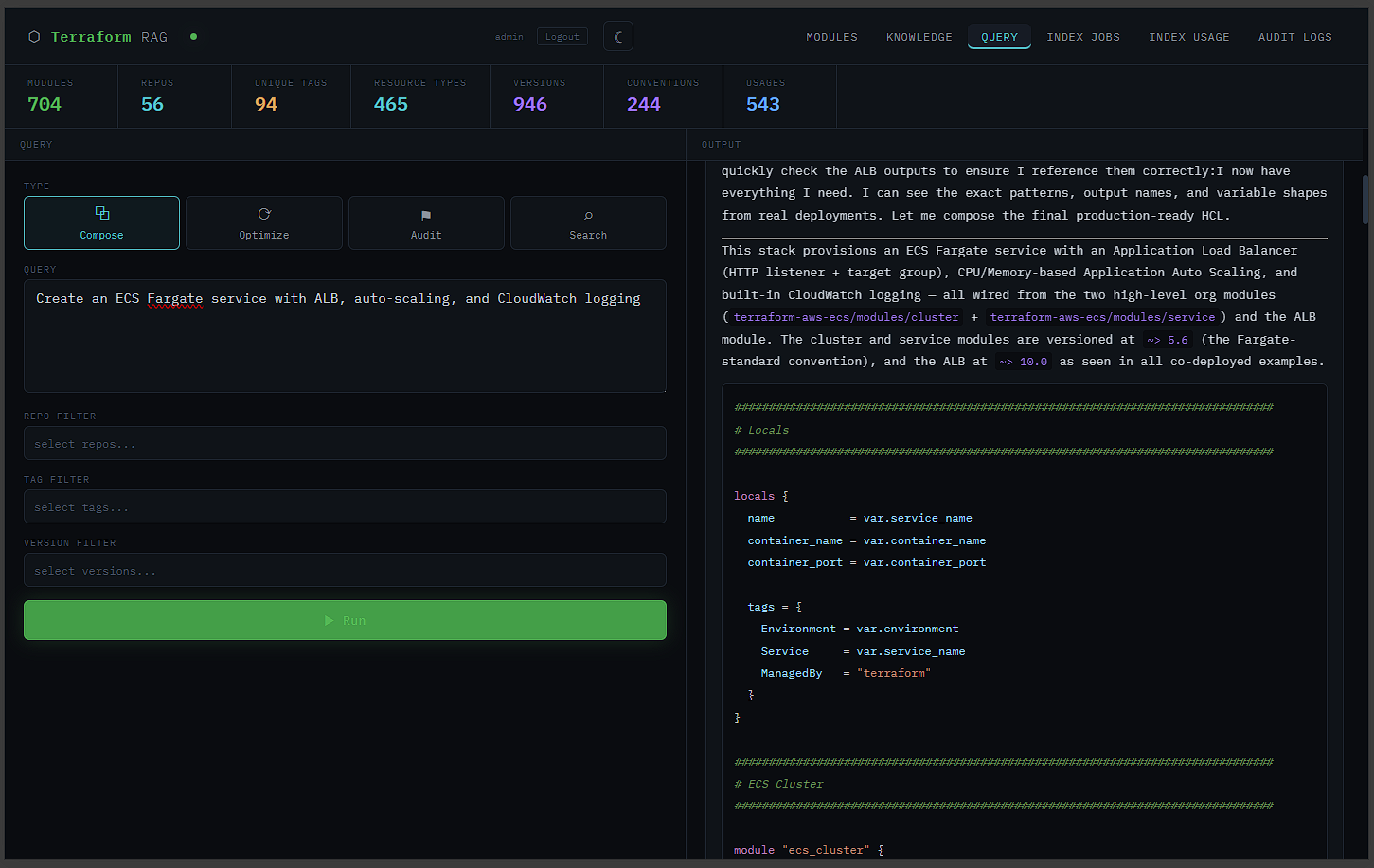
Generated HCL - syntax-highlighted output |
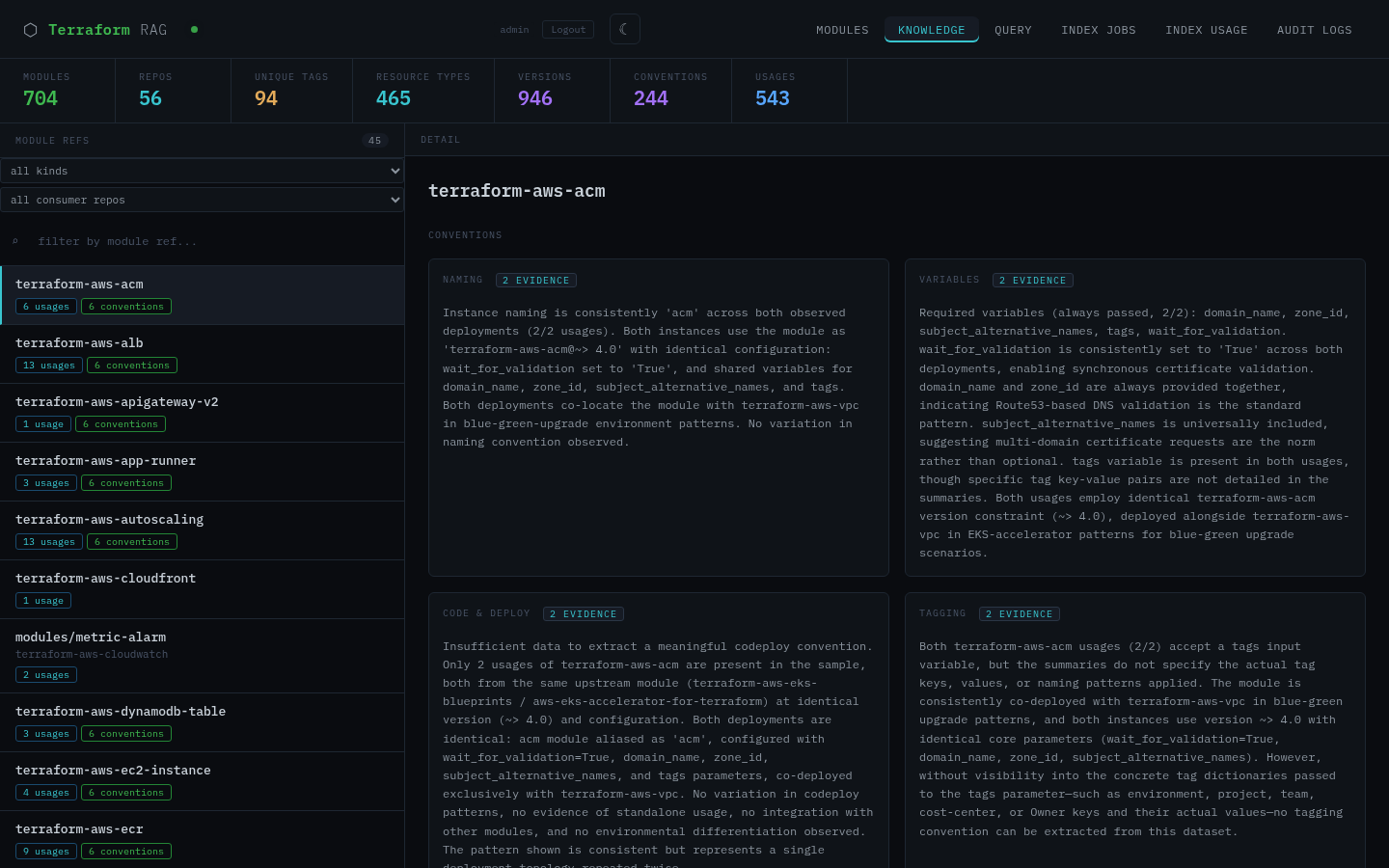
Knowledge Browser - conventions and usage patterns |
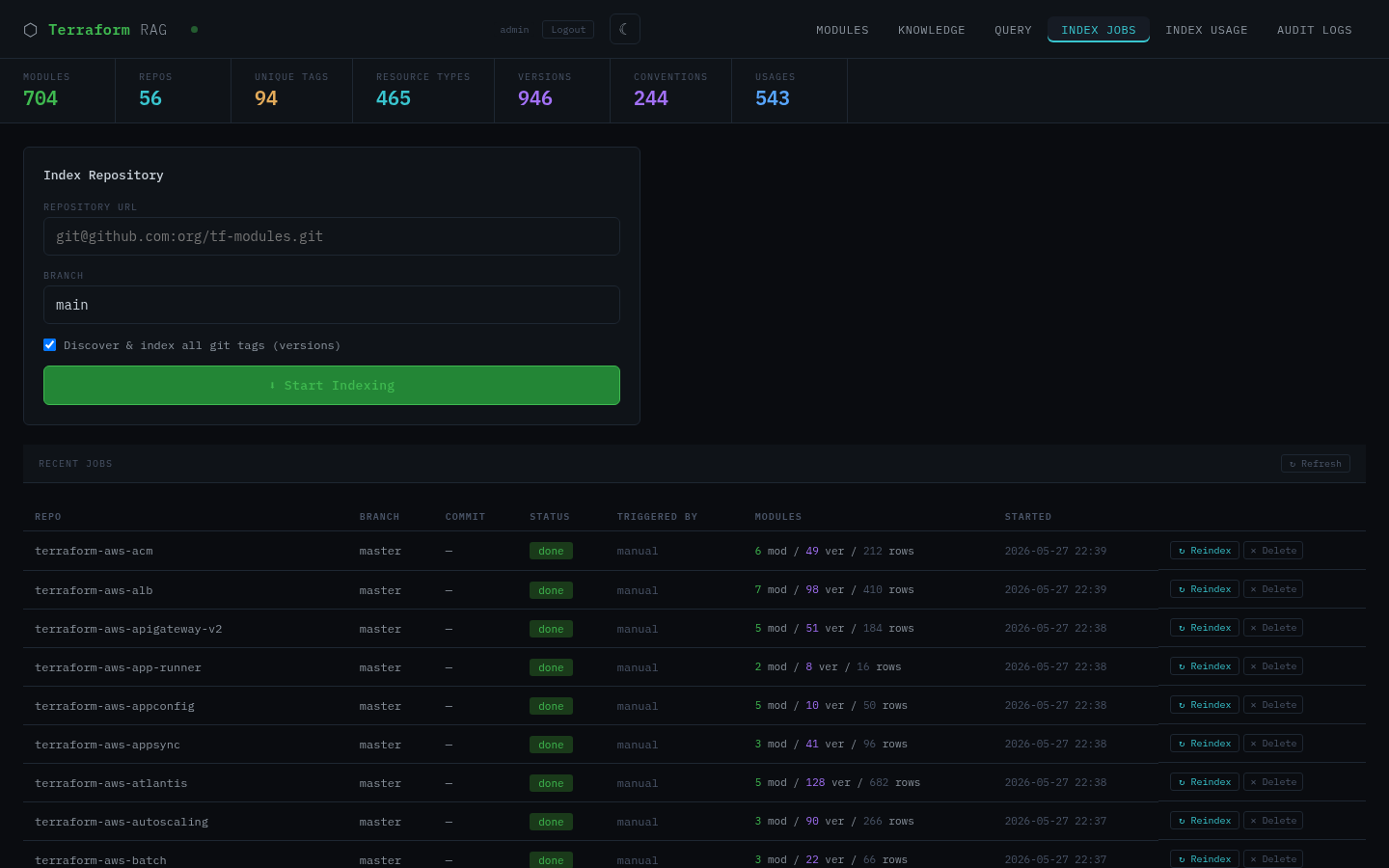
Index Jobs - repository indexing dashboard |
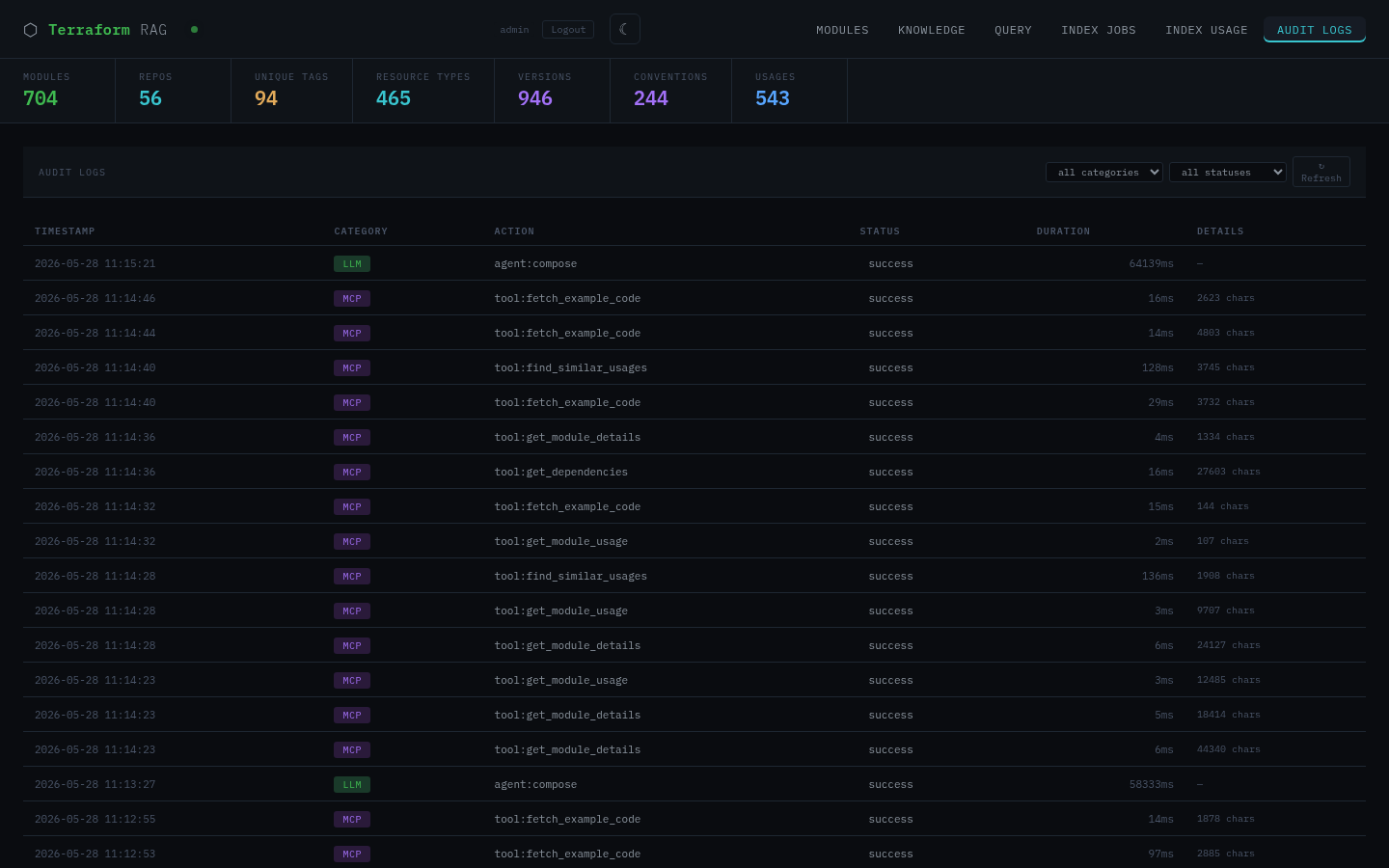
Audit Logs - full trail of LLM, MCP, and API calls |
Features
Agentic Query Pipeline - more than a single RAG lookup. The LLM browses modules, checks details, reads conventions, and fetches example code across multiple tool-use turns before composing an answer for you to review. Four query modes: compose, search, optimize, and audit.
Knowledge Layer - indexes consumer repos to learn real-world usage patterns. Distils conventions across six dimensions (naming, variables, tagging, layout, versions, deployment) and treats them as authoritative guidance in all prompts.
MCP Server - Streamable HTTP endpoint works with Claude Code, Cursor, Windsurf, and any MCP-compatible client. Query your module knowledge base directly from your IDE.
Dependency Graph - PostgreSQL recursive CTEs map the full dependency tree between modules. Find what depends on what, trace impact, and visualize relationships with a D3 force-directed graph.
Version Tracking - automatic git tag discovery with per-module version history. Code-hash caching avoids redundant LLM/embedding calls on re-index.
Flexible LLM Backend - Anthropic (direct or Bedrock), OpenRouter, Ollama, or any OpenAI-compatible endpoint. Swap models without changing code.
CI/CD Integration - GitHub Actions workflow and webhook endpoints for
automatic re-indexing when .tf files change.
Authentication - disabled (default), local email/password with JWT, or ALB-terminated SSO via AWS Identity Center / OIDC.
Quick Start
# 1. Clone and configure
git clone https://github.com/krzysztofgawrys/rag-for-terraform.git
cd rag-for-terraform
cp .env.example .env
# Edit .env - set POSTGRES_PASSWORD, JWT_SECRET, and your LLM API key

# 2. Start everything
docker compose up -d

# 3. Index your first repo
curl -X POST http://localhost:8000/index/ \
  -H "Content-Type: application/json" \
  -d '{"repo_url": "git@github.com:org/tf-modules.git", "branch": "main"}'
| Service | URL |
|---|---|
| Frontend | http://localhost:3000 |
| API docs | http://localhost:8000/docs |
| MCP endpoint | http://localhost:8000/mcp/ |
For private repos, place your SSH deploy key at ./worker_deploy_key
(or set SSH_KEY_PATH in .env).
MCP Server
Connect any MCP-compatible client to http://localhost:8000/mcp/.
Claude Code (.mcp.json):
{
  "mcpServers": {
    "terraform-rag": {
      "type": "http",
      "url": "http://localhost:8000/mcp/"
    }
  }
}
Available tools: query_modules, pick_modules, list_modules,
get_module_details, get_dependencies, get_module_usage,
find_similar_usages, fetch_example_code, get_stats.
LLM Configuration
| Mode | LLM_BASE_URL | LLM_MODEL example |
|---|---|---|
| Anthropic (direct) | (empty) | claude-sonnet-4-6 |
| AWS Bedrock | (set AWS_BEDROCK_REGION) | us.anthropic.claude-sonnet-4-6-20250514-v1:0 |
| OpenRouter | https://openrouter.ai/api/v1 | anthropic/claude-sonnet-4-6 |
| Ollama (local) | http://ollama:11434/v1 | qwen2.5-coder:32b |
A separate cheap model can be used for module descriptions during indexing
(DESCRIPTION_LLM_* variables).
Architecture
  Browser         AI Agent / IDE
     |               |
+---------+      +--------+      +----------------+
| Frontend|----->|  API   |----->| PostgreSQL 16  |
| (Vite)  |      | FastAPI|      | + pgvector     |
+---------+      +---+----+      +----------------+
                     |
                +----+----+
                | Worker  |      +-------+
                | (Celery)|----->| Redis |
                +---------+      +-------+
For the full technical deep-dive - stack details, directory structure, API endpoints, agent internals, knowledge layer pipeline, known limitations, and deployment notes - see docs/ARCHITECTURE.md.
License
Business Source License 1.1 - see LICENSE for details.
- Non-production use (evaluation, testing, development) is permitted
- Production use requires a commercial license from the author
- On 2029-05-25 the license converts to AGPL-3.0