intervals-icu-mcp
Intervals.icuの読み書きが可能なMCPサーバー — アクティビティ、ストリーム、ウェルネス、カレンダー、ギア、スポーツゾーンにわたる55以上のツールに加え、サイクリング、ランニング、スイミング向けの構造化ワークアウト生成機能を備えています。
ドキュメント
Intervals.icu MCP Server
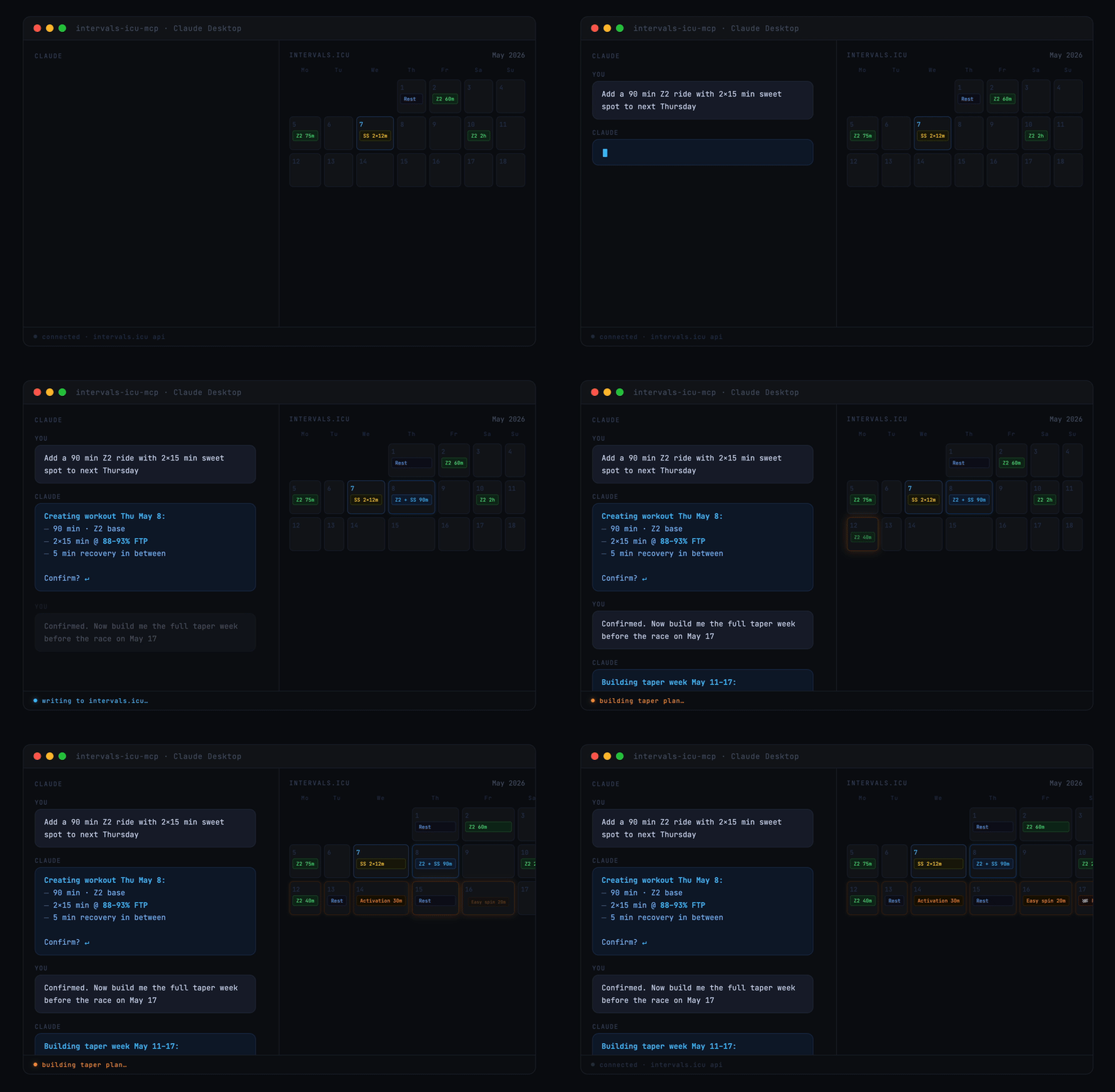
A Model Context Protocol (MCP) server for Intervals.icu integration. Access your training data, wellness metrics, and performance analysis through Claude, ChatGPT, and other LLMs.
Originally based on eddmann/intervals-icu-mcp (MIT licensed). This project is an independent continuation with significant bug fixes and new features — see CHANGELOG.md for details.




Overview
69 tools spanning activities, activity analysis, activity messages, athlete profile, wellness, events/calendar, performance curves, workout library, gear, sport settings, and custom items — plus 4 MCP Resources (athlete profile, workout syntax, event categories, custom item schemas) and 9 MCP Prompts (training analysis, recovery check, weekly planning, and more). See Available Tools for the per-category breakdown.
Quick Start

Or for Claude Desktop, in 30 seconds:
- Get your API key and athlete ID
- Add this to your Claude Desktop config:
{
  "mcpServers": {
    "intervals-icu": {
      "command": "uvx",
      "args": ["intervals-icu-mcp"],
      "env": {
        "INTERVALS_ICU_API_KEY": "your-api-key-here",
        "INTERVALS_ICU_ATHLETE_ID": "i123456"
      }
    }
  }
}
- Restart Claude and ask "Show me my activities from the last 7 days."
Prefer Claude Code, Cursor, or ChatGPT? See Client Configuration. Want to run from source or with Docker? See Installation & Setup.
Prerequisites
Install uv — it handles Python, dependencies, and execution in one tool. curl -LsSf https://astral.sh/uv/install.sh | sh on macOS/Linux (or brew install uv; Homebrew no longer installs on Intel Macs), or powershell -c "irm https://astral.sh/uv/install.ps1 | iex" on Windows. From there, uvx fetches Python and the package automatically. If your MCP client can't find uvx, set command to the full path that which uvx prints. Docker is also supported as an alternative.
Intervals.icu API Key Setup
Before installation, obtain your Intervals.icu API key:
- Go to https://intervals.icu/settings → Developer → Create API Key.
- Copy the key, and note your Athlete ID from your profile URL (format:
i123456).
Installation & Setup
Nothing to install separately if you use the recommended setup. uvx (which ships with uv) automatically downloads and caches the intervals-icu-mcp package the first time your MCP client launches it — just paste the config snippet from Client Configuration into your client and you're done.
Alternative: from source — for development or local modifications
git clone https://github.com/hhopke/intervals-icu-mcp.git
cd intervals-icu-mcp
uv sync
uv run intervals-icu-mcp-auth  # interactive credential setup; or create .env manually:
#   INTERVALS_ICU_API_KEY=your_api_key_here
#   INTERVALS_ICU_ATHLETE_ID=i123456
Then point your MCP client at this checkout — see the From source snippet inside each client below.
Alternative: Docker
docker build -t intervals-icu-mcp .

# Interactive credential setup (creates intervals-icu-mcp.env in the current directory):
touch intervals-icu-mcp.env  # pre-create the file so Docker mounts it as a file, not a dir
docker run -it --rm \
  -v "$(pwd)/intervals-icu-mcp.env:/app/.env" \
  --entrypoint= intervals-icu-mcp:latest \
  python -m intervals_icu_mcp.scripts.setup_auth
Or create intervals-icu-mcp.env manually (same format as the .env above).
Then point your MCP client at the Docker image — see the Docker snippet inside each client below.
Client Configuration
The server speaks MCP over stdio and works with any compliant client. Click a client to expand. If you followed Quick Start (uvx), use the first config block; if you used the source or Docker alternative above, use the matching variant inside the same collapsible.
Claude Desktop
Add to your configuration file:
- macOS:
~/Library/Application Support/Claude/claude_desktop_config.json - Windows:
%APPDATA%\Claude\claude_desktop_config.json
{
  "mcpServers": {
    "intervals-icu": {
      "command": "uvx",
      "args": ["intervals-icu-mcp"],
      "env": {
        "INTERVALS_ICU_API_KEY": "your-api-key-here",
        "INTERVALS_ICU_ATHLETE_ID": "i123456"
      }
    }
  }
}
From source (requires git clone + uv sync + uv run intervals-icu-mcp-auth):
{
  "mcpServers": {
    "intervals-icu": {
      "command": "uv",
      "args": ["run", "--directory", "/ABSOLUTE/PATH/TO/intervals-icu-mcp", "intervals-icu-mcp"]
    }
  }
}
Docker:
{
  "mcpServers": {
    "intervals-icu": {
      "command": "docker",
      "args": ["run", "-i", "--rm", "-v", "/ABSOLUTE/PATH/TO/intervals-icu-mcp.env:/app/.env", "intervals-icu-mcp:latest"]
    }
  }
}
Claude Code
Register the server as a user-scoped MCP server:
claude mcp add intervals-icu --scope user \
  --env INTERVALS_ICU_API_KEY=your-key \
  --env INTERVALS_ICU_ATHLETE_ID=i123456 \
  -- uvx intervals-icu-mcp
Then in any Claude Code session, run /mcp to confirm intervals-icu is connected.
Cursor
Add to ~/.cursor/mcp.json (or the project-local .cursor/mcp.json):
{
  "mcpServers": {
    "intervals-icu": {
      "command": "uvx",
      "args": ["intervals-icu-mcp"],
      "env": {
        "INTERVALS_ICU_API_KEY": "your-api-key-here",
        "INTERVALS_ICU_ATHLETE_ID": "i123456"
      }
    }
  }
}
Restart Cursor and open Settings → MCP to verify the server is listed.
ChatGPT — requires a paid plan, Developer Mode, and a publicly reachable URL (walkthrough not yet verified end-to-end)
ChatGPT's custom MCP connector flow requires running the server over HTTP and exposing it via a tunnel, then registering the URL in ChatGPT's Developer Mode settings. See docs/chatgpt-connector.md for the full walkthrough, plan-tier requirements, and security notes.
Usage
Ask Claude to interact with your Intervals.icu data in natural language. A few starter prompts:
"Show me my activities from the last 30 days"
"Am I overtraining? Check my CTL, ATL, and TSB"
"How's my recovery this week? Show HRV and sleep trends"
"Create a sweet spot cycling workout for tomorrow"
"What's my 20-minute power and FTP?"
For the full catalogue of example prompts by category, see docs/examples.md.
Available Tools
69 tools, 4 resources, and 9 prompt templates. One-line summary below — full reference in docs/tools.md.
| Category | Tools | Summary |
|---|---|---|
| Activities | 13 | Query, search, update, delete, download activities |
| Activity Analysis | 8 | Streams, intervals, best efforts, histograms |
| Activity Messages | 2 | Read and post notes/comments/coach feedback on activities |
| Athlete | 5 | Accessible athletes, profile and athlete notes, CTL/ATL/TSB analysis, fitness chart time-series |
| Wellness | 3 | HRV, sleep, recovery metrics |
| Events / Calendar | 12 | Planned workouts, races, notes, ATP periodization (bulk ops supported) |
| Performance / Curves | 3 | Power, HR, and pace curves with zones |
| Workout Library | 8 | Browse, create, and delete folders and training plans; create (incl. bulk), update, and delete library workouts |
| Gear Management | 6 | Track equipment and maintenance reminders |
| Sport Settings | 4 | FTP, FTHR, pace thresholds, and zones |
| Custom Items | 5 | User customizations: custom charts, fields, zones, dashboard panels |
Delete Safety Mode
Destructive tools are gated by the optional INTERVALS_ICU_DELETE_MODE env var (safe / full / none, default safe) — a server-side gate outside the model's reach, so unregistered tools can't be invoked. See docs/tools.md for the full mode table, response envelope, and TZ-buffer rationale.
Remote Deployment (HTTP / SSE)
The server runs over stdio by default — the right transport for local clients like Claude Desktop, Claude Code, and Cursor. HTTP and SSE transports are available for remote or hosted use.
⚠️ MCP has no built-in authentication — never expose an HTTP-mode server to an untrusted network without a tunnel (Tailscale, Cloudflare Tunnel) or an authenticating reverse proxy.
See docs/remote-deployment.md for transport flags and the full security model.
Documentation
- Example prompts — full catalogue of natural-language prompts by category
- Tool reference — complete tool, resource, and prompt inventory
- Architecture overview — how the server, middleware, client, and tools fit together
- Remote deployment (HTTP/SSE) — transports, flags, and the security model for hosted/remote setups
- Testing guide — conventions for pytest + respx, fixtures, and running the suite
- Changelog — release history
- Adding a new tool — step-by-step workflow for contributors
Feedback
How are you using this? Which tools you lean on, what your prompts look like, where it gets in your way — that shapes the roadmap more than my own guesses do.
Show and tell · Q&A · Ideas · General — or open an issue for a reproducible bug.
Contributing
Contributions are very welcome, and none is too small — a typo, a clearer parameter description, an extra test, a whole new tool. No Python or MCP expertise assumed. See CONTRIBUTING.md; in short, run make can-release before opening a PR. Good first issues are a gentle place to start.
Sponsor
Free under the MIT License, maintained in my spare time. If it's useful to you, GitHub Sponsors supports continued development — entirely optional, and feedback or a PR helps just as much.
License
MIT License - see the LICENSE file for details.
Disclaimer
This project is not affiliated with, endorsed by, or sponsored by Intervals.icu. All product names, logos, and brands are property of their respective owners.