PostgreSQL MCP
PostgreSQLデータベースを「テーブルはあるけど何をするのかわからない」状態から「データベース全体の構造、関係性、ベストプラクティスを理解している」状態へと変革します。
ドキュメント
PostgreSQL MCP Server
Transforms PostgreSQL databases from "I have tables and I don't know what they do" into "I understand the entire database structure, relationships, and best practices"
Overview
This is an MCP (Model Context Protocol) server that provides intelligent analysis, documentation, and complete CRUD operations for PostgreSQL databases. It combines deterministic schema extraction with AI-powered reasoning and secure data manipulation operations to help users and AI agents understand and interact with complex database structures.
Performance Optimized & Extended: Started at 38 tools, optimized to 19 tools (~50% reduction), then strategically extended to 27 tools with high-value query optimization, data management, transactions, and monitoring capabilities.
Key Features
- Comprehensive Coverage: 27 carefully designed tools covering all PostgreSQL operations
- Schema Extraction: Automatically extract tables, columns, relationships, and constraints
- Intelligent Analysis: Detect junction tables, implicit relationships, and suggest optimal joins
- AI-Powered Insights: Leverage Ollama/LLM to generate business explanations and recommendations
- Complete CRUD Operations: Unified tools for all data manipulation with SQL injection prevention
- Query Optimization: Execution plan analysis, combined index analysis (suggest + unused detection)
- Data Management: Import/export (CSV/JSON/SQL), full-text search
- Transaction Support: Atomic multi-operation transactions with rollback
- Monitoring: Database statistics, cache metrics, slow queries, connection tracking
- Multiple Output Formats:
- PlantUML ER diagrams (with SVG rendering)
- PlantUML Class diagrams (with SVG rendering)
- PlantUML Component diagrams (with SVG rendering)
- Comprehensive Markdown documentation
- Visual diagram files (SVG, PNG, PDF)
- Query Assistance: Smart join type recommendations (INNER vs LEFT)
- Modular Architecture: Clean, extensible design organized by capability
- Diagram Rendering: Auto-generate visual database structure diagrams
- Security: Parameterized queries, input validation, SQL injection prevention
Getting Started
Prerequisites
- Python 3.11+
- PostgreSQL database
- Ollama server (optional, for AI explanations)
uvpackage manager
Installation
-
Clone repository and install dependencies:
cd PostgreSQL-MCP uv sync -
Set environment variables (create
.env):# PostgreSQL DB_HOST=localhost DB_PORT=5432 DB_NAME=your_database DB_USER=postgres DB_PASSWORD=your_password # Ollama/LLM OLLAMA_BASE_URL=http://192.168.1.143:11434 OLLAMA_MODEL=deepseek-r1:14b # App DEBUG=False
Running the Server
# Start MCP server
uv run postgresql_server.py
Available MCP Tools (27 Total)
Category 1: Analysis & Schema Tools (5 tools)
1. analyze_database()
Comprehensive schema analysis without LLM.
- Full schema structure (tables, columns, keys, data types)
- Junction tables detected
- Implicit relationships discovered
- Join suggestions (INNER vs LEFT)
- PlantUML ER diagram
- PlantUML Class diagram
- PlantUML Component diagram
- Comprehensive Markdown documentation
2. explain_database()
AI-powered database analysis using Ollama LLM.
- Business explanation of database purpose
- Detected relationships and join recommendations
- Improved PlantUML ERD with AI insights
- Database quality recommendations
3. get_table_details(table_name: str)
Detailed analysis of a specific table.
- Table structure and relationships
- Column information and constraints
- Table-specific Markdown documentation
4. get_database_info(info_type: str = "tables")
NEW: Unified info retrieval tool - Consolidates list_tables, check_ollama_status
info_type="tables": List all tables with countinfo_type="ollama": Check Ollama/LLM service status and available modelsinfo_type="summary": Quick database statistics
5. render_database_diagrams(output_format: str = "svg")
Generate visual database structure diagrams.
- ER Diagram (erd_svg.svg)
- Class Diagram (class_svg.svg)
- Component Diagram (component_svg.svg)
- SVG/PNG/PDF files in
diagrams/directory
Category 2: CRUD Create Operations (4 tools)
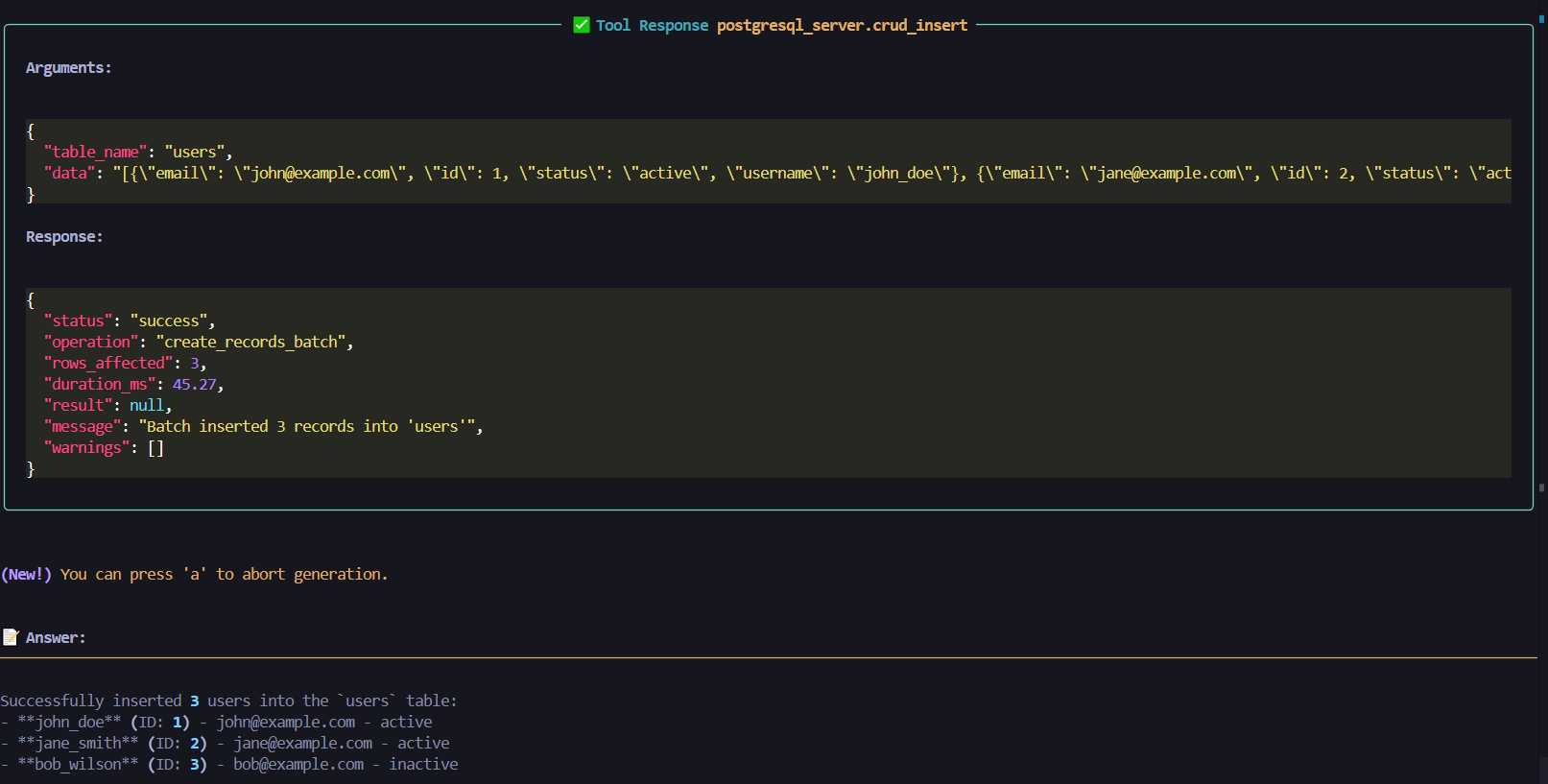
6. crud_insert(table_name: str, data: Dict | List[Dict])
NEW: Smart insert - Consolidates single and batch inserts
- Single insert: Pass Dict →
{"name": "John", "age": 30} - Batch insert: Pass List[Dict] →
[{"name": "John"}, {"name": "Jane"}] - Automatic detection of single vs batch mode
- Parameterized queries for SQL injection prevention
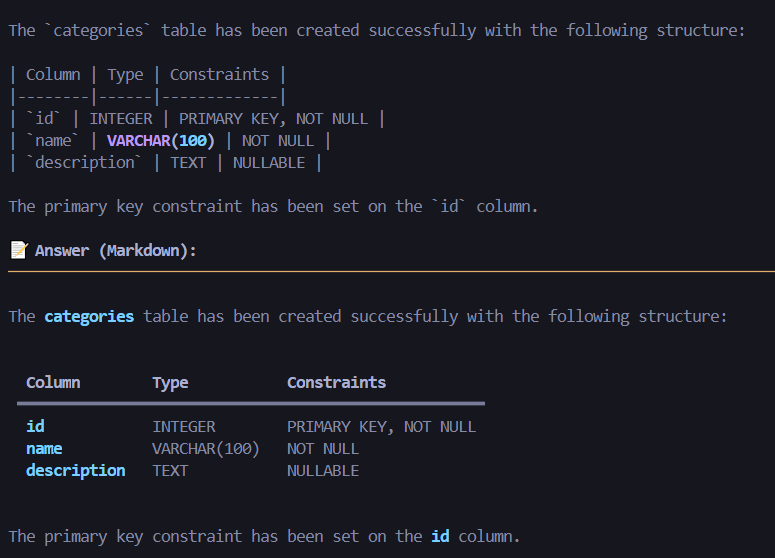
7. crud_create_table(table_name, columns, primary_key)
Create a new table with columns and constraints.
- Define columns with types:
{"name": "id", "type": "INTEGER", "nullable": False} - Optional primary key specification
- Full constraint support
8. crud_create_view(view_name, select_query, replace_if_exists)
Create database views from SELECT queries.
- Define virtual tables
- Optional view replacement
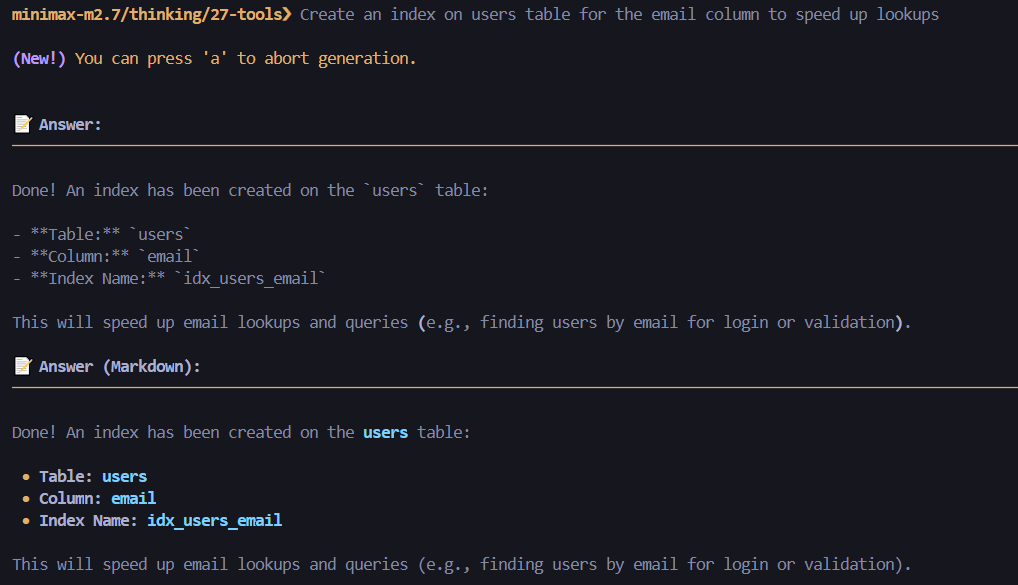
9. crud_create_index(index_name, table_name, columns, unique)
Create single or composite indexes.
- Single column:
columns=["email"] - Composite:
columns=["last_name", "first_name"] - Optional UNIQUE constraint
Category 3: CRUD Read Operations (2 tools)
10. crud_query(query, params, limit, offset)
NEW: Raw SQL query execution - For complex queries with JOINs and aggregations
- Execute any SELECT statement
- Parameterized values: Use
%splaceholders - Pagination support with limit/offset
- Example:
query="SELECT * FROM users WHERE age > %s", params=[30]
11. crud_get(table_name, mode, where_clause, where_params, options)
NEW: Unified high-level read - Consolidates 4 read operations
mode="records": Get filtered records (replaces crud_get_records)mode="count": Count records (replaces crud_get_record_count)mode="distinct": Get distinct values (replaces crud_distinct_values)mode="paginate": Paginated results with metadata (replaces crud_paginate_data)- Full WHERE clause, ordering, and filter support
Category 4: CRUD Update Operations (2 tools)
12. crud_update(table_name, values, where_clause, where_params, id_column, record_id)
NEW: Unified update - Consolidates single, batch, and column updates
- Single record: Provide
record_id+id_column - Batch update: Provide
where_clause+where_params - Column update: Single key-value in
valuesdict - Parameterized queries for security
13. crud_rename(object_type, old_name, new_name, table_name)
NEW: Rename anything - Consolidates table and column rename
object_type="table": Rename tableobject_type="column": Rename column (requirestable_name)- Safe renaming with validation
Category 5: CRUD Delete Operations (1 tool)
14. crud_delete(table_name, mode, where_clause, where_params, id_column, record_id, cascade)
NEW: Unified deletion - Consolidates 4 delete operations
mode="records": Delete specific records (single or batch)- Single: Provide
record_id+id_column - Batch: Provide
where_clause+where_params
- Single: Provide
mode="truncate": Clear all data (fast, resets sequences)mode="drop": Drop entire table (WARNING: destroys structure)- Optional
cascadefor dependent objects
Category 6: Schema Modification (5 tools)
15. mod_column(table_name, action, column_name, column_spec, cascade)
NEW: Unified column management - Consolidates 4 column operations
action="add": Add new column →column_spec={"name": "status", "type": "VARCHAR(50)"}action="modify_type": Change data type →column_spec={"new_type": "TEXT"}action="drop": Remove columnaction="set_nullable": Toggle NULL constraint →column_spec={"is_nullable": True}
16. mod_index(action, index_name, table_name, cascade)
NEW: Index management - Consolidates list and drop operations
action="list": List all indexes (optionally filtered by table)action="drop": Drop index with optional cascade
17. mod_constraint(action, table_name, constraint_name, cascade)
NEW: Constraint management - Consolidates list and drop operations
action="list": List all constraints (PK, FK, unique, check)action="drop": Drop constraint with optional cascade
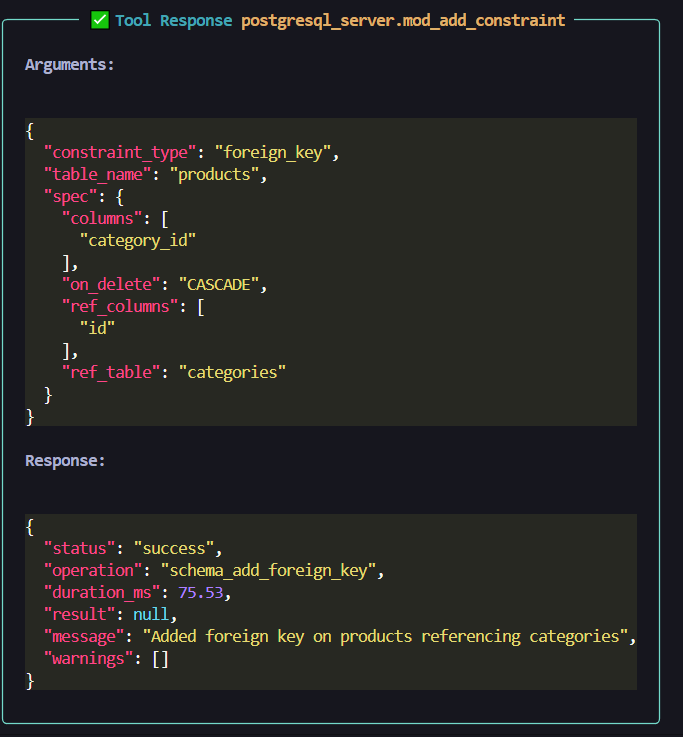
18. mod_add_constraint(constraint_type, table_name, spec)
NEW: Add constraints - Consolidates primary key and foreign key addition
constraint_type="primary_key"+spec={"columns": ["id"]}constraint_type="foreign_key"+spec={"columns": ["user_id"], "ref_table": "users", "ref_columns": ["id"], "on_delete": "CASCADE"}
19. mod_view(action, view_name, cascade)
NEW: View management - Consolidates 3 view operations
action="list": List all viewsaction="get": Get view SQL definitionaction="drop": Drop view with optional cascade
Category 7: Phase 3-6 Extended Tools (8 tools)
20. query_explain(query, analyze, format)
Get EXPLAIN / EXPLAIN ANALYZE output for any SQL query.
analyze=False: Show estimated plan onlyanalyze=True: Run query and show actual row counts and timingsformat:"text"(default) or"json"
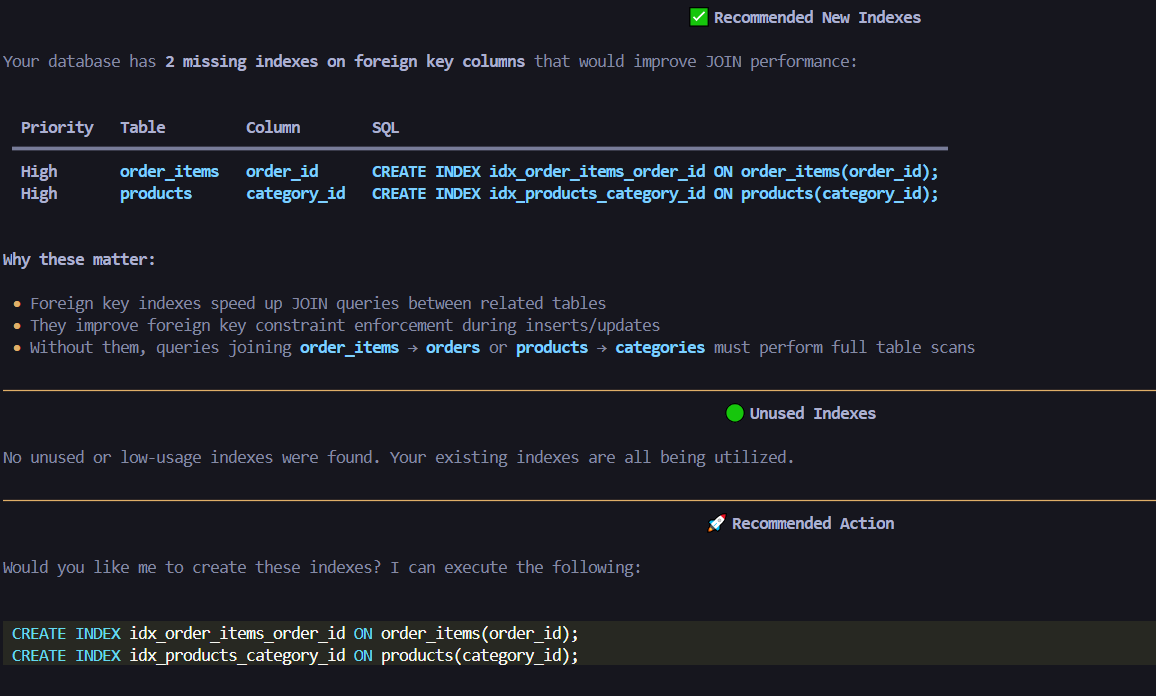
21. query_analyze_indexes(mode, table_name, min_size_mb)
Combined index analysis — suggest missing indexes or detect unused ones.
mode="suggest": Recommend indexes for FK columns and large tables (optionally scoped totable_name)mode="unused": Find indexes with zero/low scan counts abovemin_size_mbmode="all": Run both analyses and return a combined report
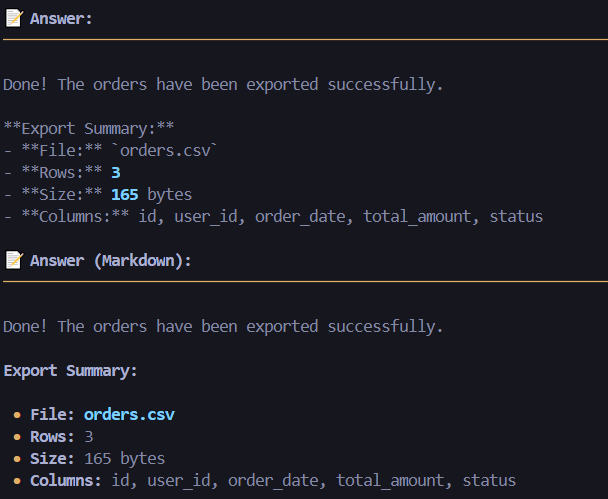
22. data_export(table_name, format, where_clause, where_params, columns, limit)
Export table data to CSV, JSON, or SQL INSERT format.
- Supports column selection, WHERE filtering, and row limits
- JSON output includes schema metadata
23. data_import(table_name, data, format, column_mapping, conflict_action)
Import data from CSV or JSON into a table.
conflict_action:"error"|"ignore"|"update"column_mapping: Rename incoming fields to match table columns
24. data_search(table_name, search_term, columns, search_type, limit)
Full-text search across specified columns.
search_type:"ilike"(case-insensitive),"like"(case-sensitive),"fuzzy"(similarity)- Searches all text columns when
columnsis omitted
25. transaction_execute(operations, rollback_on_error)
Run multiple SQL operations atomically in a single transaction.
- Each operation:
{"sql": "...", "params": [...]} - Auto-rollback on any failure when
rollback_on_error=True
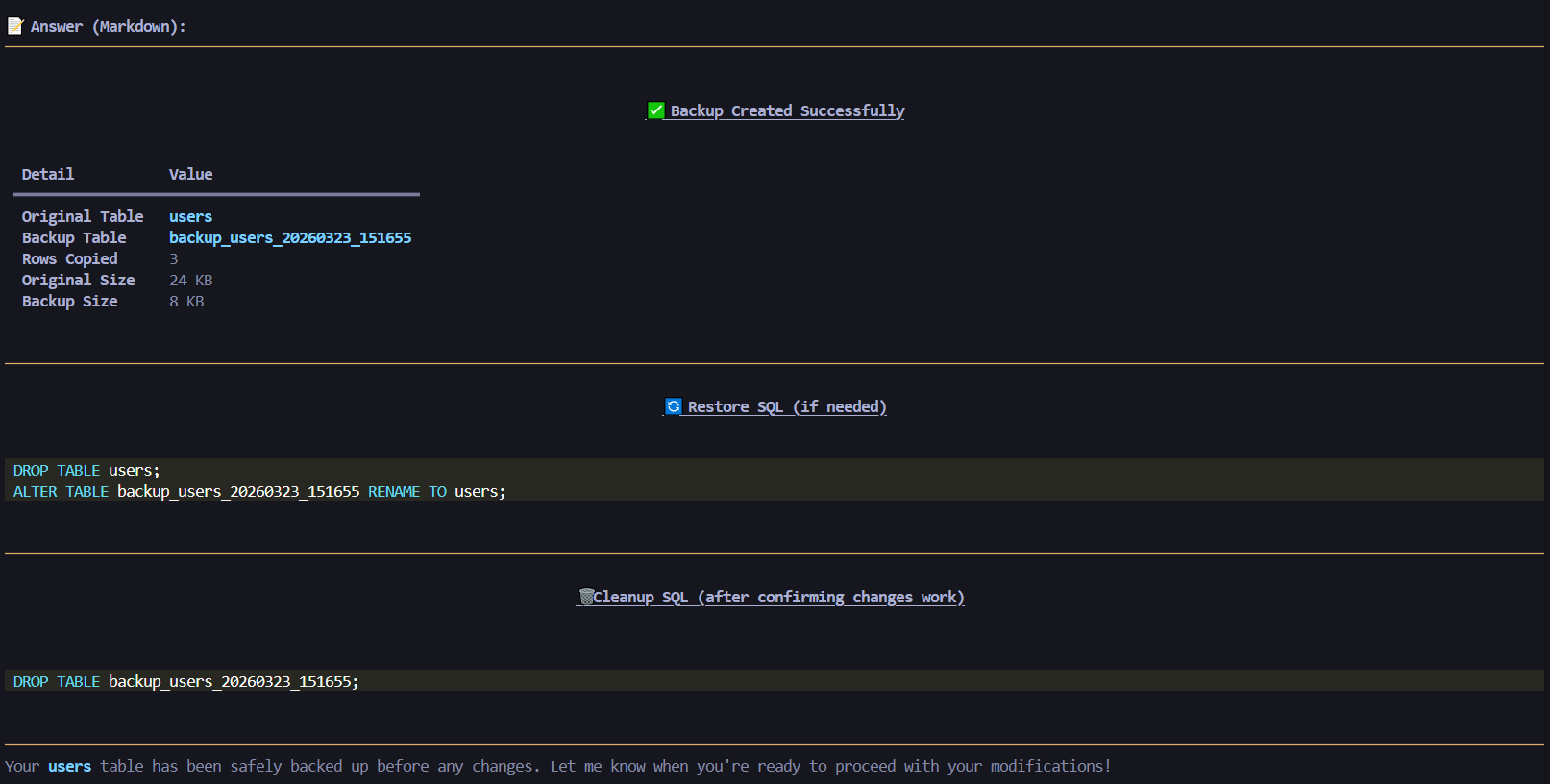
26. transaction_backup_table(table_name, backup_name, include_indexes)
Create a quick snapshot backup of a table.
- Copies data and optionally recreates indexes on the backup
- Returns restore SQL to recover or diff against original
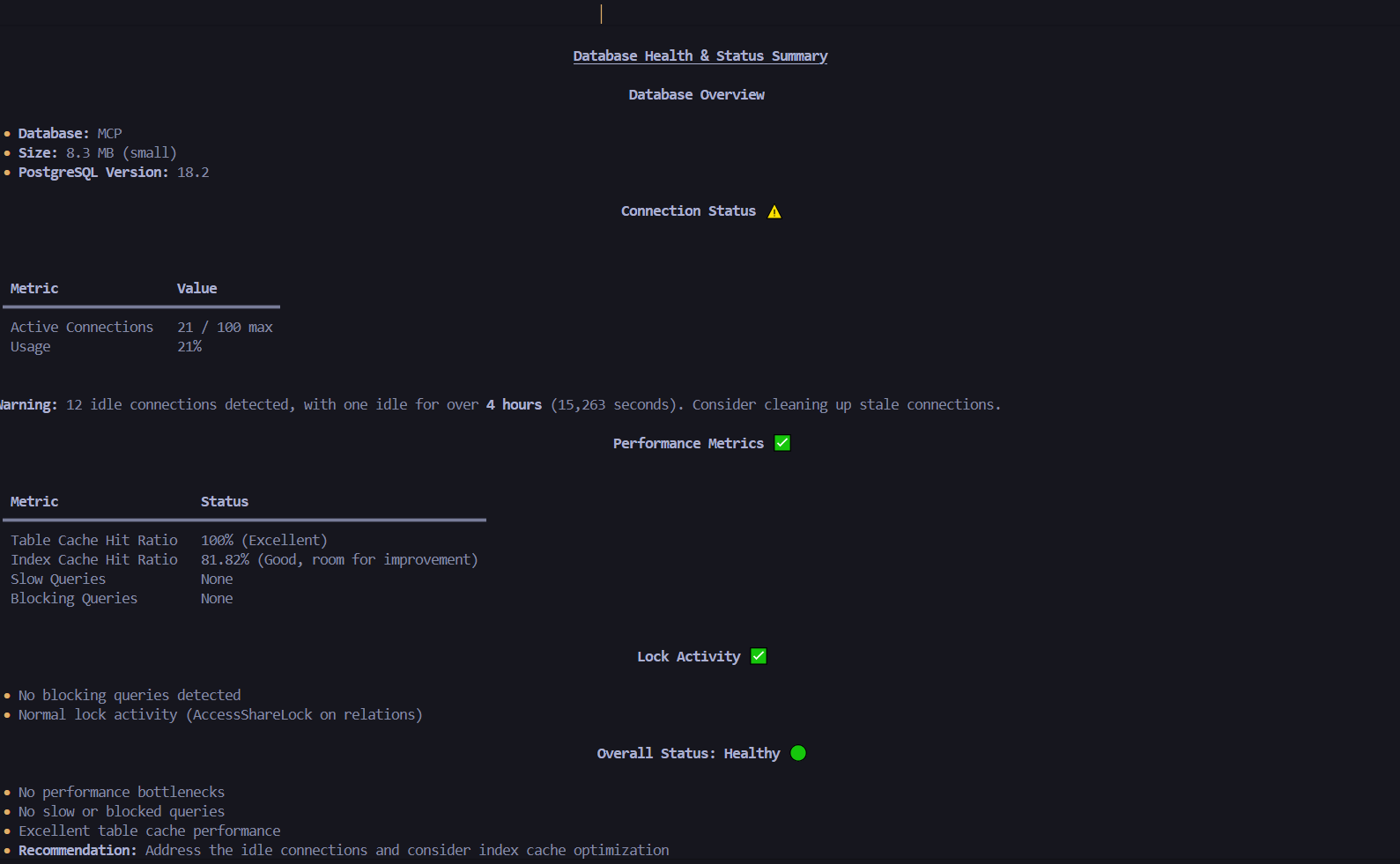
27. monitoring_database_stats(stat_type)
Comprehensive database health and performance monitoring.
stat_type:"summary"|"size"|"connections"|"cache_hit_ratio"|"slow_queries"|"locks"|"all"
Use OLLMCP client for locally testing with ollama providers
Security Features (All Operations):
- Parameterized queries (prevents SQL injection)
- Input validation (table/column name validation)
- Constraint checking (validates data types and constraints)
- Standardized response format with status and duration
CRUD & SCHEMA ANALYSIS VIDEO

Refer to AGENT_TESTING_SUITE.md for complete testing flow
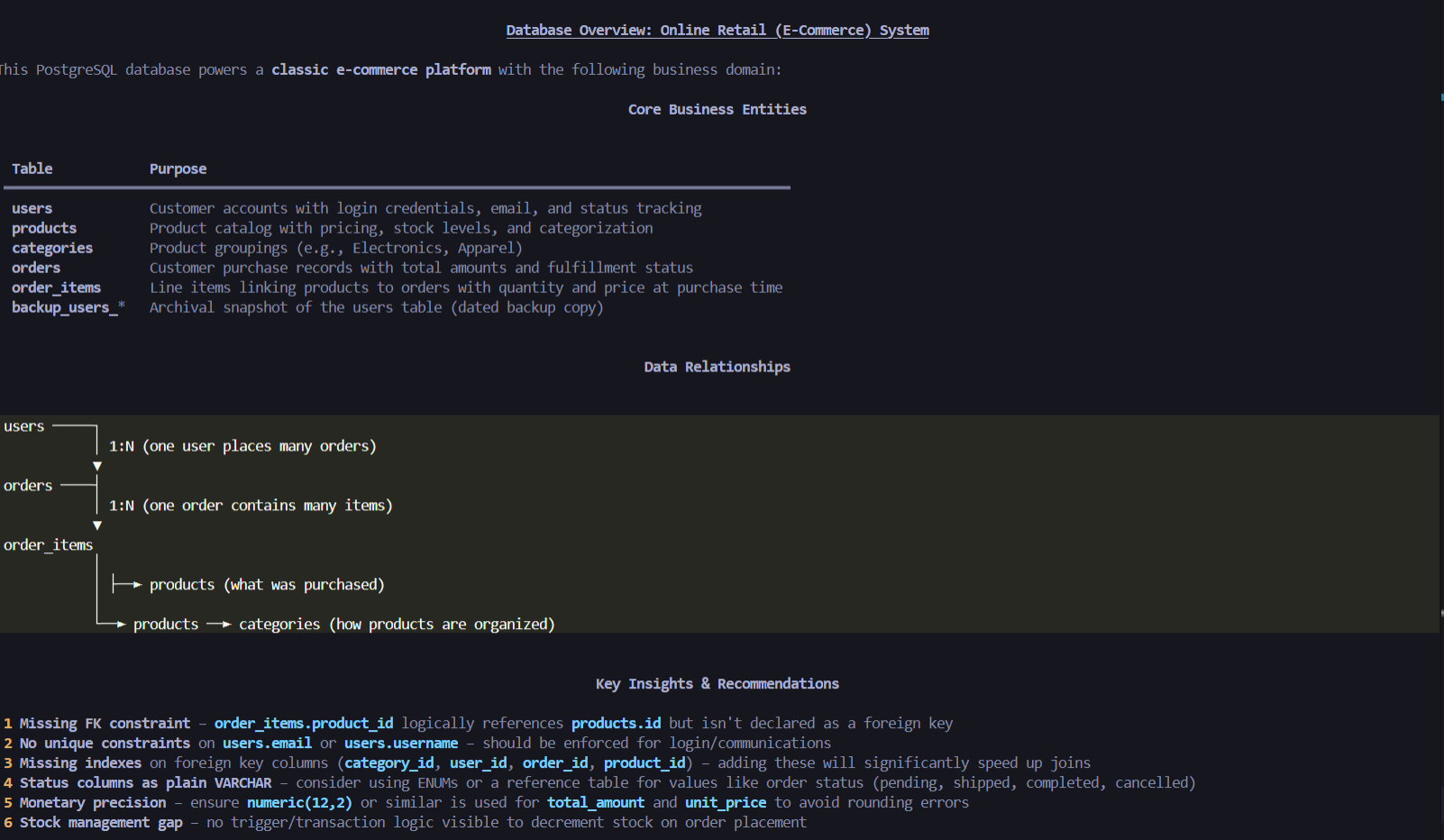
Here are images of the some tool in action:
Overview of Database
Backup Table
Export data to CSV/JSON/SQL
Foreign Key Tool
Suggest New Indexes
Database Monitoring
Create New Index
CRUD Operations
Refer to diagrams/ folder to view Generated ERD Diagrams
🤝 Contributing
This project is OpenSource. Contributions are welcome.