AIm
Pelatih AI untuk Claude dengan memori pelatihan persisten: catat latihan, dapatkan program, lacak kemajuan di seluruh sesi.
Dokumentasi

Claude and ChatGPT can reach a lot of fitness data now, but not all of it the same way. Here is what connects today for Garmin, Strava, Apple Health and Hevy, official or community built, what MCP means in plain words, and how to give the assistant a workout log it can write to as well as read.
MCP in plain words
MCP, the Model Context Protocol, is an open standard that lets AI assistants use external services as tools. A connector is a service speaking MCP: you add its address in the assistant settings, and the assistant gains new abilities in every chat.
Without a connector, a chat can only talk. With a workout connector, it can store today's session, read last week back and compute your progress.
Does Garmin or Strava have an MCP?
Strava does, Garmin does not.
- Strava: yes, an official connector for Claude. It is read only and comes with a Strava subscription. There is no official one for ChatGPT.
- Garmin: no official MCP server. Independent developers have built several that read Garmin Connect data.
- Apple Health and Hevy: no MCP server from either company, but each has an official way into an assistant, described below.
How to connect Garmin to Claude or ChatGPT
There is no official Garmin MCP server today. What exists are servers built by independent developers that read Garmin Connect data: mostly open source projects you run yourself and point at your own account, plus a few hosted third-party services that give you an address to paste. Several are actively maintained, but none of them comes from Garmin, and the open source ones assume you are comfortable cloning a repository and handling your own login.
If you want to try one, two examples people actually use are taxuspt/garmin_mcp and eddmann/garmin-connect-mcp. These are independent projects, not ours: read how each one handles your Garmin login before you hand it over.
How to connect Strava to Claude
Strava launched its own connector for Claude in June 2026, and it is included with a Strava subscription rather than the free tier. It is read only: the assistant can look at your activities, pace, heart rate and routes and talk about them, but it cannot upload, edit or delete anything.
ChatGPT has no official Strava connector. The options there are third-party integration services and community MCP servers you run yourself.
Apple Health in Claude and ChatGPT: the built-in option and what it leaves out
In the United States, both assistants now read Apple Health through integrations of their own, with no MCP server involved. ChatGPT does it in Health, a separate space rolled out from July 2026 to adults (18 and over) in the US, on the web and iOS; Apple Health itself is connected from the iPhone app. Claude's mobile app can connect to Apple Health in the US, and to Health Connect on Android, in beta. In both cases you choose what to share and can disconnect at any time.
What they read is what Apple Health holds: activity, steps, heart rate, sleep and workouts as your watch or apps recorded them. A strength session usually lands in Apple Health as a workout with a duration and calories, not as exercises, sets, reps and weights, so the assistant can see that you trained on Tuesday but not what you lifted. Nothing is written back to a training log either.
Outside the US, or on other plans, the options are community built MCP servers that read an Apple Health export from your own machine. It is a bridge you run, not a service you sign into. One example worth starting from is neiltron/apple-health-mcp, which queries an Apple Health export with natural language; several similar projects exist. Your health data stays on your machine until you choose to connect it.
Hevy MCP for Claude and ChatGPT, with or without Hevy Pro
There is no official Hevy MCP server for Claude. In ChatGPT, Hevy has an official app: find Hevy under Plugins in ChatGPT and use it in any chat by typing @hevy. For Claude, the Hevy MCP servers are community projects that work through the Hevy API, and an API key requires a Hevy Pro subscription. Most of them run on your own computer with npx or Docker; the few hosted ones still need your key.
Without Hevy Pro, use Hevy's CSV export instead of the API. In Hevy, open Profile, then Settings, Export & Import Data, Export Data and Export Workouts. The export is not on Hevy's list of Pro features, though Hevy does not say whether an account without Pro exports more than the three months of history it shows in the app. Upload the file in the AIm app on the Workouts tab, and connect AIm to Claude from Claude's connector directory, or to ChatGPT with the steps below. Once AIm is connected, you can also hand the file to your assistant and ask it to import. From then on the assistant reads the history you brought over and logs every new workout you tell it about.
Hevy can also share one finished workout with ChatGPT or Claude: open the workout from your Profile and choose Share. That is handy for feedback on a single session, but it does not connect the assistant to your Hevy history.
Where AIm fits next to the bridges
AIm is a different layer, and it is worth being clear about the difference. It is not a bridge to your watch. It is the place your training actually lives: a private log the assistant can write to as well as read, plus the coaching context, the program and the progress charts on top of it. A read-only bridge lets your assistant discuss last Sunday's run. A writable log lets it plan next week and record what you did.
The two combine well. Nothing stops you connecting a Garmin or Strava server for your cardio data and AIm for your training log and coaching, in the same assistant. And if you already have history somewhere else, you can hand the assistant a CSV or a text export and ask it to import:
YouHere is my workout export from the last six months. Import it into my log.
What a workout connector adds to your assistant
- Log a full session from a plain sentence: exercises, sets, weights, cardio, body weight.
- Fix any single set later: reps, weight, a note.
- Read history back: last workout, per exercise progress, records.
- Coaching: goal setting, a program that fits your equipment, weekly reviews.
Connect to Claude, step by step
- Sign up on the AIm landing page with your email. No password needed.
- Open AIm's page in the Claude directory, claude.ai/directory/aim-workout-journal, and click Connect.
- An AIm window opens. If this browser already has your journal open, just press Allow. Otherwise enter your email (if you have no journal yet, one is created) and press Email me a code, type the 6-digit code from the email, press Continue, then Allow. Nothing secret is pasted anywhere.
- Optional: under Tool permissions choose Always allow for both groups, Read-only tools and Write/delete tools, so Claude does not ask before every read and write.
- In a chat press plus, open Connectors and check that AIm is switched on.
Connect on claude.ai or in the Claude desktop app. After that AIm works in the Claude mobile app too.
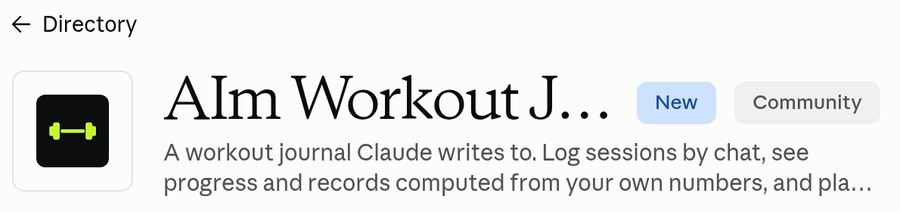
Step 2: AIm in the Claude directory, with Connect
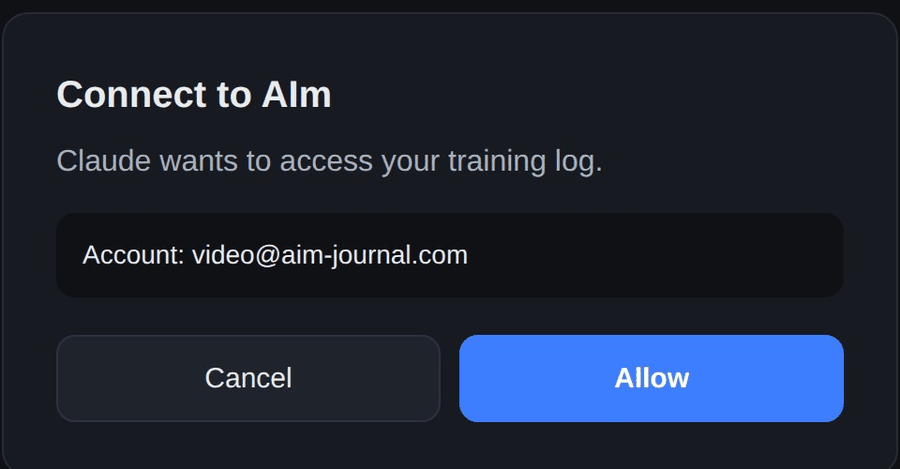
Step 3: Allow in the AIm window
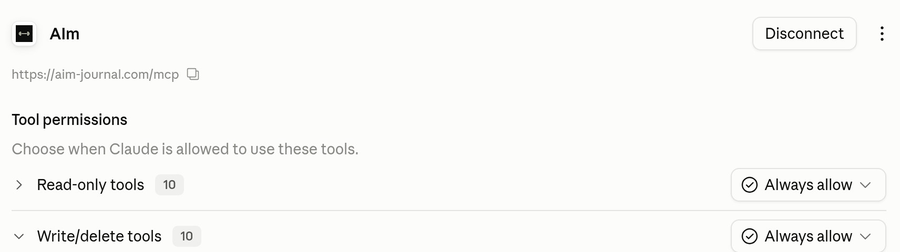
Step 4: Always allow for both tool groups
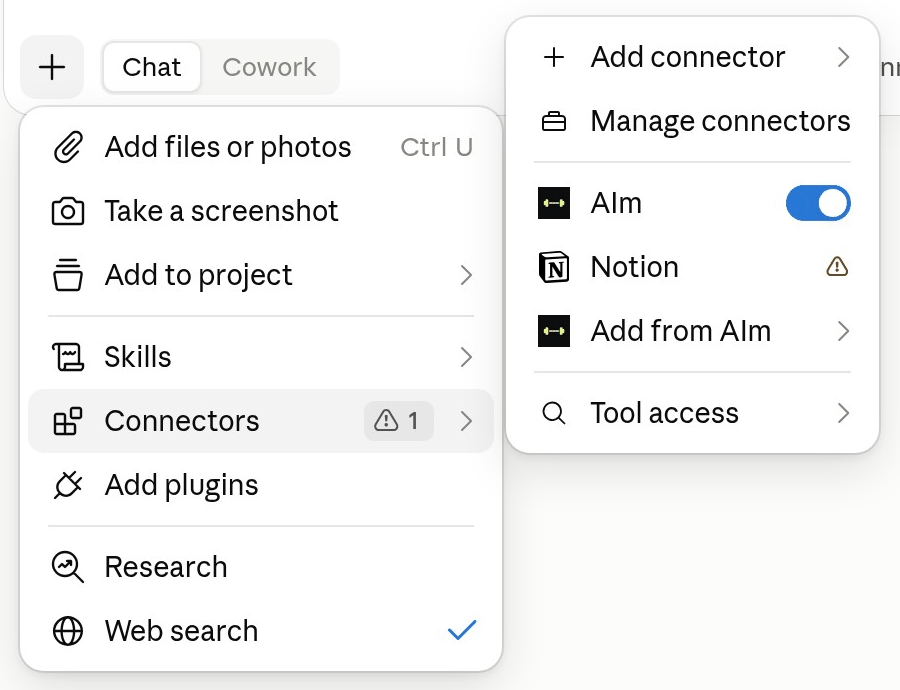
Step 5: AIm switched on in a chat
No Connect button? On some work accounts an admin turns directory connectors off. Ask your admin, or add AIm by its address: in Claude open Customize → Connectors → Add, name it AIm, paste https://aim-journal.com/mcp, then click Continue, Add and Connect. The film below shows this way.
First message to try:
YouCheck my workout tracker and help me plan the next session.
Connect to ChatGPT, step by step
ChatGPT connects through its Developer mode. It takes a couple more steps than Claude, so Claude stays the simpler option if you have a choice.
ChatGPT uses the same address as Claude, https://aim-journal.com/mcp. There is nothing personal to copy: ChatGPT asks you to sign in to AIm and approve access, just like Claude does.
- Open the profile menu (bottom left) and choose Settings.
- Go to Security and login and turn on Developer mode. ChatGPT marks this with a red elevated risk label: that is standard for any custom connector, not specific to AIm.
- Close Settings and open Plugins in the left menu.
- Click the plus button next to Search plugins. A New Plugin form opens.
- Name it AIm and paste https://aim-journal.com/mcp into Server URL. Leave Authentication on OAuth: ChatGPT finds the sign-in settings by itself, so there is nothing to fill in under Advanced OAuth settings. Tick I understand and want to continue, then click Create.
- Click Sign in with AIm. An AIm window opens. If it asks for your email, enter it (if you have no journal yet, one is created) and press Email me a code. Type the 6-digit code from the email, press Continue, then Allow.
- ChatGPT opens the AIm app page in Settings. Click Refresh so its actions load; before that the page says No app actions available yet.
- Reload the page. Then in a chat press plus, type AIm and choose it. It does not show in the plus menu until the page is reloaded.
The screenshots below show one version of ChatGPT. Menu names move between builds. Since July 2026 connectors live under Plugins, after you turn on Developer mode in Settings → Security and login; in some workspaces they are still under Apps → Advanced settings. The address and the sign-in are the same either way.
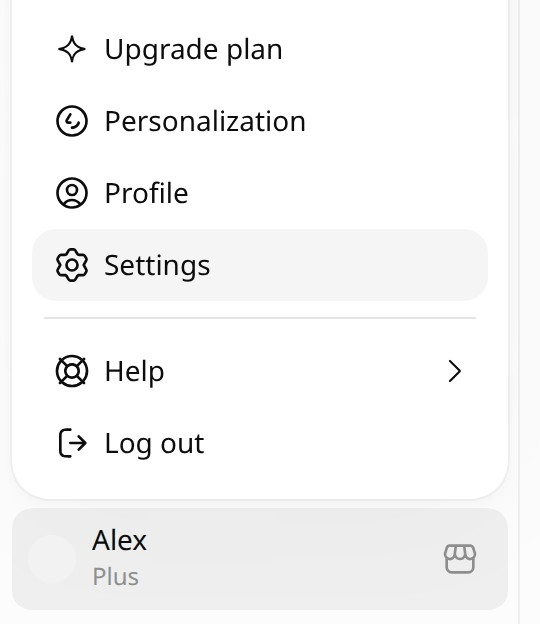
Step 1: Settings in the profile menu
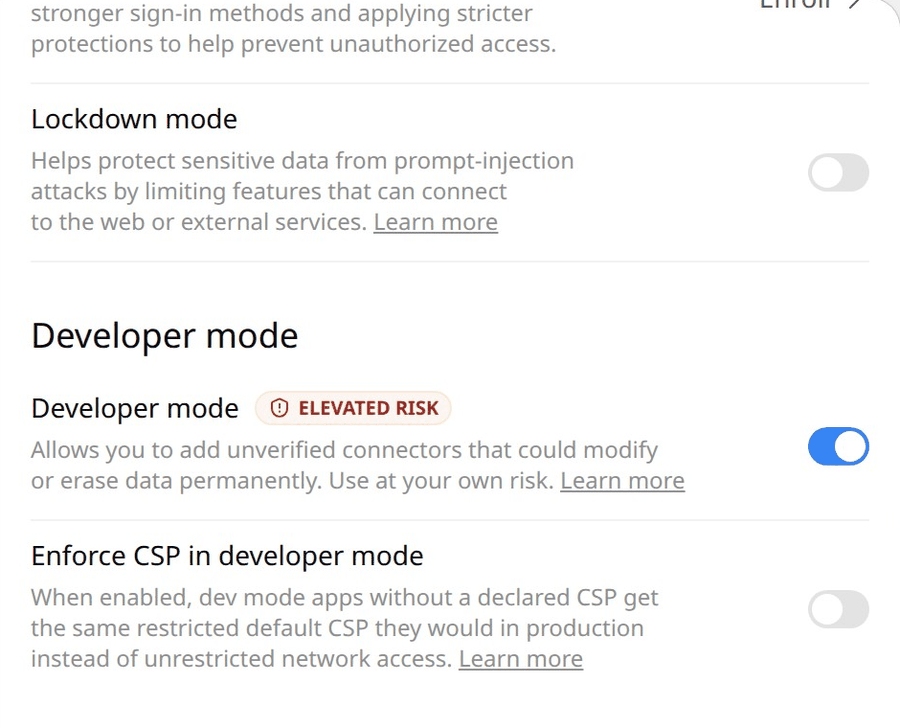
Step 2: Developer mode in Security and login
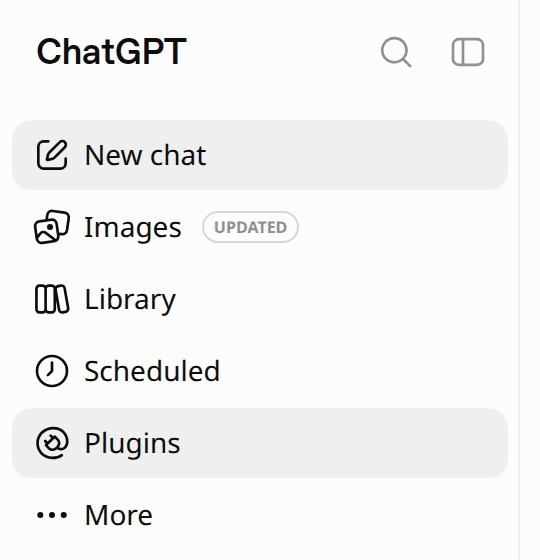
Step 3: Plugins in the left menu

Step 4: plus next to Search plugins
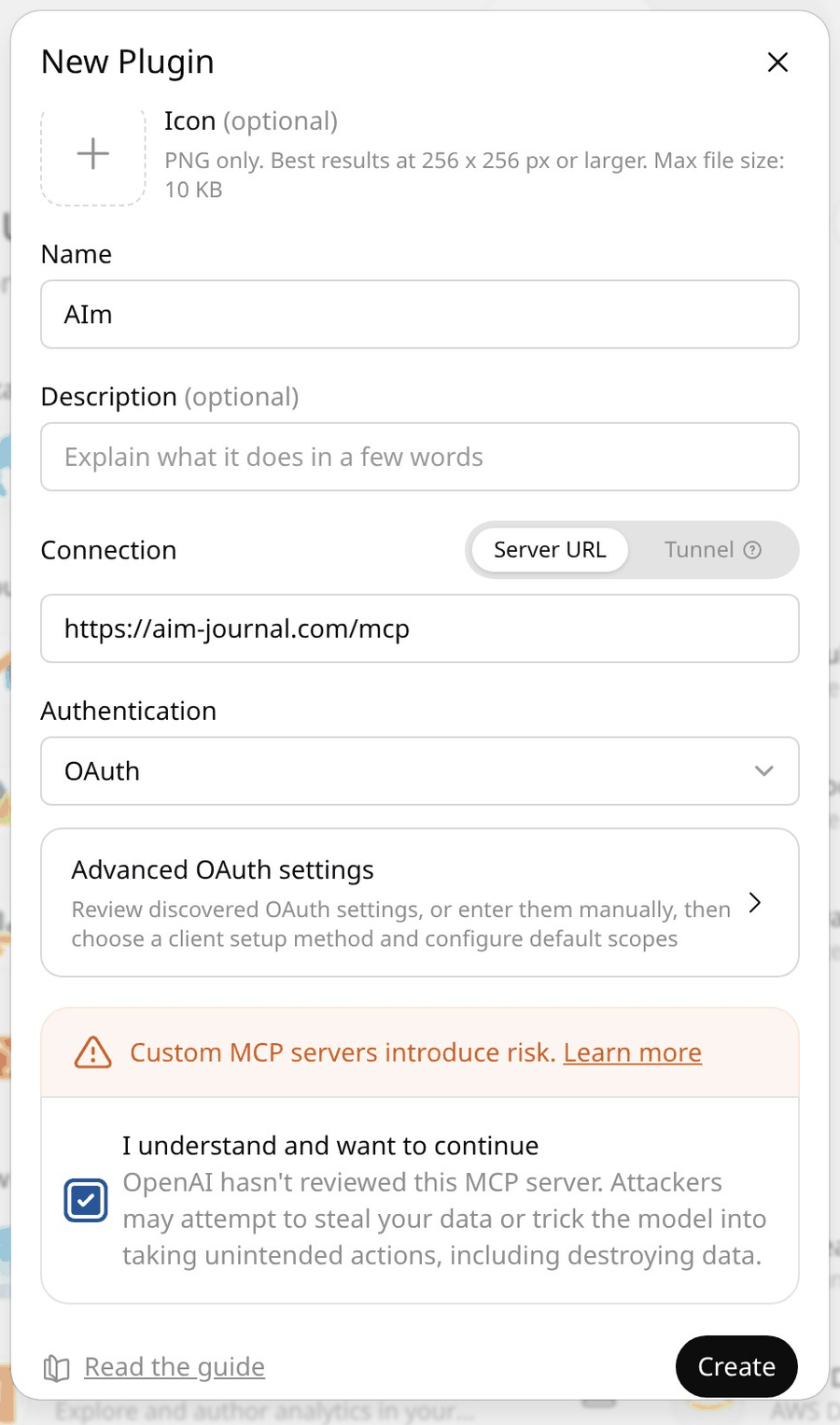
Step 5: the New Plugin form
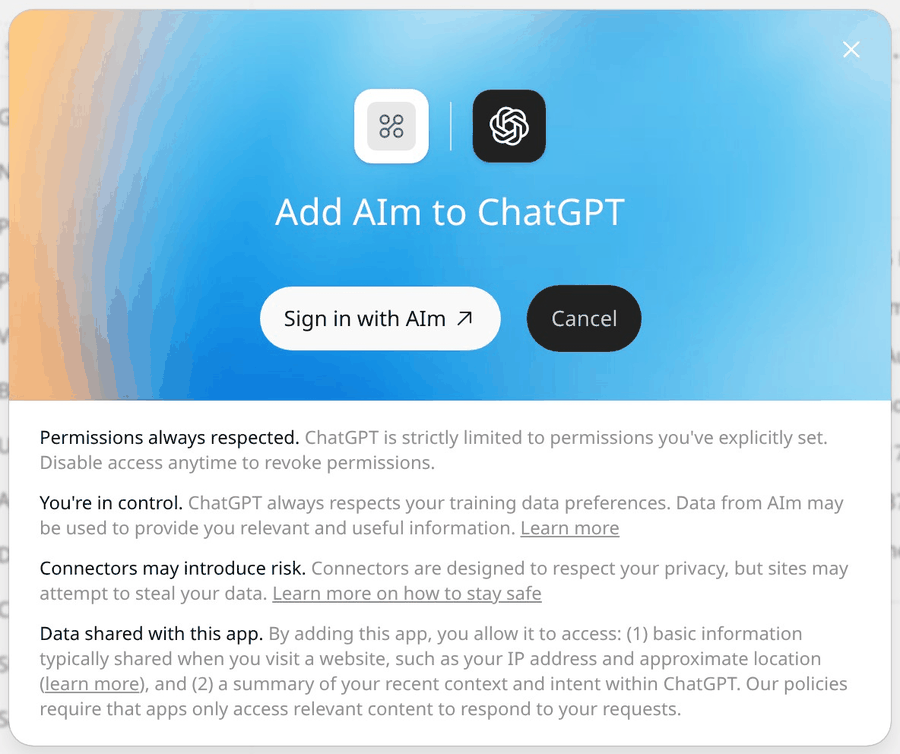
Step 6: Sign in with AIm, then Allow
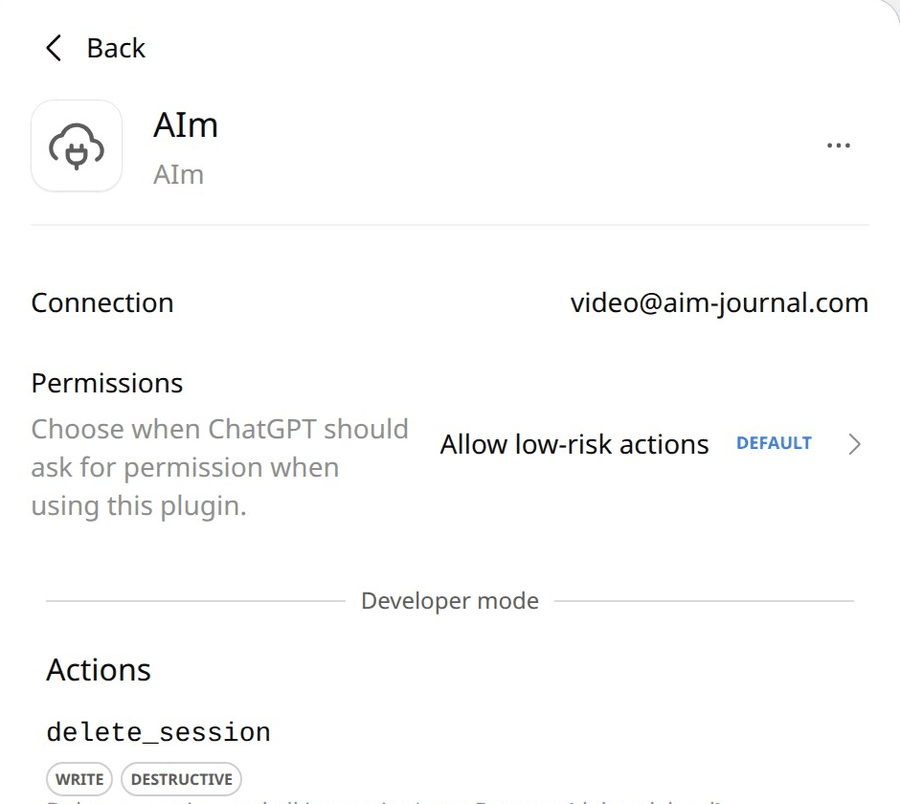
Step 7: the AIm app page after Refresh
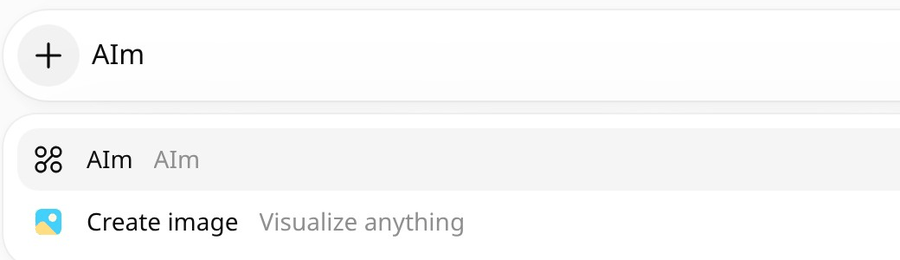
Step 8: AIm in the plus menu of a chat
Keep your link private
The connection address, https://aim-journal.com/mcp, is not secret. It is the same for everybody and only works after you sign in and approve access. What you do need to keep private is the link that opens the AIm app, the one from your sign-in email. It contains a secret key: whoever has it can open your journal, read it and write to it. Do not publish that link or forward the email. If it leaks, reissue it in the app under Profile: the old link stops working and a new one arrives by email.
If the tools do not show up
- Check the address is exactly https://aim-journal.com/mcp. It is the same in Claude and in ChatGPT, with nothing personal in it.
- Start a new chat: an existing conversation keeps the old connector state.
- Reload the page or restart the app after adding the connector.
- If ChatGPT shows no actions for AIm, open AIm in Plugins and press Refresh.
- Open the Connect screen in the AIm app: its live status card says it is waiting for your first message until the assistant actually calls a tool, then switches to connected. Say something to your assistant to trigger it, no page reload needed.
Other MCP clients
Claude is the primary client, but AIm speaks standard MCP, so any MCP-compatible client can connect the same way. AIm is also listed on Smithery:
The first question to ask your own log
A connector proves itself on questions only your data can answer. Save one workout first, either by describing it in chat or by pressing Start the workout on a day of your program in the AIm app. Then open a new chat and ask:
YouRead my workouts in AIm from the last 7 days. What did I train, and which exercises went up compared with the time before?
If the answer quotes your own exercises, sets and dates, the connection works. So what did your last week of training actually add up to?
Frequently asked questions
Is MCP safe to use?
MCP itself is an open protocol backed by major AI vendors. The practical question is the connector: AIm scopes all data to your own account, which you sign in to and approve access for, and keeps it in private storage with daily backups.
What data does the assistant see?
Only your own training data: sessions, exercises, goals, body metrics. Every request is scoped to your account after you sign in and approve access, there is no shared or public data.
Can I disconnect later?
Yes. Remove the connector in the assistant settings at any moment. Your data is not deleted: download it as Excel or JSON from Profile in the app, or ask the assistant to export it into the chat.
Is there a Garmin MCP server?
Not an official one from Garmin. There are several MCP servers from independent developers that read Garmin Connect data, mostly open source projects you run yourself and point at your account. AIm is a separate writable layer for your own training log, and the two can sit in the same assistant.
Is there a Strava MCP server?
Yes, and it is the official one: Strava has its own connector for Claude, included with a Strava subscription. It is read only, so the assistant can see and discuss your activities but cannot write anything back. For a writable training log next to it, that is the layer AIm covers.
Is there a Hevy MCP for Claude?
Not an official one. Hevy's own integration is its app inside ChatGPT, used by typing @hevy. For Claude there are community MCP servers that use the Hevy API, and an API key needs a Hevy Pro subscription. Without Pro, export your workouts from Hevy as a CSV, upload the file in the AIm app and connect AIm to Claude from Claude's connector directory: the assistant then reads that history and logs the new workouts you tell it about.
Can ChatGPT or Claude read my Apple Health data?
In the United States, yes, through each assistant's own integration: ChatGPT's Health space, for adults 18 and over, connects Apple Health from the iPhone app, and Claude's mobile app connects to Apple Health (Health Connect on Android) in beta. Both read activity, sleep and workouts as Apple Health stores them, which for strength training usually means a duration and calories rather than sets and weights. Elsewhere, the options are community built MCP servers that read an Apple Health export from your own machine.
Does AIm import my history from another app?
Yes. A CSV export from Hevy or Strong uploads straight into the AIm app, on the Workouts tab. Any other export, a spreadsheet or plain notes included, goes to the assistant: hand it the file and ask it to import. Either way the sessions land in your log with their original dates.