openGauss
Server MCP untuk berinteraksi dengan basis data openGauss.
Dokumentasi
Model Context Protocol Server for openGauss
Features
- Build with FastMCP 2.0 .
- Support Stdio, SSE and Streamable-Http transporting method.
- MCP server transporting method, listerning port, host and path are Configurable via command-line argument.
- openGauss connection parameters are configurable via environment variables or .env files.
Deployment
Note: uv and python >= 3.12 is required.
git clone https://github.com/HowardQin/fastmcp-opengauss.git
cd fastmcp-opengauss
cp .env.example .env
uv sync
openGauss connection parameters are loaded from .env, for example:
OPENGAUSS_HOST=172.32.148.228
OPENGAUSS_PORT=31001
OPENGAUSS_USER=app
OPENGAUSS_PASSWORD=Postgres1234
OPENGAUSS_DBNAME=app
These parameters can be overwriten if identical environment variables are set.
Usage with Claude Desktop
Claude Desktop only supports Stdio mode, so we add the Stdio starting command in claude_desktop_config.json:
{
    "mcpServers": {
        "openGauss": {
            "command": "uv",
            "args": [
                "--directory",
                "C:\\Users\\qinh\\fastmcp-opengauss",
                "run",
                "server.py",
                "--transport",
                "stdio"
            ]
        }
    }
}
Usage with CherryStudio
CherryStudio supports all three transporting modes: Stdio, SSE and Streamable-Http
Stdio:
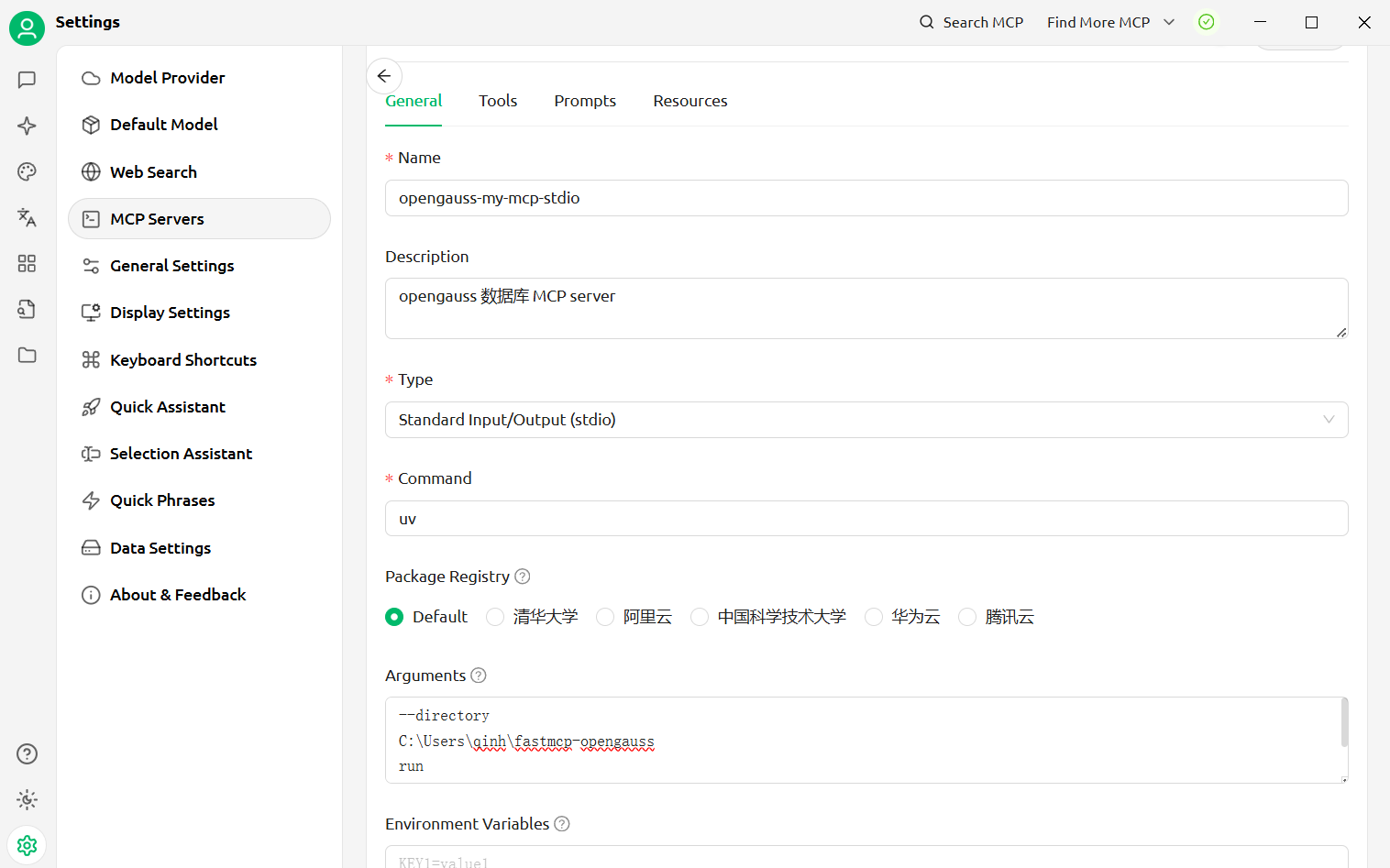 Arguments:
--directory
C:\Users\qinh\fastmcp-opengauss
run
server.py
--transport=stdio
SSE:
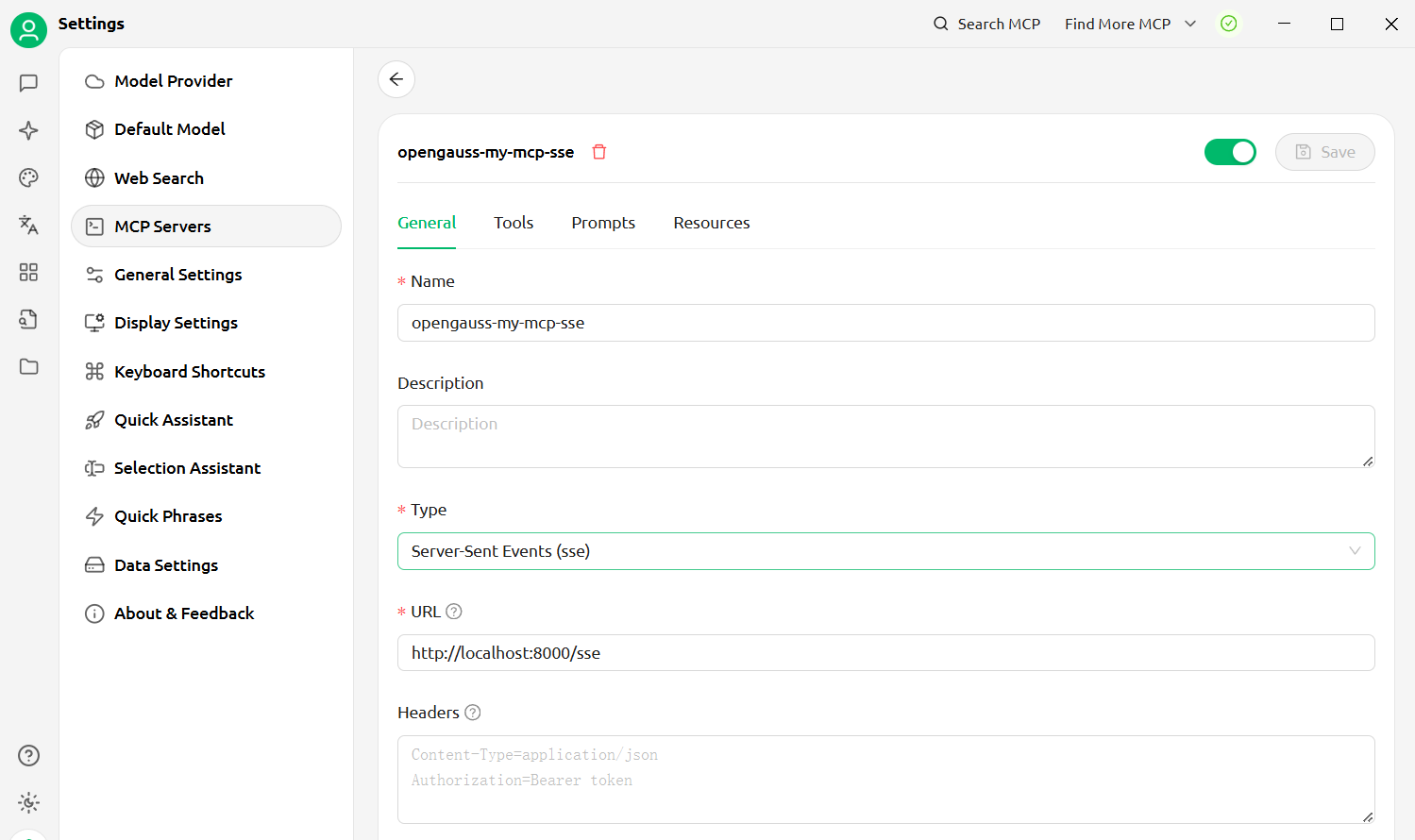
For SSE transport mode, we need to start a standalone mcp server, run following command in project root directory, or in any directory with --directory specifing project root dir :
uv --directory C:\Users\qinh\fastmcp-opengauss run .\server.py --transport=sse --port=8000 --path=/sse --host=0.0.0.0
Then configure CherryStudio to connect to sse mcp server:
Streamable-Http:
For Streamable-Http, we need to start a standalone mcp server, run following command in project root directory, or in any directory with --directory specifing project root dir:
uv --directory C:\Users\qinh\fastmcp-opengauss run .\server.py --transport=streamable-http --port=8000 --path=/mcp --host=0.0.0.0
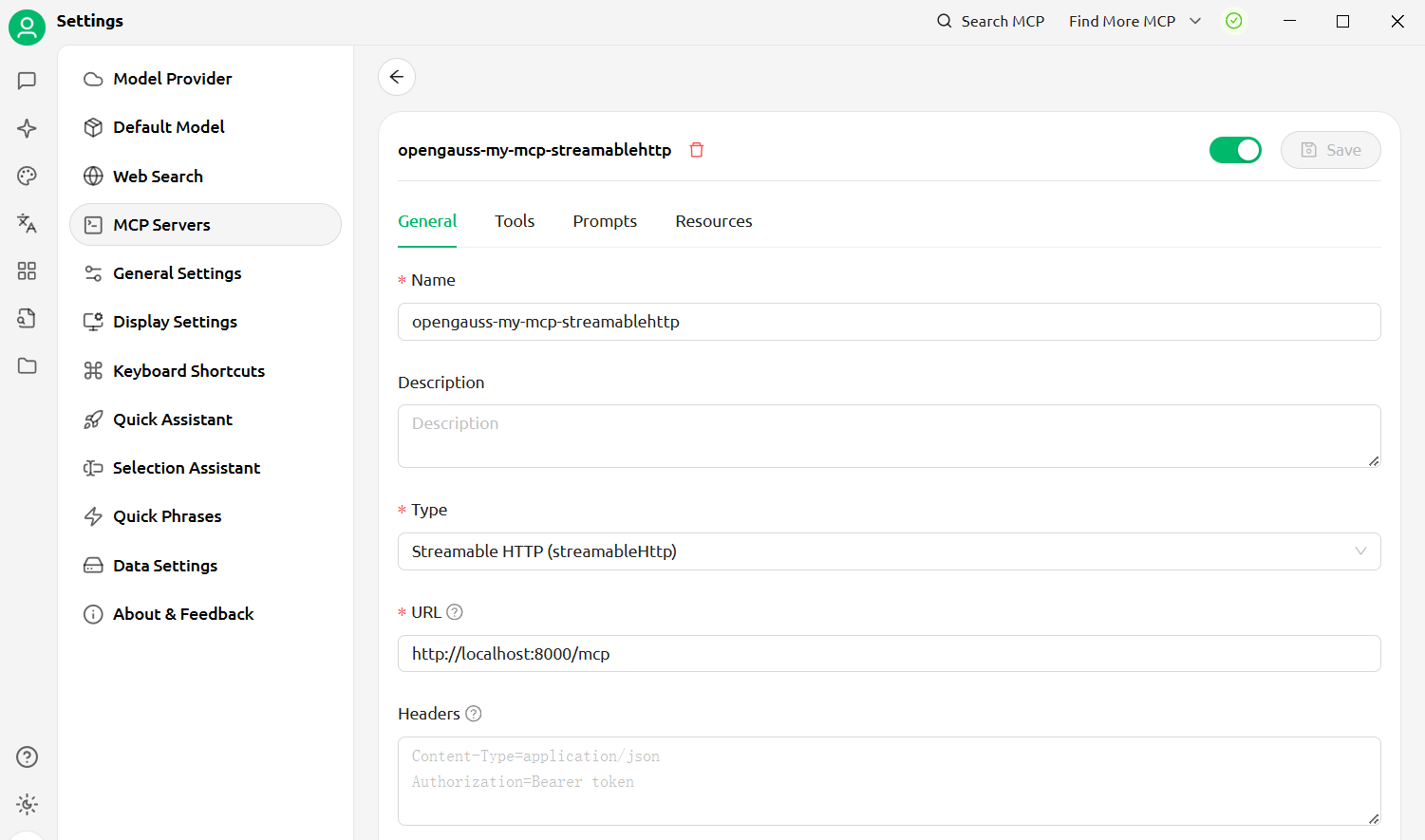
Then configure CherryStudio to connect to streamable-http mcp server: