chat-export-server
स्थानीय MCP सर्वर, जो आपके लॉग-इन किए हुए Chrome (एक्सटेंशन ब्रिज) के ज़रिए ChatGPT, Grok, Claude, Copilot, Qwen, DeepSeek और Perplexity को संचालित करता है। 127.0.0.1 पर सूची बनाएँ/निर्यात करें/बनाएँ/पूछें — किसी विक्रेता की API कुंजियों की ज़रूरत नहीं।
दस्तावेज़




chat-export-server
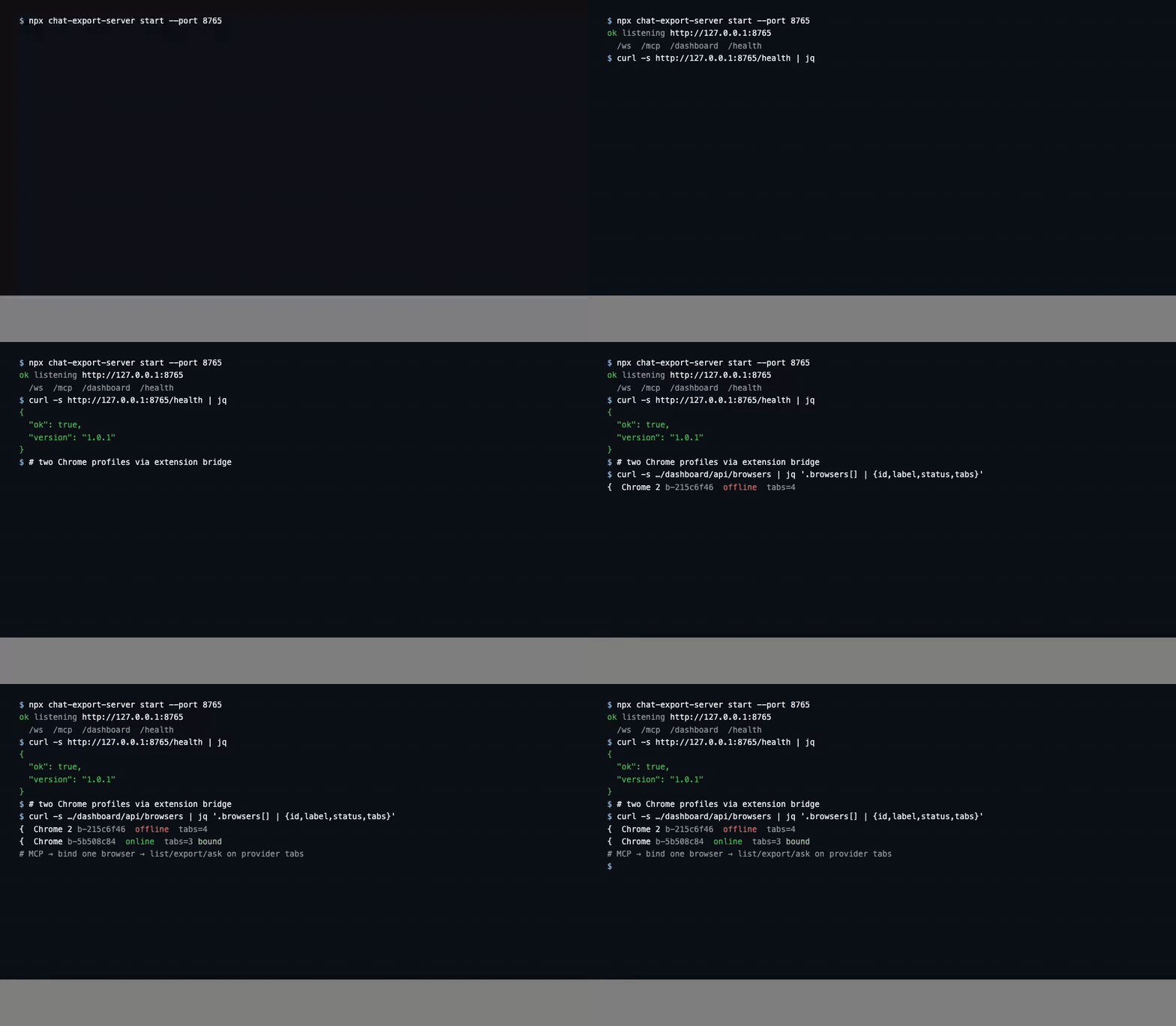
Local MCP server for the Chat Export Chrome extension. List, read, export, create, delete, and ask in your own chats on eleven web providers (ChatGPT, Grok, X Grok, Claude, GitHub Copilot, Qwen, DeepSeek, Perplexity, Kimi, Z.ai, MiniMax) — through the extension in your browser. (JanitorAI is extension export-bar only and is not in the MCP protocol.) Everything stays on 127.0.0.1: job queues, SQLite chat cache, audit log, optional dashboard UI.
Listed on Glama (v1.1.1, library FTS + Kimi / Z.ai / MiniMax MCP). Listed on Mcprush.
Standalone
chat-export-server plus the Chrome extension is a complete local stack. Browser chat ops run through the extension WebSocket bridge — no Chrome DevTools MCP, Playwright, or vendored agent code. Ship with native install, Docker / Colima, or Kubernetes (deploy/k8s). Any MCP client (Cursor, Claude Desktop, Open WebUI, local LLMs such as Bonsai-27B) is optional.
Why this MCP (for awesome-list reviewers)
Most LLM MCP servers wrap a vendor HTTP API (keys, quotas, cloud data path). Chat Export is different: the agent talks MCP to a local process; that process drives the web UIs you are already logged into via the Chrome extension bridge. No OpenAI/Anthropic/xAI API keys for chat ops, no chat bodies leaving 127.0.0.1, and delete/create stay off until you opt in (allowDestructive + confirm). Pair with the extension zip; point Cursor (or any MCP client) at http://127.0.0.1:8765/mcp.
The problem
IDE agents need structured access to web LLM sessions without pasting cookies or paying per-token cloud APIs. You want MCP tools, retries, and queues — but data must not leave your machine.
What you get
| Platform | Automation |
|---|---|
| ChatGPT | list / get / export / create / delete / ask |
Grok (grok.com) | same |
| X Grok | same |
| Claude | same |
| GitHub Copilot web | same |
Qwen (chat.qwen.ai) | same |
DeepSeek (chat.deepseek.com) | same |
Perplexity (perplexity.ai) | same |
Kimi (kimi.com) | same |
Z.ai (chat.z.ai) | same |
MiniMax (agent.minimax.io) | same |
Architecture
chat-export-server binds on loopback (by default), hosts the extension browser hub over WebSocket (/ws, ceb_ tokens), exposes Streamable HTTP MCP at /mcp for IDE agents (cem_/cek_), runs per-browser job lanes with a SQLite chat cache and WAL, and optionally serves the embedded dashboard at /dashboard/ plus /dashboard/api. Long operations (chat_ask, bulk export, delete with gates) go through the job queue instead of blocking MCP.
Install paths: native Node 22 CLI (npm run build, chat-export-server start), Docker / Colima (Dockerfile + Compose on 127.0.0.1:8765), or Kubernetes (kubectl apply -k deploy/k8s, port-forward for the Chrome bridge). Full Mermaid diagrams and endpoint map: Wiki — Architecture. Operators: Native and Kubernetes deployment · Use cases · MCP tools and profiles.
Quick start (3 steps)
- Extension — load chat-export-extension unpacked; enable bridge in popup; open provider tabs logged in.
- Server —
npm install && npm run build,chat-export-server key new,chat-export-server start→http://127.0.0.1:8765. - MCP client — point to
http://127.0.0.1:8765/mcpwithAuthorization: Bearer <key>; runbrowsers_bindthenchats_list/chats_export/chat_ask.
Wiki: MCP tools and profiles.
Install and build
npm install
npm run build   # tsc -> dist/
npm link        # optional: chat-export-server on PATH
Requires Node 22.13+ (node:sqlite).
| Script | Purpose |
|---|---|
npm run build | compile to dist/ |
npm run typecheck | tsc --noEmit |
npm start | node dist/cli/index.js start |
npm run dev | tsx watch src/cli/index.ts start |
npm run mcp | stdio MCP attached |
First run
chat-export-server key new    # print once; hash stored
chat-export-server start
# WS   /ws, /ext  — extension bridge
# MCP  /mcp       — Bearer key
# GET  /health
Data under ~/.chat-export (override CHAT_EXPORT_HOME):
~/.chat-export/
  config.json    # host, port, exportDir, settings (incl. advancedMcpTosAcceptedAt)
  chat-export.db # SQLite: mcp_tokens, browsers, browser_revoked_tokens, jobs, chat cache
  audit.log      # MCP/RPC audit
  exports/       # chats_export output
MCP and browser bearer tokens are stored as hashes in SQLite (mcp_tokens / browsers / browser_revoked_tokens). Plaintext is printed once by chat-export-server key new (and browser enroll); it is not kept in keys.json.
Before create/send/delete MCP mutates, accept Advanced MCP ToS once: chat-export-server tos accept or POST /legal/accept (loopback). Check with GET /legal or tos status.
chat-export-server key rotate
chat-export-server key list
chat-export-server status
Configuration
Environment variables
Copy .env.example to .env in the server directory (or set CHAT_EXPORT_ENV_FILE), then chmod 600 .env. Never commit .env (gitignored); keep secrets out of .env.example. Container and process env override config.json where noted.
| Variable | Purpose |
|---|---|
CHAT_EXPORT_HOME | Data directory (default ~/.chat-export; /data in Docker) |
CHAT_EXPORT_HOST | Bind address (127.0.0.1 locally; use 0.0.0.0 in containers) |
CHAT_EXPORT_PORT | HTTP port (default 8765) |
CHAT_EXPORT_ALLOWED_HOSTS | Extra Host header names allowed (comma-separated) |
CHAT_EXPORT_DASHBOARD_ENABLED | true / false |
CHAT_EXPORT_ADMIN_USER / CHAT_EXPORT_ADMIN_PASS | Dashboard login (overrides config.json) |
CHAT_EXPORT_MCP_TOKEN | Optional preset cem_… token hash on start |
CHAT_EXPORT_BROWSER_TOKENS | browserId:ceb_…[:label] comma list for auto-enroll |
CHAT_EXPORT_ALLOW_DESTRUCTIVE | true / false |
CHAT_EXPORT_DB_DRIVER | DB driver override (sqlite default) |
CHAT_EXPORT_DB_URL | DB URL when not using default SQLite path |
CHAT_EXPORT_SKIP_MCP_CONFIG | Set 1 to skip auto-writing Cursor MCP config on key new |
Docker and Colima
This repo ships a multi-stage Dockerfile (Node 22 Alpine, non-root user, CHAT_EXPORT_HOME=/data, listen 0.0.0.0:8765, /health check). Docker Desktop is not required — use Colima on macOS:
colima start
docker context use colima   # or: docker --context colima …
cp .env.example .env        # set CHAT_EXPORT_ADMIN_PASS at minimum
docker --context colima compose build
docker --context colima compose up -d
curl -sS http://127.0.0.1:8765/health
Published only on 127.0.0.1:8765. Persistent data: Compose volume chat-export-data → /data.
Stop when finished so a local chat-export-server daemon can reclaim the port:
docker --context colima compose down
Optional split stack (nginx serves dashboard static, proxies /dashboard/api, /mcp, /ws, /ext, /enroll, /health to the server): build from the maintainer tree chat-export-dashboard/Dockerfile and projects/Chat Export/docker-compose.yml (see dashboard repo).
Kubernetes
Manifests under deploy/k8s/ (non-root UID 10001, PVC on /data, /health probes, Ingress with WebSocket upgrade for /ws, /ext, /mcp). Apply with kubectl apply -k deploy/k8s; for local Chrome bridge use kubectl port-forward to 127.0.0.1. Full steps: deploy/k8s/README.md and wiki Native and Kubernetes deployment.
config.json (under CHAT_EXPORT_HOME)
Created on first start. Example (secrets redacted):
{
  "host": "127.0.0.1",
  "port": 8765,
  "exportDir": "~/.chat-export/exports",
  "rpcTimeoutMs": 60000,
  "dashboard": {
    "enabled": true,
    "username": "admin",
    "password": "changeme"
  },
  "registeredBrowsers": [],
  "settings": {
    "platformsEnabled": ["chatgpt", "grok", "grok-x", "copilot", "claude"],
    "allowDestructive": false,
    "exportSchema": "chat-export/1"
  }
}
settings.exportSchema defaults to chat-export/1 (also sharegpt/1). MCP chats_export / export jobs accept optional schema; omitted → this setting, then the browser default. See wiki Export formats.
Change dashboard.password before exposing the host beyond loopback. Server listens on 127.0.0.1:8765 by default (/health, /mcp, /ws, /dashboard/).
Tokens
| Prefix | Used by |
|---|---|
cek_ / cem_ | MCP and CLI (Authorization: Bearer … on /mcp) |
ceb_ | Chrome extension WebSocket (/ws); enroll via CLI or dashboard |
Only hashes of MCP/browser keys are stored in SQLite (mcp_tokens, browsers, browser_revoked_tokens). Plaintext is shown once at chat-export-server key new / browser enroll.
Detached daemon (maintainer workspace)
In the Chat Export maintainer tree, tmp-scripts/ensure-daemon.mjs can keep chat-export-server running on :8765, write ~/.chat-export/server.pid, and optionally sync Bearer cem_… into .cursor/mcp.json (--sync-mcp-json). Equivalent manual start: chat-export-server start.
Cursor MCP (~/.cursor/mcp.json or project .cursor/mcp.json)
HTTP (server already running):
{
  "mcpServers": {
    "chat-export": {
      "url": "http://127.0.0.1:8765/mcp",
      "headers": {
        "Authorization": "Bearer cem_YOUR_KEY_HERE"
      }
    }
  }
}
Profiles: expose the full tool surface (chats_*, jobs_*, chat_cache_*, projects_*) for IDE agents. A small read-focused subset (list/get/export, browsers, platforms) is documented on the wiki MCP tools page — match your client’s token budget. Open WebUI via mcpo can proxy the same HTTP endpoint if your setup uses an OpenAPI bridge on another port.
After MCP is configured, run browsers_bind so tools target your connected Chrome profile.
Extension bridge settings: chat-export-extension README.
Background jobs
Long work (chat_ask, export, bulk delete) uses per-browser lanes:
jobs_enqueue,jobs_status,jobs_list,jobs_cancel
Cursor MCP config
HTTP (server already running):
{
  "mcpServers": {
    "chat-export": {
      "url": "http://127.0.0.1:8765/mcp",
      "headers": {
        "Authorization": "Bearer cek_YOUR_KEY_HERE"
      }
    }
  }
}
stdio:
{
  "mcpServers": {
    "chat-export": {
      "command": "chat-export-server",
      "args": ["start", "--stdio"],
      "env": {
        "CHAT_EXPORT_HOME": "/Users/YOU/.chat-export"
      }
    }
  }
}
MCP tools (overview)
| Tool | Purpose |
|---|---|
browsers_list / browsers_bind / browsers_status | Connected Chrome profiles |
platforms_list | Enablement matrix |
platforms_status / platforms_capabilities | Gate probe (incl. captcha) / composer caps |
chats_list / chats_get / chats_export | Read and write exports |
chats_create / chats_send / chats_delete | UI drive (onCaptcha; delete needs confirm: true) |
chat_ask | Send prompt; wait or job queue |
projects_list / projects_* | Projects/folders (use projects_list; MCP alias containers_list removed) |
jobs_* | Async pipeline |
chat_cache_* | Temp SQLite cache for long threads |
chats_search | Offline FTS across the local chat library |
tabs_search | Search open-tab title/url snapshots |
jobs_enqueue library_ingest | Bulk chats.get → SQLite+FTS (no files by default) |
Full list evolves with releases; see wiki MCP Tools. Captcha is never auto-solved.
Optional: local LLM (e.g. Bonsai-27B)
Any external MCP client (Cursor, Claude Desktop, Open WebUI, or your own agent) can call Streamable HTTP at http://127.0.0.1:8765/mcp. A local OpenAI-compatible runtime such as Bonsai-27B (oMLX or similar on :8000/v1) is an optional orchestrator — Chat Export does not ship or vendor agent code. Example pattern: local model plans steps, this server drives chat_ask / jobs_* in your logged-in Chrome tabs. Guide: wiki Local LLM + Bonsai-27B (RU).
Layout
packages/protocol/   wire contract v1
src/core/            config, keys, audit, db, jobs, cache
src/hub/             WebSocket BrowserHub
src/mcp/             MCP HTTP + stdio
src/cli/             CLI entry
src/dashboard-api.ts /dashboard/api + dashboard/public
dashboard/           git submodule → chat-export-dashboard
git submodule update --init after clone.
Security
- Loopback only by default (
127.0.0.1). Change host only if you understand exposure. - Keys (
cek_/cem_) grant full local API — never commit or publish. - Browser tokens (
ceb_) are separate from MCP keys. chats_deleteand similar needallowDestructiveon extension and server plusconfirm: true.- Append-only audit for sensitive RPC. See SECURITY.md.
- Personal data portability is the goal; you must comply with each provider ToS. Not legal advice.
Related repositories
| Repo | Role |
|---|---|
| chat-export-extension | Content scripts + WS client |
| chat-export-server (this) | MCP hub, jobs, cache |
| chat-export-dashboard | Operator UI submodule |
| Wiki | Install, security, FAQ |
Support the project
- Tip (fiat): DonationAlerts — svwergio_mel
Tips are voluntary; they do not purchase support SLAs or private builds.
FAQ
- No telemetry; no external servers for core operation.
- Only your chats, from your browser session.
- Shared wording: packages/faq.md.
Contributing
See CONTRIBUTING.md (build, deploy/k8s, embedded dashboard sync, test branch gate), extension CONTRIBUTING.md (protocol PLATFORMS), and wiki Contributing.
Dependencies
Runtime: Node 22.13+, @modelcontextprotocol/sdk, ws, zod, workspace @chat-export/protocol (ISC wire contract in packages/protocol/). No Playwright, Puppeteer, Electron, or cloud SDKs in production.
Product graph: chat-export-extension (browser ceb_ WebSocket) ↔ this server ↔ embedded chat-export-dashboard static assets. Dashboard is a git submodule under dashboard/, not an npm dependency of the extension.
Docker: multi-stage node:22-alpine runtime; optional split dashboard image nginx:alpine. package-lock.json is committed for GitHub Dependabot / dependency graph.
Third-party list: THIRD_PARTY_NOTICES.md (npm run licenses). Optional SBOM: npm sbom --omit dev.
Not required: Cursor, Open WebUI, BibLLMsteak, Bonsai-27B, NodeRed paths — optional MCP clients or maintainer docs only.
License
See LICENSE.