chromeleon-mcp
Chromeleon ब्राउज़र (प्रति लॉन्च फ़िंगरप्रिंट वाला Chromium बिल्ड) के लिए केवल Windows पर उपलब्ध MCP सर्वर: एलिमेंट आईडी वाली पेज सूची, मानव-जैसी समयबद्ध इनपुट, टैब, प्रोफ़ाइल और HAR रिकॉर्डिंग। Node 20+ आवश्यक; Claude Code प्लगइन के रूप में भी उपलब्ध।
दस्तावेज़
Chromaphore-mcp



Support: Discussions · Browser releases
A Claude Code plugin that drives the Chromaphore browser, a Chromium build with human-timed input commands and a per-launch fingerprint, through its custom DevTools protocol commands.
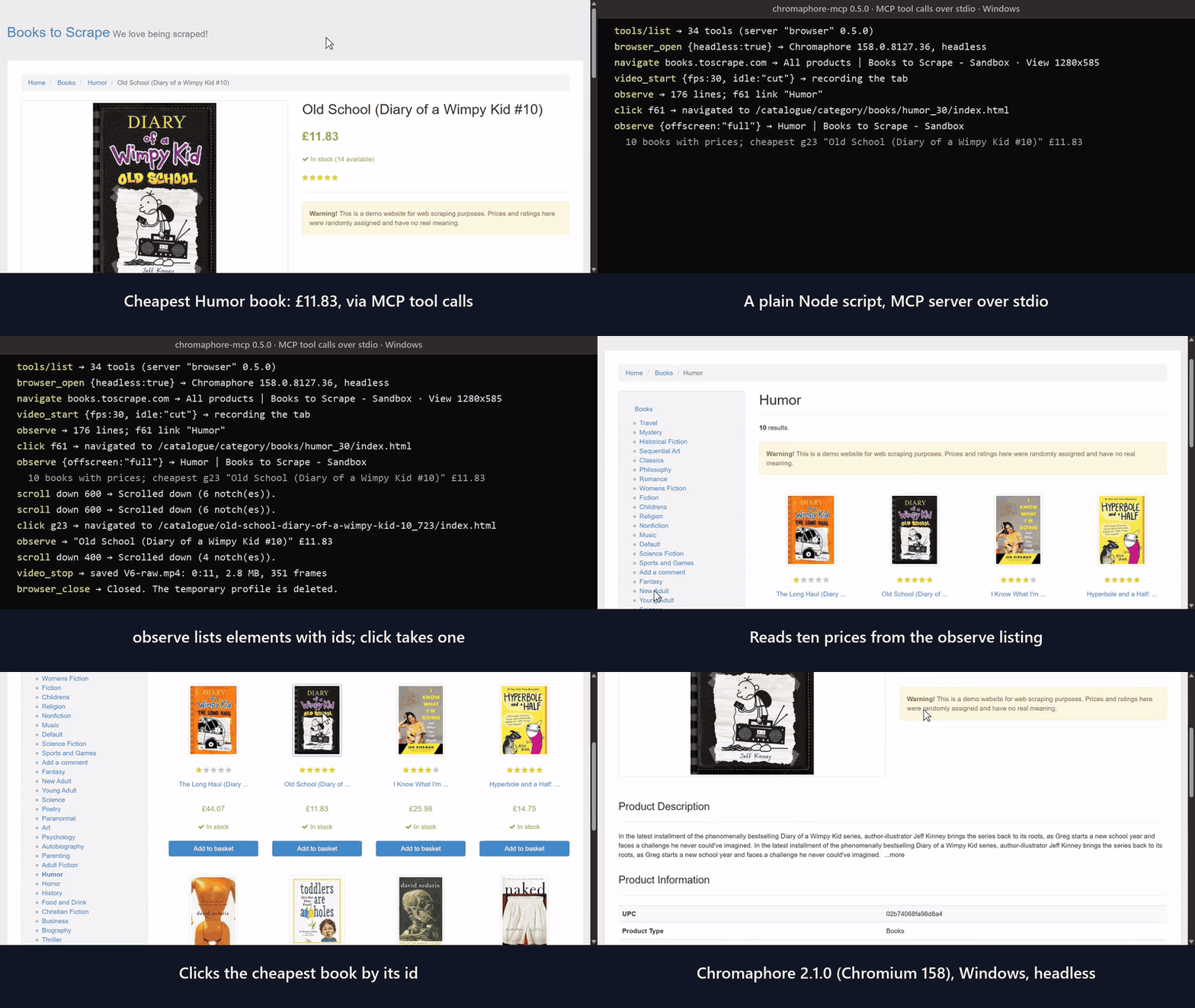
What Claude gets:
- A page listing with ids, from the browser's own agent snapshot: roles, names, values, states, what is open on top, live-region announcements. After each action, only what changed.
- Input a person would make: the pointer travels to what it clicks and scrolls it into view with the wheel; typing is paced, with rare corrected typos. Pages see trusted events.
- Profiles and fingerprints to come back to: each launch answers with its profile folder and fingerprint seed.
Windows only for now, like the browser.
Install
/plugin install chromaphore --marketplace nodriver-project/chromaphore-mcp
/chromaphore:install
The second command downloads the latest browser release (about 1.6 GB, mostly fonts) to %LOCALAPPDATA%\Chromaphore. To use a Chromaphore you already have instead, set the plugin's Browser option in /config to its chrome.exe.
The plugin's Replay options setting, off by default, adds options for replaying input a pipeline of your own planned: a start time for type, press and paste (not_before), a typing seed (seed), and a check of a scripted burst against the text it must leave (type with text and keys), and on a build newer than release 2.0.0 a plan of the keys that sends nothing (dry_run) and a file of the key events with their times (key_log). Most uses do not need them; with the setting off the tools do not offer them and refuse a call that passes them. A change to the setting takes effect when the plugin's server next starts: a new session, or a reconnect with /mcp.
The plugin needs Node.js 20 or later on PATH.
Claude Code asks before every tool call of a new plugin. To let the browser tools run without asking, add to permissions.allow in ~/.claude/settings.json:
"mcp__plugin_chromaphore_browser__*"
Upgrading from chromeleon
Before 0.2.0 the plugin was named chromeleon. Claude Code sees the new name as a new plugin, so swap it once, from a terminal:
claude plugin uninstall chromeleon@chromeleon
claude plugin marketplace remove chromeleon
claude plugin install chromaphore --marketplace nodriver-project/chromaphore-mcp
Then /reload-plugins in sessions already running, change the allow rule to the one above, and set the Browser option again if you used it. Nothing is downloaded again: the release and the profiles the old plugin made move from %LOCALAPPDATA%\Chromeleon to %LOCALAPPDATA%\Chromaphore the first time the new plugin starts. Whatever a browser has open at that moment, and a profile used in the last ten minutes, moves at a later start; old profile paths keep working in the new plugin's browser_open.
Tools
| Tool | What it does |
|---|---|
browser_install | Downloads and unpacks the latest release, checked against its published SHA-256, replacing an older one; check_only reports what is installed and what the latest release is, and downloads nothing |
browser_open / browser_close | Launches with a new, temporary or existing profile, a fixed or random fingerprint seed, with or without a window |
tab_list / tab_new / tab_select / tab_close | Tabs, including those the page opens |
navigate | A URL, back, forward or reload; answers with the settled page's listing |
observe / view | The listing, and its screenshot with each element outlined and labelled; the listing ends with the text canvases in view show (Google Docs' pages), and each action's answer with the lines of it that changed; in Google Docs, where the caret is and what is selected, as text |
click / hover / type / press / scroll | Human-timed input; each answers with what changed. Clicks and hovers also at a place in text a canvas shows (text_before, text_after) or at a point of the view, for text an editor draws itself (Google Docs); typing as a scripted burst (Backspaces, pauses, shortcuts) timed by the browser as one schedule, and only if a given element has the focus when the first key goes out (and, with type, stopping when the focus leaves it). With Replay options on: input at a set time, a typing seed, a burst checked against its text, a plan of the keys that sends nothing (dry_run), and a log of the key events with their times (key_log) |
select / fill_date / pick_color / upload | Native controls worked as a person works them: the dropdown opened and clicked, the date typed part by part, the colour picker, the file chooser answered |
drag | Native drag and drop, pointer-driven libraries and sliders, with a real carry; or a selection of text a canvas shows (select), or from a point to a point |
paste | A real Ctrl+V from the browser's own clipboard (the machine's is never touched) |
clipboard | Reads the browser's own clipboard (text, its length, whether HTML is there; html for the HTML), or sets it first (set) |
dialog | Answers an alert, confirm or prompt |
fetch | Reads a URL through the browser without a tab: HTML as Markdown, anything else as text, a download to a file, or an API call from the site's own origin; reports bot challenges |
record_start / record_stop | Records all the browser's traffic from inside it: HAR with bodies, a request index, a summary |
video_start / video_pause / video_resume / video_mark / video_stop | Records the selected tab to an MP4 with the synthetic pointer and an .events.ndjson sidecar (real time or cutting idle gaps between actions) |
fingerprint | What the browser shows sites about the machine for this launch |
eval_js | Evaluates an expression in the page |
screenshot | Saves a PNG to a file |
Requires Chromaphore 156 or later. The canvas text, the Google Docs caret and selection lines, aiming by text (text_before, text_after, select), clipboard, the focus watched through a whole type, a burst timed as one schedule and a cancel that stops the keys under way need a Chromaphore build newer than release 2.0.0; video recording (video_*) needs a build with Browser.startVideoRecording. On an older browser the listing and typing work as before, and the newer commands are refused in one sentence.
Skills
chromaphore:browser: how to drive the tools well; Claude loads it before the firstbrowser_openof a task.chromaphore:install: installs or updates the browser (/chromaphore:install).
Where things live
%LOCALAPPDATA%\Chromaphore\browser\<release>\: the browser.%LOCALAPPDATA%\Chromaphore\profiles\: profiles the tools created. Each holds that profile's cookies and logins; delete a folder to forget it.%LOCALAPPDATA%\Chromaphore\temp\: temporary profiles while their browser runs; each is deleted when its browser exits.
The browser is started outside Claude Code's process tree and closes itself cleanly when the session ends.
Layout of this repository
.claude-plugin/marketplace.json: the repository is its own marketplace.plugin/: what Claude Code installs: the manifest, the MCP server config, the bundled server (dist/), the skills.server/: the server's TypeScript source;npm install, thennode build.mjsbundles it intoplugin/dist/and writesplugin/THIRD_PARTY_NOTICES.md,plugin/LICENSEandplugin/NOTICE.server/test/:smoke.mjsandphase2.mjsdrive the bundled server over stdio through every tool on local test pages (node test/smoke.mjs <chrome.exe>);claude_session.mjsloads the plugin into a realclaude -p --plugin-dirsession and checks the browser closes cleanly afterwards (with--temp, that its temporary profile is deleted);temp_profile.mjschecks temporary profiles are deleted afterbrowser_closeand after the session ends;second_document.mjsclicks by listing id on a tab's later pages (after a navigation, and after the page reloads itself) and checks an id from a page left, another tab, a closed tab or a closed browser is refused;id_checks.mjschecks the refusals an id gets before an action (changed text, behind a layer, never shown, a page loading);ids_unit.mjschecks the page letters and the settle line's element names without a browser;points_and_bursts.mjscovers, with the replay options off, clicks, hovers and drags at points (a drag from a point onto an element below the view, with Shift held, and a press on selected text answered as a native drag), bursts (a non-ASCII shortcut refused before any key),expect_focus,quietandspeed;focus_cancel_fetch.mjs, with them off, the focus check through shadow roots and frames (with no key reaching the page on a refusal), cancelling a burst,fetch'ssave_to(a folder that cannot be made, an HTML page saved as Markdown) and drags from a point whose target leaves the page on the press or that the page takes as a native drag;docs_canvas_live.mjsruns the canvas text, the Docs lines, aiming by text, the clipboard, a dry run and a burst with a key log on a real Google Docs document with a browser newer than release 2.0.0 (run by hand, with the same arguments and the browser's path; it types into that document);docs_live.mjsruns the point, burst, drag, focus and export tools on a real Google Docs document, given a signed-in profile, its seed and a scratch document's URL (run by hand; it types into that document);replay_options.mjsthe setting: with it off (unset, empty,false, or not substituted) no schema, description, instruction or file underplugin/skills/offersnot_before,seedor the text check, and a call passing them, ortextwithkeys, is refused with no key reaching the page; with it on the schemas list them, the instructions say how to use each, and they work (not_beforeontype,pressandpaste, its refusals, theexpect_focuselement looked up again after the wait, a cancel during the wait, the text check, one seed one rhythm, and on a newer browserdry_runandkey_log(a burst typed with the seed a plan answered plays that plan), the key times from the timeline and the seed said);view_scale.mjspoints read off a scaled screenshot, for clicks, hovers and drags;canvas_text.mjsthe canvas text on a page that draws as Google Docs does (the lines inobserve, the changed lines after an action, a scroll's summary) and aiming by text (clicks landing within half a pixel of the boundary, a joined space both ways, a line's end, no match and several matches refused with nothing moved, hover,dragwithselect);canvas_unit.mjsthe canvas text's rules without a browser (a place in a run readfontChangedrefused, onepartlyCoveredcautioned, a rotated run, the gaps, the section's cap, the change lines, outlined-text deduplication, PUA/zero-width filtering,untrackedBitmap);video_unit.mjsthe video recorder's path resolution, idle-cut holds, timeout/recovery handling and older-browser refusal without a browser;video_recording.mjsrecords a live tab to MP4 and checks the.events.ndjsonsidecar, idle cut, pause/resume, markers and tab switching;browser_input.mjsthe clipboard (after a page's copy,set, a paste of it), a burst as one command, a burst and a string stopped when the page moves the focus (the field holding what the answer says went down, less at most the keys it lists as uncertain), a cancel mid-string leaving no key down, and a drag inside a frame of another site;docs_editor.mjsthe Google Docs lines on a page that imitates Docs (the caret inside a run, on both sides of a joined space, at a line's start and end and on an empty line; a selection in one line, across two, to a line's end, focused and grey; neither; none on a page without the signature);bursts_unit.mjsthe burst's text check, its keys, its seeded gaps and its account of a failed step, without a browser;migrate.mjsmoves a pre-0.2.0 install (%LOCALAPPDATA%\Chromeleon) to the new folder, with a browser of it running and then without, and works the list of releases left to delete;install.mjsrunsbrowser_install.- The tests that start a browser take it from
CHROMAPHORE_TEST_BROWSER(achrome.exe), else the installed release. On a browser that predates a feature, its test checks the refusal or the fallback and prints oneSKIPline for the rest. server/spikes/: the experiments the design rests on (the pipe, shutdown, automation signals, window values, ECH). They take the browser fromCHROMAPHORE_BROWSERor the installed release.
CLAUDE.md/GEMINI.md: contributor and agent entry points (module layers, where new code goes, commands, done checklist).docs/:DESIGN.md(why the server works the way it does),CONVENTIONS.md(code and doc rules),MAP.md(generated module and test index),PARITY.md(Chromaphore custom CDP and NoDriver tool parity contract), andRELEASE.md(CI, verification matrix, and release checklist).tools/:check_conventions.mjs(layers, version agreement, LF endings, tool docs, parity table, doc references, map freshness, and bundle byte-check) andmap.mjs(generatesdocs/MAP.md).
License
Apache License 2.0; see also NOTICE. The npm packages bundled into the server keep their own licenses (notices); the browser has its own license in its repository.