Yahoo Finance
याहू फाइनेंस से वित्तीय डेटा और विज़ुअलाइज़ेशन टूल्स तक पहुंच प्राप्त करें।
दस्तावेज़
MCP Yahoo Finance
A Model Context Protocol (MCP) server for Yahoo Finance interaction. This server provides tools to get pricing, company information, and generate financial visualizations.
This project is a fork and extension of maxscheijen/mcp-yahoo-finance, with added visualization capabilities.
Features
- Financial Data: Get current stock prices, historical prices, dividends, income statements, and more
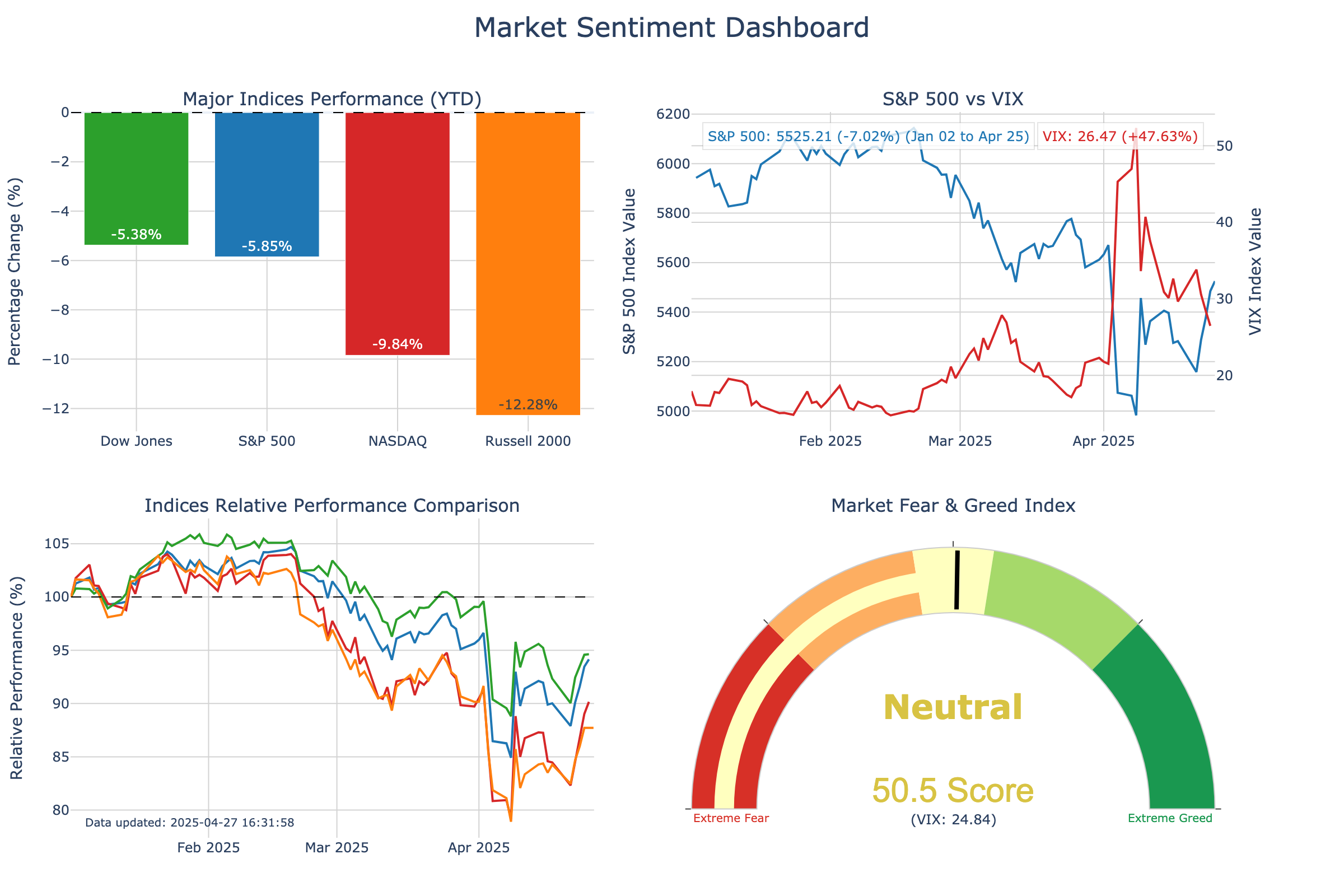
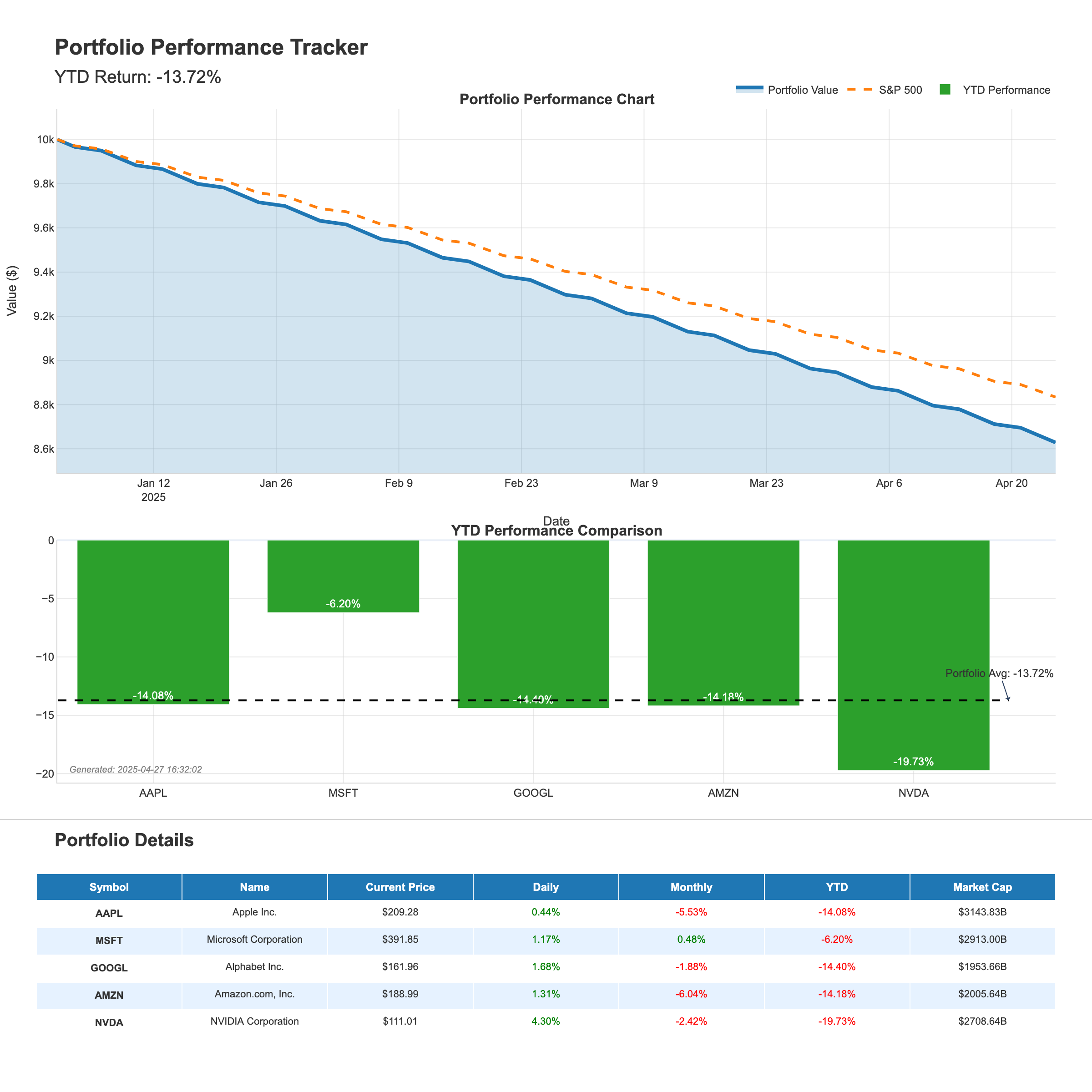
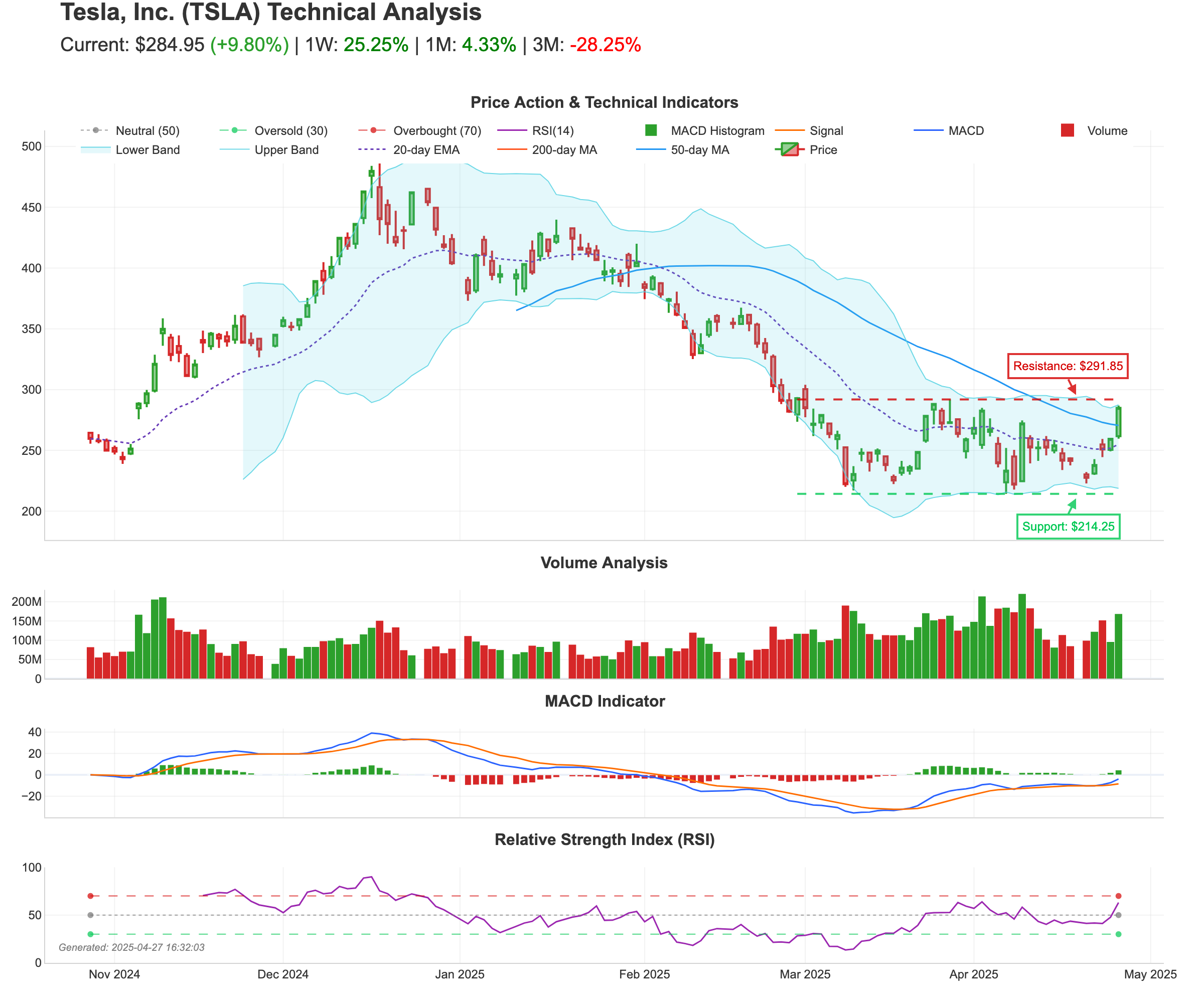
- Visual Analytics: Generate beautiful visualizations for market sentiment, portfolio tracking, and technical analysis
- Easy Integration: Works with Claude Desktop, VS Code, Cursor, and other MCP clients
Setup Instructions
1. Clone the Repository
Clone this repository to your local machine:
git clone https://github.com/leoncuhk/mcp-yahoo-finance.git
cd mcp-yahoo-finance
2. Install Dependencies
Install the required dependencies using pip:
pip install -r requirements.txt
If the requirements.txt file is missing, you can install dependencies directly:
pip install mcp yfinance pandas matplotlib seaborn plotly kaleido numpy pillow base64io
3. Configure MCP Client
Claude Desktop
Add this to your claude_desktop_config.json (create it if it doesn't exist):
- macOS/Linux:
~/Library/Application Support/Claude/claude_desktop_config.json - Windows:
%APPDATA%\Claude\claude_desktop_config.json
{
    "mcpServers": {
        "yahoo-finance": {
            "command": "uvx",
            "args": ["mcp-yahoo-finance"]
        }
    }
}
You can also use docker:
{
    "mcpServers": {
        "yahoo-finance": {
            "command": "docker",
            "args": ["run", "-i", "--rm", "IMAGE"]
        }
    }
}
VSCode
Add this to your .vscode/mcp.json:
{
    "servers": {
        "yahoo-finance": {
            "command": "uvx",
            "args": ["mcp-yahoo-finance"]
        }
    }
}
Cursor
Add this to your Cursor MCP configuration:
{
    "mcp-servers": {
        "yahoo-finance": {
            "command": "uvx",
            "args": ["mcp-yahoo-finance"]
        }
    }
}
4. Restart your MCP client
After configuring, restart Claude Desktop or your preferred MCP client to load the server.
Available Tools
Basic Financial Data
- get_current_stock_price: Get the current stock price for a symbol
- get_stock_price_by_date: Get the stock price for a specific date
- get_stock_price_date_range: Get stock prices for a date range
- get_historical_stock_prices: Get historical stock data with customizable periods
- get_dividends: Get dividend information for a stock
- get_income_statement: Get income statement data
- get_cashflow: Get cashflow statement data
- get_earning_dates: Get earning dates information
- get_news: Get recent news for a stock
Visualization Tools
- generate_market_dashboard: Create a market sentiment dashboard with real-time index performance
- generate_portfolio_report: Generate a portfolio performance tracking report
- generate_stock_technical_analysis: Create a technical analysis report for a stock
Visualization Examples
Market Sentiment Dashboard
Portfolio Tracking
Stock Technical Analysis
Example Prompts
Here are some example prompts to try with Claude:
Basic Financial Data
- "What is the current stock price of Apple?"
- "What is the difference in stock price between Apple and Google?"
- "How much did the stock price of Apple change between 2025-01-01 and 2025-3-31?"
Visualization Requests
- "Generate a market sentiment dashboard showing the performance of major indices."
- "Create a portfolio tracking report for tech stocks AAPL, MSFT, GOOGL, AMZN, and NVDA."
- "Show me a technical analysis chart for Tesla stock with moving averages and support/resistance levels."
- "Generate a market sentiment dashboard with S&P 500, Dow Jones, and NASDAQ."
- "Can you create a portfolio report for my energy stocks: XOM, CVX, BP, COP, and SLB?"
- "I need a detailed technical analysis for NVDA stock showing RSI and volume patterns."
Testing
To test the visualization capabilities:
cd tests
python test_visualization.py
This will generate example visualization images in the examples directory.
License
This project is licensed under the MIT License - see the LICENSE file for details.
Acknowledgements
- Original project by Max Scheijen
- Extended with visualization capabilities inspired by tooyipjee