Kling 4.0
Kling 4.0 एक AI वीडियो जनरेशन टूल है। उत्पाद पृष्ठ के अनुसार, यह टेक्स्ट प्रॉम्प्ट और संदर्भ छवियों को लघु वीडियो क्लिप में बदलता है, जो प्रारंभिक अवधारणा समीक्षा के लिए उपयुक्त हो सकते हैं। वर्तमान क्षमताओं और शर्तों के लिए आधिकारिक साइट पर जाएँ।
दस्तावेज़
Kling 4.0
Create videos up to 30 seconds in 720p or 1080p with Kling 4.0. Use text, references, or up to 10 keyframes to guide the action, camera movement, and scene transitions.
Video Generation
Try for free
-
Kling 2.5 Turbo
History Sep 23, 2025 Improved prompt following and motion for text- and image-led scenes. -
Kling 2.6
Motion control Dec 3, 2025 Brought sound and picture together, including speech, effects, and ambience. -
Kling 3.0
Available here Feb 5, 2026 Expanded multi-shot storytelling, reference consistency, and multilingual audio.- Up to 15-second model output
- Multi-shot camera direction
- Image and video guidance
-
Kling 4.0
Current focus Oct 16, 2026 Kling 4.0 adds longer scenes and more control through references and keyframes.- 3–30-second generation
- Up to 10 keyframes
- Up to 15 reference assets
Selected milestones, not a complete release history. Dates refer to model releases; local output settings are shown separately.
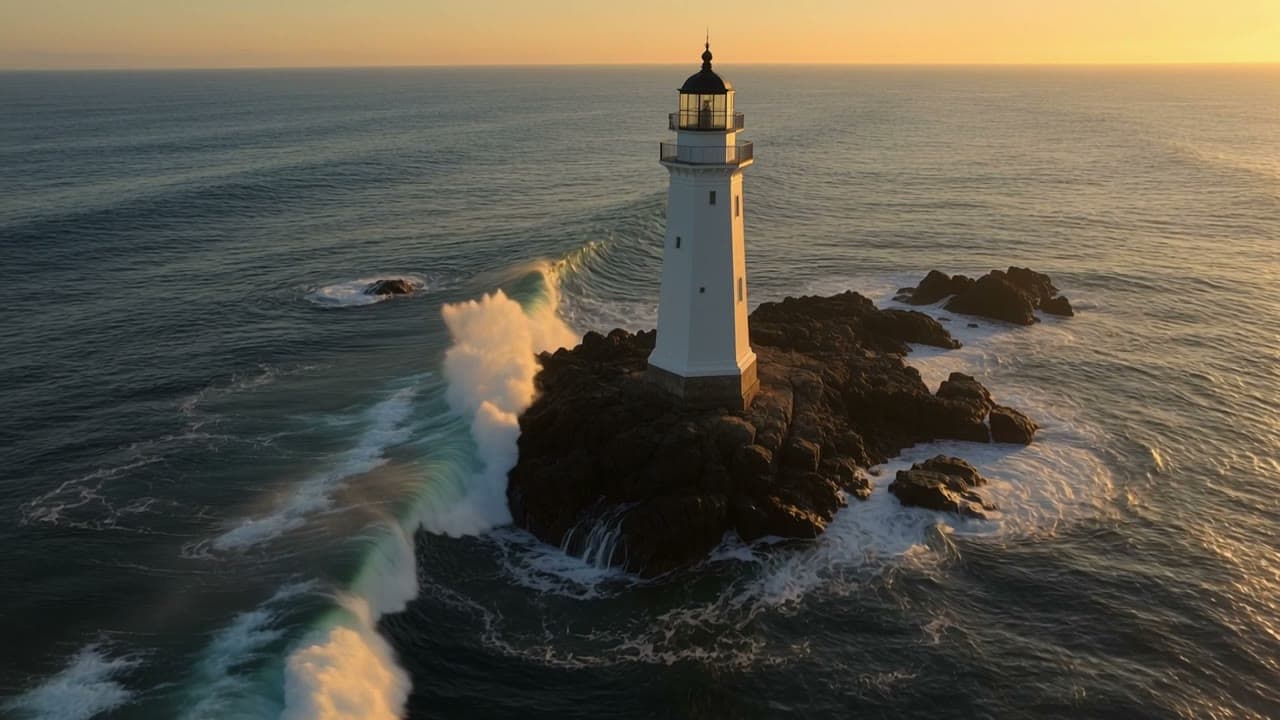
Kling 4.0 lighthouse result
The published example shows an elevated approach toward the lighthouse. Check how the aerial viewpoint, moving waves, and recognizable building hold together throughout the shot.
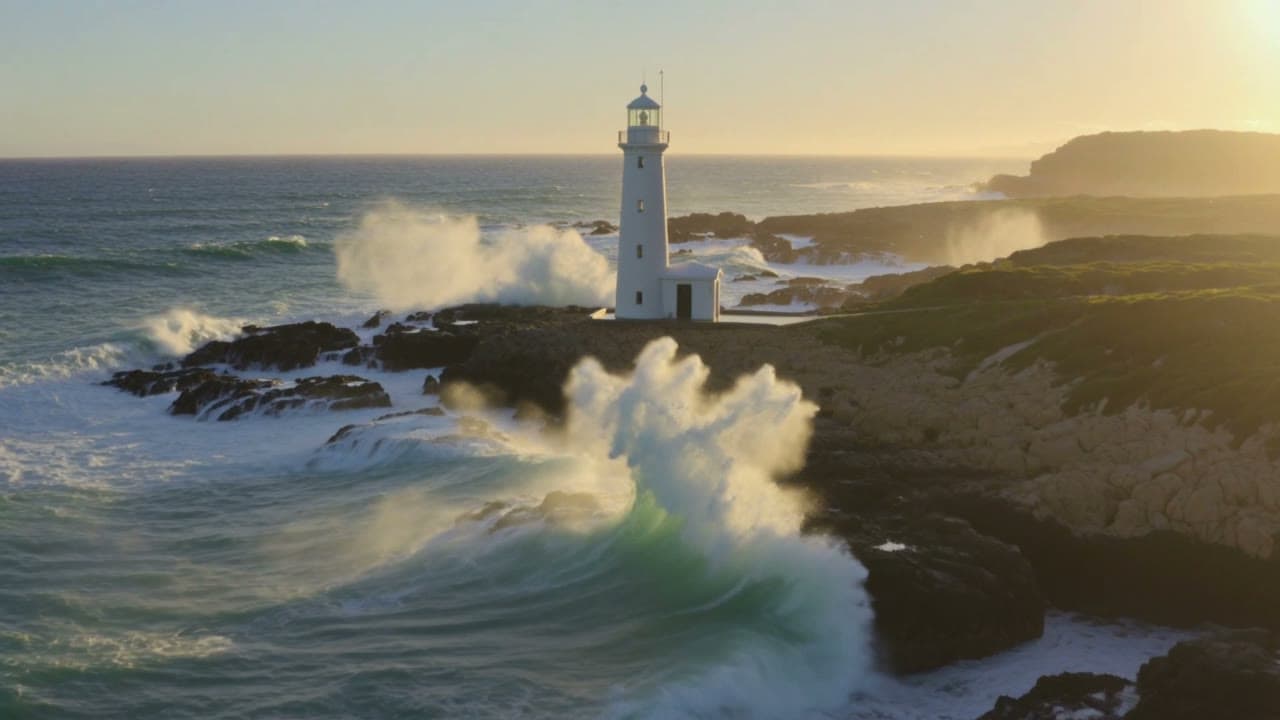
Kling 3.0 lighthouse result
Compare this clip against the same camera instructions. Look at perspective, coastline detail, and water movement rather than choosing a winner from one attractive frame.
Shared lighthouse prompt
A cinematic aerial shot of a white lighthouse standing on a rugged rocky coastline during golden hour. Powerful ocean waves crash against the dark rocks, sending white sea spray into the air. The camera slowly moves forward toward the lighthouse while maintaining a smooth, stable aerial perspective. Natural ocean physics, realistic foam movement, consistent lighthouse architecture, atmospheric sunlight, detailed coastal landscape, cinematic realism, 16:9.
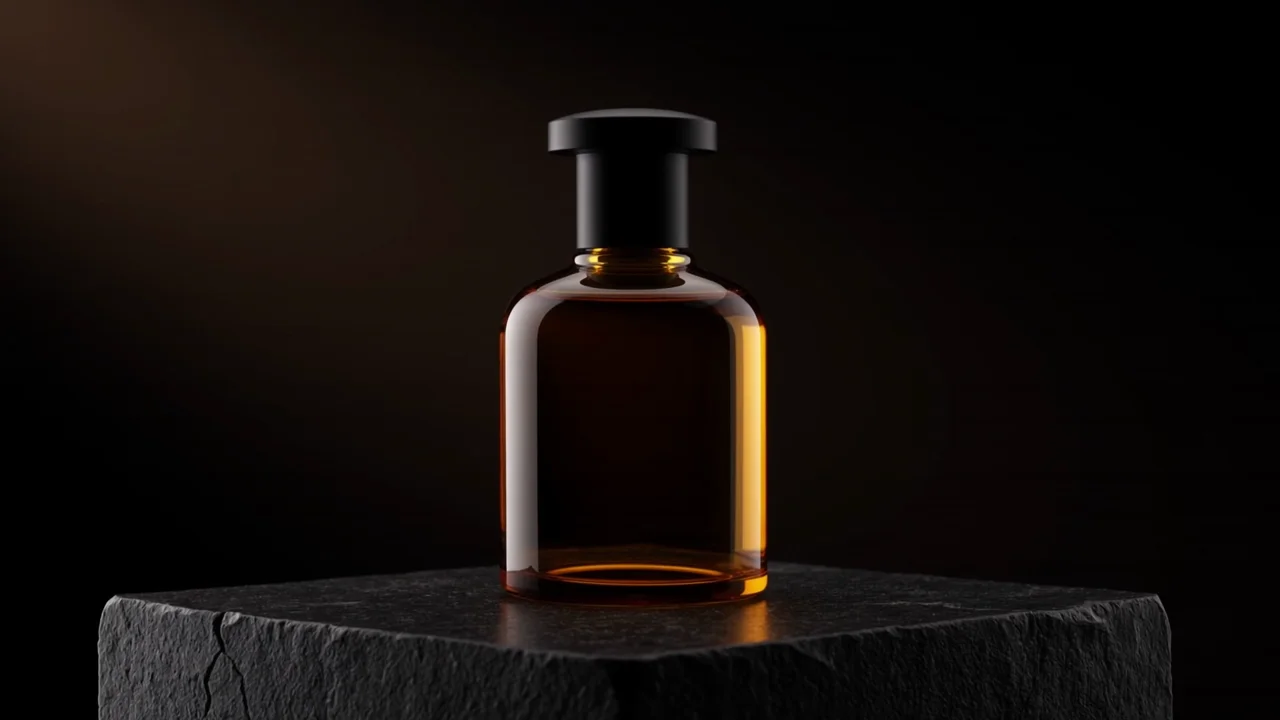
Watch for: Warm studio light moves across an amber bottle as the camera slowly pushes in. Watch the bottle silhouette and changing reflections throughout this five-second text-to-video example.
01
Longer scenes
Kling 4.0 supports 3–30 seconds in one generation. Give a longer take a clear beginning, action, and ending. Test the difficult movement briefly first; extra duration increases cost and creates more frames to inspect.
02
Motion and physical interaction
The model targets improved action and physical realism. When testing Kling 4.0, watch foot contact, object collisions, water, and body mechanics. A convincing opening frame does not establish believable motion throughout a sports or action sequence.
03
Omni Reference
The feature overview lists up to 15 combined assets: images, videos, subjects, and voice references. Individual caps include 10 images, five videos totaling 30 seconds, and seven subject Elements. These are shared limits, not quantities to add together.
04
Keyframes and camera direction
Kling 4.0 supports up to 10 keyframes. Anchor meaningful changes, then describe the movement between them. Choose a tracking shot, orbit, push-in, or pull-back with a clear purpose. Incompatible poses or viewpoints can make transitions harder.
05
Recreation and targeted edits
The broader feature set includes footage recreation and targeted changes. For a practical brief, identify what should change and what must stay recognizable. Our Kling 4.0 workspace offers reference guidance, without dedicated recreation or editing controls.
06
Audio and continuity
Kling 4.0 results can include sound here. Add MP3/WAV references for audio guidance, or retain video sound with Keep original video audio. These options cannot be combined. Saved Elements controls are absent. Listen for speech timing, unwanted sounds, and abrupt changes before combining clips in an edit.
| Capability | What to expect here |
|---|---|
| 720p / 1080p | Both selectable in this workspace; check your task settings. The feature page still labels 1080p coming soon. |
| 4K and 10-bit HDR | Described as forthcoming; neither has a selection here. |
| Video Extension | The feature page describes forward/backward continuation to two minutes; no extension control here. |
| Elements, voice, targeted editing | Broader model features; no dedicated controls here. |
| Setting | Supported here |
|---|---|
| Reference files | Up to 10 PNG/JPEG images, 5 MP4/MOV videos, and 3 MP3/WAV audio files; 15 assets total; 100 MiB per file |
| Reference video duration | Up to 30 seconds total across all video files |
| Video dimensions | Shortest side at least 700 pixels |
| Keyframes | First image required; up to 8 middle images and an optional last image |
| Keyframe total | Output seconds plus one, capped at 10 images |
| Framing | Text: 16:9, 9:16, 1:1, 21:9; Reference adds Auto; Keyframes uses Auto |
A three-second keyframe task allows four images. Use compatible framing and subject appearance across anchors. Your Kling 4.0 prompt is required in every mode and accepts up to 8,000 characters.
| Setting | Kling 3.0 | Kling 4.0 |
|---|---|---|
| Inputs | Text or one image | Text, image/video references, keyframes |
| Duration | 5 or 10 seconds | 3–30 seconds |
| Output controls | Standard or Pro | 720p or 1080p |
| Audio | Optional audio via Generate audio | Output can include audio |
| Cost basis | Tier × output seconds | Resolution rate × billable seconds |
Our Kling 4.0 comparison pairs lighthouse, ballet, watch, and pottery scenes. Inspect movement, camera adherence, and continuity. These limited examples do not establish universal quality, speed, or success-rate advantages.
Compare Kling 4.0 and 3.0 videos
Advertising and product concepts
Use clean product references and a controlled reveal. Kling 4.0 helps explore presentation ideas; inspect shape, reflections, and labels. Add exact promotional text in editing when spelling and brand accuracy matter.
Character scenes and storyboards
Use compatible references or keyframes to establish important moments. Check identity, hands, transitions, and scene geography. Split unrelated events into separate shots instead of forcing an entire story into one request.
Music videos and visual loops
Build a Kling 4.0 shot around a musical mood, recurring subject, or camera movement. Create short visual sequences, then align cuts and transitions with your track in editing.
Explainers and educational clips
Use Kling 4.0 to illustrate a process or introduce an idea with a focused scene. Keep each clip to one concept, verify visual details, and add accurate labels afterward.
Architecture and interior previews
Explore lighting, atmosphere, and camera paths through a proposed space with Kling 4.0. Use consistent room references to communicate a design direction, then review geometry and material details.
- 01
Write your prompt
Describe the subject, action, setting, and camera movement in the prompt box. Leave Omni reference selected for text-only Kling 4.0 generation; without uploaded files, the tool automatically generates from your words. - 02
Add references or keyframes
Select + to add images, videos, or MP3/WAV audio; file types are detected automatically. Hover over image or video thumbnails to preview them. For Keyframes, switch modes and upload a First frame, optional Middle frames, and an optional Last frame. - 03
Set your video options
Open Video settings to choose 720p or 1080p, a 3–30-second duration, and an aspect ratio. Keyframes uses Auto; audio-only references need a specific ratio. Once signed in and inputs are added, review the credits beside Generate. - 04
Generate and review
Sign in, check your balance, and select Generate. If Generate first opens sign-in, return to the tool and select it again. Follow progress below the composer, play your Kling 4.0 result, and choose Open / download video.
What is Kling 4.0?
Kling 4.0 is an AI video model that creates clips from text and reference material. On this site, you can start with a prompt, add images, videos, or audio, or use keyframes to guide a scene.
Can I try Kling 4.0 for free?
Yes. New accounts receive free credits to try Kling 4.0. Sign in to check your available balance and review the credit estimate before generating. The number of videos you can create depends on your selected settings and reference materials.
How much does Kling 4.0 cost?
Without video references, Kling 4.0 costs 6 credits per second at 720p or 10 at 1080p. Reference-video duration also counts toward billing. Enter your inputs and sign in to see the estimate beside Generate.
Do I need an image to use Kling 4.0?
No. Leave Omni reference selected and describe your video to generate from text alone. Upload references only when you need them. If you switch to Keyframes, a First frame image is required.
Can I use my own photos, videos, and audio?
Yes. Add PNG/JPEG images, MP4/MOV videos, or MP3/WAV audio with the + button. Kling 4.0 accepts up to 10 images, five videos, and three audio files, with 15 assets total. Audio clips must be 5–30 seconds.
How long can a Kling 4.0 video be, and is HD available?
Choose a duration from 3 to 30 seconds and either 720p or 1080p in Video settings. You can also choose the aspect ratio; Keyframes uses Auto framing.
How long does Kling 4.0 take to generate a video?
There is no fixed turnaround time. After submitting, follow progress below the tool or check My Creations. Wait for the task result before retrying; each new generation uses credits.
Can I download my finished video?
Yes. Play your completed Kling 4.0 result, then select Open / download video. You can also revisit it in My Creations. Works are retained for six months, so download anything you want to keep.