Quiz MCP
इंटरैक्टिव क्विज़ के लिए MCP सर्वर
दस्तावेज़
quiz-mcp
Let AI models hand off interactive quizzes to humans through a real browser UI.
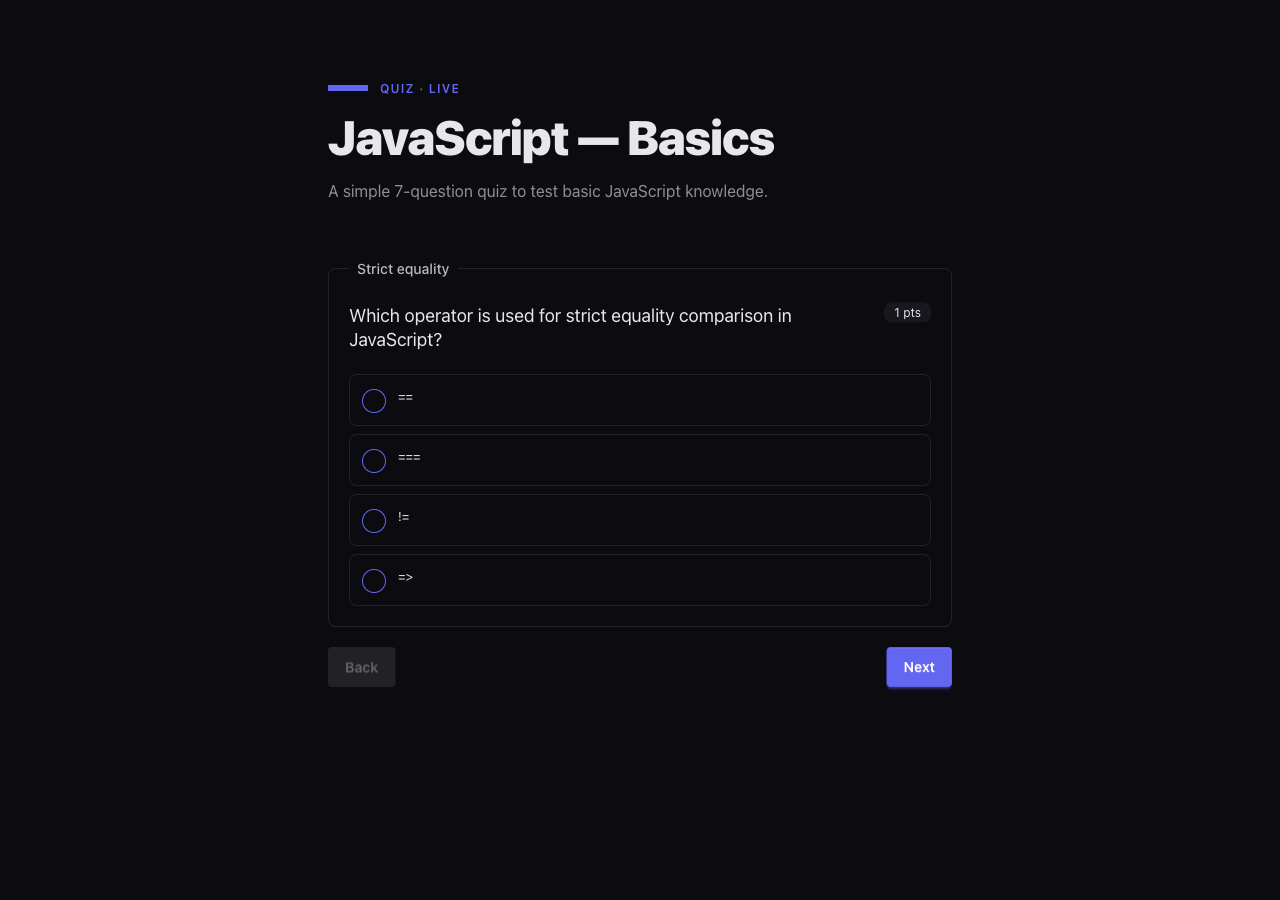
Instead of generating HTML forms as artifacts or asking questions one-by-one in chat, the model describes a quiz as JSON, the user fills it in at http://localhost:<port>, and the answers flow back to the model as structured data.
Useful for teachers building quizzes with AI, researchers running structured interviews, or any agent that needs real input from a human.
Quick start
Try the demo quiz (no install, no clone)
Run the bundled 7-question JavaScript basics quiz straight from GitHub:
npx @quiz-mcp/runner \
  --url https://raw.githubusercontent.com/karerckor/quiz-mcp/main/demo/js-quiz.json \
  --output ./answers.json \
  --open
--open launches the URL in the system browser. Answers are written to ./answers.json when you submit.
Register as an MCP server
Once connected, the model gains four tools: start_quiz, get_answers, get_quiz_format, and stop_runner.
Claude Code
Add to .mcp.json in your project root (or ~/.claude.json for user-wide):
{
  "mcpServers": {
    "quiz-mcp": {
      "type": "stdio",
      "command": "npx",
      "args": ["-y", "@quiz-mcp/cli", "mcp"]
    }
  }
}
OpenCode
Add to opencode.json (project) or ~/.config/opencode/opencode.json (global):
{
  "$schema": "https://opencode.ai/config.json",
  "mcp": {
    "quiz-mcp": {
      "type": "local",
      "command": ["npx", "-y", "@quiz-mcp/cli", "mcp"],
      "enabled": true
    }
  }
}
Kilo Code
Open the MCP settings panel in Kilo Code (MCP Servers → Edit Global MCP) and add:
{
  "mcpServers": {
    "quiz-mcp": {
      "command": "npx",
      "args": ["-y", "@quiz-mcp/cli", "mcp"]
    }
  }
}
The same command/args pair works for any MCP client that follows the standard mcpServers shape (Claude Desktop, Cursor, Windsurf, …).
Use the hosted remote MCP server
If you don't want to install anything locally, there is a hosted, OAuth-protected version of quiz-mcp running on Cloudflare Workers:
https://quiz-mcp-oauth.karerckor.workers.dev/mcp
It exposes the same tools as the local server, plus get_quizzes and cleanup_quiz for managing per-user state. Each user gets an isolated quiz workspace; login is handled via WorkOS AuthKit on the first tool call.
Note: answers are persisted to Cloudflare KV, which is eventually consistent. After a user submits a quiz,
get_answersmay briefly return empty or stale data — wait a few seconds and retry if the model reports missing answers.
Claude Code
Register the remote server with the claude CLI (this stores it in ~/.claude.json):
claude mcp add --transport http quiz-mcp-remote https://quiz-mcp-oauth.karerckor.workers.dev/mcp
Or add it manually to .mcp.json (project) / ~/.claude.json (user-wide):
{
  "mcpServers": {
    "quiz-mcp-remote": {
      "type": "http",
      "url": "https://quiz-mcp-oauth.karerckor.workers.dev/mcp"
    }
  }
}
On the first call (e.g. start_quiz) Claude Code will open your browser for the OAuth flow; the access token is cached afterwards. Run /mcp inside Claude Code to inspect connection state or re-authenticate.
Want to host your own instance? See apps/remote-mcp-oauth/README.md for the full setup (Cloudflare KV namespaces, WorkOS secrets, wrangler deploy).
Scaffold and run your own quiz
# scaffold a new quiz skeleton → ./javascript-basics.quiz.json
npx @quiz-mcp/cli create "JavaScript basics"

# serve it in a browser and write answers to a file
npx @quiz-mcp/runner --file ./javascript-basics.quiz.json --output ./answers.json --open
The scaffolded file includes a $schema pointer so editors can validate and autocomplete the quiz structure as you fill it in.
Serve a remote quiz with a webhook sink
npx @quiz-mcp/runner \
  --url https://example.com/quiz.json \
  --on-complete https://example.com/hooks/quiz \
  --output ./answers.json
The runner exits with code 0 on success, 1 on load/validation failure, 2 if a sink failed after the quiz completed.
Repository structure
| Path | Package / App | Description |
|---|---|---|
apps/cli | @quiz-mcp/cli | Published binary (quiz-mcp). MCP stdio server, lazy runner lifecycle, create scaffolding command. |
apps/runner | @quiz-mcp/runner | Standalone CLI that loads a quiz from a file/URL/stdin, serves it in a browser, and writes answers to a file or webhook. |
apps/remote-mcp-oauth | @quiz-mcp/remote-mcp-oauth | Cloudflare Worker hosting an OAuth-protected remote MCP server (WorkOS AuthKit + Durable Objects). Powers https://quiz-mcp-oauth.karerckor.workers.dev. |
packages/core | @quiz-mcp/core | Domain foundation: Zod schemas, types, grading engine, answer validation. Single source of truth for the quiz format. |
packages/runner-api | @quiz-mcp/runner-api | Hono HTTP server and SSR shell for the quiz runtime. REST endpoints, theming, i18n. Not published standalone. |
packages/runner-ui | @quiz-mcp/runner-ui | Vite/Hono-JSX client bundle. Hydrates the SSR shell and wires <quiz-player> events to the REST API. Assets only, not a runtime import. |
packages/web-components | @quiz-mcp/web-components | Framework-agnostic <quiz-player> custom element (Svelte 5 + Shadow DOM + DaisyUI 5). |
demo/ | — | Sample quiz JSON files. |
schema/ | — | Generated JSON Schema for the Quiz type (schema/quiz.schema.json). |
scripts/ | — | Build-time utilities: JSON Schema generation and validation against AJV. |
Requirements
| Tool | Version |
|---|---|
| Node.js | ≥ 20 |
| pnpm | 10.8.1 (pinned via packageManager) |
Development
git clone https://github.com/karerckor/quiz-mcp.git
cd quiz-mcp
pnpm install
| Command | Purpose |
|---|---|
pnpm build | Build all packages (Turborepo respects the ^build graph). |
pnpm test | Run the full test suite. |
pnpm typecheck | Type-check every package. |
pnpm dev | Watch mode, parallel across packages. |
Quiz schema
The Quiz format is defined in packages/core as a Zod schema and exported as a JSON Schema to schema/quiz.schema.json.
Top-level shape:
{
  "id": "my-quiz-1",
  "title": "Quiz title",
  "description": "Optional description",
  "questions": [ /* Question[] */ ]
}
Supported question types (_kind):
single_choice, multiple_choice, short_text, long_text, dropdown, fill_gaps, match, scale, sorting, upload
Regenerate or verify the schema:
pnpm schema:gen    # writes schema/quiz.schema.json
pnpm schema:check  # validates the generated schema with AJV
The schema is also available at the canonical URL embedded in the file:
https://raw.githubusercontent.com/karerckor/quiz-mcp/main/schema/quiz.schema.json
Package READMEs
apps/cli/README.md— MCP tools, lifecycle behaviour, CLI commandsapps/runner/README.md— standalone runner CLI flags, exit codes, architectureapps/remote-mcp-oauth/README.md— hosted remote MCP server, OAuth setup, Cloudflare deploymentpackages/core/README.md— domain schemas, grading API, validation, adding question typespackages/runner-api/README.md— REST endpoints, SSR server options,QuizServiceinterface, themingpackages/runner-ui/README.md— client bundle internals, Vite manifest, custom deploymentspackages/web-components/README.md—<quiz-player>element API, events, theming, framework integration