Knit MCP
आधिकारिक10,000 से अधिक टूल्स से जुड़ें, जिनमें HRIS, ATS, CRM, Accounting, Calendar, Meeting, Ticketing और अन्य श्रेणियाँ शामिल हैं।
Knit MCP के साथ आप क्या कर सकते हैं?
- कस्टम MCP सर्वर बनाएं — अपने सहायक से समर्थित SaaS ऐप्स के टूल चुनने और उन्हें एक नए सर्वर में पैकेज करने के लिए मार्गदर्शन मांगें।
- अपने पसंदीदा क्लाइंट के लिए डिप्लॉय करें — Claude, Cursor, Windsurf, या अपने बनाए जा रहे कस्टम क्लाइंट के लिए चरण-दर-चरण सेटअप निर्देश प्राप्त करें।
- सर्वर क्रेडेंशियल प्राप्त करें — अपने सहायक से समझें कि अपने AI टूल्स को जोड़ने के लिए आवश्यक सर्वर URL और MCP टोकन कैसे प्राप्त करें।
- खाता पहुंच प्रबंधित करें — पूछें कि प्लेटफ़ॉर्म का उपयोग शुरू करने के लिए Google, Microsoft, या ईमेल से लॉगिन या खाता कैसे बनाएं।
दस्तावेज़
Knit MCP Hub के साथ AI एजेंट्स के लिए शुरुआत
यह दस्तावेज़ Knit द्वारा प्रबंधित SaaS MCP सर्वरों को सेट अप करने और संचालित करने का एक व्यापक अवलोकन प्रदान करता है। इस प्रक्रिया में प्लेटफ़ॉर्म में लॉग इन करना, एक सर्वर बनाना, और अपने वर्कफ़्लो को सुविधाजनक बनाने के लिए आवश्यक टूल और एप्लिकेशन का चयन करना शामिल है।
चरण 1
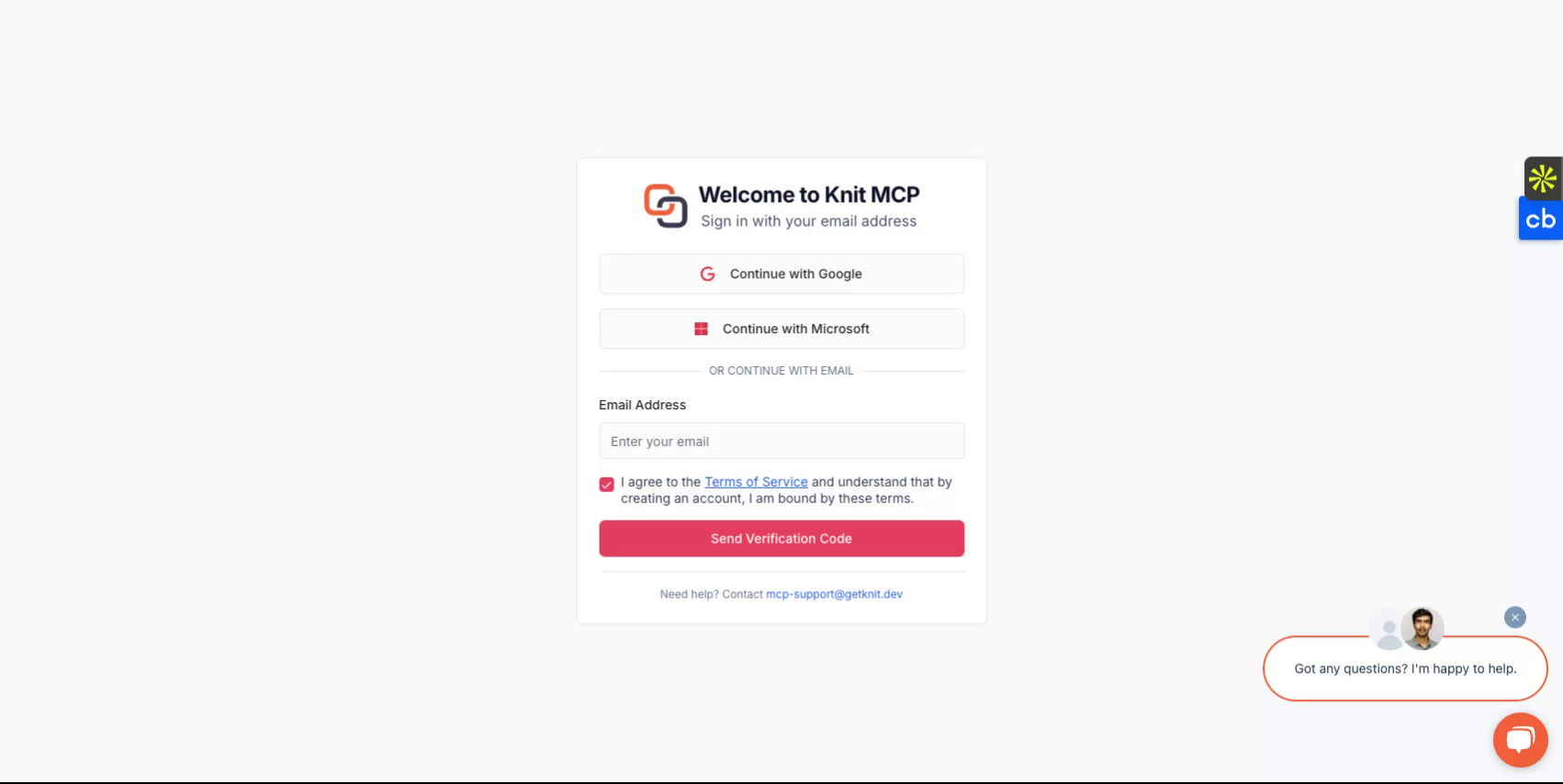
https://mcphub.getknit.dev पर जाकर शुरुआत करें। अपने Google या Microsoft खाते का उपयोग करके लॉग इन करें, या अपने ईमेल पते का उपयोग करके एक खाता बनाएं। यह आपको प्लेटफ़ॉर्म की सुविधाओं तक पहुंच प्रदान करेगा।
चरण 2
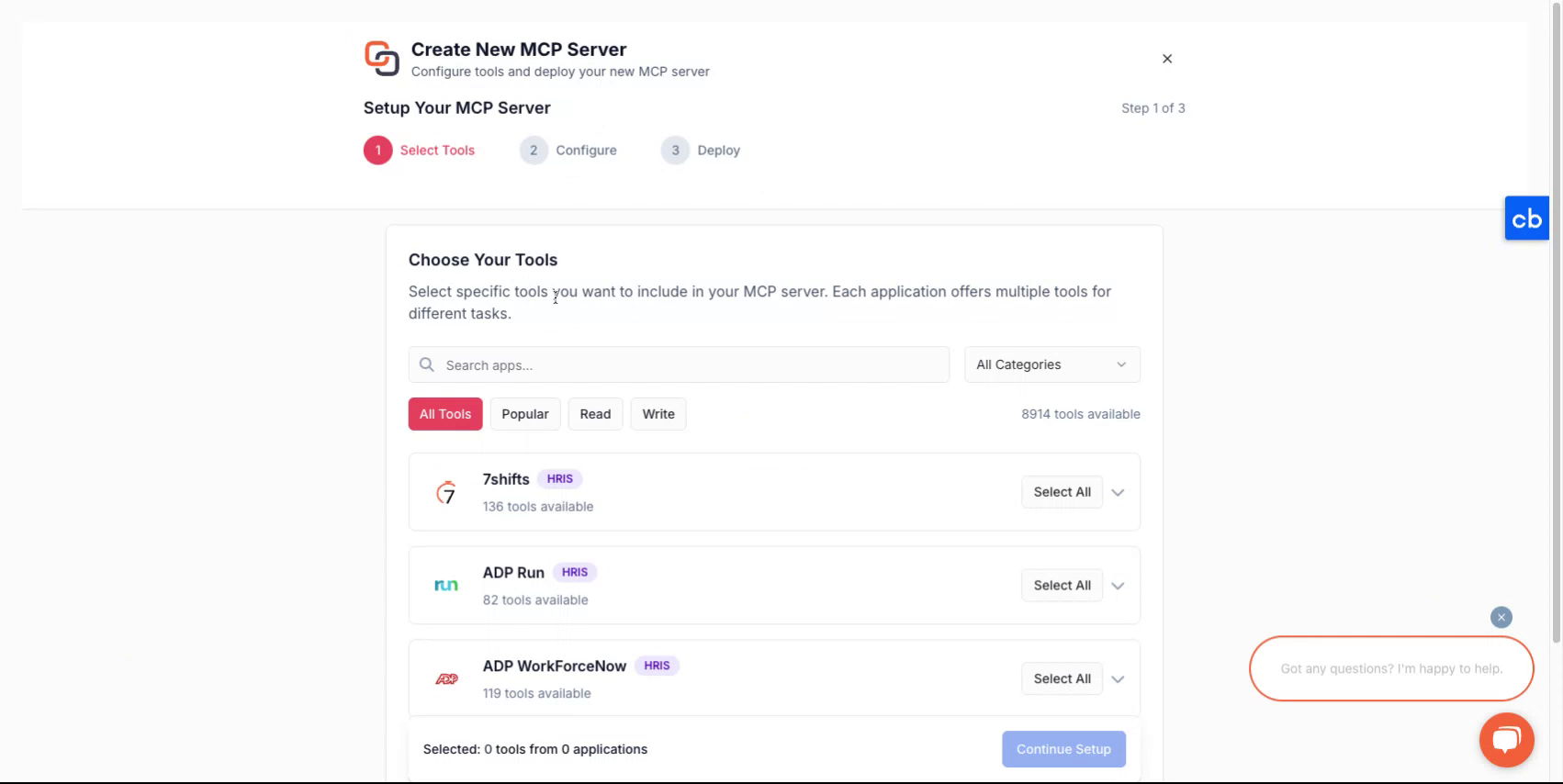
अपने खाते में लॉग इन करने के बाद, आपको एक नया सर्वर बनाने की प्रक्रिया के माध्यम से मार्गदर्शन दिया जाएगा।
चरण 3
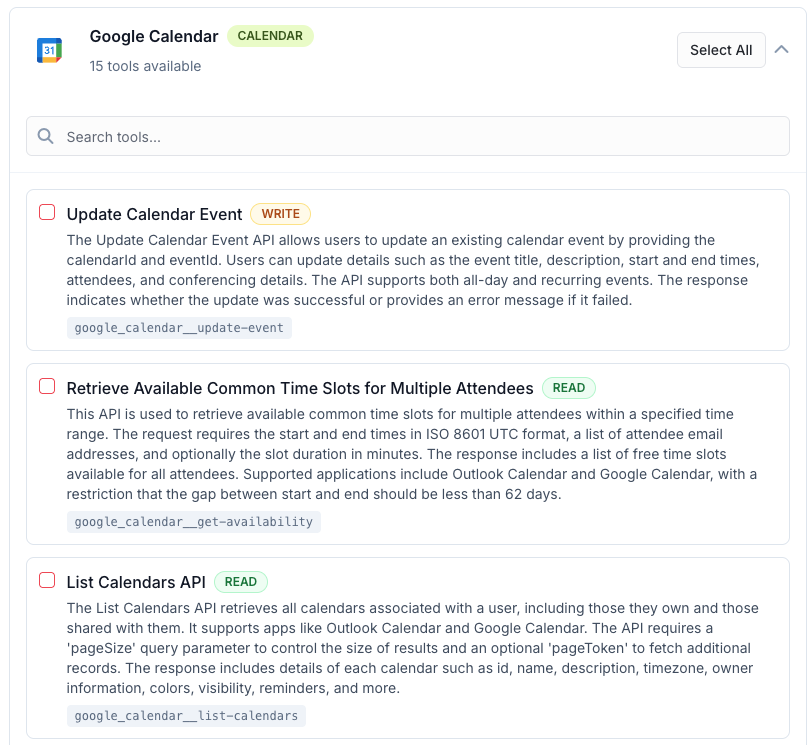
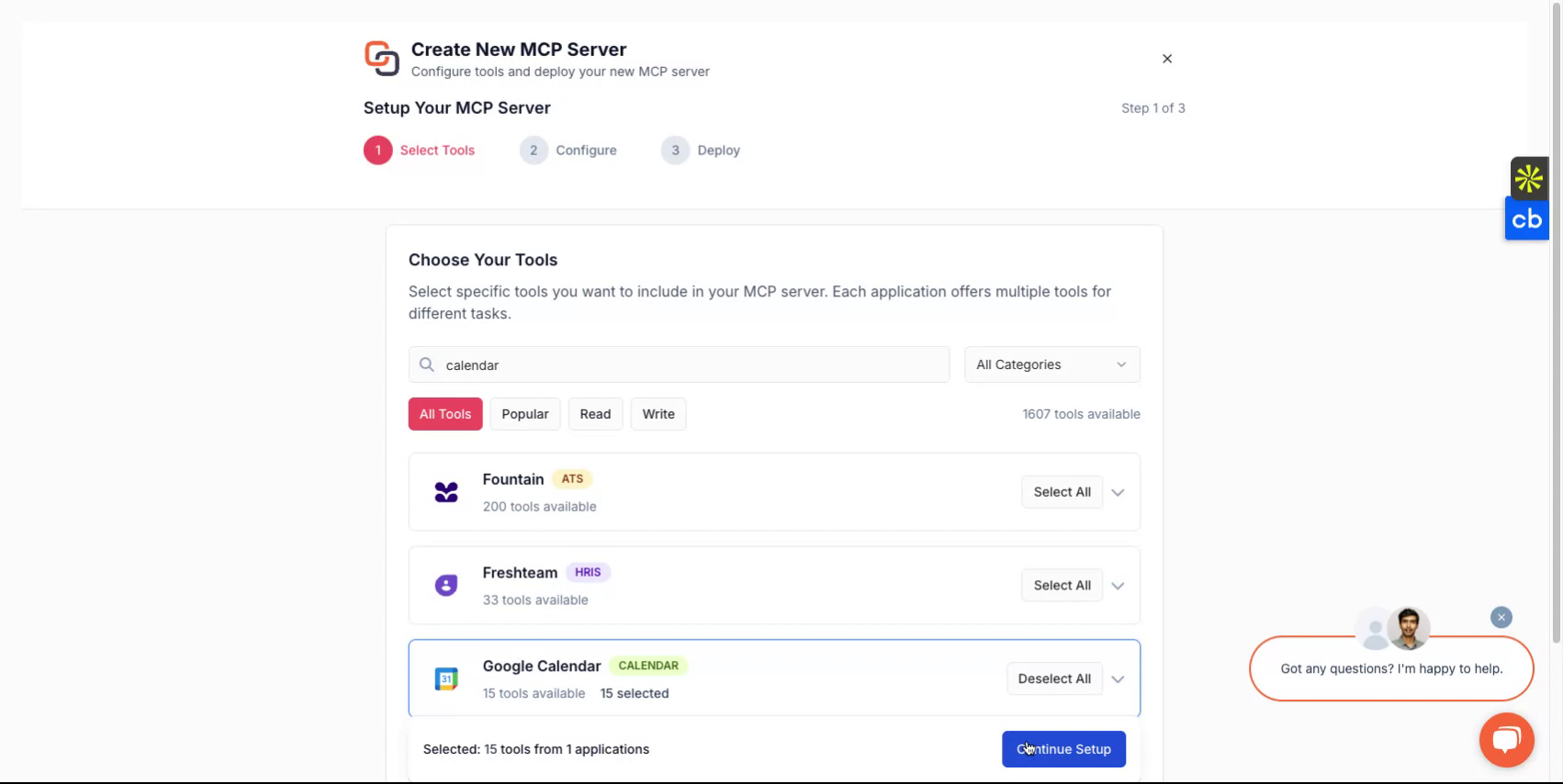
एक नया MCP सर्वर बनाने के लिए, पहले उन टूल का चयन करें जिन्हें आप MCP सर्वर में पैकेज करना चाहते हैं। ये एक या अधिक एप्लिकेशन से हो सकते हैं। सभी समर्थित एप्लिकेशनों की सूची आप यहां पा सकते हैं - सभी MCP सर्वर
चरण 4
चयन करने के बाद, अपने सर्वर को एक नाम दें, उसे एक विवरण दें, और फिर यह चुनना जारी रखें कि आप इसे कैसे तैनात करना चाहते हैं।
चरण 5
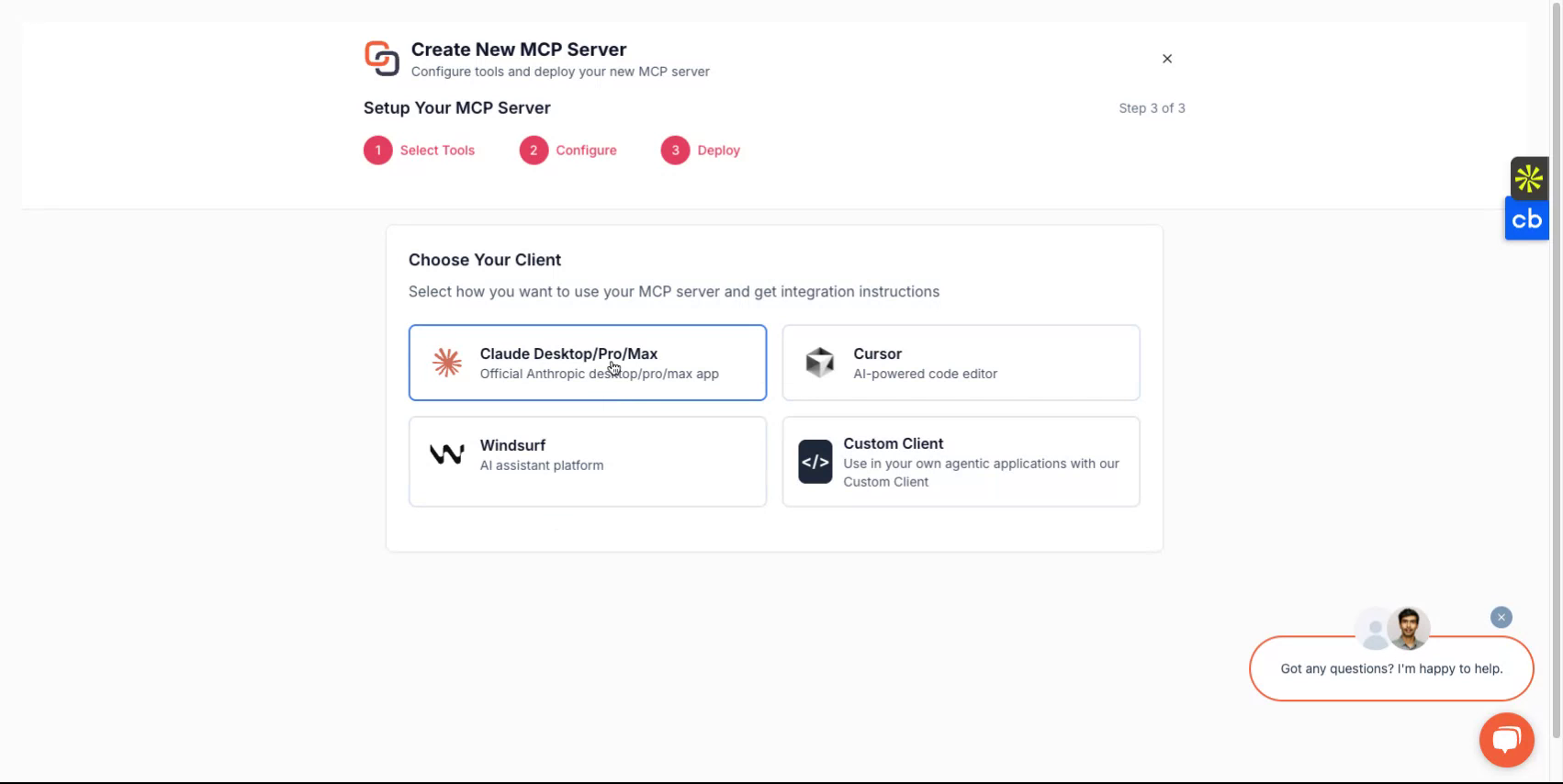
आप जिस क्लाइंट का उपयोग करना चाहते हैं, उसके आधार पर आप Claude, Cursor, Windsurf जैसे विकल्पों में से चुन सकते हैं, या यदि आप अपना स्वयं का कस्टम क्लाइंट बना रहे हैं तो उसे लागू करना चुन सकते हैं। प्लेटफ़ॉर्म आपको सेटअप प्रक्रिया के माध्यम से मार्गदर्शन करेगा।
चरण 6
पूरा होने पर, आपको एक सर्वर URL और एक MCP सर्वर टोकन प्राप्त होगा। ये क्रेडेंशियल आपके सर्वर तक पहुंचने के लिए आवश्यक हैं।
यदि आप कस्टम क्लाइंट विकसित करने की योजना बना रहे हैं, तो कस्टम क्लाइंट विकल्प चुनें और संबंधित निर्देशों का पालन करें।
सभी हो गया
अब आपने अपने Knit-MCP सर्वर को सफलतापूर्वक सेट अप कर लिया है। किसी भी प्रश्न के लिए हमसे mcp-support@getknit.dev पर संपर्क करें।