Flomo
Flomo के इनकमिंग वेबहुक API का उपयोग करके नोट्स लिखने के लिए एक सर्वर।
दस्तावेज़
mcp-server-flomo MCP Server
write notes to Flomo.
This is a TypeScript-based MCP server help you write notes to Flomo.
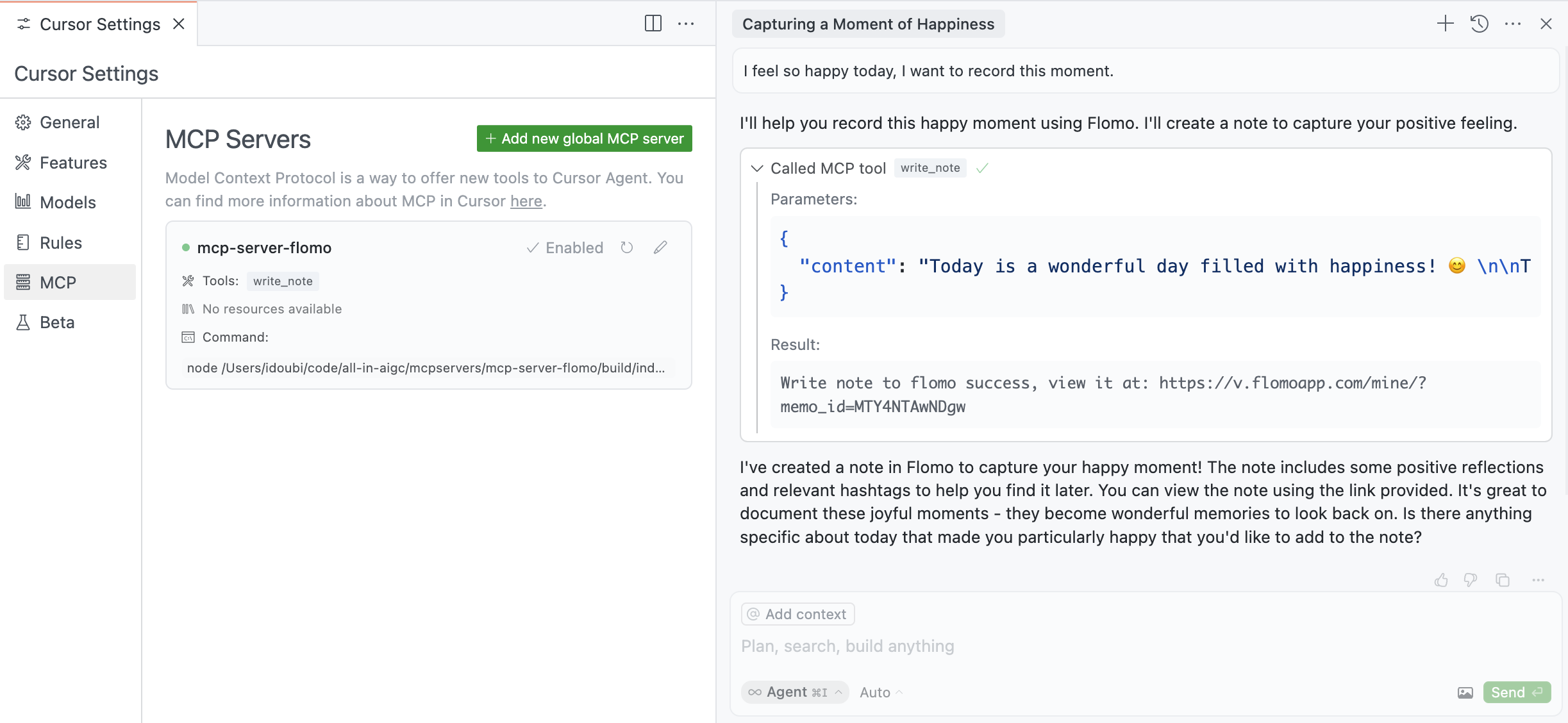
Features
Tools
write_note- Write text notes to Flomo- Takes content as required parameters
Development
Install dependencies:
npm install
Build the server:
npm run build
For development with auto-rebuild:
npm run watch
Installation
To use with Claude Desktop, add the server config:
On MacOS: ~/Library/Application Support/Claude/claude_desktop_config.json
On Windows: %APPDATA%/Claude/claude_desktop_config.json
{
  "mcpServers": {
    "mcp-server-flomo": {
      "command": "npx",
      "args": ["-y", "@chatmcp/mcp-server-flomo"],
      "env": {
        "FLOMO_API_URL": "https://flomoapp.com/iwh/xxx/xxx/"
      }
    }
  }
}
Find Your Flomo_API_URL here
Debugging
Since MCP servers communicate over stdio, debugging can be challenging. We recommend using the MCP Inspector, which is available as a package script:
npm run inspector
The Inspector will provide a URL to access debugging tools in your browser.