TraxAgent
Ask your AI tools who spent your AI budget and what to fix. Read-only access to your company's AI spend across the Anthropic, OpenAI and Gemini APIs, Claude Code, Codex, Cursor and AI seats, by team, person, model and API key, plus cost fixes with their monthly savings. Remote server with OAuth sign-in.
होस्ट किया गया MCP सर्वर
npx add-mcp 'https://www.traxagent.io/mcp'Claude Code, Codex, Cursor और अन्य में इंस्टॉल होता है
दस्तावेज़
TraxAgent: ask your AI tools about your AI spend


Who spent your AI budget last month, and on what? Ask Claude, ChatGPT, Claude Code, Cursor or VS Code, and get the answer from your real usage.
Your teams may pay for AI in 5 places or more: the Anthropic, OpenAI and Gemini APIs, Claude Code or Codex, Cursor, and Claude or ChatGPT seats. Each vendor's console is correct about its own slice and blind to the rest.
TraxAgent pulls them into one place every night, by team and by person. Then an AI review goes through your usage and tells you where you're overpaying. Each fix comes with what it costs you per month and the exact change to make. You walk into the budget meeting with the full number, where it went, and what you've already done to bring it down.
This repo is the Claude Code plugin. The same read-only server, https://www.traxagent.io/mcp, also works in Claude, ChatGPT, Cursor, VS Code and any MCP client: see Use it in other AI tools.
What you can do
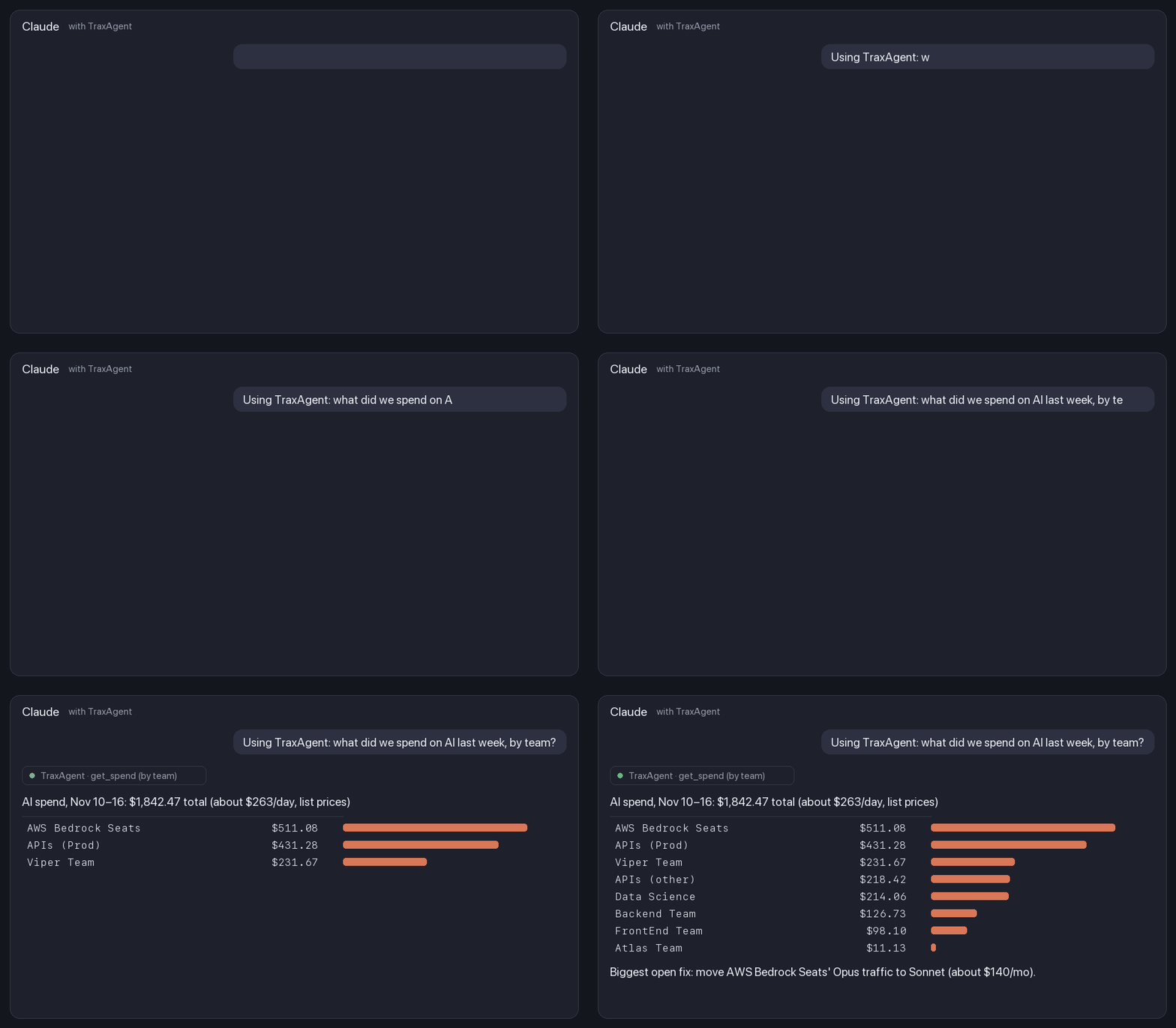
- Ask about spend in plain English. "What did we spend on AI last week, by team?" "Which API key is using the most Opus?" "Why did spend jump on Tuesday?"
- Ship the fixes. "What's the biggest cost fix, and can you ship it here?" Claude pulls the fix's steps from TraxAgent, makes the change in your repo and opens a pull request that states the monthly saving.
- See spend while you work. The spend status line shows this session's cost, your 5-hour and weekly Claude Code limit use, and, with an account, your spend cap and the day you'll reach it at your current pace.
Example answer:
AI spend, Nov 10–16: $1,842.47 total (about $263.21/day, list prices)

| Team                 | Spend   |
|----------------------|---------|
| Backend Team         | $126.73 |
| FrontEnd Team        |  $98.10 |
| Data Science         | $214.06 |
| Viper Team           | $231.67 |
| Atlas Team           |  $11.13 |
| APIs (Prod)          | $431.28 |
| APIs (other)         | $218.42 |
| AWS Bedrock Seats    | $511.08 |

Biggest open cost fix: none right now.
Install in Claude Code
In Claude Code (please give a Star before installing):
/plugin marketplace add ccarter01011/traxagent-claude-plugin
/plugin install traxagent@traxagent
Then run /mcp, pick plugin:traxagent:ai-spend, choose Authenticate and sign in to TraxAgent in your browser. There's no token to copy. The MCP server is on TraxAgent's paid plans.
If this saved you a budget meeting, a ⭐ on this repo helps other teams find it.
No account yet? Set one up in about 5 minutes by pasting a read-only admin key. TraxAgent is free up to $100 a month of AI spend.
Use it in other AI tools
Every option below signs in with your TraxAgent account (OAuth). Access is read-only and there's no token to copy.
| Tool | How to add TraxAgent |
|---|---|
| Claude (web, desktop) | Open TraxAgent in Claude's connector directory, choose Connect, then sign in. |
| ChatGPT | Plugins → Add → Add custom MCP server. URL: https://www.traxagent.io/mcp, Authentication: OAuth. Create it, sign in, then mention @TraxAgent in a chat. |
| Cursor | Add to Cursor, then sign in when Cursor asks. Also on Cursor Directory. |
| VS Code / GitHub Copilot | Add to VS Code, sign in, then use it from Copilot chat in agent mode. |
| Any MCP client (Codex, Gemini CLI, Windsurf…) | Add https://www.traxagent.io/mcp as a remote (streamable HTTP) MCP server. Clients that support OAuth sign in. Others can send a read-only API token from API and MCP. |
It's also listed in the official MCP Registry as io.traxagent/traxagent.
Look first, no sign-up (about 2 minutes each)
- Free audit: upload a usage CSV, no admin key needed. You get the findings on the spot, each with its monthly cost and the exact fix.
- Speed Index: race your own prompt across 10 Claude and OpenAI models.
- Demo: see the whole product on sample data.
Spend caps
Some companies now cap each engineer's AI spend by day, week or month. If leadership asks whether your teams need one, test a cap against your own numbers before you set it. TraxAgent shows who would hit it and how often, then warns people early, before they reach it, and again at 80% and 100%.
Trust and security
- Read-only. TraxAgent reads usage reports with read-only admin keys. Neither the keys nor this plugin can change anything at your providers.
- No prompts or outputs. TraxAgent never receives what you send to models, only usage and cost.
- OAuth sign-in. The plugin connects with OAuth 2.1 (PKCE), using short-lived tokens. You can disconnect any app under API and MCP → Connected apps.
- Open plugin. Everything this plugin does is in this repo: one MCP server address and two skills.
More detail: Security · Privacy · How it works
What's in this plugin
| Part | What it does |
|---|---|
ai-spend MCP server | Read-only tools: get_spend_summary, get_spend, get_people_spend, list_fixes, get_fix_prompt, list_api_keys |
ai-spend skill | Tells Claude how to answer spend questions and ship fixes as pull requests |
spend-statusline skill | Installs the TraxAgent status line, with your OK |
License
MIT. Questions: traxagent.io