Café QR
अपने कैफ़े की बिक्री, ऑर्डर, सबसे ज़्यादा बिकने वाले व्यंजन, व्यस्त समय और फ़ीडबैक के बारे में Claude से पूछें, व्यंजनों को अनुपलब्ध चिह्नित करें और मेनू की फ़ोटो से व्यंजन जोड़ें। हर Café QR प्लान में मुफ़्त।
होस्ट किया गया MCP सर्वर
npx add-mcp 'https://cafeqr.app/mcp'Claude Code, Codex, Cursor और अन्य में इंस्टॉल होता है
दस्तावेज़
EPOS for cafés, restaurants, bars & pubs
Five systems.Five bills.One till.
Till app bill
QR menu bill
Kitchen screen bill
Online orders bill
Bookings bill
Café QR, all five £9.99 a month one bill
The till, kitchen screen, table QR, tabs and online orders, on the tablet you already own. One login, one set of takings and one small monthly bill for independent cafés, small restaurants, bars and pubs. From £9.99 a month. 0% commission.
No card No contract Help on WhatsApp Cancel any time
Taking orders at DND Lounge, London
4 New order · Table 4 Egg on sourdough · £6.95
First 20 UK venues 3 months free 
 Your till and takingsGuest’s phone
Already running on Café QR
Independent venues, already serving on Café QR.
 Cup Shup by ZS logo
Cup Shup by ZS
 DndLounge logo
DndLounge
- +10 setting up now Read reviews on G2 →
DND Lounge logo
One order, start to finish. Table to kitchen to takings in 16 seconds.
-
01 Scan00:00 Guest scans table 7
No app, no waiting for a menu. -
02 Order + pay00:02 Orders and pays
Card or wallet, on their phone. -
03 Kitchen00:06 On the kitchen screen
New → Preparing → Ready. -
04 Takings00:12 In today’s takings
Counted once, ready for cash-up.
Order #42 · loops every 16 seconds
The app you’ll use
One glass dashboard. Open it on any screen, every shift.
Takings, live orders, tables and what needs you now, on a laptop, a tablet or the phone in your pocket.
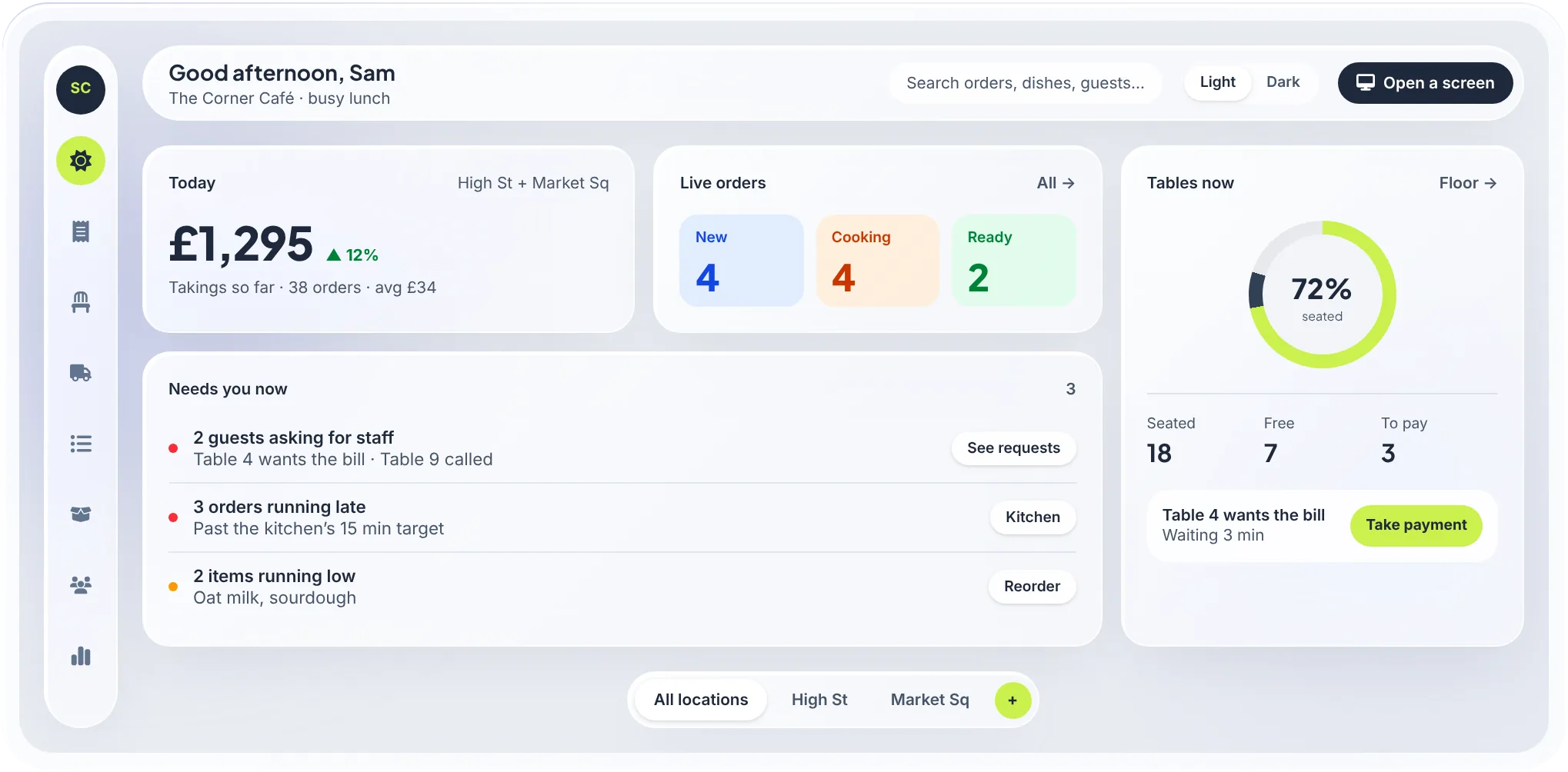
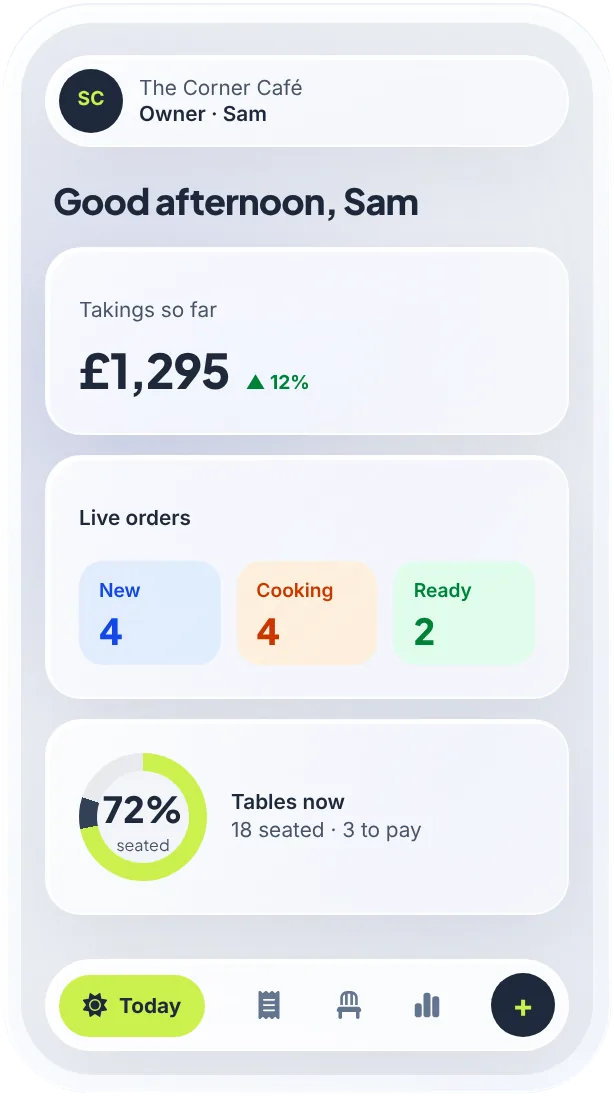
- Takings, live Till, table QR and online orders in one number.
- Kitchen on time Late tickets flag themselves.
- The floor at a glance Who’s seated, and who’s waiting to pay.
- Light or dark Pick the look that suits your venue.
New · Works with Claude
Ask Claude about your café. It knows your numbers.
Café QR is in Claude’s connector directory. Connect once, then ask how yesterday went, what sold and when the rush comes. Claude answers from your own till, free on every plan.
- Sales and best sellers
- Busy times by hour
- Guest feedback
- Sold out in one sentence See what you can ask →
ClaudeCafé QR connected
- How did we do yesterday compared with last Saturday? Café QR · Sales summary £1,284 from 96 orders, up 12% on last Saturday (£1,146). Table QR orders grew most: 41 of the 96. The busiest hour was 12 to 1.
- What should I put on special this week? Café QR · Best and slowest sellers Your flat white and the halloumi wrap carry the week. The carrot cake sold 3 in 7 days, so it's the one to push or drop.
- We're out of brownies, can you mark them sold out? Café QR · Mark an item sold out Done. Guests now see the brownie as sold out, and the change is in your Audit log.
An example conversation with a demo café’s made-up figures.
Switching from another till
Switching is easy. We do the heavy lifting.
- 1 We load your menu Send a photo, a PDF or a link. We add the items, prices, options and allergens, free, while you're on your trial.
- 2 Keep your card machine Take card on the machine you have and tap Card to record it, or move to a Stripe reader when you're ready.
- 3 No contract, no setup fee Pay monthly per venue and cancel any time. The first month is free and needs no card.
- 4 Run it beside your old till Start with table ordering or the kitchen screen first. A Square till can be linked so paid orders are pushed to it.
What you need. Probably what you already have.
No proprietary hardware, and no setup fee.
- The one you haveA tablet or phoneRuns in the browser on an iPad, Android tablet, phone or laptop.
- OptionalA card readerA Stripe reader, or keep your own machine and record card sales.
- OptionalA kitchen printerStar or Epson network printers, or use the kitchen screen.
- NeededWi-FiIf it drops, the till keeps taking cash and uploads the sales later.
Plans · per venue, per month
One POS, four plans. Pick what your venue needs.
Every plan starts with a one-month free trial and no card. Move up when you need more, and keep the same menu, customers and history.
[
Founding venues · first 20 UK venues
3 months free and your price locked for 2 years.
On any plan, with your menu set up for you, in return for an honest review.
Claim a place →](https://cafeqr.app/founding-venues)
-
Order & Pay · Take orders £9.99/mo
- QR ordering at the table and counter
- Kitchen screen and printers
- Menu, allergens and modifiers
- Reports, stamp card and loyalty points
- 3 staff logins Start free trial →
- QR ordering at the table and counter
-
Order & Pay + Delivery · Add delivery £14.99/mo
Everything in Order & Pay, plus:- Your own online page for collection and delivery
- Delivery zones and rider links
- No commission on delivery orders
- 3 staff logins Start free trial →
- Your own online page for collection and delivery
-
£39/mo
Everything in Order & Pay + Delivery, plus:- The till, with cash and card readers
- Waiter app, tabs and floor plan
- Table bookings and self-order kiosk
- TV menu boards that update by themselves
- Food safety: SFBB diary, checklists & temp logs
- Gift cards, happy hours, time clock and cash-up
- Delivery app orders on the kitchen screen
- 10 staff logins Start free trial →
- The till, with cash and card readers
-
Multi-site · Grow the group £59/mo
Everything in POS, plus:- Several venues under one account
- Stock and recipes with margins
- Insights, Xero and QuickBooks export
- Unlimited staff logins Start free trial →
- Several venues under one account
How the money works
The money is yours. We never touch it.
Each venue connects its own Stripe account and payments are processed on it. You’re the merchant, we provide the software, and Stripe pays out to your bank on your account’s schedule.
- Card, wallet or QR Guest pays 3 payments today £42.20
- You are the merchant Your Stripe account Café QR fee on payments: £0.00 £42.20
- On your payout schedule Your bank Paid out by Stripe +£42.20
Add up what you pay now. Then see one bill.
Till, QR ordering, kitchen screen, delivery tablets, bookings, loyalty, rota: most cafés pay for each one. This video adds up a typical bill in 50 seconds.
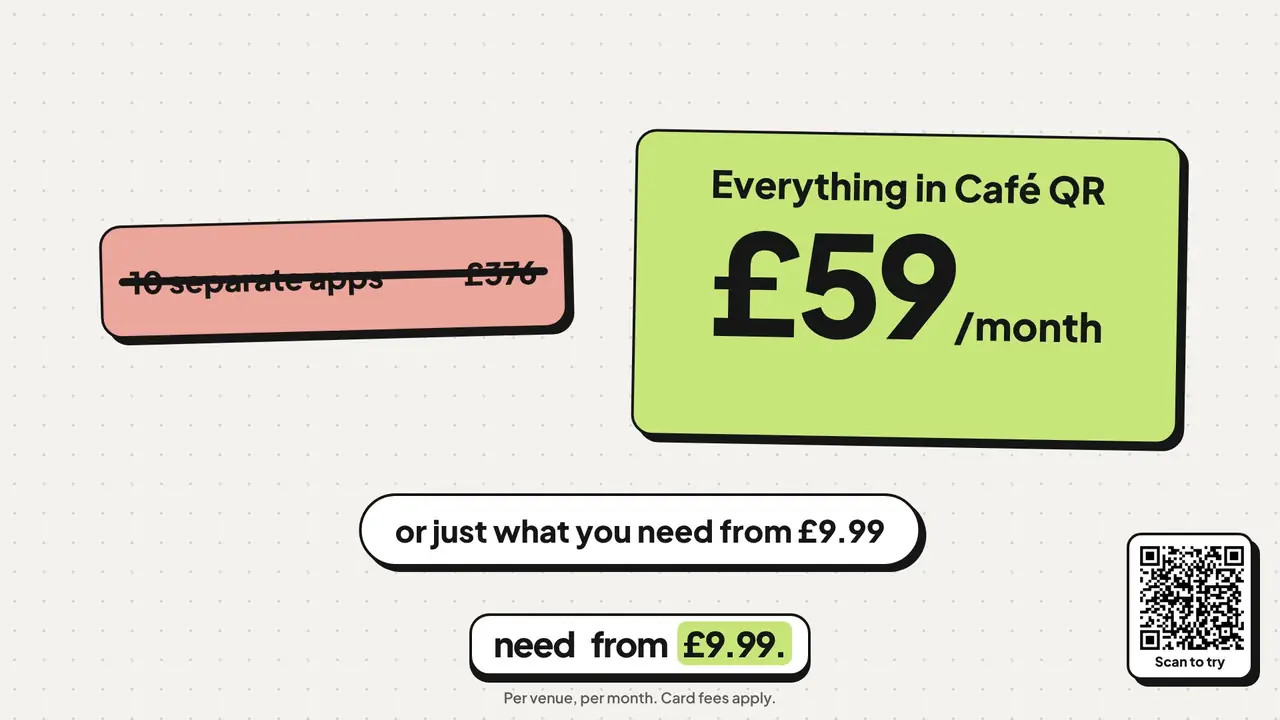
0:00 The separate apps a café pays for 0:22 The total: £376 a month 0:26 One app does it all 0:41 The Café QR price
One platform. Every part of the venue.
Sell, make, manage and grow from the same menu, the same customer list and the same takings. Each module switches on with your plan.
Questions
Straight answers, before you start.
Visit the help centre → Ask us on WhatsApp
Is this a full EPOS system, or just QR ordering?
It is a full cloud POS (EPOS) system for independent venues. The POS plan adds the staff till and waiter app, tabs and split bills, refunds, a floor plan and bookings, kitchen stations, cash-up and your own online ordering page. QR table ordering is built in alongside it, so tables can order for themselves while staff work the till. If the internet drops, the till keeps taking cash (and your own payment types) and uploads those sales when it is back; card payments, tabs and QR ordering need the connection. There is no cash-drawer kick yet.
Can it replace our current till?
For most cafés, restaurants, bars and pubs, yes: it covers sales, tabs, card and cash, refunds, cash-up, the kitchen, stock on the Multi-site plan and reports. If you need card payments through an internet outage or a drawer that opens itself, keep your EPOS and run Café QR next to it. A Square till can be linked so paid orders are pushed to it.
Do we need special hardware? Does it work on an iPad?
No special hardware, and yes. It runs in the browser on an iPad, an Android tablet, a phone or a laptop. A card reader (Stripe Terminal, UK) and a kitchen printer (Star or Epson) are optional extras you buy yourself, and you can take card on your own machine and record it on the till.
Where does the money go?
Payments are processed on your own connected Stripe account, with your café as the merchant. Stripe pays out to your bank according to your account’s payout schedule and settlement timing.
What happens if the Wi-Fi drops?
Service carries on. The till keeps taking cash, and any payment types of your own, and uploads those sales when the connection is back. Card payments, tabs, manager approvals, QR table ordering and online orders wait for the connection, so a phone hotspot is the simplest backup for those.
Is our data and our money safe?
Card payments go through your own Stripe account, so the money never passes through us and card numbers are handled by Stripe, not stored by Café QR. Every member of staff signs in as themselves with a role you choose, and refunds, discounts and the cash drawer can be set to need a manager's PIN.
From the blog · all posts