302AI Custom MCP Server
A customizable MCP service with flexible tool selection and configuration. Requires a 302AI API key.
🤖 302AI Custom MCP Server🚀✨
A customizable MCP service that supports tool selection and flexible configuration to meet your various needs.

Tutorial
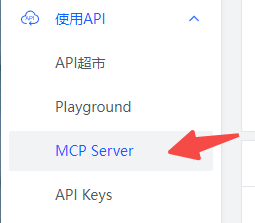
Open MCP Server in the menu
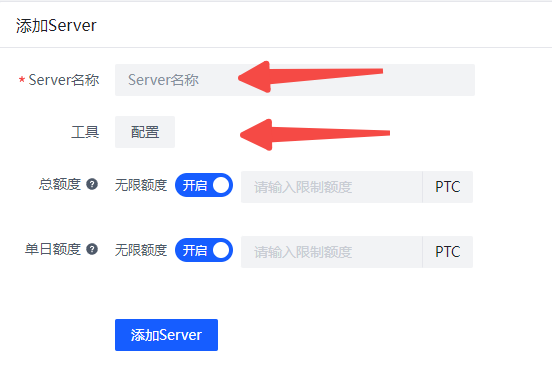
Enter a name and select the tools you want to configure.
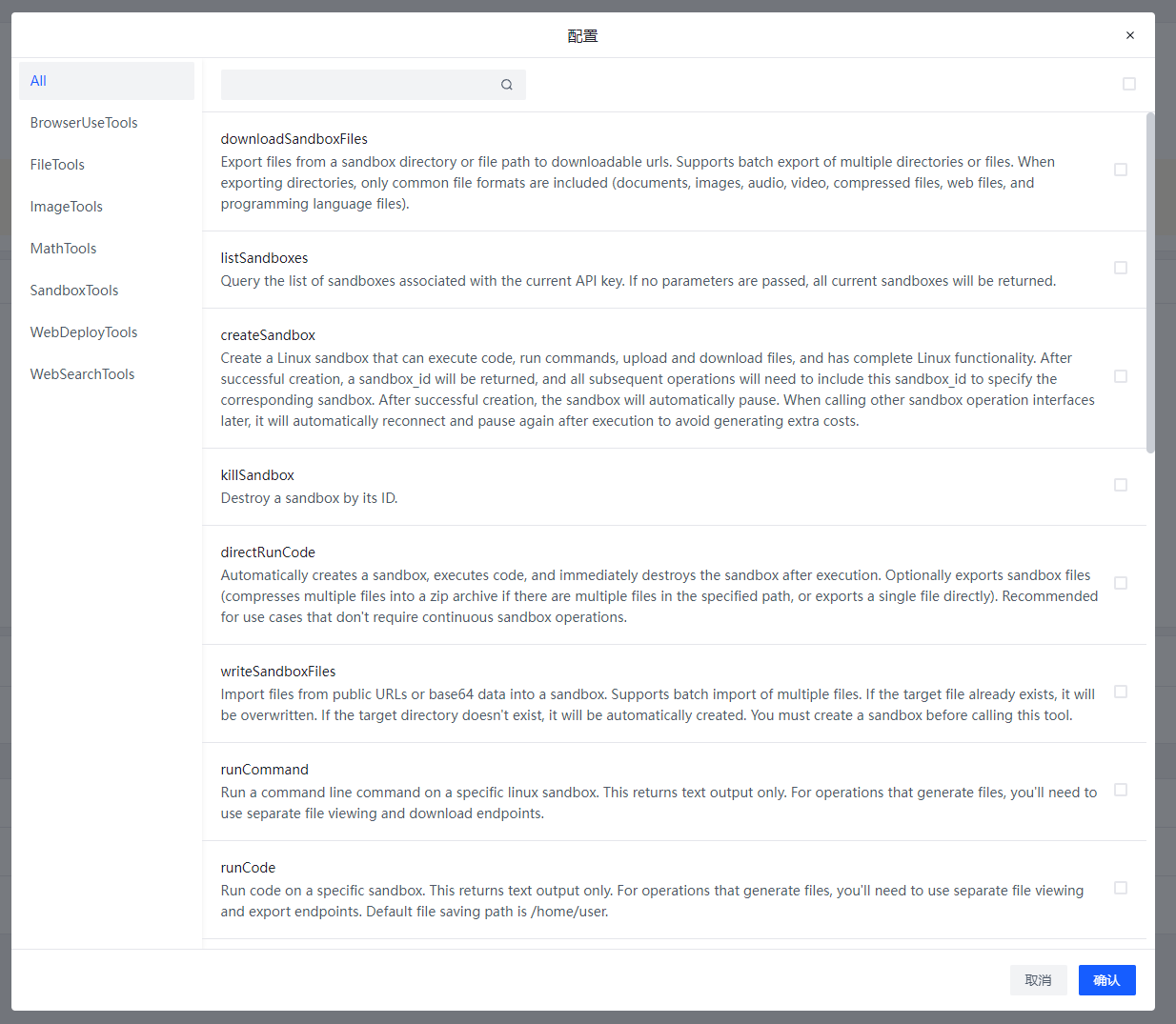
This is the current list of available tools, which is continuously being updated
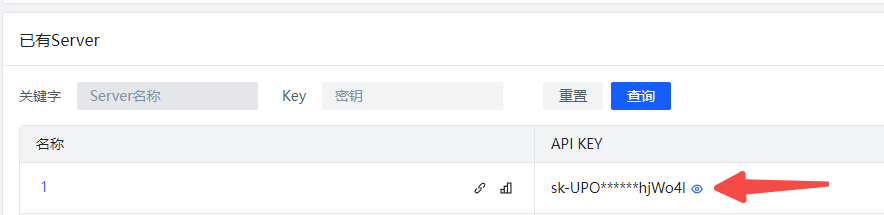
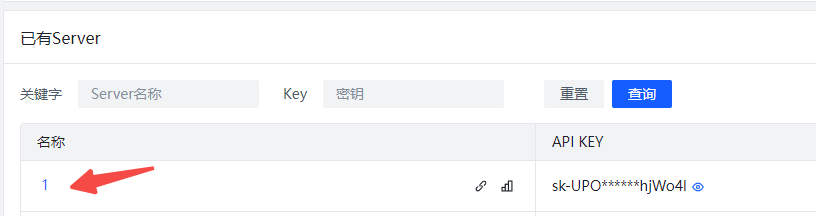
After creation, click on the Server name to view the Server configuration

Different Servers use different KEYs to obtain tool configurations. The client only needs to be installed once, no repeated installation required. Switching between different Servers only requires changing the API_KEY.
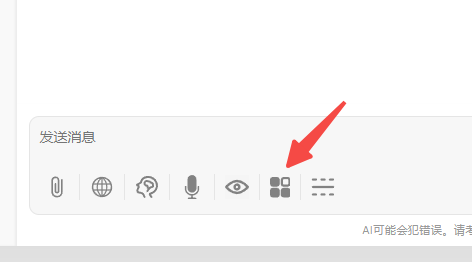
Open the MCP Server button in the chatbot
Enter the key you just created in 302ai-custom-server
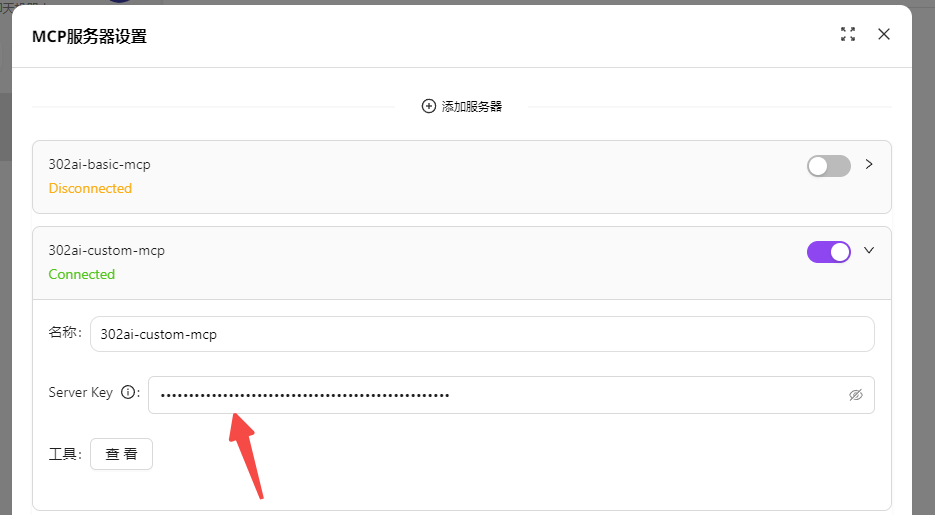
 Turn on the Server switch to start using it.
Taking Chatwise as an example for use in third-party clients
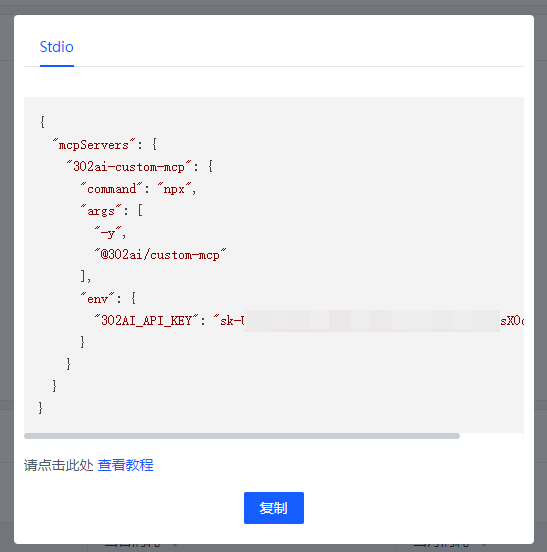
Click on the Server name, then click the copy button
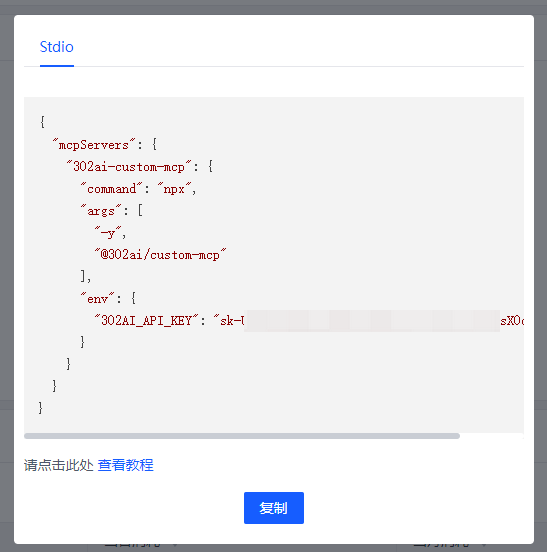
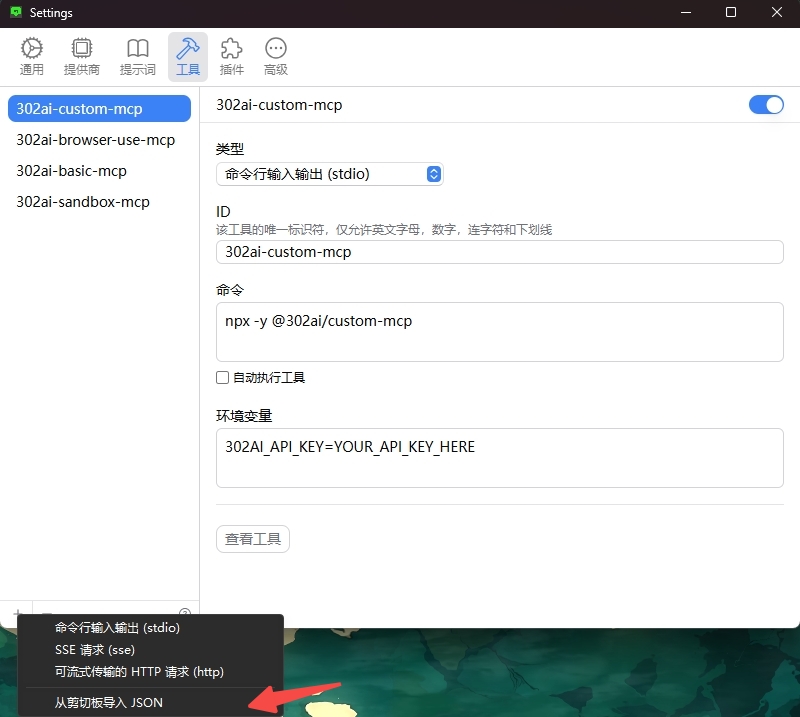
Open Chatwise settings-tools, click the bottom left corner, import JSON from clipboard
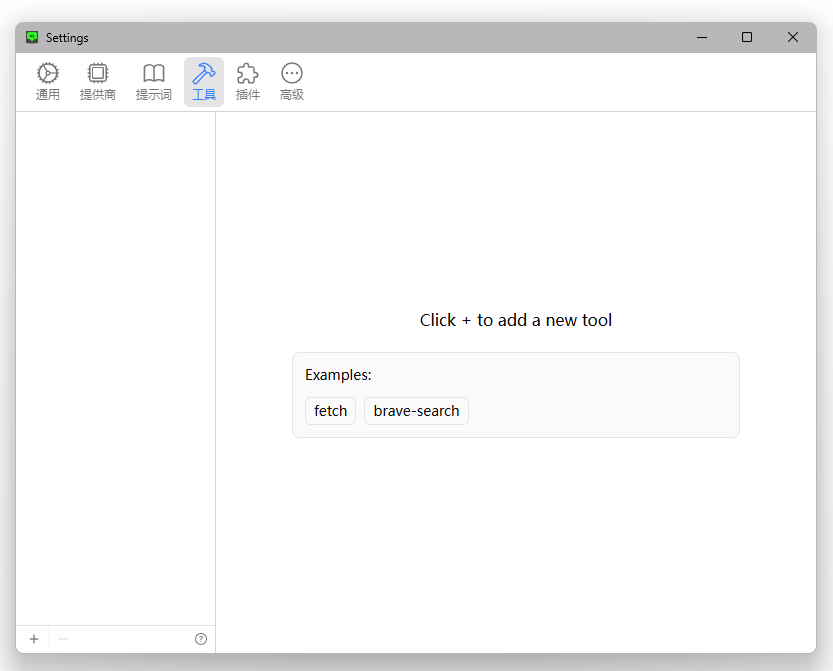
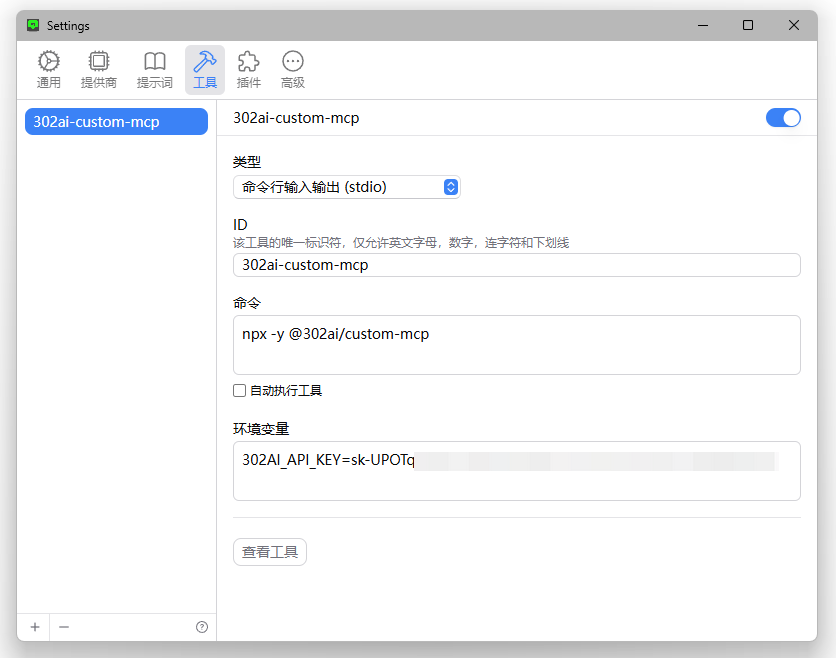 MCP Server imported successfully, you can now use it normally.
✨ Features ✨
- 🔧 Quickly generate your own MCP Server by selecting different APIs
- 🌐 Compatible with: Various MCP-supported clients, including 302.AI's chatbot
- 💻 Currently includes multiple tool types such as BrowserUseTools, FileTools, ImageTools, MathTools, SandboxTools, with more updates coming
Development
Install dependencies:
npm install
Build the server:
npm run build
For development with auto-rebuild:
npm run watch
Installation
To use with Claude Desktop, add the server config:
On MacOS: ~/Library/Application Support/Claude/claude_desktop_config.json
On Windows: %APPDATA%/Claude/claude_desktop_config.json
{
  "mcpServers": {
    "302ai-custom-mcp": {
      "command": "npx",
      "args": ["-y", "@302ai/custom-mcp"],
      "env": {
        "302AI_API_KEY": "YOUR_API_KEY_HERE",
        "LANGUAGE": "YOUR_LANGUAGE_HERE"
      }
    }
  }
}
To use with Cherry Studio, add the server config:
{
  "mcpServers": {
    "Li2ZXXJkvhAALyKOFeO4N": {
      "name": "302ai-custom-mcp",
      "description": "",
      "isActive": true,
      "registryUrl": "",
      "command": "npx",
      "args": [
        "-y",
        "@302ai/custom-mcp"
      ],
      "env": {
        "302AI_API_KEY": "YOUR_API_KEY_HERE"
      }
    }
  }
}
To use with ChatWise, copy the following content to clipboard
{
  "mcpServers": {
    "302ai-custom-mcp": {
      "command": "npx",
      "args": ["-y", "@302ai/custom-mcp"],
      "env": {
        "302AI_API_KEY": "YOUR_API_KEY_HERE"
      }
    }
  }
}
Go to Settings -> Tools -> Add button -> Select Import from Clipboard
Find Your 302AI_API_KEY here
Debugging
Since MCP servers communicate over stdio, debugging can be challenging. We recommend using the MCP Inspector, which is available as a package script:
npm run inspector
The Inspector will provide a URL to access debugging tools in your browser.
✨ About 302.AI ✨
302.AI is an enterprise-oriented AI application platform that offers pay-as-you-go services, ready-to-use solutions, and an open-source ecosystem.✨
- 🧠 Integrates the latest and most comprehensive AI capabilities and brands, including but not limited to language models, image models, voice models, and video models.
- 🚀 Develops deep applications based on foundation models - we develop real AI products, not just simple chatbots
- 💰 Zero monthly fee, all features are pay-per-use, fully open, achieving truly low barriers with high potential.
- 🛠 Powerful management backend for teams and SMEs - one person manages, many people use.
- 🔗 All AI capabilities provide API access, all tools are open source and customizable (in progress).
- 💡 Strong development team, launching 2-3 new applications weekly, products updated daily. Developers interested in joining are welcome to contact us.
संबंधित सर्वर
Alpha Vantage MCP Server
प्रायोजकAccess financial market data: realtime & historical stock, ETF, options, forex, crypto, commodities, fundamentals, technical indicators, & more
AIO-MCP Server
An MCP server with integrations for GitLab, Jira, Confluence, and YouTube, providing AI-powered search and development utility tools.
ShaderToy-MCP
Query and interact with ShaderToy shaders using large language models.
Replicate Minimax Image-01
Generate images using the minimax/image-01 model on Replicate.
Feishu OAuth MCP Server
An MCP server with built-in Feishu OAuth authentication, deployable on Cloudflare Workers.
Laravel Forge MCP Server
Manage Laravel Forge servers and sites using the Forge API.
CursorRules MCP
An intelligent system for managing programming rules, supporting search, versioning, code validation, and prompt enhancement.
MCP Chart Server
Create real-time TradingView chart visualizations using the Chart-IMG API.
Mastra/mcp
Client implementation for Mastra, providing seamless integration with MCP-compatible AI models and tools.
depwire
Code dependency graph and AI context engine. 10 MCP tools that give Claude, Cursor, and any MCP client full codebase context — impact analysis, dependency tracing, architecture summaries, and interactive arc diagram visualization. Supports TypeScript, JavaScript, Python, and Go.
appstore-connect-mcp
Check if your iOS app is in review, read customer feedback, and pull sales numbers without leaving your editor. Works with Claude Code, Cursor, and Windsurf. Free to start, your credentials never leave your machine.