TextEdit-MCP
Swift-based MCP for creating perfectly formatted RTF documents using Apple's native TextEdit APIs
Documentation

TextEdit MCP


Ask your AI (Claude, ChatGPT, Cursor or any MCP client) for a formatted document. Open a real RTF in TextEdit.
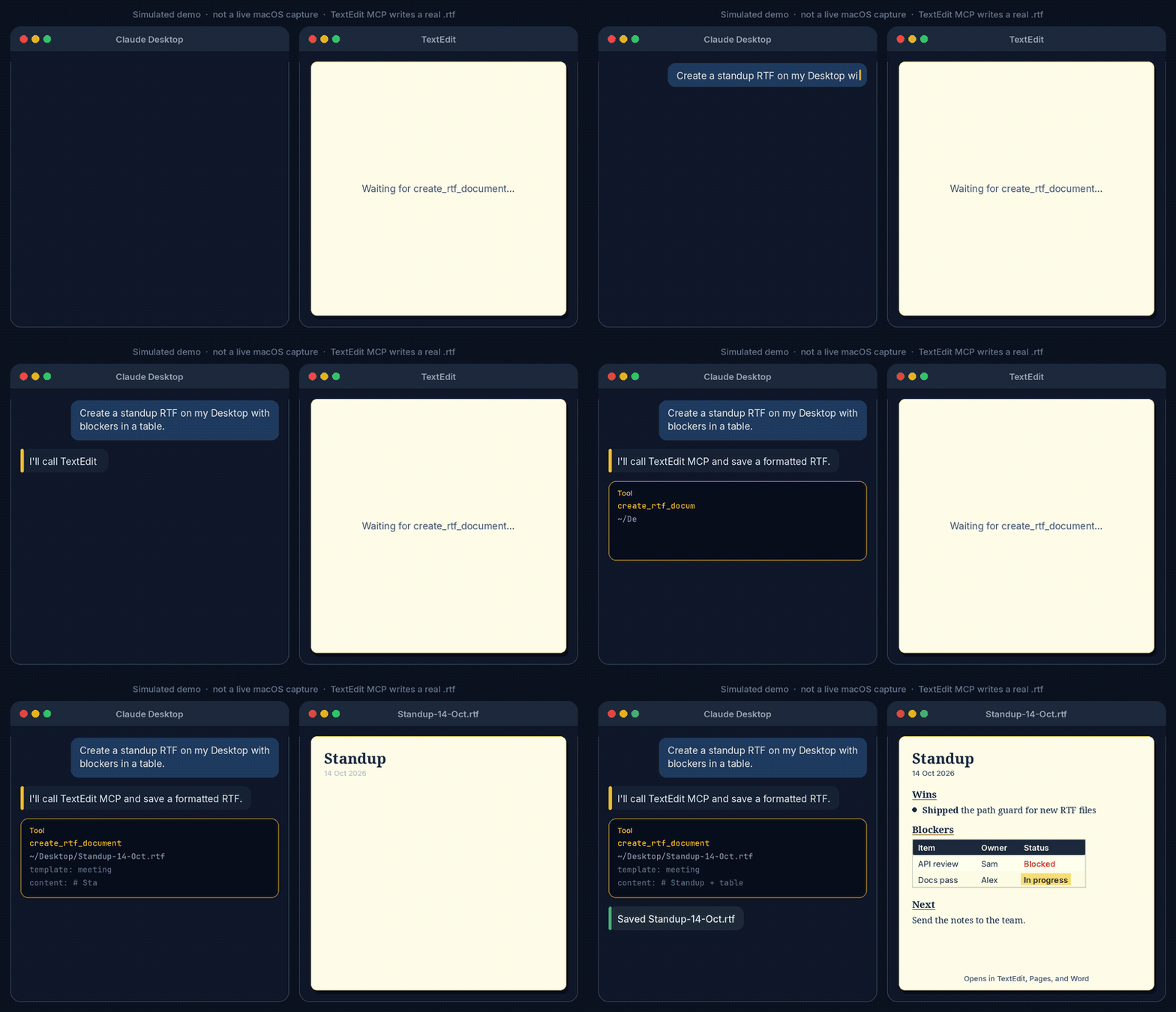
Simulated demo, not a live macOS capture. The tool is create_rtf_document. It writes a real .rtf you can open in TextEdit, Pages, or Word.
A Model Context Protocol (MCP) server that enables Claude Desktop to create beautifully formatted RTF documents with native macOS TextEdit compatibility.
Quick start
macOS, Swift 5.9 or later, and an MCP client.
- Clone the repository:
git clone https://github.com/M-Pineapple/TextEdit-MCP.git
cd TextEdit-MCP
- Run the installer:
./install.sh
- Restart your MCP client and ask for a formatted RTF on your Desktop.
Features
-
📝 Rich Text Formatting
- Bold, italic, underline, strikethrough
- Headings (H1-H2)
- Paragraph formatting with customizable spacing
-
🎨 Colors & Highlighting
- Text colors: Red, Blue, Green
- Highlight colors: Yellow, Cyan, Green, Orange
- Full color support in tables
-
📊 Tables
- Real RTF tables with borders
- Header row styling
- Full formatting support within cells
- Automatic cell padding and alignment
-
🔗 Hyperlinks
- Clickable URLs
- Formatted link text
- Works in TextEdit, Pages, and Word
-
📋 Lists
- Bullet points
- Numbered lists
- Proper indentation
-
🎯 Templates
- Business (default)
- Technical (monospace)
- Meeting (increased line spacing)
-
🛡️ Path guard
- New
.rtffiles only, inside the home folder - Hidden paths, overwrites, and symlinks that resolve outside home are refused
- New
Installation
Prerequisites
- macOS (required for NSAttributedString and RTF generation)
- Swift 5.0 or later
- Claude Desktop
The installer will:
- Build the Swift project
- Install the MCP server binary
- Update your Claude Desktop configuration
- Create a backup of your existing config
See Quick start for the three commands.
Usage
In Claude Desktop, you can create RTF documents using natural language:
"Create an RTF document with my meeting notes"
"Make a formatted report with tables and highlights"
"Generate a technical document with code examples"
Or use the tool directly:
Use textedit:create_rtf_document to create a document at ~/Desktop/MyDoc.rtf
Formatting Syntax
The TextEdit MCP uses an intuitive markdown-like syntax:
Text Formatting
**Bold text***Italic text****Bold italic text***~~Strikethrough text~~
Colors
{red}Red text{/red}{blue}Blue text{/blue}{green}Green text{/green}
Highlighting
==Yellow highlight==[[Cyan highlight]]{{Green highlight}}((Orange highlight))
Headings
# Heading 1
## Heading 2
### Heading 3
#### Heading 4
Lists
• Bullet point (or use - )
1. Numbered item
2. Another item
Tables
| Column 1 | Column 2 | Column 3 |
|----------|----------|----------|
| Data 1   | Data 2   | Data 3   |
| More     | Data     | Here     |
Links
[Link text](https://example.com)
Examples
Simple Document
# Meeting Notes

## Agenda
- Review **Q4 results**
- Discuss {red}urgent issues{/red}
- Plan for next quarter

## Action Items
1. ==Update documentation==
2. [[Review code changes]]
3. Schedule follow-up
Table with Formatting
| Task | Status | Owner |
|------|--------|-------|
| **Documentation** | {green}✅ Complete{/green} | Team A |
| *Testing* | ==In Progress== | Team B |
| Deployment | {red}Blocked{/red} | DevOps |
Development
Building from Source
swift build -c release
Running Tests
swift test
Project Structure
TextEdit-MCP/
├── Sources/
│   └── TextEditMCP/
│       ├── main.swift           # Entry point
│       ├── MCPServer.swift      # MCP protocol handler
│       ├── RTFDocumentService.swift  # RTF generation
│       └── MCPLogger.swift      # Logging utility
├── docs/
│   ├── demo.gif                 # Simulated README demo
│   └── generate-demo-gif.py     # Regenerates the demo GIF
├── Package.swift
├── README.md
├── FORMATTING_GUIDE.md
└── install.sh
How It Works
- MCP Protocol: Implements the Model Context Protocol to communicate with Claude Desktop
- NSAttributedString: Uses macOS native APIs for rich text formatting
- NSTextTable: Creates real RTF tables with proper borders and cell formatting
- RTF Export: Generates standard RTF files compatible with TextEdit, Pages, and Word
Contributing
Contributions are welcome! Please feel free to submit a Pull Request.
Guidelines
- Maintain compatibility with macOS TextEdit
- Follow Swift naming conventions
- Add tests for new features
- Update documentation
Support
If this saves you time, a star helps others find it.
If you find this tool useful, consider supporting development:

More MCP servers by M-Pineapple
Other MCP servers in this portfolio:
- Claude Project Coordinator. Track Xcode projects, status, tech stack and health.
- CryptoAnalysisMCP. Cryptocurrency technical analysis for Claude Desktop.
- Warp Command Runner. Give any chat AI a real terminal.
- Msty Admin MCP. Administer Msty Studio Desktop.
- Member Berries. Apple Calendar, Notes and Reminders with personality.
- SeaShell. Talk to Claude from any terminal block.
- HubSpot Auditor. Read-only HubSpot portal audit.
Licence
MIT Licence. See LICENSE for details.
Acknowledgments
- Created for use with Claude Desktop
- Built with Swift and AppKit
- Uses Model Context Protocol (MCP)
Created by Pineapple 🍍