Knit MCP
officielConnectez-vous avec plus de 10 000 outils dans les catégories RHIS, ATS, CRM, Comptabilité, Calendrier, Réunion, Ticketing et bien d'autres.
Que pouvez-vous faire avec Knit MCP ?
- Créer un serveur MCP personnalisé — Demandez à votre assistant de vous guider dans la sélection d’outils issus d’applications SaaS prises en charge et de les regrouper dans un nouveau serveur.
- Déployer pour votre client préféré — Obtenez des instructions de configuration étape par étape pour Claude, Cursor, Windsurf, ou un client personnalisé que vous développez.
- Récupérer les identifiants du serveur — Demandez à votre assistant d’expliquer comment obtenir l’URL du serveur et le jeton MCP nécessaires pour connecter vos outils d’IA.
- Gérer l’accès au compte — Renseignez-vous sur la connexion ou la création d’un compte via Google, Microsoft, ou e-mail pour commencer à utiliser la plateforme.
Documentation
Démarrage avec Knit MCP Hub pour les agents IA
Ce document fournit une vue d'ensemble complète de la configuration et de l'exploitation des serveurs MCP SaaS gérés par Knit. Le processus implique la connexion à la plateforme, la création d'un serveur et la sélection des outils et applications nécessaires pour faciliter votre flux de travail.
Étape 1
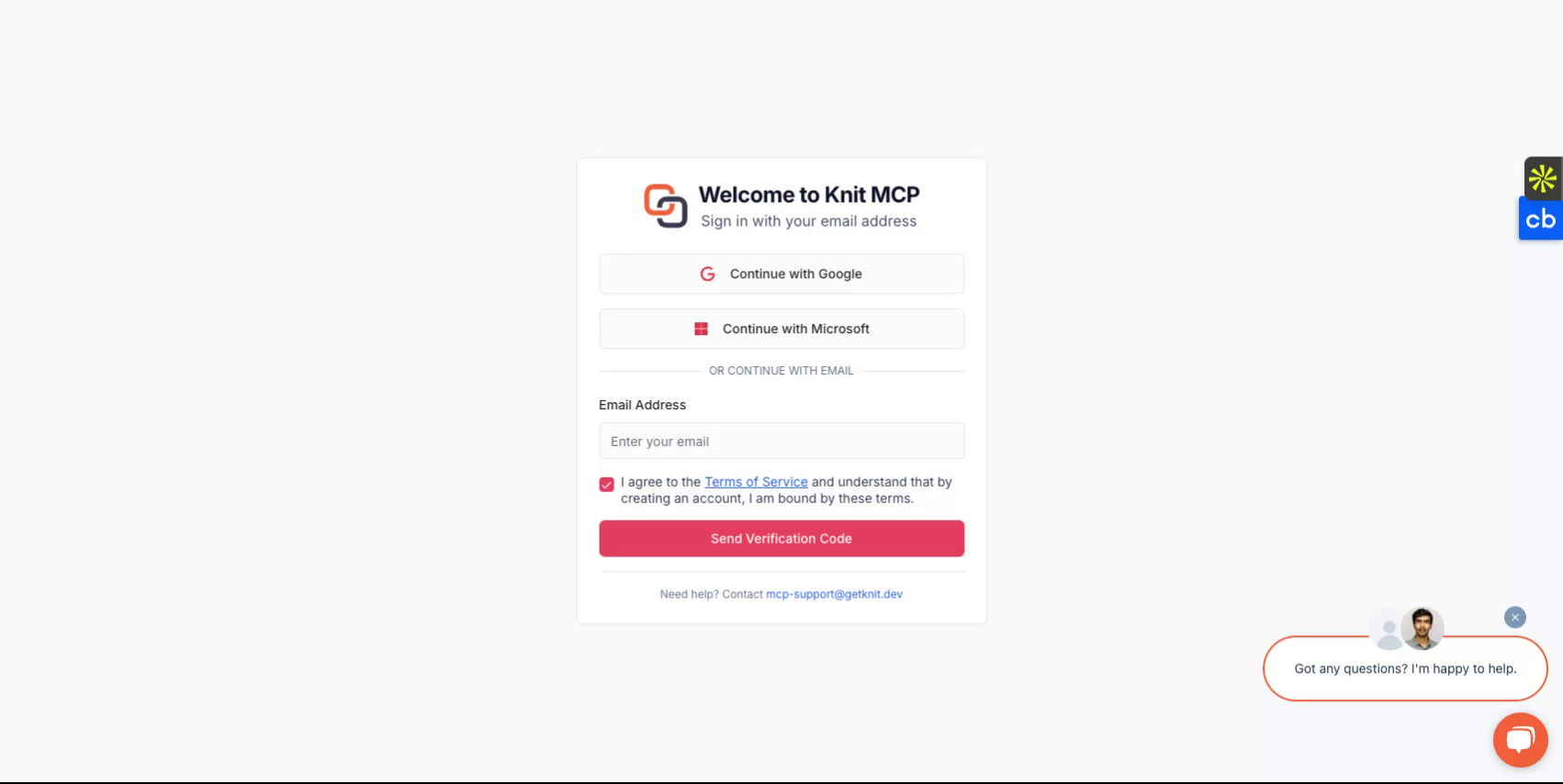
Commencez par visiter https://mcphub.getknit.dev. Connectez-vous avec votre compte Google ou Microsoft, ou créez un compte en utilisant votre adresse e-mail. Cela vous permettra d'accéder aux fonctionnalités de la plateforme.
Étape 2
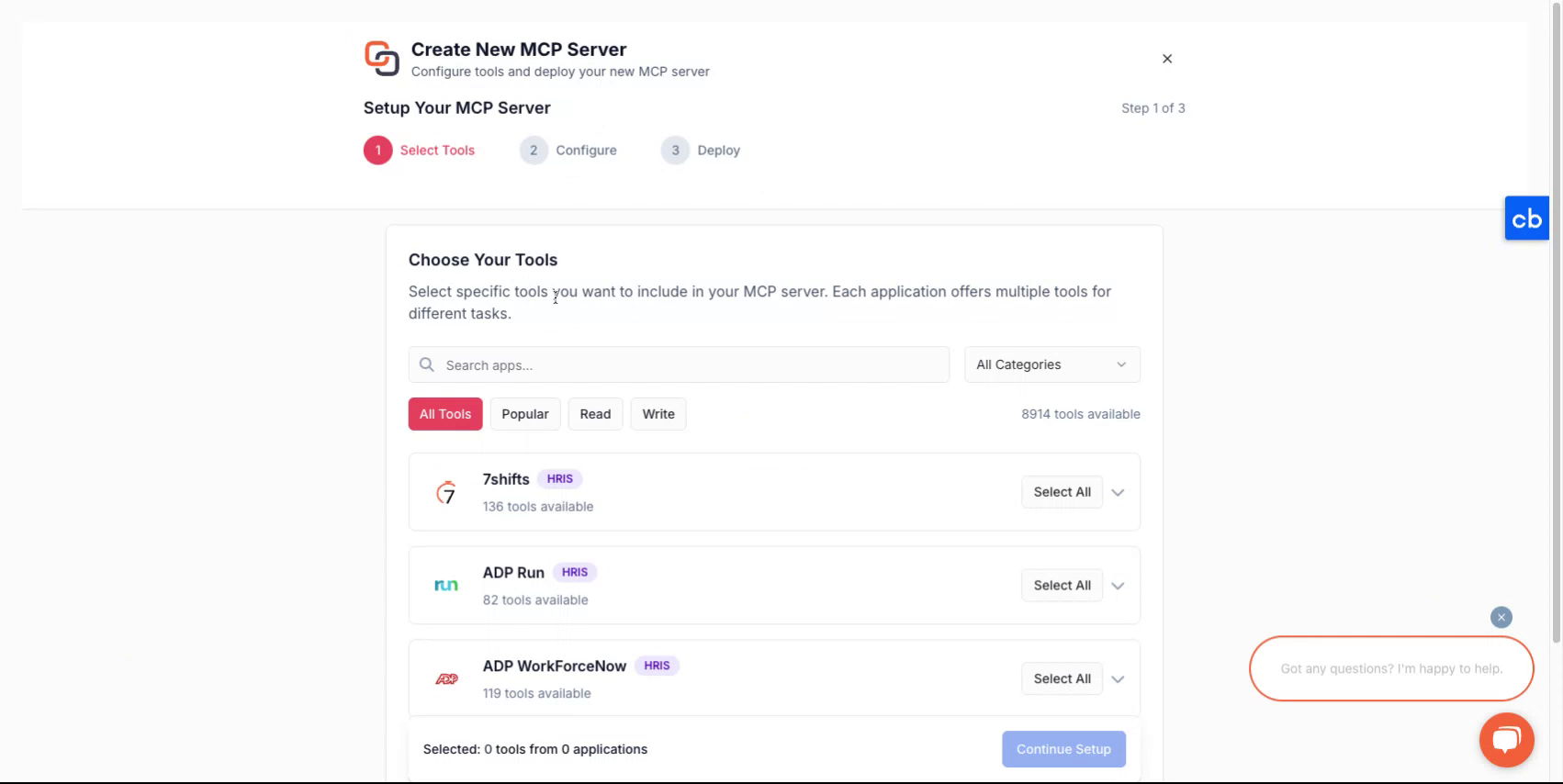
Après vous être connecté à votre compte, vous serez guidé tout au long du processus de création d'un nouveau serveur.
Étape 3
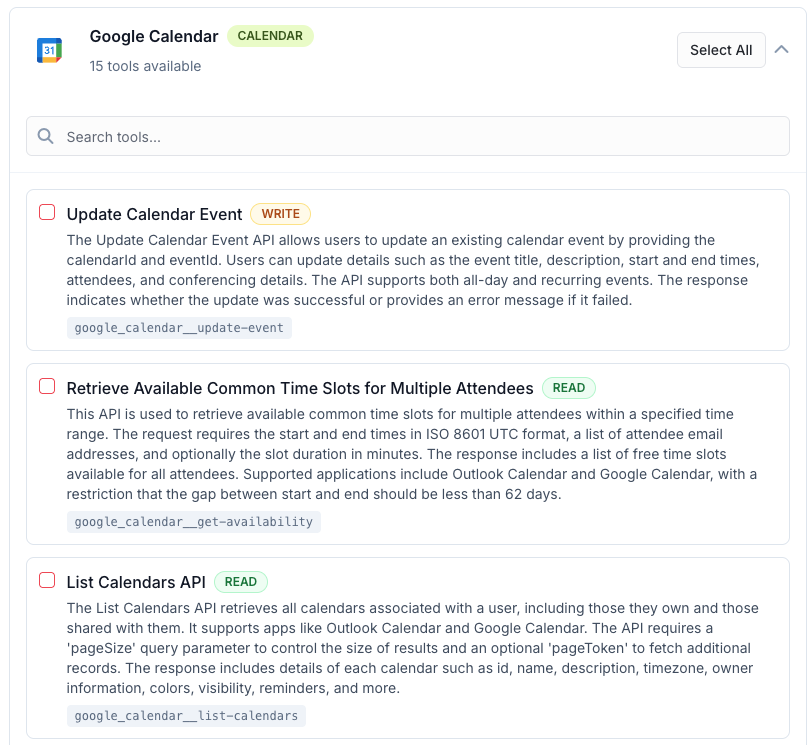
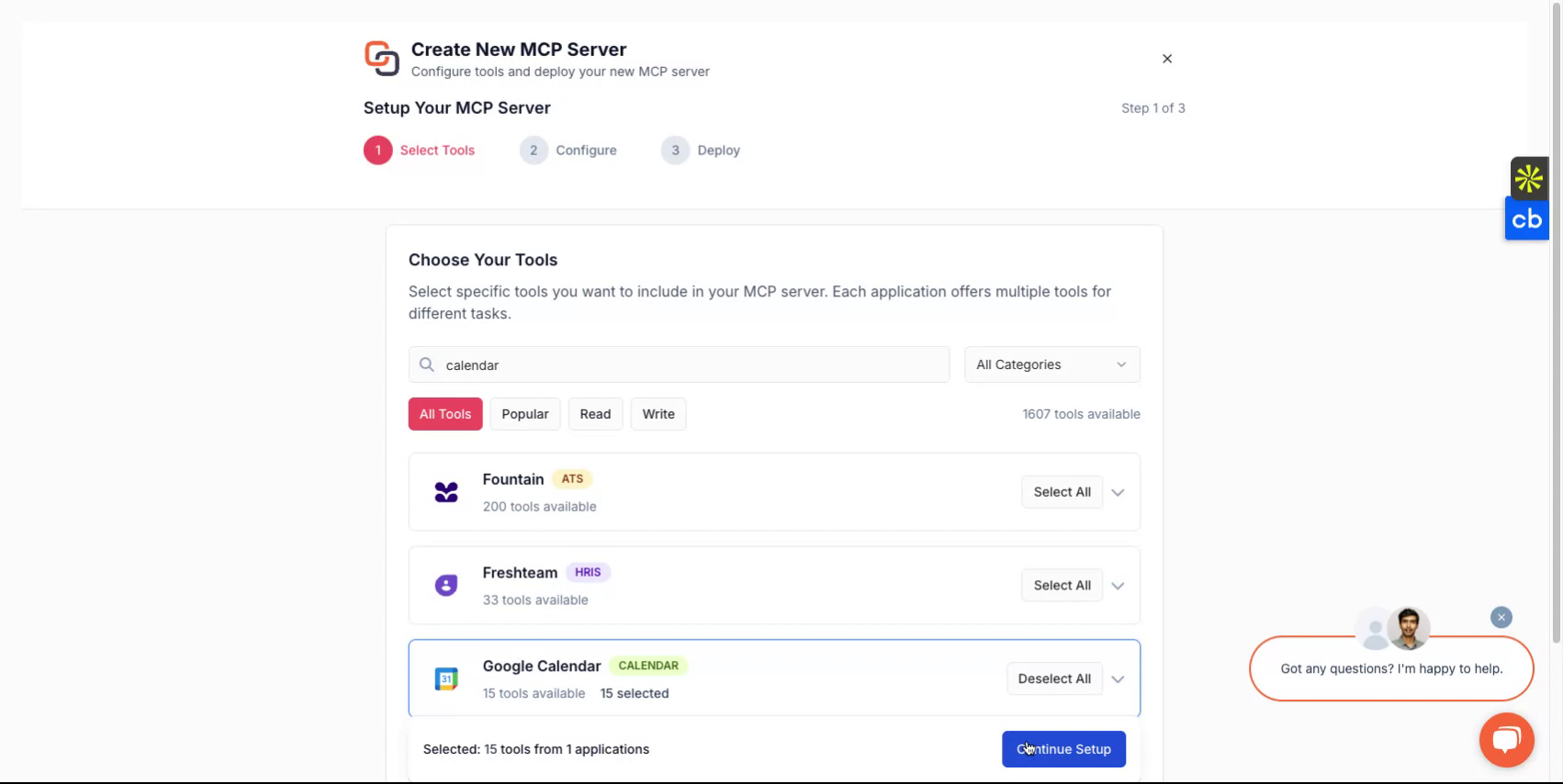
Pour créer un nouveau serveur MCP, sélectionnez d'abord les outils que vous souhaitez regrouper dans le serveur MCP. Ceux-ci peuvent provenir d'une ou plusieurs applications. Vous pouvez trouver la liste de toutes les applications prises en charge ici - Tous les serveurs MCP
Étape 4
Après avoir effectué une sélection, attribuez un nom à votre serveur, donnez-lui une description, puis continuez à choisir comment vous souhaitez le déployer.
Étape 5
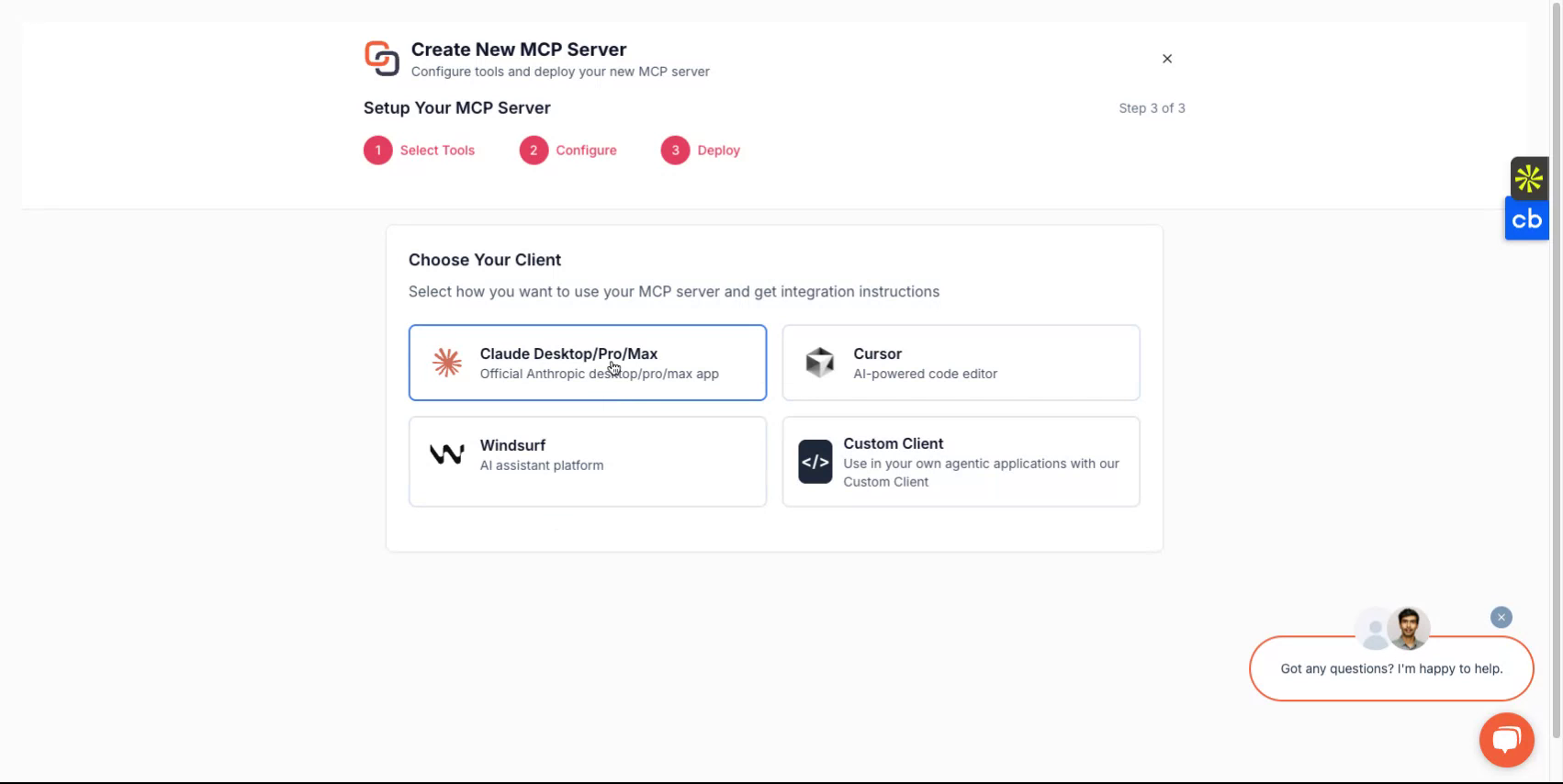
Selon le client que vous souhaitez utiliser, vous pouvez choisir parmi des options telles que Claude, Cursor, Windsurf ou choisir de l'implémenter avec un client personnalisé que vous développez. La plateforme vous guidera tout au long du processus de configuration.
Étape 6
Une fois terminé, vous recevrez une URL de serveur et un jeton de serveur MCP. Ces informations d'identification sont essentielles pour accéder à votre serveur.
Si vous prévoyez de développer des clients personnalisés, sélectionnez l'option client personnalisé et suivez les instructions correspondantes.
Terminé
Vous avez maintenant configuré avec succès votre serveur Knit-MCP. Pour toute question, contactez-nous à mcp-support@getknit.dev