BulkPublish
Publier en masse sur plusieurs réseaux sociaux à la fois.
Documentation

BulkPublish API
The free social media API built for automation, AI agents, and LLMs.


Get Started » · API Docs · Website · MCP Server
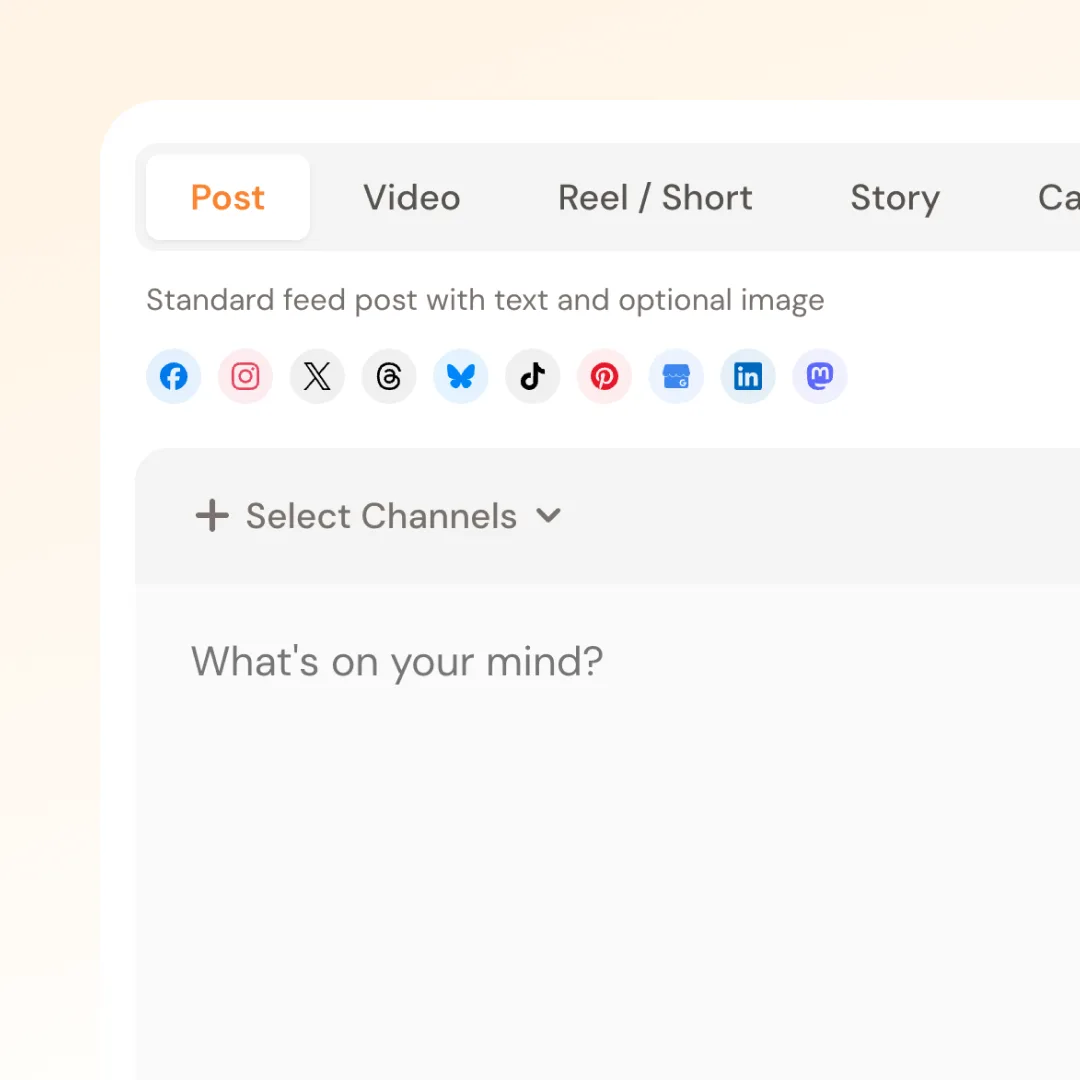
Programmatically publish to 15 platforms from a single API call. Built for developers, AI agents, LLMs, and agentic workflows that need reliable social media automation without browser sessions or manual interaction.
from bulkpublish import BulkPublish

bp = BulkPublish("bp_your_key_here")
bp.posts.create(
    content="Launching our new product today!",
    channels=[{"channelId": 1, "platform": "x"}, {"channelId": 2, "platform": "linkedin"}],
    status="scheduled",
    scheduled_at="2026-04-10T09:00:00Z",
)
Why BulkPublish?
Most social media tools are built for humans clicking buttons. BulkPublish is built for code — whether that code is written by a developer, an AI agent, an LLM with tool use, or an autonomous workflow.
- Headless by design — No browser, no UI, no OAuth pop-ups at runtime. Connect accounts once in the dashboard, then automate everything via API.
- AI-native — MCP server for Claude, tool definitions for GPT and LangChain, structured JSON responses that LLMs parse reliably.
- Agentic-ready — Deterministic API with clear error codes. AI agents can create posts, check status, retry failures, and read analytics autonomously.
- 15 platforms, one endpoint — Facebook, Instagram, X/Twitter, TikTok, YouTube, Threads, Bluesky, Pinterest, Google Business Profile, LinkedIn, Mastodon, Discord, Telegram, Tumblr, Snapchat.
Use Cases
- AI social media managers — Let Claude, GPT, or custom agents schedule and publish posts autonomously
- Content pipelines — RSS-to-social, blog-to-social, newsletter-to-social automation
- Bulk scheduling — Upload a CSV or feed a content calendar and schedule weeks of posts programmatically
- Cross-platform syndication — Publish once to all platforms with per-platform content optimization
- Analytics dashboards — Pull engagement data into your own tools, spreadsheets, or AI analysis
- Zapier/n8n/Make alternatives — Direct API access without middleware, lower latency, more control
- LLM-powered content creation — Generate content with AI, publish it with BulkPublish, track performance, iterate
Quick Start
1. Sign up
Create a free account at app.bulkpublish.com.
2. Get your API key
Go to Settings > Developer in the dashboard and create an API key. Keys start with bp_ and are shown only once — save it securely.
3. Connect platforms
Connect your social accounts in the dashboard under Channels. The API uses your connected channels to publish.
4. Install an SDK
Python
pip install bulkpublish
Node.js
npm install bulkpublish
Homebrew (macOS/Linux)
brew tap azeemkafridi/bulkpublish && brew install bulkpublish
Or call the REST API directly with curl, fetch, requests, or any HTTP client.
5. Make your first API call
curl -X POST https://app.bulkpublish.com/api/posts \
  -H "Authorization: Bearer bp_your_key_here" \
  -H "Content-Type: application/json" \
  -d '{
    "content": "Hello from the BulkPublish API!",
    "channels": [{"channelId": 1, "platform": "linkedin"}],
    "status": "draft"
  }'
AI Agent Integration
MCP Server (Claude, Cursor, Windsurf, Claude Code)
BulkPublish ships an MCP server so AI assistants can manage your social media directly:
{
  "mcpServers": {
    "bulkpublish": {
      "command": "npx",
      "args": ["-y", "@bulkpublish/mcp-server"],
      "env": {
        "BULKPUBLISH_API_KEY": "bp_your_key_here"
      }
    }
  }
}
79 tools in the local (stdio) server: create_post, list_channels, upload_media, get_analytics, the interactive compose_post composer (MCP Apps), and more. The hosted server at https://mcp.bulkpublish.com/mcp (OAuth 2.1) serves the 20-tool core profile: channels, posts, media, analytics and the interactive panels. The 27-tool inbox profile adds reading and answering direct messages, reviews and comments. See mcp-server/README.md.
Social Media Content Skills
BulkPublish includes a 24-skill library for AI agents to plan, adapt, review, schedule, and publish social media content: Social Media Content Skills.
LLM Tool Use / Function Calling
Ready-made tool definitions for autonomous AI agents:
- Claude tool_use example — Anthropic SDK with tool definitions for scheduling posts
- OpenAI function calling example — GPT-4 with functions for post management
- LangChain tool example — LangChain agent with BulkPublish tools
All examples are complete, runnable scripts with error handling.
Code Examples
Create a Post
| Python | Node.js |
|---|---|
|
|
Schedule a Post
post = bp.posts.create(
    content="This will go out tomorrow morning.",
    channels=[{"channelId": 1, "platform": "instagram"}],
    status="scheduled",
    scheduled_at="2026-04-10T09:00:00Z",
    timezone="America/New_York",
)
Upload Media and Publish
media = bp.media.upload("./product-photo.jpg")

post = bp.posts.create(
    content="Our newest product is here.",
    channels=[{"channelId": 1, "platform": "instagram"}],
    media_files=[media["file"]["id"]],
    status="scheduled",
    scheduled_at="2026-04-10T12:00:00Z",
)
Automation Example: Bulk Schedule from CSV
import csv
from bulkpublish import BulkPublish

bp = BulkPublish("bp_your_key_here")
channels = bp.channels.list()["channels"]

with open("content-calendar.csv") as f:
    for row in csv.DictReader(f):
        bp.posts.create(
            content=row["content"],
            channels=[{"channelId": ch["id"], "platform": ch["platform"]} for ch in channels],
            status="scheduled",
            scheduled_at=row["scheduled_at"],
            timezone="America/New_York",
        )
More examples in examples/ — including Python automation scripts, Node.js examples, curl reference, and AI agent integrations.
Features
- 15 platforms — Facebook, Instagram, X/Twitter, TikTok, YouTube, Threads, Bluesky, Pinterest, Google Business Profile, LinkedIn, Mastodon, Discord, Telegram, Tumblr, Snapchat
- Scheduling — Schedule posts for any future time with timezone support, or let queue slots pick optimal times
- Media uploads — Images (JPEG, PNG, WebP, GIF) and videos (MP4, MOV, WebM) up to 100 MB
- Recurring schedules — Repeat posts daily, weekly, biweekly, or monthly at a set time of day
- Analytics — Track impressions, likes, comments, shares, and engagement. Each platform reports a different subset of metrics, and the response says which (
supportedMetrics/supportedTotals) so a0is never mistaken for a measurement — see Metrics by Platform - Link tracking — Opt in per organization, or per post via
linkTrackingOverride, to rewrite links throughbulkpubli.shand count the clicks. Reported aslinkClicks/totalLinkClicksand measured by BulkPublish rather than the platform, so it works even where the platform reports nothing — see Character Limits - Labels — Organize posts and media with color-coded labels
- Hashtag groups — Save sets of hashtags and drop them into a post in one call
- Templates — Save post text and start new posts from it
- Review links — Share a read-only page of a post with someone who has no account
- Calendar notes — Pin campaigns, holidays and reminders to calendar days
- Bulk operations — Delete or retry multiple posts in a single request
- Threads — Multi-part thread posts for X, Threads, Bluesky, and Mastodon
- Auto first comment — Automatically add a comment after publishing on any platform
- All post types — Reels, Stories, Carousels, Threads, Shorts, Video — set per-platform via
postTypeOverrides - Per-platform content — Customize text and options per platform in a single post
- Platform-specific options — Instagram collaborators, TikTok privacy, YouTube categories, Pinterest boards, and more
API Reference
Full interactive API documentation: app.bulkpublish.com/docs
Base URL
https://app.bulkpublish.com
Authentication
Authorization: Bearer bp_your_key_here
Core Endpoints
| Method | Endpoint | Description |
|---|---|---|
POST | /api/posts | Create a post (draft, scheduled, or immediate) |
GET | /api/posts | List posts (paginated, filterable by status/date/channel/label) |
GET | /api/posts/:id | Get a post with platform statuses and metrics |
PUT | /api/posts/:id | Update a draft or scheduled post |
DELETE | /api/posts/:id | Delete a post |
POST | /api/posts/:id/publish | Publish a draft immediately |
POST | /api/posts/:id/retry | Retry failed platforms |
POST | /api/posts/:id/approve | Approve a post awaiting team approval (roles with post:approve) |
POST | /api/posts/:id/reject | Reject a pending post back to draft, with an optional reason |
POST | /api/posts/bulk | Bulk delete or retry |
GET | /api/channels | List connected social media channels |
GET | /api/channels/:id/health | Check channel token health |
GET | /api/channels/:id/options | Get platform options (Pinterest boards, YouTube playlists, Tumblr blogs, Discord channels, Reddit ?q=/?subreddit=, Threads ?q= place search) |
GET | /api/channels/:id/mentions | Search accounts for @mention (X, Bluesky, Mastodon, LinkedIn Pages — LinkedIn results are @[Name](urn:li:organization:ID) tokens plus the vanityName slug they matched on) |
GET/POST | /api/templates | Saved post templates (get/update/delete via /api/templates/:id) |
GET/POST | /api/calendar-notes | Notes pinned to calendar days, ?from&to range (update/delete via /api/calendar-notes/:id) |
POST/DELETE | /api/posts/:id/share | Create or revoke the post's read-only review link (/p/<token>) |
GET/POST | /api/hashtag-groups | Saved hashtag groups, 1-30 hashtags each (get/update/delete via /api/hashtag-groups/:id) |
GET/POST | /api/channel-sets | Saved channel groups for one-click targeting (update/delete via /api/channel-sets/:id) |
GET/POST | /api/rss-feeds | RSS/Atom autopost feeds — new items become posts (update/delete via /api/rss-feeds/:id) |
POST | /api/media | Upload a media file (multipart form, up to 100MB) |
POST | /api/media/multipart/create | Start a chunked upload for large media (videos up to 1GB, 10MB parts) |
POST | /api/media/multipart/complete | Assemble uploaded parts and record the media file |
GET | /api/media | List uploaded media |
GET | /api/analytics/summary | Analytics summary for a date range |
GET | /api/analytics/engagement | Engagement totals, per-day / per-platform / per-channel breakdowns, ranked and full post lists — filterable by channels, platforms, labels, format and media type; compare=1 adds the previous period |
GET | /api/analytics/post-history | Every stored metrics snapshot for one post, per platform (trend since publish) |
GET | /api/analytics/links | Tracked bulkpubli.sh links with click counts |
POST | /api/schedules | Create a recurring schedule |
GET | /api/quotas/usage | Check current plan limits and usage |
GET | /api/inbox/conversations | Inbox: direct messages, reviews and comment threads, with filters and cursor paging (Pro and Business) |
GET/POST | /api/inbox/conversations/:id/messages | Read a conversation, or send a reply to the person on the platform |
PATCH | /api/inbox/conversations/:id | Mark read, archive, snooze or assign a conversation |
GET | /api/posts/:id/engagement | Comments and reactions on a published post, per channel |
POST | /api/posts/:id/comments/reply | Reply to a comment on a published post |
POST | /api/posts/:id/comments/moderate | Like, unlike, hide, unhide or delete a comment |
See the OpenAPI spec for the complete endpoint list.
Supported Platforms
| Platform | Post Types | Media |
|---|---|---|
| Post, Story | Images, Videos | |
| Feed, Reel, Story, Carousel | Images (JPEG), Videos (MP4, MOV) | |
| X / Twitter | Tweet, Thread | Images, Videos, GIFs |
| TikTok | Video, Photo Slideshow | Videos (MP4, MOV), Images |
| YouTube | Video, Short | Videos (MP4, MOV, WebM, AVI, WMV, FLV) |
| Threads | Post, Thread, Quote Post | Images, Videos |
| Bluesky | Post, Thread | Images |
| Pin | Images, Videos | |
| Google Business Profile | Post, Event, Offer | Images |
| Post, Multi-image, PDF Carousel, Article | Images (JPEG, PNG, GIF), Videos (MP4) | |
| Mastodon | Post, Thread | Images, Videos |
| Snapchat | Story, Saved Story, Spotlight | Exactly 1 image (JPG, PNG) or video (MP4, MOV, vertical, max 1GB; story video 5–60s, Spotlight 6–60s) |
SDKs
Python
pip install bulkpublish
Supports sync and async. Rich docstrings on every method for IDE and LLM consumption.
Node.js / TypeScript
npm install bulkpublish
Full TypeScript types, zero dependencies, native fetch (Node 18+).
Homebrew (macOS/Linux)
brew tap azeemkafridi/bulkpublish && brew install bulkpublish
Installs the Node SDK via Homebrew.
REST API
No SDK needed — any HTTP client works:
curl https://app.bulkpublish.com/api/channels \
  -H "Authorization: Bearer bp_your_key_here"
Rate Limits
| Limit | Free | Pro | Business |
|---|---|---|---|
| Writes/min | 60 | 60 | 60 |
| Reads/min | 300 | 300 | 300 |
| Daily API requests | 100 | 5,000 | 50,000 |
| API keys | 1 | 5 | 10 |
| Recurring schedules | — | 10 | Unlimited |
See the rate limits guide for headers, backoff strategies, and best practices.
Guides
- Authentication — API keys, authorization, key management
- Scheduling — Scheduled posts, queue slots, recurring schedules, timezones
- Media Uploads — File uploads, supported formats, using media in posts
- Platform Options — Per-platform configuration and quirks
- Rate Limits — Burst limits, daily quotas, best practices
- Inbox and Comments — Read and answer direct messages, reviews and comments
Integrations
| Platform | Package | Install |
|---|---|---|
| Zapier | BulkPublish on Zapier | Search "BulkPublish" in Zapier |
| n8n | n8n-nodes-bulkpublish | Settings > Community Nodes > n8n-nodes-bulkpublish |
| Homebrew | homebrew-bulkpublish | brew tap azeemkafridi/bulkpublish && brew install bulkpublish |
Links
| Resource | URL |
|---|---|
| Dashboard | app.bulkpublish.com |
| API Docs | app.bulkpublish.com/docs |
| Website | bulkpublish.com |
| support@bulkpublish.com |
License
MIT