Memorix
Pont mémoire inter-agents avec graphe de connaissances, synchronisation d'espace de travail et crochets de mémoire automatique. Prend en charge Windsurf, Cursor, Claude Code, Codex et VS Code Copilot.
Documentation
Memorix
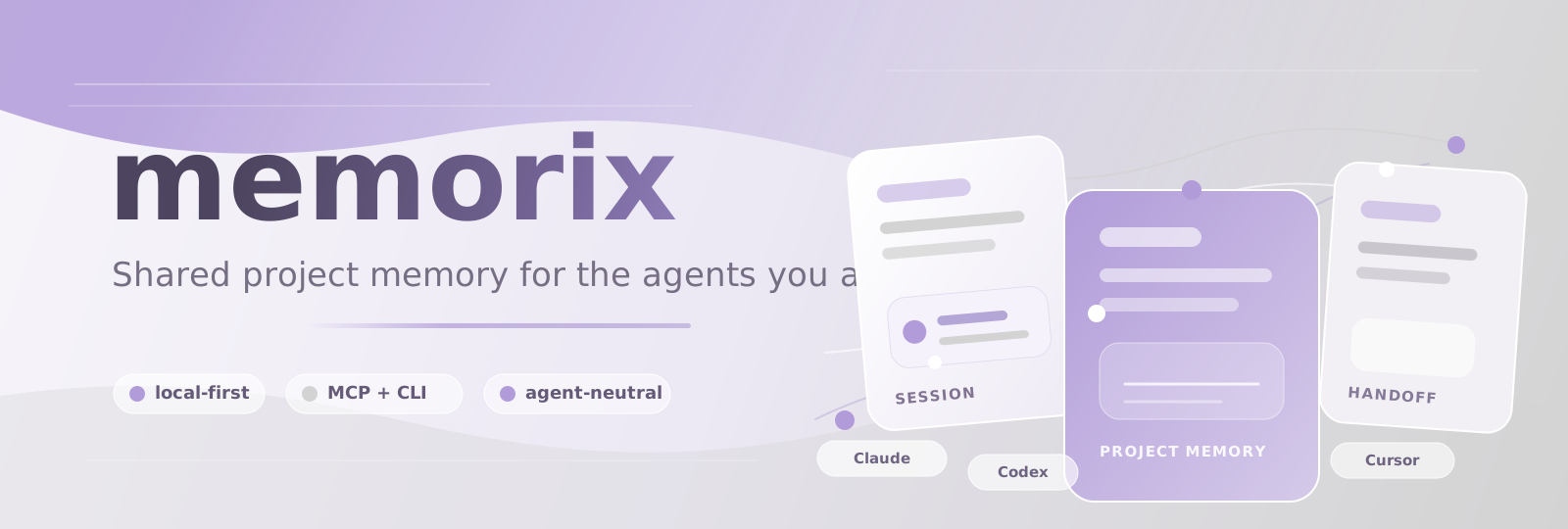
Local-first shared memory layer for AI coding agents.
One project memory system for Claude Code, Codex, CodeBuddy Code, Cursor, Windsurf, Copilot, Gemini CLI, OpenCode, Grok Build, OpenClaw, Hermes Agent, Oh-my-Pi, Pi, Kiro, Antigravity, Trae, DeepSeek Harness, WorkBuddy, and any MCP-capable agent.





Listed in the official MCP Registry

Shared Project Memory | MCP | Git Memory | Reasoning Memory | Plugins | Orchestration
Website | Chinese | Install | Capabilities | Agents | Quick Start | Memory Model | memcode | Active Work | Docs
Maintainer status and the current public work boundary live in ACTIVE_WORK.md. It is the repository's single living work tracker.


Memorix gives the AI coding agents you already use a shared, searchable project memory that survives new chats, IDE switches, terminal sessions, and handoffs. The memory lives under the Git project, not inside one chat window or one tool.
Use Claude Code today, Codex tomorrow, and Cursor in the afternoon. The agent can change; the project memory stays the same.
Use Memorix when you keep re-explaining the same project to a new agent session: the last session already figured something out, another IDE cannot see it, or a design decision is buried in a chat you cannot find anymore.
| Problem | What Memorix adds |
|---|---|
| The next session forgets what the last session learned | Project-scoped memory, session summaries, timelines, and detail retrieval |
| Different agents know different things | One local memory pool available through MCP, hooks, CLI, SDK, and the bundled terminal agent |
| Git records what changed, but agents cannot recall it well | Git Memory turns commits into searchable engineering facts |
| Architecture decisions disappear into old chats | Reasoning Memory stores why choices were made, with alternatives and trade-offs |
| Static rule files drift | Gotchas, fixes, and project skills evolve from real work |
| Parallel agent work gets messy | memorix orchestrate coordinates task context, handoffs, locks, verification, and review loops |
Memorix is local-first. SQLite is the canonical store. Small projects use the in-process Orama path; larger projects use a persistent SQLite FTS5 candidate index and, when available, an optional local LanceDB semantic shadow index. Both indexes are rebuildable and are never a limit on how many durable memories you can keep. LLM-backed formation and embedding remain optional.
Capabilities
Memorix is more than a memory store. It also installs agent integrations, keeps useful work events, turns commits into project facts, exposes a local control plane, and can coordinate multi-agent work when a task needs it.
| Capability | What it does | Entry point |
|---|---|---|
| Memory Autopilot | A bounded task Workset with start files, current memory, source-backed knowledge, workflow starts, cautions, and verification. Compact JSON receipts keep fallback CLI use bounded too. | memorix context "..." --brief-json, memorix resume "..." --brief-json, memorix_project_context |
| Observation Memory | Searchable facts, fixes, gotchas, session summaries, and implementation notes scoped to the current Git project | memorix memory, MCP memory tools |
| Curated Long-term Memory | Deliberately reviewed episodic, semantic, and procedural memory with source evidence. Only an explicitly portable user item can cross local projects | memorix memory long-term |
| Code State and Code Memory | Versioned local code snapshots, source-backed TypeScript/JavaScript symbols and relations, file/symbol links, and freshness checks. Other languages keep the honest Lite fallback; an already-indexed local CodeGraph or SCIP result can add a bounded external outline without taking over the local index. | memorix codegraph status|refresh|init|sync, automatic context refresh |
| Git Memory | Commit-derived engineering facts that answer what changed, where, and why it matters | memorix ingest commit, git hook |
| Reasoning Memory | Design rationale, alternatives, trade-offs, and risks that should survive beyond one chat | memorix reasoning, memory formation |
| Knowledge Workspace | Review-gated source-backed claims, Markdown pages, and canonical project workflows; proposals never overwrite reviewed pages silently | memorix knowledge, memorix knowledge workflow |
| Agent setup | One setup path for MCP, rules, hooks, skills, plugins, bundles, or extensions depending on the agent | memorix setup --agent <agent> |
| Agent doctor | Checks whether agent MCP config and guidance are current, then repairs Memorix-owned entries when needed | memorix doctor agents, memorix repair agents |
| Hooks and skills | Optional capture from supported agents, plus reusable project skills promoted from durable knowledge | memorix hooks, memorix skills |
| Dashboard and HTTP | A local web UI and shared MCP endpoint for browsing memory, project state, teams, diagnostics, and preview-first cleanup, consolidation, deduplication, and retention actions | memorix dashboard, memorix background start |
| Orchestration and team work | Task planning, worker handoffs, file locks, messages, verification gates, and review loops | memorix orchestrate, memorix team, memorix lock |
| memcode | A bundled terminal coding agent that already reads and writes the same project memory | memorix, memcode |
| CLI and SDK | Scriptable access for automation, imports/exports, diagnostics, and custom integrations | memorix ..., createMemoryClient() |
| Optional multi-device sync | Privacy-filtered observation events with local SQLite kept canonical; default project scope, optional --scope user for every local project; GitHub JSONL, filesystem, S3, or Postgres relay | memorix sync store status|push|pull |


Memorix connects through the interfaces each agent already supports: plugin packages, MCP, project rules, hooks, skills, or the bundled terminal agent. memorix setup chooses the right setup for each agent and keeps stdio MCP as the default transport.
 Claude Code official plugin + MCP + hooks + skills |
 Codex CLI official plugin + MCP + AGENTS.md |
 GitHub Copilot CLI plugin + MCP + hooks + skills |
 Cursor MCP + rules + skills |
 Windsurf MCP + rules + hooks |
 Gemini CLI extension + MCP + hooks + skills |
 OpenCode local plugin + MCP + skills + AGENTS.md |
 pi coding agent package + extension + skill |
 Kiro MCP + steering + hooks |
 Antigravity plugin + MCP + hooks + skills |
 Trae MCP + project rules |
 memcode bundled terminal agent |
 OpenClaw bundle + MCP + hooks + skills |
 Hermes Agent plugin + MCP + hooks + skills |
 Oh-my-Pi package + MCP + hooks + skills |
 DeepSeek Harness MCP patch + AGENTS.md + skills |
 Any MCP Client stdio or HTTP MCP |
 Grok Build native hooks + AGENTS.md |
Works with agents that speak MCP, expose hooks/rules, or support plugin/package entries. One local-first memory layer shared across all of them.
Integration surfaces:
| Surface | What it does | Memorix entry |
|---|---|---|
| Setup command | Installs the recommended one-time user-level Memorix integration | memorix setup --agent <agent> --global |
| MCP | Gives an agent compact Memorix tools for project context, search, detail retrieval, storage, and resolution | bundled in setup packages or memorix serve |
| Usage guidance | Teaches an agent when and how to use Memorix without forcing memory lookup on every prompt | bundled or generated by memorix setup |
| Hooks | Optional capture of prompts, tool events, file edits, session lifecycle events, and native compaction checkpoints where the agent exposes them | bundled or generated by memorix setup |
| Plugin or bundle package | Installs plugin, compatible-bundle, or package files where the agent supports them | Claude Code, Codex, CodeBuddy Code, GitHub Copilot CLI, Antigravity, OpenClaw, Hermes Agent, Oh-my-Pi, Pi |
| Extension | Installs extension files where the agent supports them | Gemini CLI |
| Local plugin | Installs local plugin files where the agent loads them directly | OpenCode |
| MCP/rules config | Writes MCP, rules, steering, guidance, or hook config for IDEs and agents that expose those surfaces | Cursor, Windsurf, Kiro, Trae, DeepSeek Harness, WorkBuddy |
| Skills | Turns durable project knowledge into reusable task guidance | memorix skills and memorix_promote |
| memcode | Opens the bundled terminal agent that already uses Memorix memory | memorix or memcode |
See Integration Surfaces for the current support matrix and what each generated file means.
Use the same setup command without --global only when you intentionally want repo-local guidance, rules, or hooks in the current Git project.
CLI, MCP, and HTTP are different entry points:
memorixCLI is the direct command surface for setup, memory search/store, Git Memory, import/export, dashboard, orchestration, diagnostics, and automation.memorix serveis the stdio MCP bridge used by IDEs and coding agents. Its default tool profile ismicro, so agents see only the compact core tool set.memorix background start/memorix serve-httprun the HTTP service for a shared endpoint, dashboard, VPS Docker deployment, or multiple clients.
Multi-device store sync is opt-in and separate from HTTP sharing. It never
uploads the live SQLite database or WAL files. By default it only relays
qualified project-visible observations for the current Git project; personal,
agent-targeted, candidate, and ephemeral records stay local. Pass --scope user
to include every local project. Set MEMORIX_SYNC_PROVIDER and inspect
memorix sync store status --json before the first push.


Requirements:
- Node.js
>=22.18.0 - Git, because project identity is derived from the real Git root
Install and initialize:
npm install -g memorix
memorix init --global                   # optional defaults
memorix setup --agent claude --global   # or codex, copilot, cursor, pi, gemini-cli, opencode,
                                       # codebuddy, windsurf, kiro, antigravity, trae, openclaw, hermes, omp
memorix init is optional. It creates or updates TOML configuration:
~/.memorix/config.tomlfor global defaults<git-root>/memorix.tomlfor optional project overrides
Legacy memorix.yml, .env, and ~/.memorix/config.json are still read for compatibility, but new setup flows use TOML.
If you want repo-local guidance or hooks for a specific repository, run the same setup command from inside that repo without --global. Codex is the exception: its supported path is the user-level plugin install, so Memorix leaves project .codex configuration alone.


Connect an existing agent
Use the setup command first. The global form is the normal one-time install:
memorix setup --agent claude --global
memorix setup --agent codex --global
memorix setup --agent copilot --global
memorix setup --agent cursor --global
memorix setup --agent pi --global
memorix setup --agent gemini-cli --global
memorix setup --agent opencode --global
memorix setup --agent windsurf --global
memorix setup --agent kiro --global
memorix setup --agent antigravity --global
memorix setup --agent trae --global
memorix setup --agent openclaw --global
memorix setup --agent hermes --global
memorix setup --agent codebuddy --global
memorix setup --agent omp --global
memorix setup --agent dsh --global
memorix setup --agent workbuddy --global
memorix setup --agent grok --global
What it installs depends on the target agent, but the goal is the same: make Memorix available wherever you open that agent without asking you to wire every repo by hand.
- Claude Code: installs the Memorix plugin package, adds
CLAUDE.mdguidance, and enables hook capture when you do not pass--noHooks. - Codex: installs one user-level Memorix plugin with bundled stdio MCP, skills, and lifecycle hooks. It does not write project-local
.codexconfig or change your model, approval, or sandbox settings. When Codex asks, review the plugin hook definition once with/hooks;--noHooksskips automatic capture. - GitHub Copilot CLI: installs the Copilot plugin package and official Memorix skills.
- Pi: installs the user-level Pi package and official skills.
- Cursor: writes Cursor MCP/rules/config entries in the chosen scope.
- Gemini CLI: installs the extension package,
GEMINI.mdcontext, hooks, and skills. Antigravity CLI has an official Gemini CLI migration path, but Gemini CLI remains an active standalone target. - OpenCode: installs the local plugin file,
opencode.json, skills, andAGENTS.mdguidance. - Windsurf, Kiro, Trae: write the MCP/rules/hooks files the target supports.
- Antigravity: installs the official plugin package with
plugin.json,mcp_config.json,hooks.json, rules, and skills under~/.gemini/config/plugins/memorixor.agents/plugins/memorix. - OpenClaw: installs an OpenClaw-compatible bundle with
.mcp.json, official skills, and an OpenClawHOOK.md/handler.tshook pack. - Hermes Agent: installs into Hermes home (
%LOCALAPPDATA%\hermeson native Windows,~/.hermeselsewhere, orHERMES_HOME), enables the plugin inconfig.yaml, registers plugin hooks, slash/CLI commands, skills, and writes MCP config. - CodeBuddy Code: installs a user-scope local marketplace plugin under
~/.codebuddy/memorix-localwith MCP, skills, and hooks. It does not change existing CodeBuddy model, permission, or settings files; CodeBuddy keeps third-party hook approval in its own/hooksflow. - Oh-my-Pi: installs an
omp.extensionspackage with extension hook events, amemorixcommand, official skills, and writes MCP config. - DeepSeek Harness: writes a Memorix
@deepseek-ai/dsh-mcp-clientrow into$DSH_HOME/cordis.patch.yml(default~/.dsh/cordis.patch.yml), appends guidance to the harnessAGENTS.md, and installs official skills under$DSH_HOME/skills. The row follows DSH's own shipped Memorix reference, so tools appear asmcp__memorix__*. - WorkBuddy: writes a Memorix MCP server row into
~/.workbuddy/mcp.json(or<project>/.workbuddy/mcp.jsonfor project installs) and appends guidance toAGENTS.md. Tools appear asmcp__memorix__*; there is no hooks surface. - Grok Build: installs native lifecycle hooks under
~/.grok/hooks/memorix.jsonand guidance in~/.grok/AGENTS.md. MCP stays host-owned by default; pass--mcp httpto write[mcp_servers.memorix]withurl = "http://localhost:3211/mcp". Project-local hooks require Grok/hooks-trust, while global hooks are trusted. SetGROK_HOMEto use a custom Grok home.
Need a quieter install? Add --noHooks for targets where setup can control hook capture separately from the host's official package entry. It keeps MCP and guidance, but skips Memorix hook capture.
If you intentionally want repo-local guidance or hooks, run the same command inside that repository without --global.
If your agent only needs a manual MCP entry, use stdio:
{
  "mcpServers": {
    "memorix": {
      "command": "memorix",
      "args": ["serve"]
    }
  }
}
For an npm-based MCP client or registry tester, use the complete command
npx -y memorix serve. The serve argument matters: memorix without
arguments opens the bundled memcode terminal agent when run by a human, while
MCP clients should start the stdio server explicitly.
For a manually managed Claude Code entry, add "alwaysLoad": true inside the memorix server object. This lets Claude Code expose Memorix tools during print-mode startup; memorix doctor agents --agent claude can detect and repair a missing setting.
HTTP is not required for normal setup. Use it only when you intentionally want a shared background service, dashboard, VPS Docker deployment, or multiple clients using the same endpoint. Local development uses the Node service directly and does not require Docker:
memorix background start
Then point the client at:
http://localhost:3211/mcp
In HTTP mode, agents should bind the active repo explicitly with memorix_session_start(projectRoot=...) when the client can provide the workspace path. Git remains the final source of truth for project identity.
Uninstall
Preview what will be removed:
memorix uninstall --dry-run
Stop the background service and remove hooks:
memorix uninstall --background --hooks
Full cleanup:
memorix uninstall --yes --background --hooks --purge-data
npm uninstall -g memorix
memorix uninstall reports MCP config entries for manual cleanup instead of silently editing every MCP file it finds.
Work from the CLI
memorix --cwd /path/to/repo resume "continue release blocker"
memorix checkpoint list
memorix memory search --query "release blocker"
memorix memory --help

# Optional: activate one local agent identity for personal/team records and coordination.
memorix identity join --agent-type codex --name codex-main
memorix memory store --text "private investigation note" --visibility personal
memorix task create --description "verify the release package"

# Deliberate durable memory: create a candidate, then review it before it can enter a Workset.
memorix memory long-term add --kind procedural --scope user --portability portable --title "Release verification preference" --text "Run focused tests and a packed-package smoke before publishing." --applicability "When publishing an npm package."
memorix memory long-term qualify --id <id> --reason "The user explicitly confirmed this preference."
memorix memory long-term approve --id <id> --reason "Reviewed for future local projects."

memorix transfer export --format json --out ./.memorix-export.json
memorix transfer import --file ./.memorix-export.json
memorix reasoning search --query "why sqlite"
memorix git-hook --force
memorix ingest log --count 20
memorix workbench
The CLI is direct and does not depend on an MCP session. It binds to the current Git project, or to the project supplied with --cwd. Without an active identity it reads, writes, and exports project-visible memory only. Use memorix identity join or memorix identity use --agent-id <id> only when you intentionally need personal/team memory or coordinated task actions; memorix identity clear returns the terminal to project scope. --as <active-agent-id> is the one-command alternative for scripts. Both camelCase and kebab-case flags are accepted.
Manage controlled media
Media is opt-in. An explicit local import is copied into Memorix's local data directory, hashed, and kept outside the Git worktree. It becomes normal memory only when you attach it. Memorix never captures every screenshot or tool output. An asset may be up to the configured media limit (100 MiB by default). Automatic vision analysis is deliberately capped at 20 MiB; a larger image is still kept and can be attached, but Memorix records a clear text fallback instead of sending an oversized payload to a model provider.
memorix media import --path ./architecture.png --json
memorix media attach --asset <asset-id> --title "Architecture diagram" --json
memorix media list --kind image --json
memorix media show --asset <asset-id> --json
memorix media remove --asset <asset-id> --force --json

# Controlled derivations: explicit, bounded, and attachable to memory.
memorix media derive-pdf --asset <asset-id> --attach --json
memorix media derive-audio --asset <asset-id> --attach --json

# Legacy image analysis now uses the same controlled asset lifecycle.
memorix ingest image --path ./architecture.png --json
MiniMax image generation is a deliberate CLI operation. Video generation returns a durable job immediately; inspect or cancel that job rather than waiting in an agent request.
# Configure MINIMAX_API_KEY in your user environment or .env, never in Git.
memorix media generate image --prompt "A clean system architecture diagram" --json
# Image-to-image with a reference image (MiniMax image-01 / image-01-live):
memorix media generate image --prompt "Keep the subject, change the background" --image ./reference.png --json
memorix media generate video --prompt "A short product walkthrough" --json
memorix media status --job <media-job-id> --json
memorix media cancel --job <media-job-id> --json
memorix_media is the compact MCP companion in every profile, including
micro. It supports import, attach, list, show, PDF/audio derivations,
generation, and job status. MCP image and video generation are disabled by
default because they may incur provider costs.
Set MEMORIX_MCP_MEDIA_GENERATION=1 only after you deliberately want an agent
to request billed MiniMax output. The normal OpenRouter text embedding lane is
still text-only; media vectors are created only by a provider that explicitly
declares support for that modality. Text descriptions and attachments remain a
useful ordinary retrieval fallback.
Use the bundled terminal agent
memorix
# or
memcode
This opens memcode, a terminal coding agent that uses the same Memorix project memory as your MCP-connected agents.


| Layer | Stores | Best for |
|---|---|---|
| Observation Memory | facts, gotchas, fixes, implementation notes | "How does this work?" |
| Reasoning Memory | rationale, alternatives, constraints, risks | "Why did we choose this?" |
| Git Memory | commit-derived engineering facts | "What changed and where?" |
| Code Memory | files, symbols, import edges, and memory-to-code freshness | "Which current code should I inspect first?" |
| Curated Long-term Memory | reviewed episodic events, stable facts, or reusable procedures with evidence | "What should this agent still know or do later?" |
| Compact Continuity | recent host-native compact summaries or lifecycle markers | "What survived the last context compaction?" |
Search is project-scoped by default. scope="global" searches across projects. The search boosts Git Memory for "what changed" questions and reasoning records for "why" questions.
Long-term memory is deliberately not an automatic dump of every note. A source observation, Claim, workflow, session, and code snapshot keep their existing roles. An agent may ask memorix_store to create an additional long-term record; an explicit request auto-qualifies and enters task briefs as a durable anchor, while hook-captured or Git-derived candidates stay pending until qualified. Approval stays an explicit operator review. Use memorix memory long-term approve|archive|supersede to record the evidence-backed lifecycle. Only a manually created or user-confirmed user + portable item may be considered in another local project; project code, Git facts, tests, workflows, sessions, and observations cannot be promoted into portable user memory.
memorix context "..." is the default Memory Autopilot entry. It builds a compact task-lensed brief for agents: bugfix tasks lean toward tests and repros, release tasks lean toward package/changelog/build checks, onboarding tasks lean toward docs and entry points, and stale or unrelated memories stay in warning lanes instead of flooding the prompt. Use --fallback --brief-json when MCP is unavailable and a CLI fallback needs the same bounded brief plus a receipt of what was selected or omitted; --json remains the detailed diagnostic form. A normal new task does not receive an old-session dump. For an explicit continuation, memorix resume "..." adds only the latest useful session summary, up to three readable durable anchors, and at most one recent source-labelled host compact checkpoint. A durable anchor carries a durable:<id> reference, so an agent can expand the full reviewed record through memorix_detail only when needed. Keyword matches stay primary; when no reviewed durable item matches and an embedding provider is configured, Memorix makes one 1.8-second, no-retry semantic fallback for paraphrases or cross-language tasks. A slow or unavailable provider simply leaves the normal keyword-only Workset intact. A checkpoint is lifecycle evidence, not durable memory or a transcript backup. Agents should read the suggested files before trusting stored memory.


| You want | Run |
|---|---|
| Install an agent integration package | memorix setup --agent <agent> --global |
| Check or repair an agent integration | memorix doctor agents --agent <agent>, memorix repair agents --agent <agent> |
| Manually expose stdio MCP | memorix serve |
| Run shared HTTP MCP plus dashboard | memorix background start |
| Debug HTTP MCP in the foreground | memorix serve-http --port 3211 |
| Inspect or manage memory directly | memorix memory, memorix reasoning, memorix session, memorix ingest, memorix media |
| Manage reviewed long-term memory | `memorix memory long-term list |
| Retire memories from retrieval | memorix purge (current project), memorix purge --all --yes (everything) |
| Inspect native compaction continuity | `memorix checkpoint list |
| Use the interactive terminal memory control plane | memorix workbench |
| Use the bundled terminal agent | memorix or memcode |
| Run orchestrated subagent work | memorix orchestrate --goal "..." |
memorix serve defaults to --mode micro (9 tools) to keep MCP tool schemas small for agents. memorix setup writes --mode lite (21 tools) into the installed MCP config so the normal memory, continuity, and session surface is reachable. Use --mode team (29 tools) for coordination tools, or --mode full (48 tools) for advanced and compatibility tools such as checkpoint inspection.
Shortcuts and aliases: memorix search / remember / recent are direct query shortcuts, bg/bs start the background service, hook runs the hook launcher, and memorix config get|path|migrate inspects or migrates config files.
memorix orchestrate uses the current checkout for single-worker runs. When running multiple workers, it creates task worktrees under .worktrees/ and merges successful task branches back. Use --isolated to force worktree isolation for one worker, --no-worktree to disable it, --allow-dirty to run with uncommitted changes, and --no-auto-merge to preserve task worktrees for manual review.


memcode is the terminal coding agent bundled with Memorix. It can read, edit, run commands, resume sessions, switch models, and use /memory commands — all backed by the same project memory as your MCP-connected agents.
Use it when you want a terminal agent with memory already wired in.
one Git project -> one shared Memorix memory pool
See docs/MEMCODE.md for the memcode-specific guide.


Minimal ~/.memorix/config.toml:
[agent]
provider = "openai"
model = "gpt-4o"
api_key = "..."

[memory.llm]
provider = "openai"
model = "gpt-4o-mini"
api_key = "..."

[embedding]
provider = "auto"

[memory]
inject = "minimal"
formation = "active"
Use [memory.llm] and [embedding] for Memorix memory quality and retrieval. Use [agent] for the model memcode talks to while coding. Keep credentials in global config or environment variables, and do not commit secrets.
For the optional Atlas Cloud memory preset, run memorix init and choose Atlas
Cloud, or set provider = "atlascloud" in [memory.llm]. It uses the
OpenAI-compatible https://api.atlascloud.ai/v1 endpoint and reads
ATLASCLOUD_API_KEY or the explicit MEMORIX_LLM_API_KEY.
For OpenRouter embeddings, use provider = "api", base_url = "https://openrouter.ai/api/v1", and model = "qwen/qwen3-embedding-8b". Memorix accepts OPENROUTER_API_KEY for that embedding endpoint; MEMORIX_EMBEDDING_API_KEY remains the explicit override.
For controlled MiniMax media generation, set MINIMAX_API_KEY (global) or
MINIMAX_CN_API_KEY (China region) in your environment or .env. The media
library never stores that key, a signed output URL, or base64 payloads. CLI
generation is explicit; MCP generation additionally requires
MEMORIX_MCP_MEDIA_GENERATION=1.


Docker is a VPS/hosted HTTP deployment option, not a requirement for local development or stdio MCP:
docker compose up --build -d
Then open:
- dashboard:
http://localhost:3211 - MCP:
http://localhost:3211/mcp - health:
http://localhost:3211/health
The container must be able to access the repository path passed as projectRoot for project-scoped Git and config behavior.


Use Memorix directly from TypeScript:
import { createMemoryClient } from 'memorix/sdk';

const client = await createMemoryClient({ projectRoot: '/path/to/repo' });

await client.store({
  entityName: 'auth-module',
  type: 'decision',
  title: 'Use JWT for API auth',
  narrative: 'Chose JWT because the API is stateless and used by multiple clients.',
});

const results = await client.search({ query: 'auth decision' });
await client.close();


| Start here | Use when |
|---|---|
| Docs Map | You want the shortest route to the right guide |
| Setup Guide | Installing, using memorix setup, choosing stdio vs HTTP |
| Integration Surfaces | Plugin packages, MCP, project rules, hooks, and skills support |
| Configuration | TOML config, model lanes, compatibility files |
| API Reference | MCP tools and CLI commands |
| Git Memory | Commit ingestion and searchable engineering truth |
| Docker | Containerized HTTP service |
| memcode | Using the bundled terminal agent |
| Agent Playbook | AI-facing execution guide for install, binding, hooks, and troubleshooting |
| Development | Contributing, testing, release checks |
| Changelog | What changed in each release |
LLM-friendly summaries: llms.txt and llms-full.txt.


git clone https://github.com/AVIDS2/memorix.git
cd memorix
npm install
npm run lint
npm test
npm run build
Community
Desktop and shell integrations built on Memorix:
- omarchy-memorix — a native Omarchy shell bar widget: pool stats, live global search, per-project breakdown, recent memories, and a workbench launcher. Read-only over
~/.memorix/data; no daemons, no telemetry.
Built something on top of Memorix? Open a PR to list it here.


Memorix draws from the MCP ecosystem and prior memory projects such as mcp-memory-service, MemCP, claude-mem, and Mem0. memcode is based on the Pi coding-agent codebase and adapts its terminal-agent model for the Memorix ecosystem.


Star History

Updated automatically from GitHub's privacy-safe star history API. No generated PRs.