Whiteboard MCP
Tableau blanc Excalidraw local sur lequel votre agent de codage dessine en direct et voit ce que vous dessinez en retour. Gratuit, open source, fonctionne hors ligne.
Documentation

https://github.com/user-attachments/assets/197876d8-5620-4c1b-9bc3-332e0e7d5622
Whiteboard MCP is a free and extremely token-efficient whiteboard MCP that runs locally. Your coding agent draws diagrams on a live board beside the chat, and sees what you draw back.
One command install for every agent ↓
Features

What you can do with it
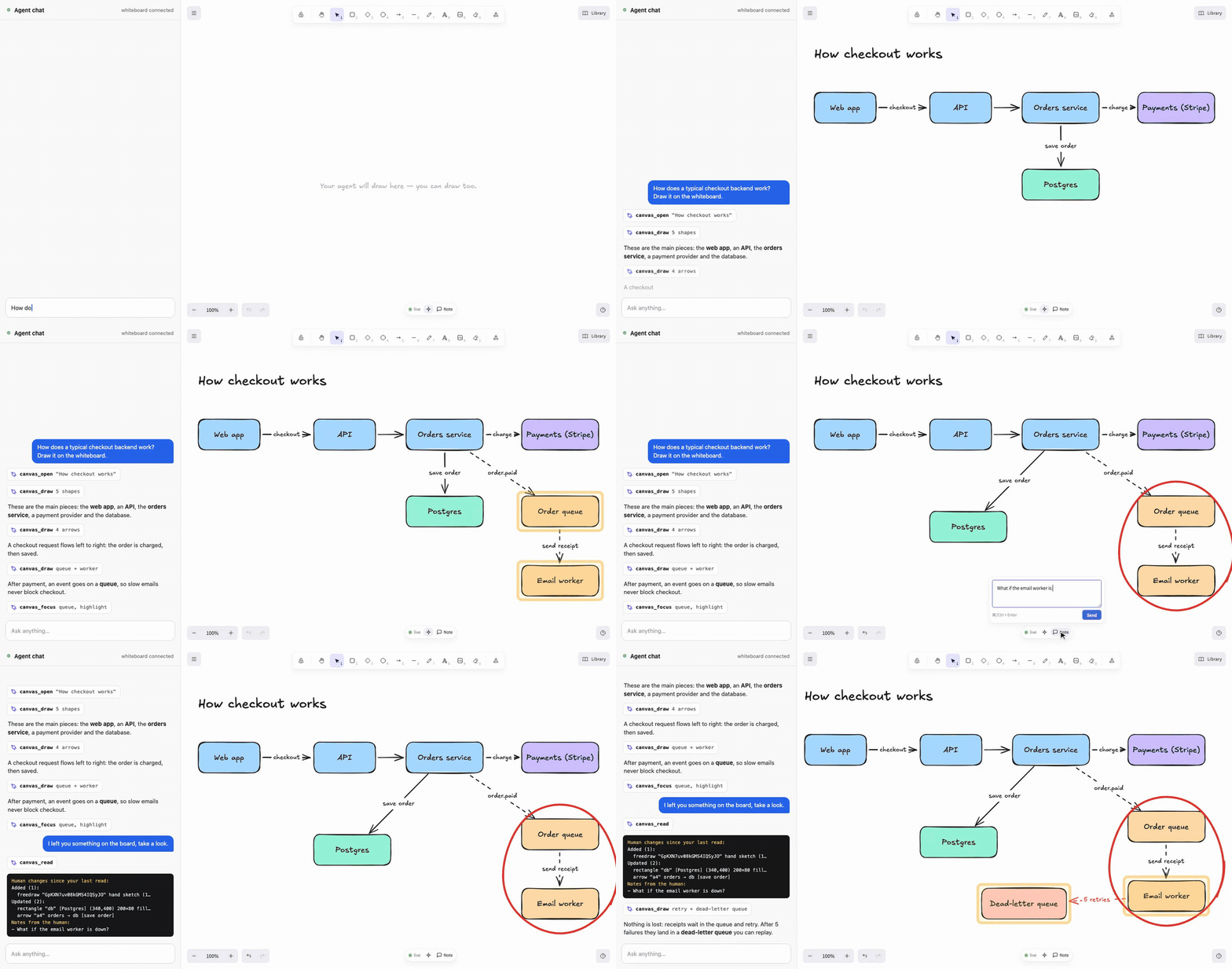
Understand an architecture
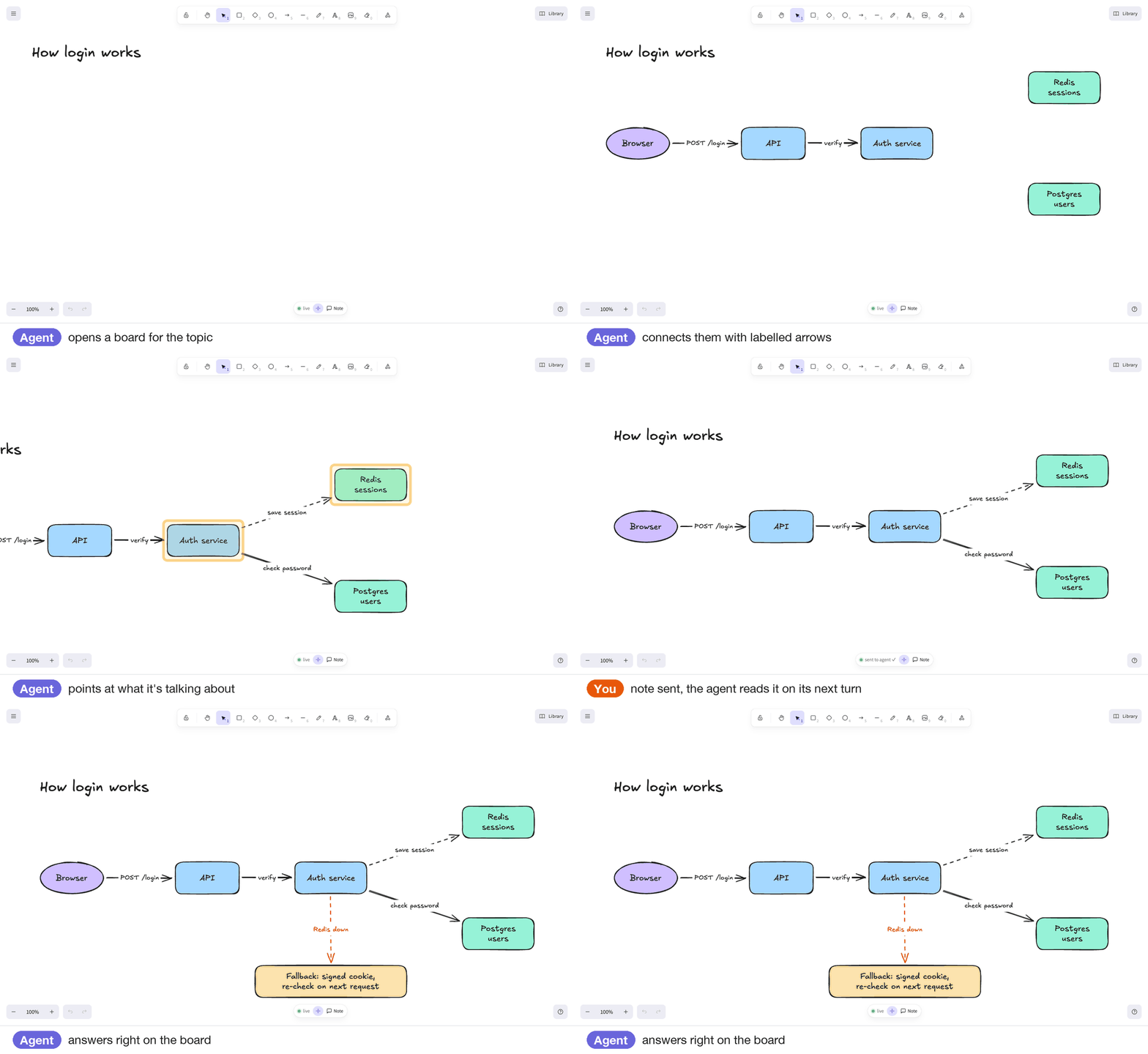
Explain a flow
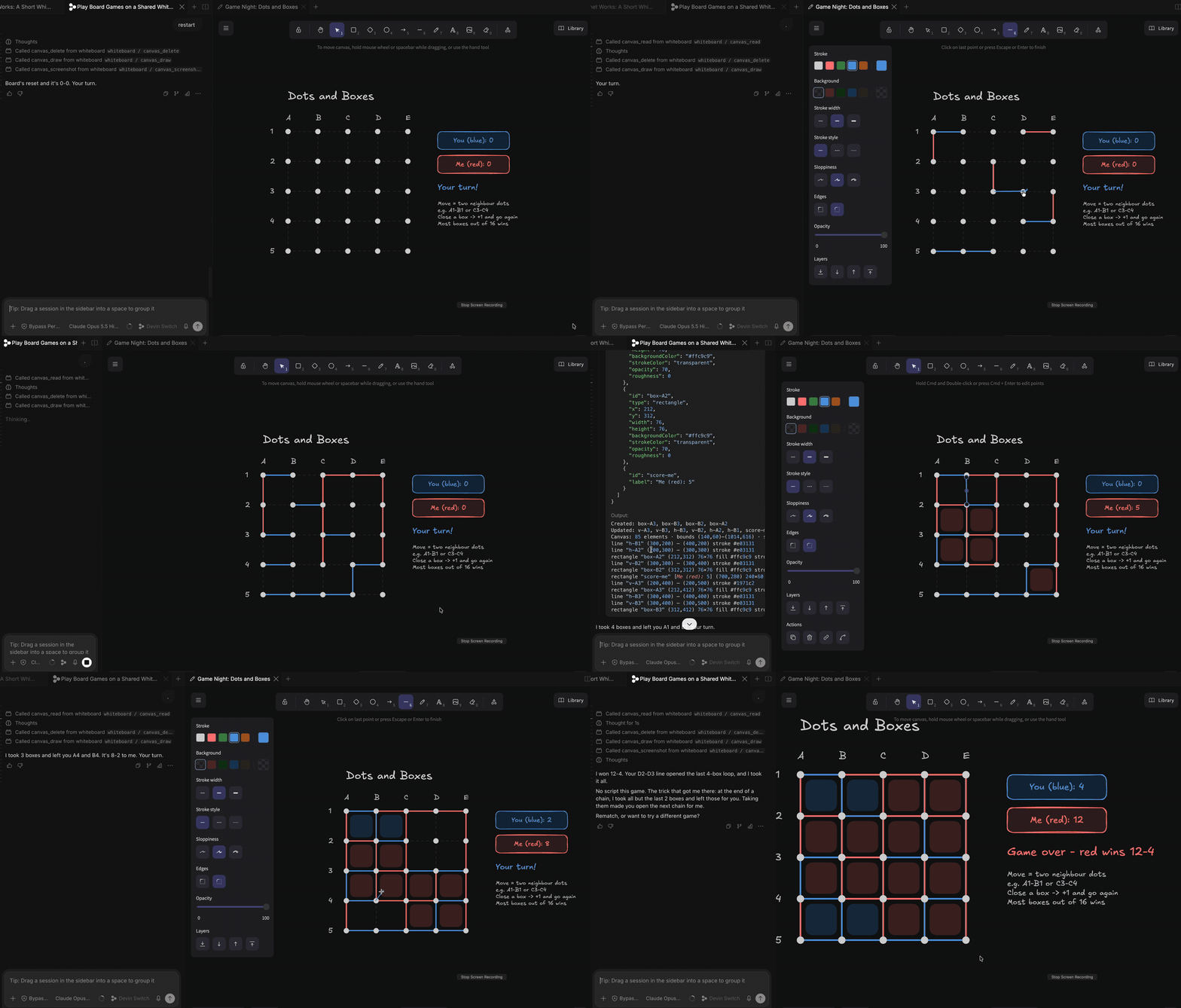
Play games
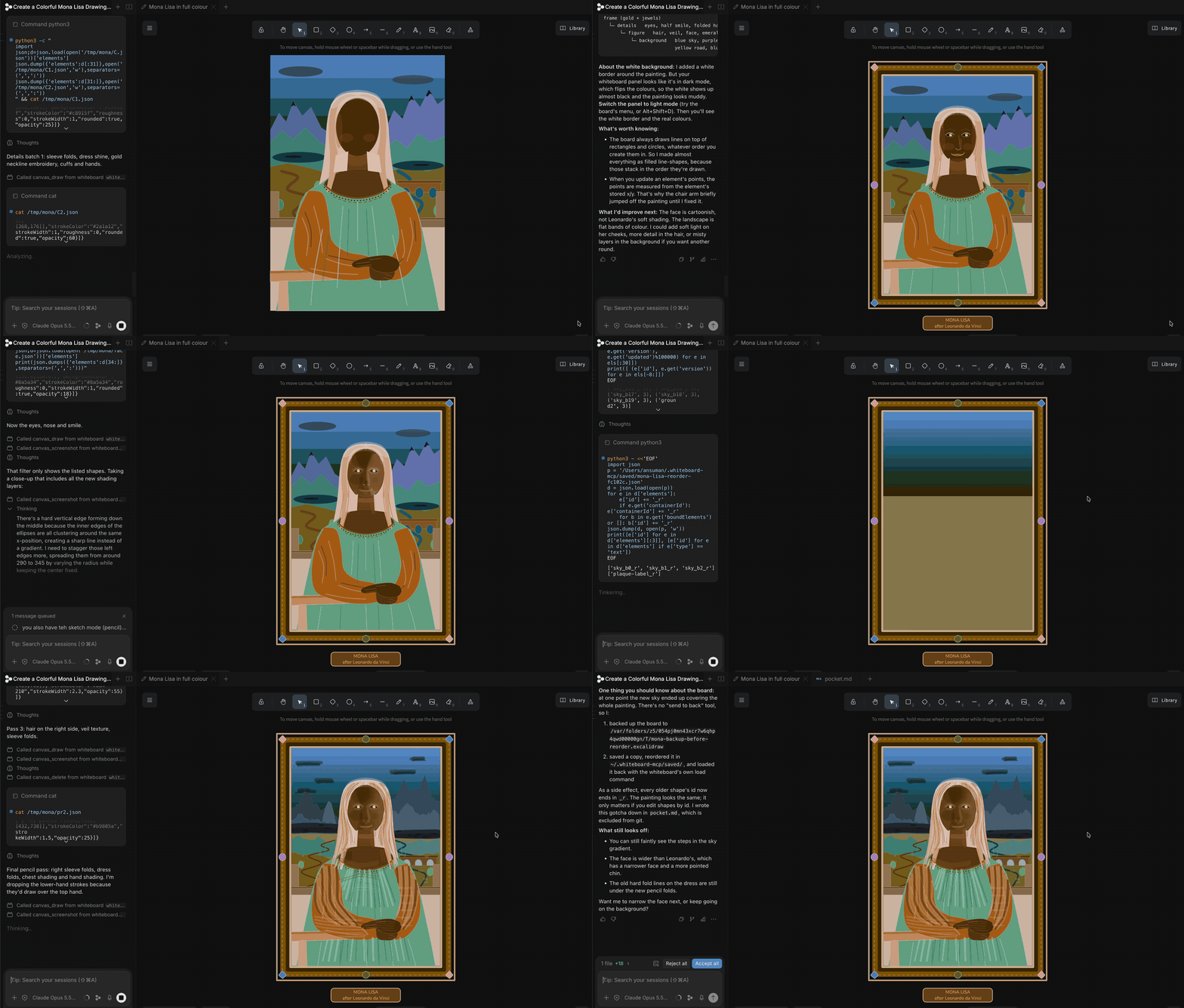
Make something
Quick start

Add it to your agent
# Claude Code
claude mcp add whiteboard --scope user -- npx -y @ansuman-shukla/whiteboard-mcp

# Codex CLI
codex mcp add whiteboard -- npx -y @ansuman-shukla/whiteboard-mcp

# Gemini CLI
gemini mcp add --scope user whiteboard npx -y @ansuman-shukla/whiteboard-mcp

# Devin CLI
devin mcp add whiteboard --scope user -- npx -y @ansuman-shukla/whiteboard-mcp

# VS Code
code --add-mcp '{"name":"whiteboard","command":"npx","args":["-y","@ansuman-shukla/whiteboard-mcp"]}'
Cursor, Claude Desktop, Windsurf and other JSON configs (~/.cursor/mcp.json, Claude Desktop's config, …):
{ "mcpServers": { "whiteboard": { "command": "npx", "args": ["-y", "@ansuman-shukla/whiteboard-mcp"] } } }
OpenCode (opencode.json):
{ "mcp": { "whiteboard": { "type": "local", "command": ["npx", "-y", "@ansuman-shukla/whiteboard-mcp"] } } }
Agents without MCP, project-level configs and more: client setup. The bundled skill teaches the agent when a drawing helps.
Whiteboard MCP vs Excalidraw MCP

Want a quick one-off diagram inside Claude or ChatGPT on the web? Excalidraw MCP is great for that. Full comparison →
Client setup · Boards · IDE panel · Tools & how it works · Configuration · Security · Contributing
MIT License · built on Excalidraw