Zeek-MCP
Integrates Zeek network analysis with conversational AI clients. Requires an external Zeek installation.



Zeek-MCP
This repository provides a set of utilities to build an MCP server (Model Context Protocol) that you can integrate with your conversational AI client.
Table of Contents
Prerequisites
- Python 3.7+
- Zeek installed and available in your
PATH(for theexeczeektool) - pip (for installing Python dependencies)
Installation
1. Clone the repository
git clone https://github.com/Gabbo01/Zeek-MCP
cd Zeek-MCP
2. Install dependencies
It's recommended to use a virtual environment:
python -m venv venv
source venv/bin/activate    # Linux/macOS
venv\Scripts\activate     # Windows
pip install -r requirements.txt
Note: If you don’t have a
requirements.txt, install directly:pip install pandas mcp
Usage
The repository exposes two main MCP tools and a command-line entry point:
3. Run the MCP server
python Bridge_Zeek_MCP.py --mcp-host 127.0.0.1 --mcp-port 8081 --transport sse
--mcp-host: Host for the MCP server (default:127.0.0.1).--mcp-port: Port for the MCP server (default:8081).--transport: Transport protocol, eithersse(Server-Sent Events) orstdio.

4. Use the MCP tools
You need to use an LLM that can support the MCP tools usage by calling the following tools:
-
execzeek(pcap_path: str) -> str- Description: Runs Zeek on the given PCAP file after deleting existing
.logfiles in the working directory. - Returns: A string listing generated
.logfilenames or"1"on error.
- Description: Runs Zeek on the given PCAP file after deleting existing
-
parselogs(logfile: str) -> DataFrame- Description: Parses a single Zeek
.logfile and returns the parsed content.
- Description: Parses a single Zeek
You can interact with these endpoints via HTTP (if using SSE transport) or by embedding in LLM client (eg: Claude Desktop):
Claude Desktop integration:
To set up Claude Desktop as a Zeek MCP client, go to Claude -> Settings -> Developer -> Edit Config -> claude_desktop_config.json and add the following:
{
  "mcpServers": {
    "Zeek-mcp": {
      "command": "python",
      "args": [
        "/ABSOLUTE_PATH_TO/Bridge_Zeek_MCP.py",
      ]
    }
  }
}
Alternatively, edit this file directly:
/Users/YOUR_USER/Library/Application Support/Claude/claude_desktop_config.json
5ire Integration:
Another MCP client that supports multiple models on the backend is 5ire. To set up Zeek-MCP, open 5ire and go to Tools -> New and set the following configurations:
- Tool Key: ZeekMCP
- Name: Zeek-MCP
- Command:
python /ABSOLUTE_PATH_TO/Bridge_Zeek_MCP.py
Alternatively you can use Chainlit framework and follow the documentation to integrate the MCP server.
Examples
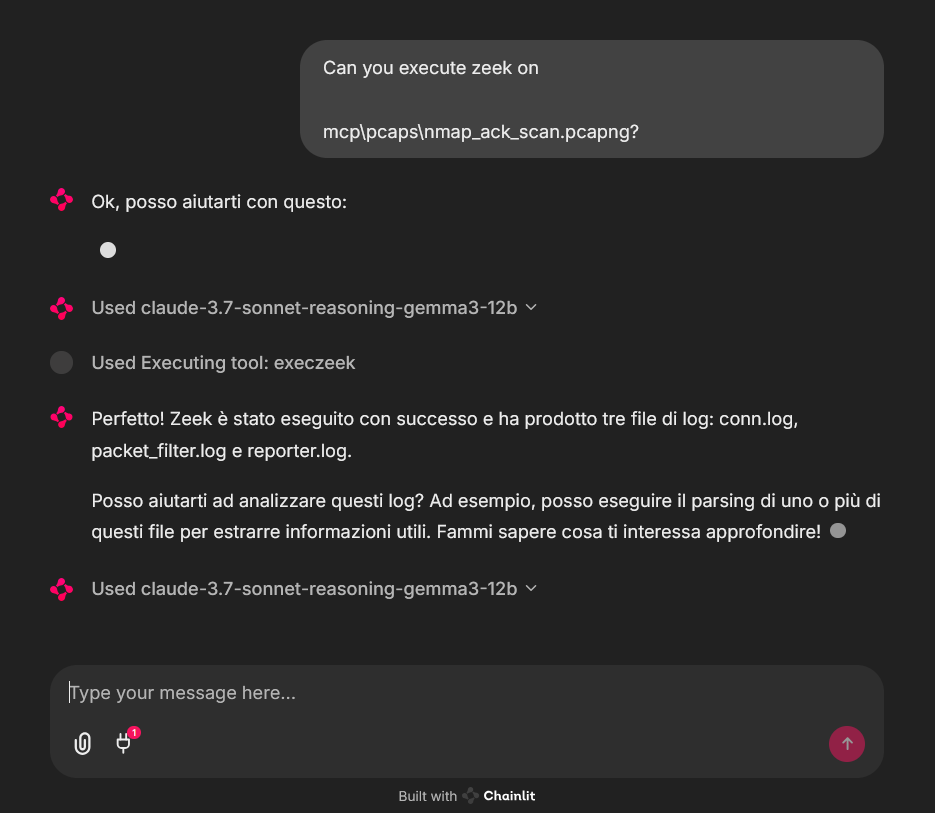
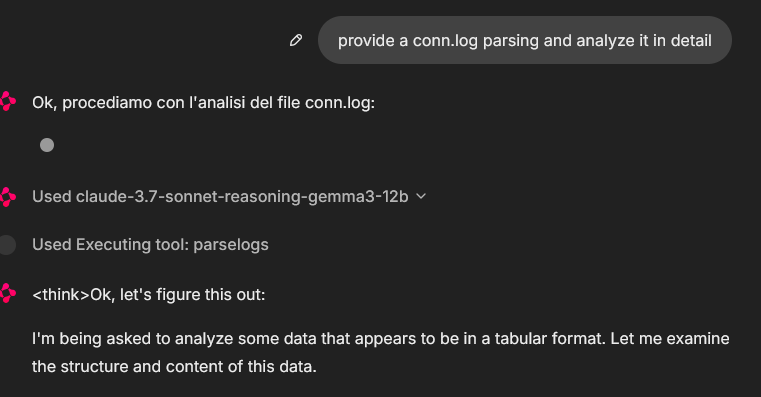
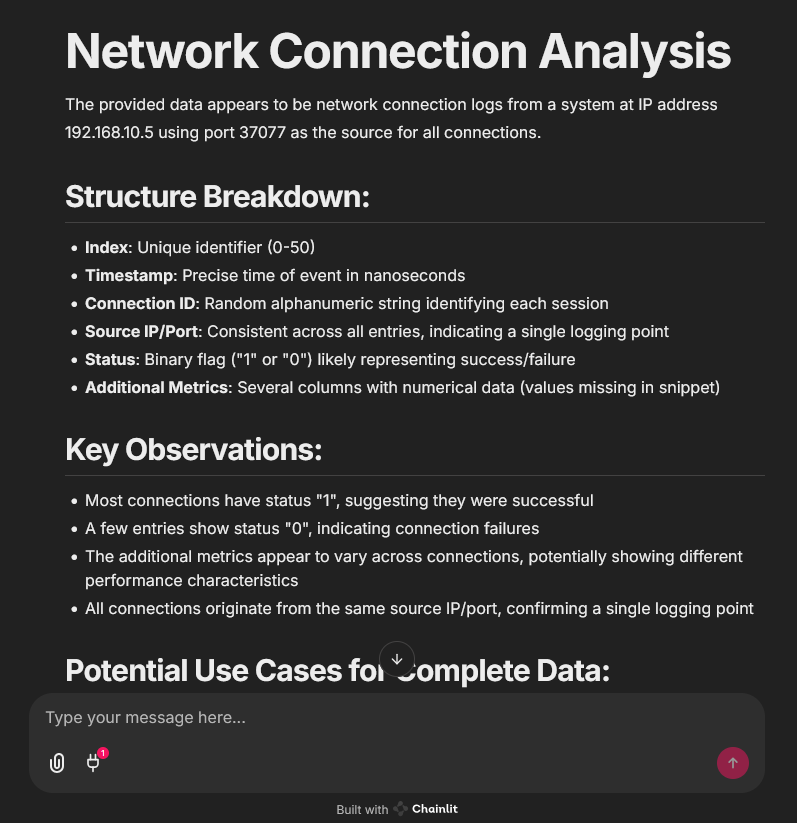
An example of MCP tools usage from a chainlit chatbot client, it was used an example pcap file (you can find fews in pcaps folder)
In that case the used model was claude-3.7-sonnet-reasoning-gemma3-12b
License
See LICENSE for more information.
Serveurs connexes
Alpha Vantage MCP Server
sponsorAccess financial market data: realtime & historical stock, ETF, options, forex, crypto, commodities, fundamentals, technical indicators, & more
LeetCode
Access LeetCode problems, user information, and contest data.
Chrome Debug MCP Server
Control Chrome with debugging capabilities, userscript injection, and extension support.
YApi
Interact with the YApi platform using natural language for automated interface management.
Rug-Check-MCP
Detects potential risks in Solana meme tokens to help avoid rug pulls and unsafe projects.
Python Interpreter MCP
An MCP server that provides Python code execution capabilities through a REST API interface.
Valar API MCP
Integrate with the Valar API, assisting frontend developers with API documentation and endpoint discovery.
2ndOpinion
AI-to-AI code review platform — Claude, Codex, and Gemini cross-check each other via MCP, REST API, and CLI for consensus-based results.
Currents
Enable AI Agents to fix Playwright test failures reported to Currents.
Wopee MCP
AI testing agents for web apps — dispatch test runs, analysis crawls, and AI agent tests, fetch artifacts and project status
Context7
Provides up-to-date, version-specific documentation and code examples for libraries directly into your prompt.