FOCUS DATA MCP Server
Permet aux assistants IA d'interroger les données de DataFocus en langage naturel.
GitHub
14
Essayer ce MCPSponsoriséDocumentation
FOCUS DATA MCP Server [中文]
A Model Context Protocol (MCP) server enables artificial intelligence assistants to directly query data results. Users can obtain data results from DataFocus using natural language.
Features
- Register on DataFocus to open an application space, and import (directly connect to) the data tables to be analyzed.
- Select Datafocus data table initialization dialogue
- Natural language data acquisition results
Prerequisites
- jdk 23 or higher. Download jdk
- gradle 8.12 or higher. Download gradle
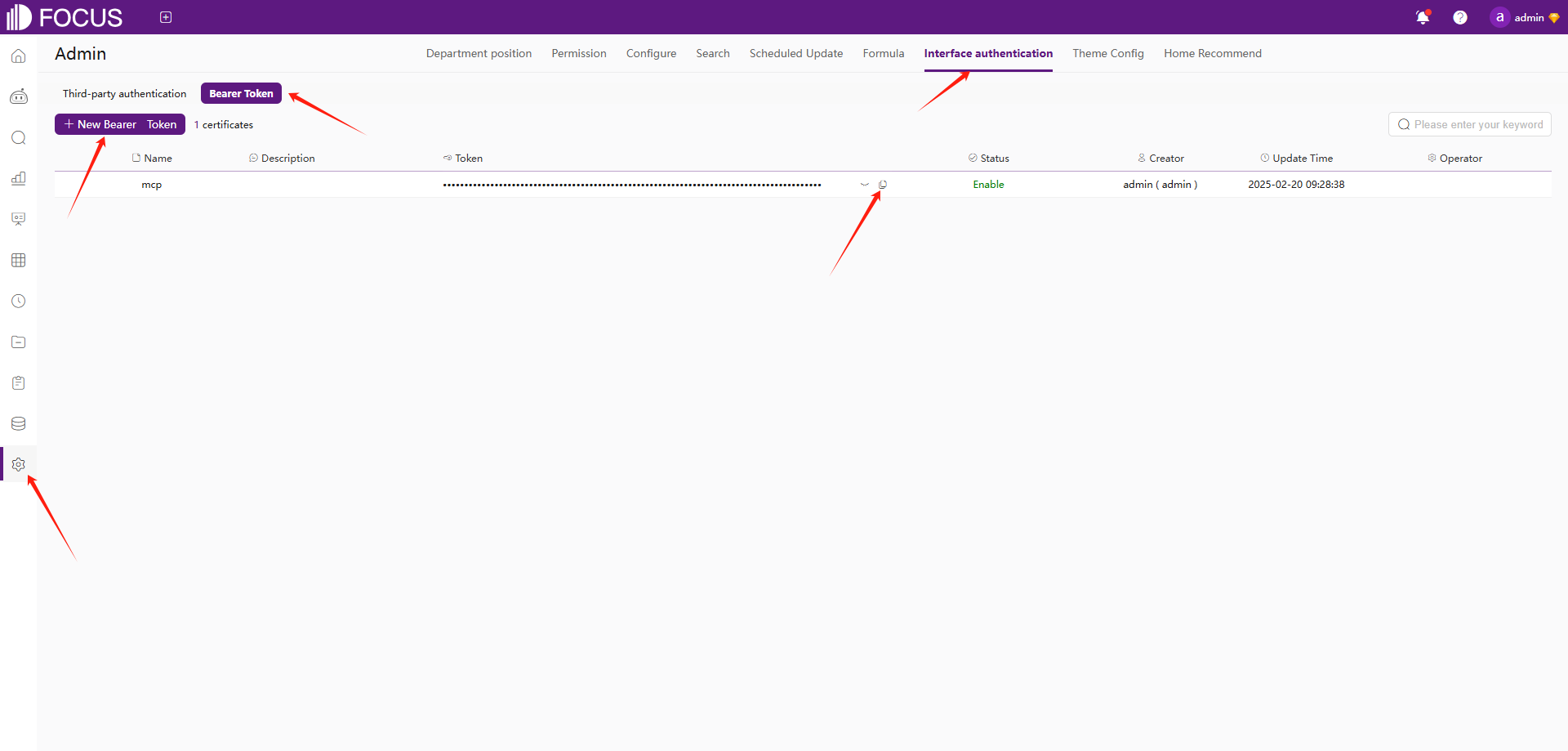
- register Datafocus to obtain bearer token:
- Register an account in Datafocus
- Create an application
- Enter the application
- Admin -> Interface authentication -> Bearer Token -> New Bearer Token
Installation
- Clone this repository:
git clone https://github.com/FocusSearch/focus_mcp_data.git
cd focus_mcp_data
- Build the server:
gradle clean
gradle bootJar

The jar path: build/libs/focus_mcp_data.jar
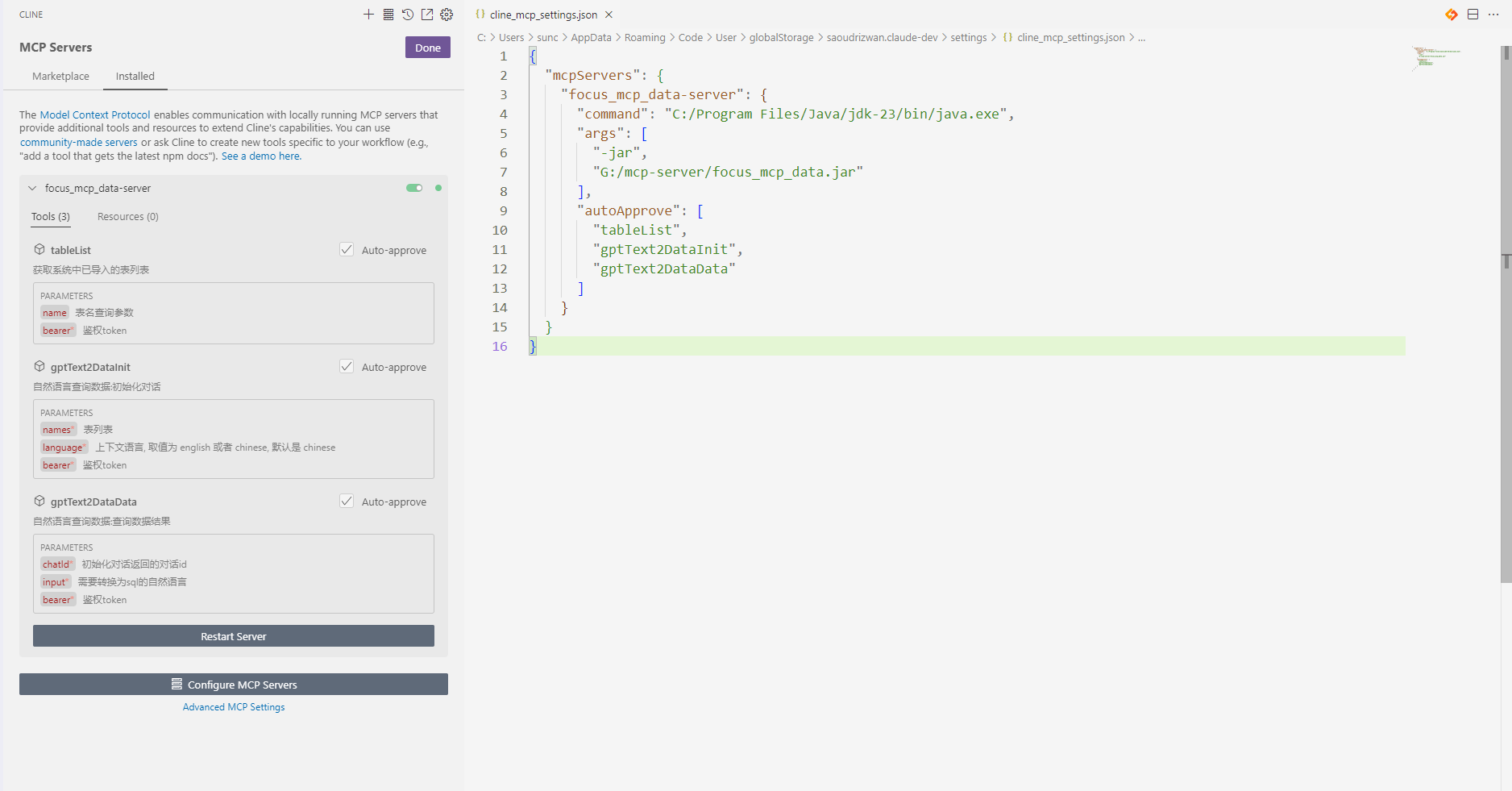
MCP Configuration
Add the server to your MCP settings file (usually located
at ~/AppData/Roaming/Code/User/globalStorage/saoudrizwan.claude-dev/settings/cline_mcp_settings.json):
{
  "mcpServers": {
    "focus_mcp_data": {
      "command": "java",
      "args": [
        "-jar",
        "path/to/focus_mcp_data/focus_mcp_data.jar"
      ],
      "autoApprove": [
        "tableList",
        "gptText2DataInit",
        "gptText2DataData"
      ]
    }
  }
}
Available Tools
1. tableList
Get table list in datafocus.
Parameters:
name(optional): table name to filterbearer(required): bearer token
Example:
{
  "name": "test",
  "bearer": "ZTllYzAzZjM2YzA3NDA0ZGE3ZjguNDJhNDjNGU4NzkyYjY1OTY0YzUxYWU5NmU="
}
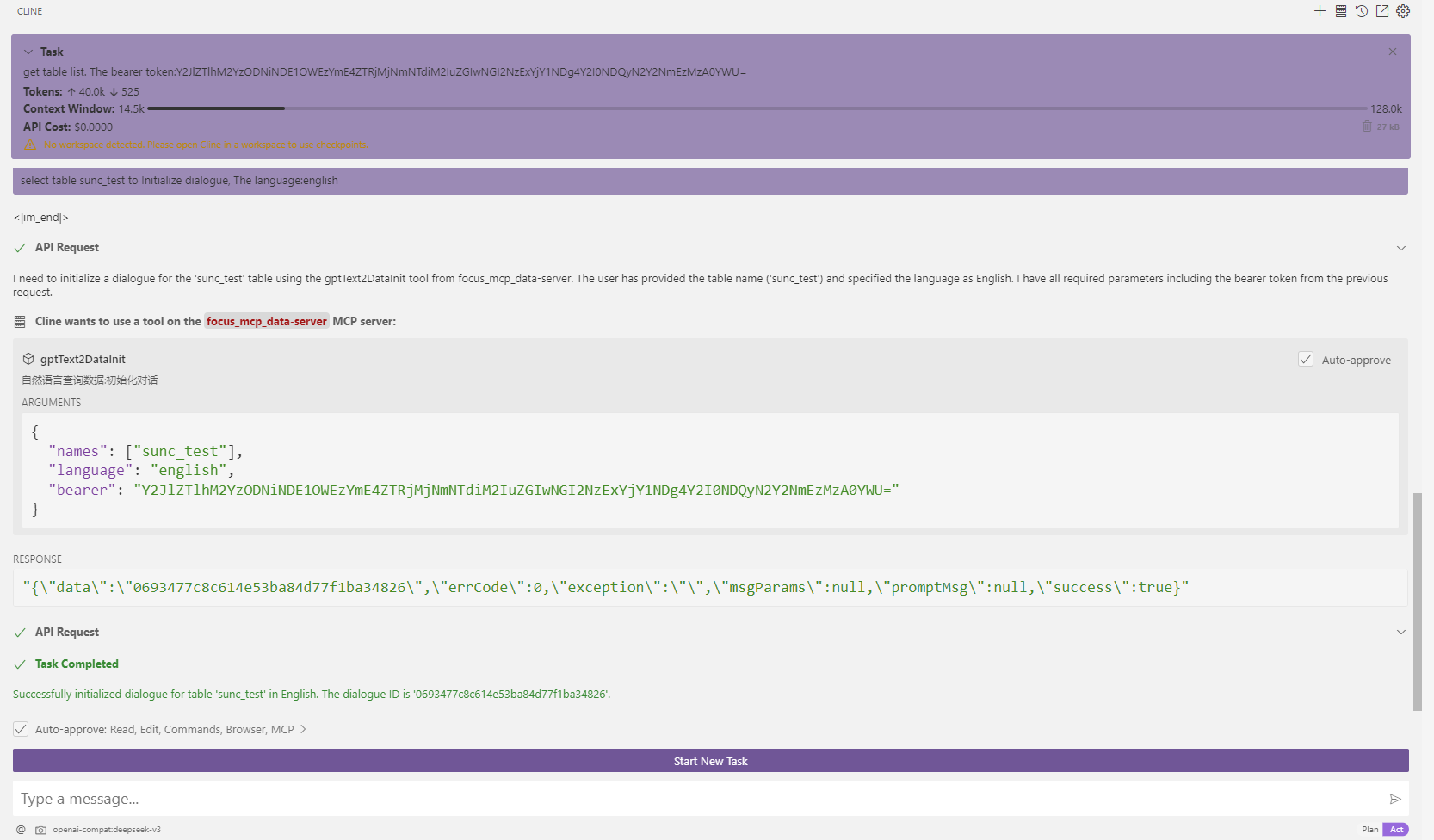
2. gptText2DataInit
Initialize dialogue.
Parameters:
names(required): selected table namesbearer(required): bearer tokenlanguage(optional): language ['english','chinese']
Example:
{
  "names": [
    "test1",
    "test2"
  ],
  "bearer": "ZTllYzAzZjM2YzA3NDA0ZGE3ZjguNDJhNDjNGU4NzkyYjY1OTY0YzUxYWU5NmU="
}
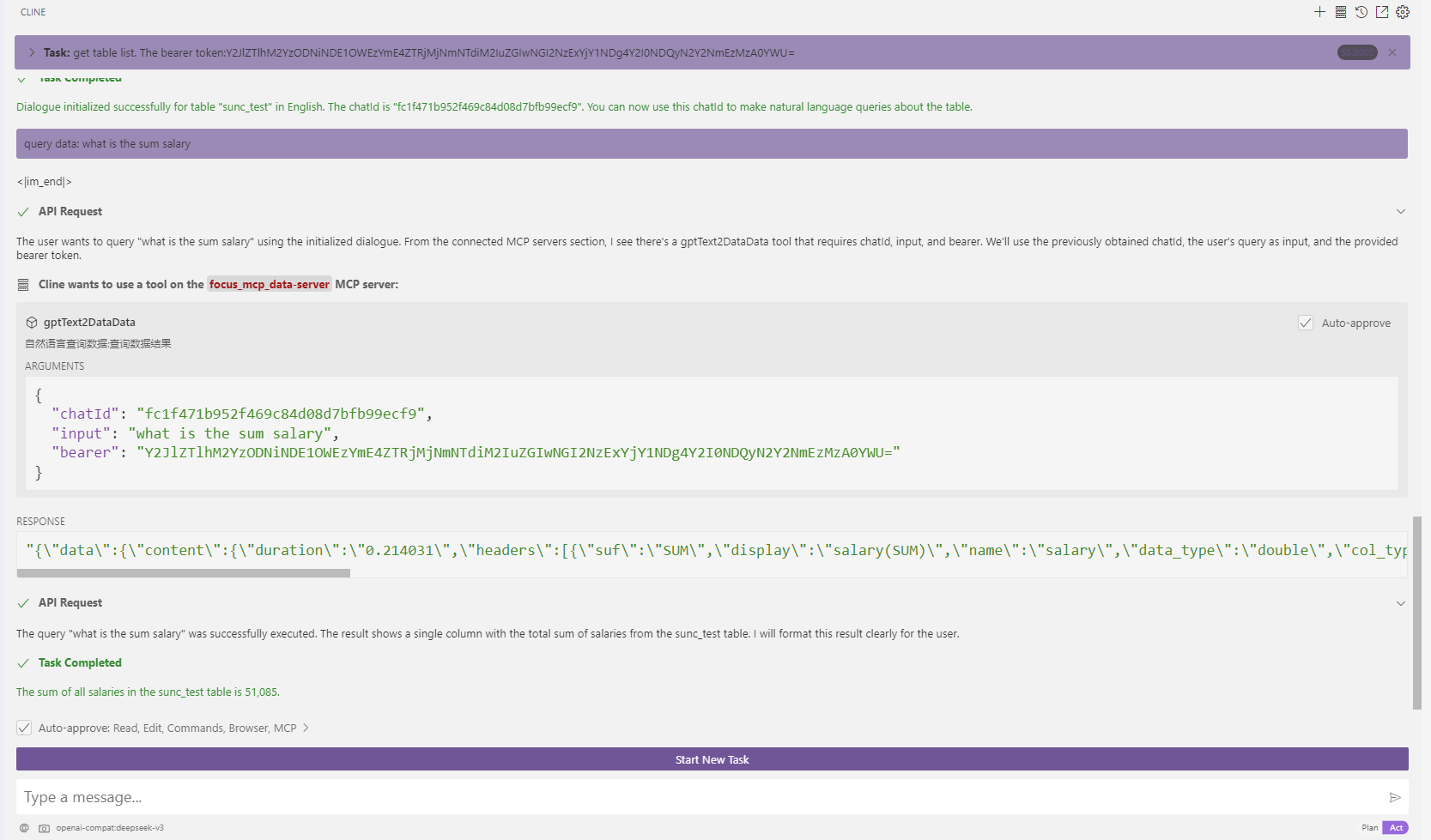
3. gptText2DataData
Query data results.
Parameters:
chatId(required): chat idinput(required): Natural languagebearer(required): bearer token
Example:
{
  "chatId": "03975af5de4b4562938a985403f206d4",
  "input": "max(age)",
  "bearer": "ZTllYzAzZjM2YzA3NDA0ZGE3ZjguNDJhNDjNGU4NzkyYjY1OTY0YzUxYWU5NmU="
}
Response Format
All tools return responses in the following format:
{
  "errCode": 0,
  "exception": "",
  "msgParams": null,
  "promptMsg": null,
  "success": true,
  "data": {
  }
}
Visual Studio Code Cline Sample
- vsCode install cline plugin
- mcp server config
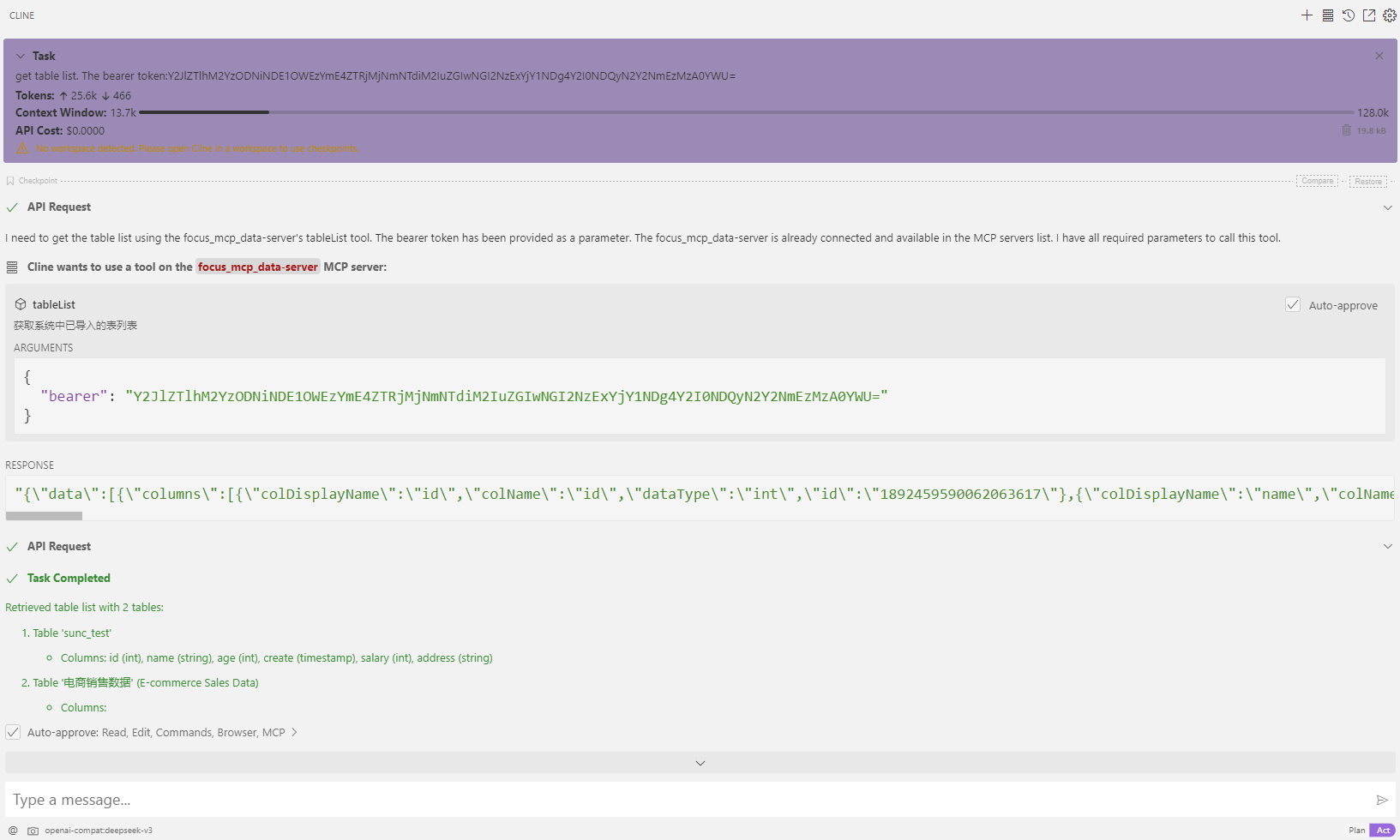
- use
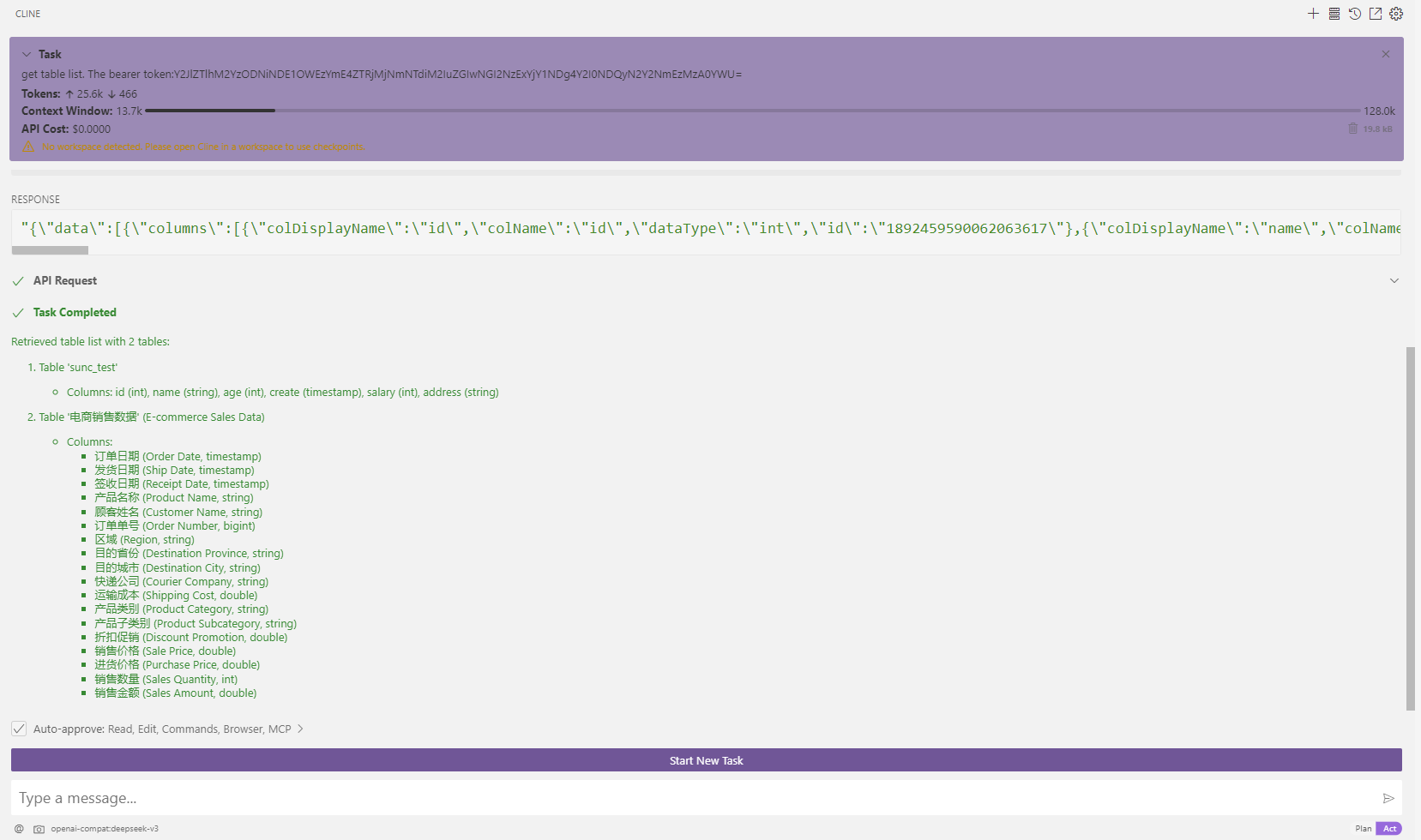
- get table list
- Initialize dialogue
- query: what is the sum salary
- get table list