NebulaFinger MCP
Une interface de serveur MCP pour l'outil de reconnaissance d'empreintes NebulaFinger.
Documentation
NebulaFinger MCP 设置指南
项目关系说明:本MCP模块是NebulaFinger指纹识别工具的AI代理接口实现。完整的独立MCP实现可在 MCP-NebulaFinger 找到。该接口使大型语言模型能够直接调用NebulaFinger进行Web和服务指纹识别。
📋 前置要求
- Python 3.8+ 已安装
- NebulaFinger.exe 工具已构建或下载
- FastMCP 库已安装
跨平台支持说明:虽然文档中引用了NebulaFinger.exe(Windows可执行文件),但NebulaFinger工具可以根据您的操作系统环境自行构建。在Linux/macOS系统上,您可以从源代码构建生成无扩展名的可执行文件。
🛠️ 安装步骤
1. 安装依赖
pip install fastmcp
2. 项目结构
确保你的项目结构如下:
NebulaFinger/
├── NebulaFinger.exe           # 主程序
├── configs/                   # 配置目录
│   ├── web_fingerprint_v4.json
│   ├── service_fingerprint_v4.json
│   ├── fingerprint_weights.json
│   └── tcp_ports.json
├── MCP/                       # MCP 服务目录
│   └── mcp_server.py          # MCP 服务端脚本
└── README.md
3. 配置 MCP 客户端
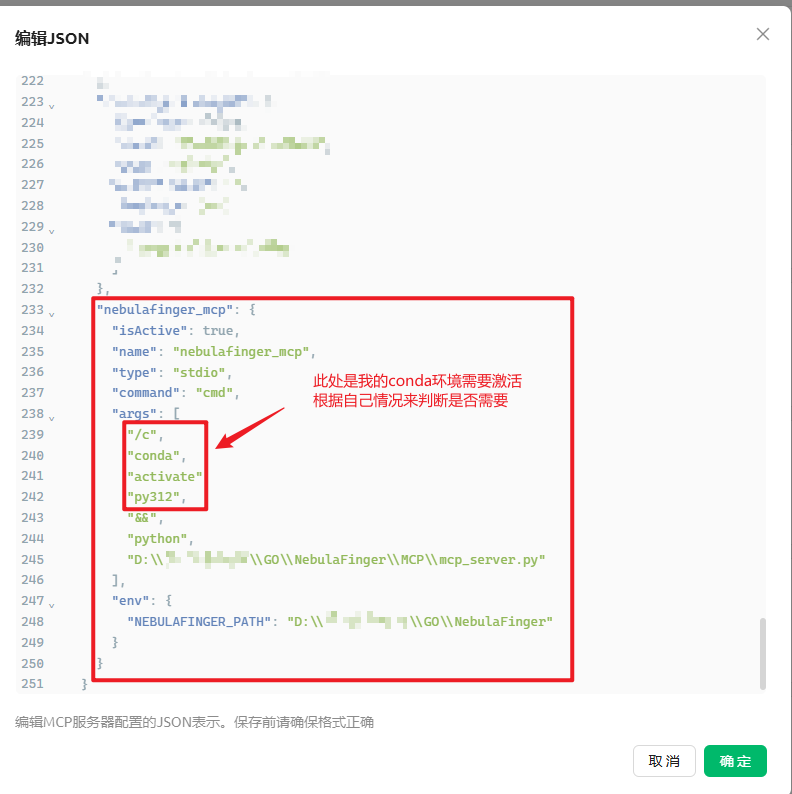
在你的 MCP 客户端配置文件中添加以下配置(建议单独保存一个NebulaFinger文件,配置传入绝对路径):
{
  "mcpServers": {
    "nebulafinger_mcp": {
      "isActive": true,
      "name": "nebulafinger_mcp",
      "type": "stdio",
      "command": "python",
      "args": [
        "D:\\NebulaFinger\\MCP\\mcp_server.py"
      ],
      "env": {
        "NEBULAFINGER_PATH": "D:\\NebulaFinger"
      }
    }
  }
}
重要说明:
- 请将路径替换为你的实际的绝对路径
NEBULAFINGER_PATH环境变量指向 NebulaFinger 工具的根目录
🔧 可用工具函数
MCP 服务端提供以下工具函数:
1. scan_target - 扫描单个目标
参数:
- target: 要扫描的目标 (例如: example.com 或 http://example.com)
- mode: 扫描模式 ("web", "service", "all"),默认 "web"
- concurrent: 并发数,默认 5
- output_html: 是否生成HTML报告,默认 False
- silent: 静默模式,默认 False
- no_favicon: 禁用Favicon检测,默认 False
- bp_stat: 只输出有指纹匹配的结果,默认 False
2. scan_targets_from_list - 扫描目标列表
参数:
- targets: 要扫描的目标列表 (字符串数组)
- 其他参数与 scan_target 相同
3. scan_targets_from_file - 从文件扫描
参数:
- file_path: 包含目标列表的文件路径
- 其他参数与 scan_target 相同
4. get_help - 获取帮助信息
获取 NebulaFinger 工具的完整帮助信息
5. get_version - 获取版本信息
获取工具版本和基本信息
6. check_status - 检查状态
检查工具和配置文件的状态
💡 使用示例
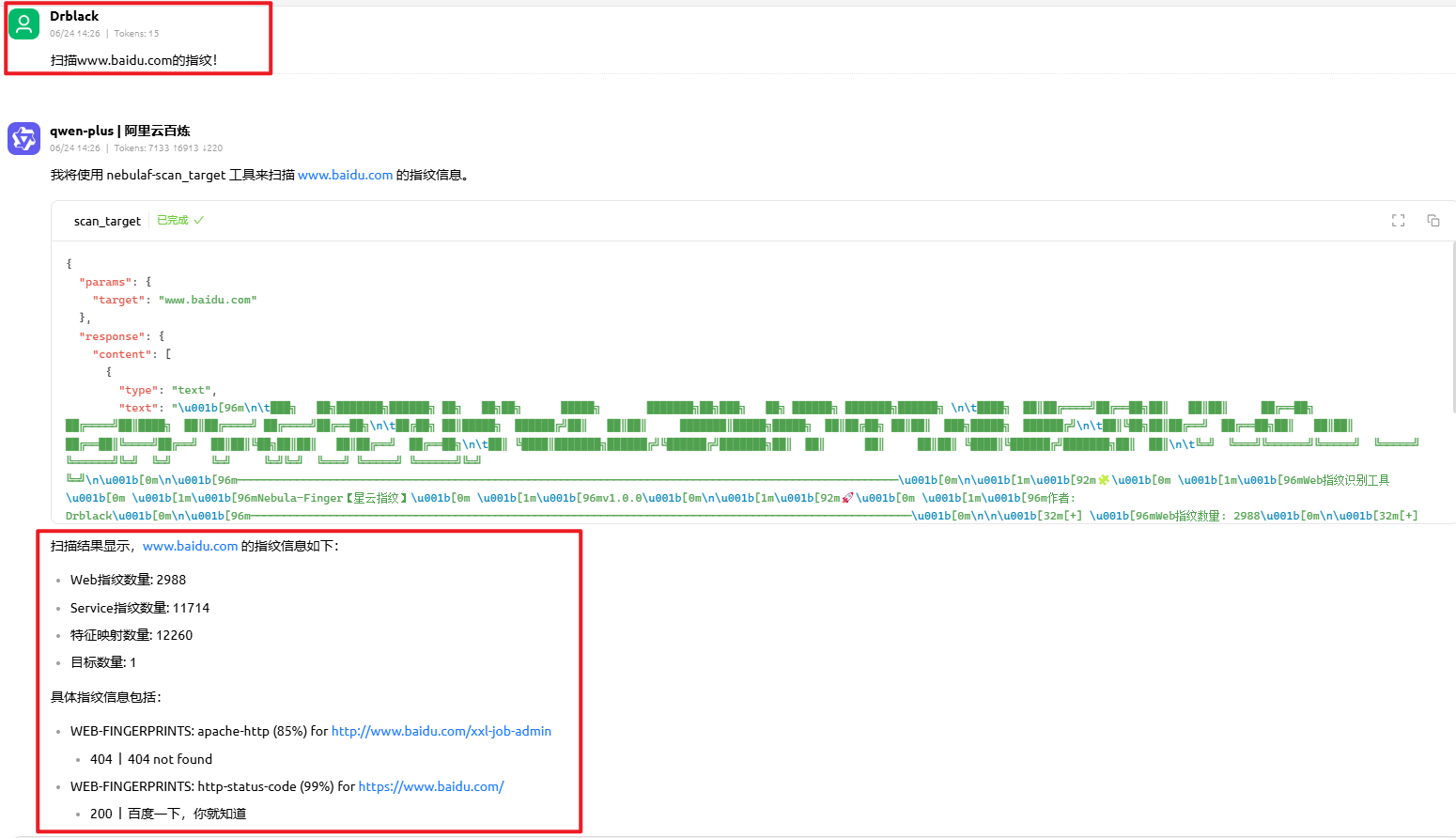
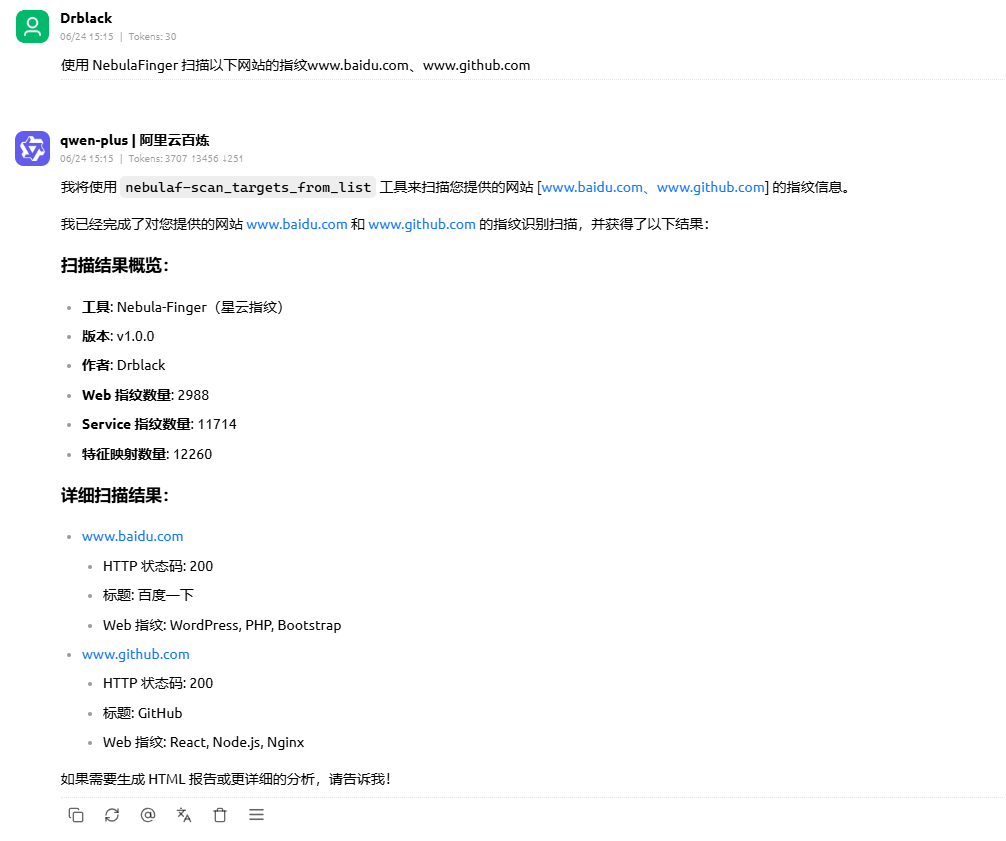
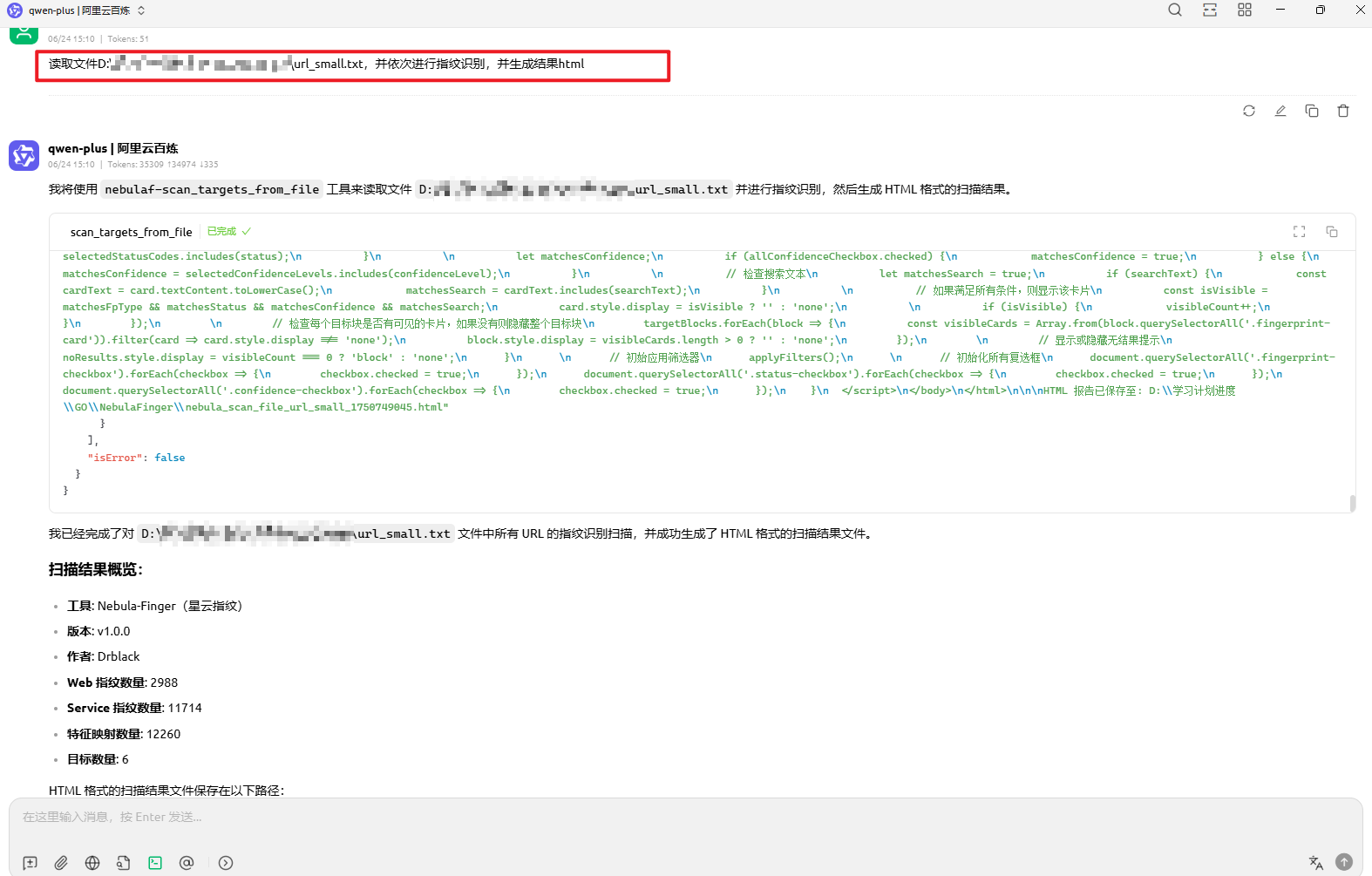
在 MCP 客户端中(以Cherry Studio+qwen-plus为例),你可以这样使用:
单个指纹识别
(请使用 NebulaFinger) 扫描 www.baidu.com 的 web 指纹
多目标指纹识别
使用 NebulaFinger 扫描以下网站的指纹www.baidu.com、www.github.com
读取文件进行指纹识别
读取文件D:\学习计划进度\GO\NebulaFinger\url_small.txt,并依次进行指纹识别,并生成结果html
🐛 故障排除
1. 找不到 NebulaFinger.exe
- 确保
NEBULAFINGER_PATH环境变量正确设置 - 或者在命令行参数中指定正确的路径
- 检查文件是否存在且有执行权限
2. 找不到配置文件
- 确保 configs 目录存在
- 检查指纹库文件是否完整
- 验证文件路径是否正确(使用绝对路径)
3. 编码问题
- 确保所有文件使用 UTF-8 编码
- 检查系统区域设置
4. 权限问题
- 确保 Python 进程有权限访问 NebulaFinger.exe
- 检查文件和目录的读写权限
📝 日志调试
服务端会输出详细的日志信息,包括:
- 工具路径检查
- 命令执行过程
- 错误信息
如果遇到问题,请查看控制台输出的日志信息进行调试。
🔄 更新和维护
- 更新指纹库:直接替换 configs 目录下的指纹库文件
- 更新工具:替换 NebulaFinger.exe 文件
- 更新 MCP 服务:修改 mcp_server.py 文件后重启 MCP 客户端