FinMCP
Servidor MCP de finanzas ligero en TypeScript que envuelve las APIs de Yahoo Finance. Conecta datos financieros en tiempo real — acciones, opciones, criptomonedas, ganancias — a cualquier asistente de IA. Sin clave API. Funciona mediante stdio, Docker o HTTP.
Documentación
Servidor MCP de Yahoo Finance (Cloud)
Infraestructura de datos financieros de grado de producción (Cloud) para asistentes de IA con resiliencia de nivel empresarial, validación integral de calidad de datos y monitoreo listo para producción.
Desplegar en la Nube (basado en Docker)
FinMCP incluye un Dockerfile y está completamente basado en Docker, por lo que se ejecuta en cualquier plataforma que admita contenedores: Railway, Render, Fly.io, DigitalOcean App Platform, un VPS o cualquier otra.
Opción más fácil — Railway (recomendada para principiantes):
- Regístrate en railway.com (enlace de referencia — te da créditos gratuitos)
- Nuevo Proyecto → Desplegar desde repositorio de GitHub → pega
https://github.com/Steve-sy/finmcp - Railway detecta automáticamente el
Dockerfiley compila + despliega automáticamente - (Opcional) Agrega
YF_MCP_API_KEYen la pestaña Variables de Railway para proteger tu endpoint - Ve a Configuración → Redes → Generar Dominio para obtener tu URL pública
- Tu endpoint MCP estará disponible en:
https://<your-app>.up.railway.app/mcp
Otras plataformas (Render, Fly.io, VPS, etc.):
Cualquier plataforma que pueda ejecutar un contenedor Docker funciona. Apúntala a este repositorio y configura el comando de inicio como node dist/http.js. El servidor escucha en la variable de entorno PORT (inyectada automáticamente por la mayoría de las plataformas) y usa por defecto 3333.
Opcional: protege los despliegues públicos con YF_MCP_API_KEY y conéctate usando ...?key=YOUR_SECRET.
Integración con Claude Desktop (Cloud)
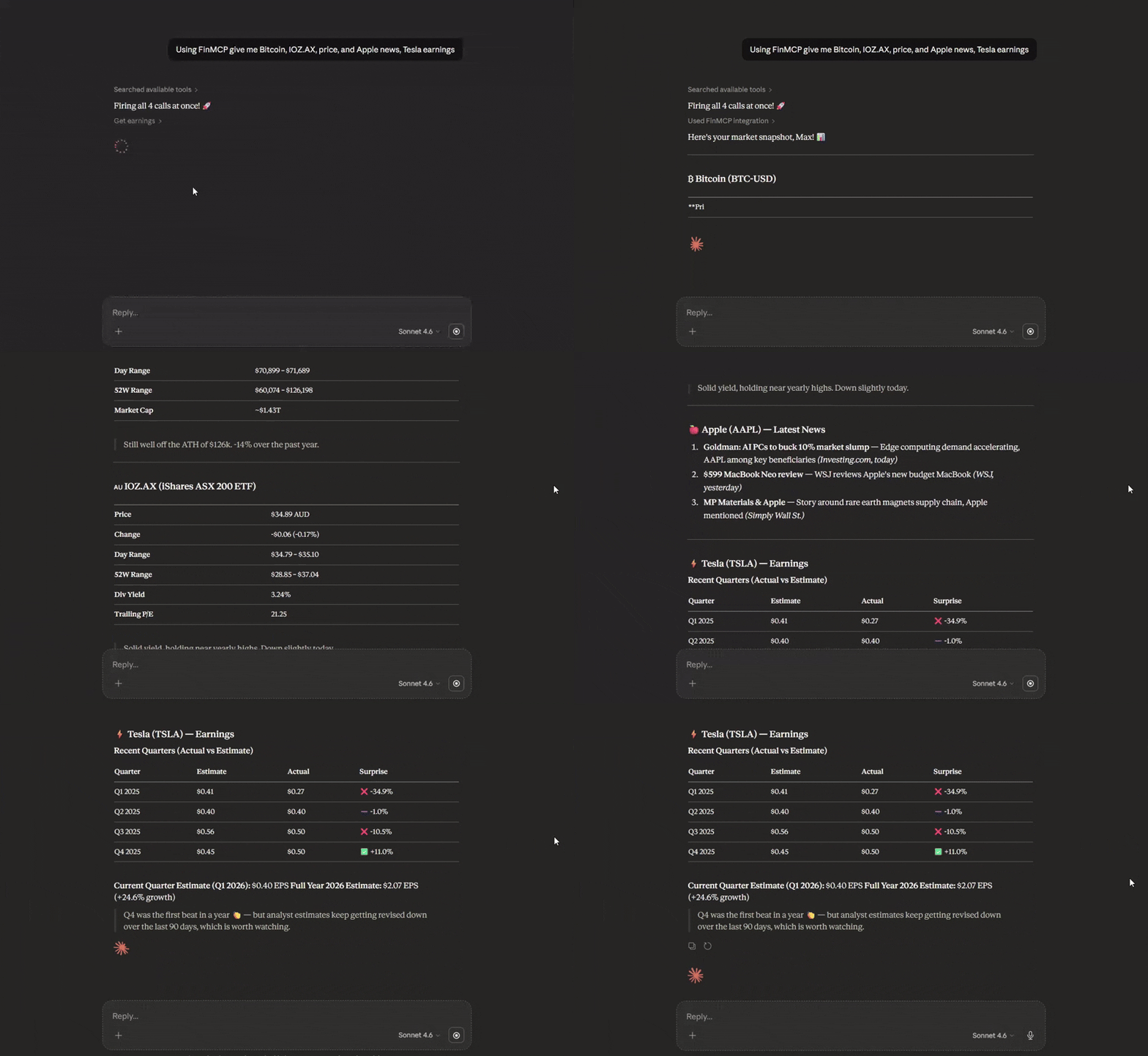
Personalizar -> Conectores -> Agregar conector personalizado: Nombre: FinMCP URL del servidor MCP remoto: tu URL https en la nube: https:///mcp
Instalación Local
npm install -g @mustafa.ramx/finmcp
Inicio Rápido
Iniciar Servidor
finmcp
Integración con Claude Desktop (Local — npm)
Agrega a tu claude_desktop_config.json:
{
  "mcpServers": {
    "finmcp": {
      "command": "finmcp"
    }
  }
}
Integración con Claude Desktop (Local — Docker)
Si prefieres Docker en lugar de instalar Node.js, primero compila la imagen:
docker build -t finmcp .
Luego agrega a tu claude_desktop_config.json:
{
  "mcpServers": {
    "finmcp": {
      "command": "docker",
      "args": ["run", "-i", "--rm", "finmcp", "node", "dist/index.js"]
    }
  }
}
Nota: El soporte MCP de ChatGPT Desktop puede variar — consulta su documentación para la configuración de conectores personalizados.
Otras Herramientas de IA
Cursor AI / Cline AI:
{
  "mcpServers": {
    "finmcp": {
      "command": "finmcp"
    }
  }
}
Características
- 15 Herramientas de Datos Financieros: Acciones, opciones, criptomonedas, forex, inteligencia empresarial, sentimiento del mercado
- Patrón de Disyuntor: Recuperación automática ante fallos de API
- Limitación de Tasa Multi-Estrategia: Token bucket + adaptativa + limitación por endpoint
- Puntuación de Calidad de Datos: Validación de integridad y completitud
- Caché Integral: Respaldo elegante con alta tasa de aciertos de caché (70-90%)
- Transporte HTTP de Transmisión: Ejecuta localmente o despliega en la nube (Docker/Railway) para acceso HTTPS
- Autenticación Opcional con Clave API: Protege despliegues públicos con
YF_MCP_API_KEY - Pruebas Empresariales: Pruebas unitarias, de integración, e2e y de caos
Herramientas Disponibles
Datos de Mercado
get_quote- Cotizaciones en tiempo real con informes de calidadget_historical_prices- Datos OHLCV con rangos de fechasget_historical_prices_multi- Datos históricos por lotes
Inteligencia Empresarial
get_quote_summary- Resumen integral de la empresaget_balance_sheet- Activos, pasivos, patrimonioget_income_statement- Ingresos, gastos, ingreso netoget_cash_flow_statement- Flujos de efectivo operativos, de inversión y de financiamientoget_earnings- Ganancias trimestrales con estimacionesget_analysis- Recomendaciones de analistas y precios objetivoget_major_holders- Propiedad institucional y de personas con información privilegiada
Sentimiento del Mercado
get_news- Artículos recientes con puntuación de relevanciaget_options- Cadenas de opciones con griegasget_trending_symbols- Mayores movimientos con métricas de volumenscreener- Filtra acciones por más de 12 criterios
Multi-Activo
get_crypto_quote- Precios de criptomonedasget_forex_quote- Tasas de cambio de pares de divisas
Documentación
Para documentación completa que incluye configuración, ejemplos de uso, detalles de arquitectura y mejores prácticas:
Ver Documentación Completa en GitHub
La documentación incluye:
- Referencia Completa de Herramientas
- Guía de Uso con Ejemplos
- Guía de Configuración
- Detalles de Arquitectura
- Estado de Verificación de Datos
Configuración
Crea un archivo config.json:
{
  "rateLimit": {
    "requestsPerMinute": 60,
    "requestsPerHour": 1500
  },
  "cache": {
    "ttlQuotes": 60000,
    "maxCacheSize": 1000
  },
  "circuitBreaker": {
    "failureThreshold": 5,
    "monitoringWindow": 60000,
    "successThreshold": 3
  }
}
Para opciones de configuración detalladas, consulta la Guía de Configuración.
Rendimiento
| Métrica | Valor |
|---|---|
| Consultas de cotizaciones | 60 solicitudes/minuto (configurable) |
| Operaciones por lotes | Hasta 100 símbolos por solicitud |
| Tasa de aciertos de caché | 70-90% para símbolos de acceso frecuente |
| Tiempo de inicio en frío | <500ms |
| Cobertura de pruebas | 95%+ para middleware principal |
Licencia
MIT