Upbit MCP Server
Accede a datos de mercado, gestiona cuentas y ejecuta operaciones en el intercambio de criptomonedas Upbit a través de su OpenAPI.
Documentación
Upbit MCP Server
Una implementación de servidor para la API abierta de Upbit de intercambio de criptomonedas utilizando el Protocolo de Contexto de Modelo (MCP). Este proyecto proporciona herramientas para interactuar con los servicios de intercambio de Upbit, como la recuperación de datos de mercado (cotizaciones, libros de órdenes, historial de transacciones, datos de velas), información de cuenta, creación y cancelación de órdenes, gestión de depósitos/retiros y análisis técnico.
Características
- Recuperación de datos de mercado (ticker, libro de órdenes, transacciones, datos de velas)
- Información de cuenta (saldo, historial de órdenes)
- Creación y cancelación de órdenes
- Funciones de depósito y retiro
- Herramientas de análisis técnico
Lista de funciones disponibles
Consulta de datos de mercado
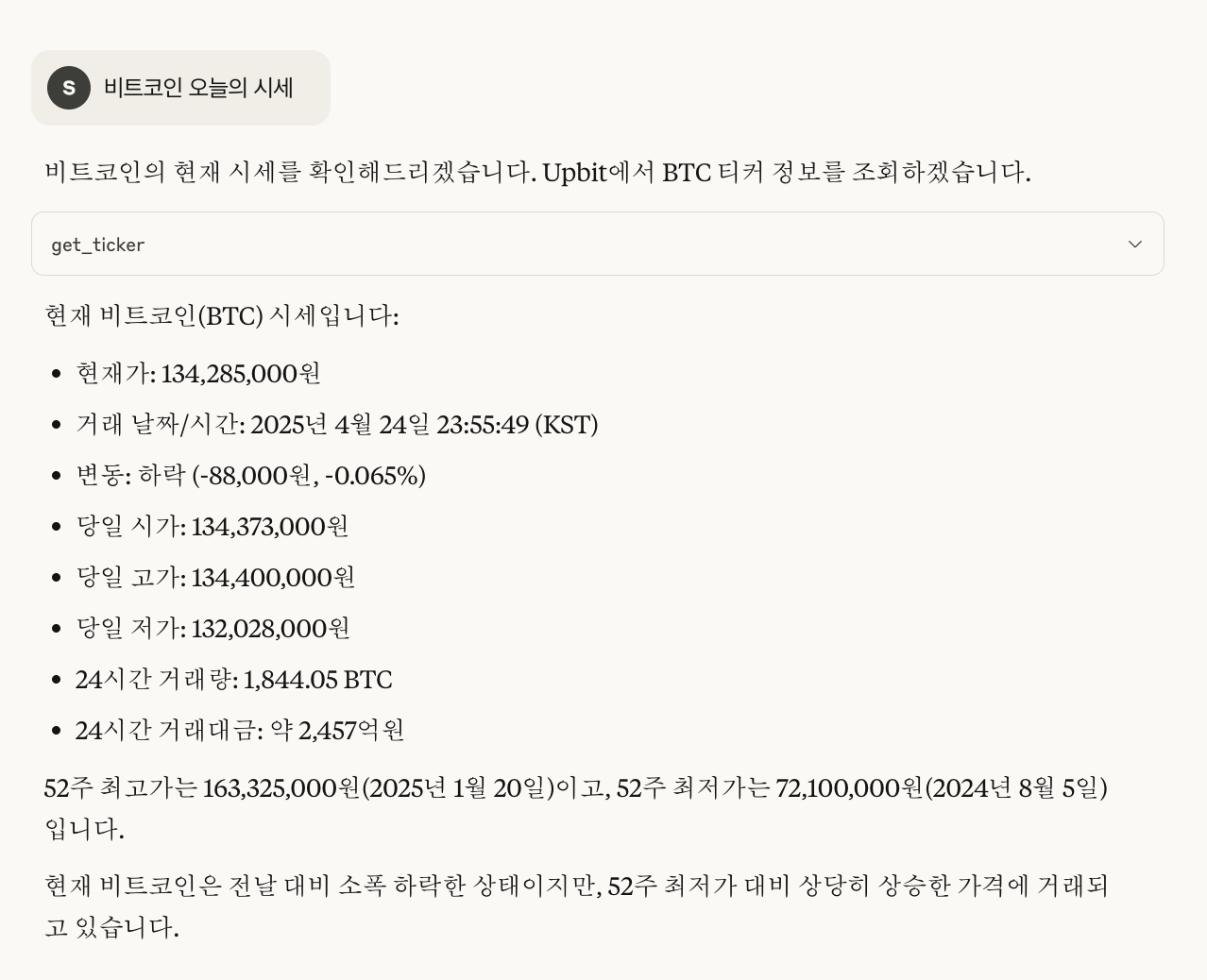
- Consulta de precios actuales de criptomonedas (
get_ticker) - Consulta de información del libro de órdenes (
get_orderbook) - Consulta de historial de transacciones recientes (
get_trades) - Verificación de información resumida de los principales mercados de criptomonedas (
get_market_summary)
Consulta de información de cuenta
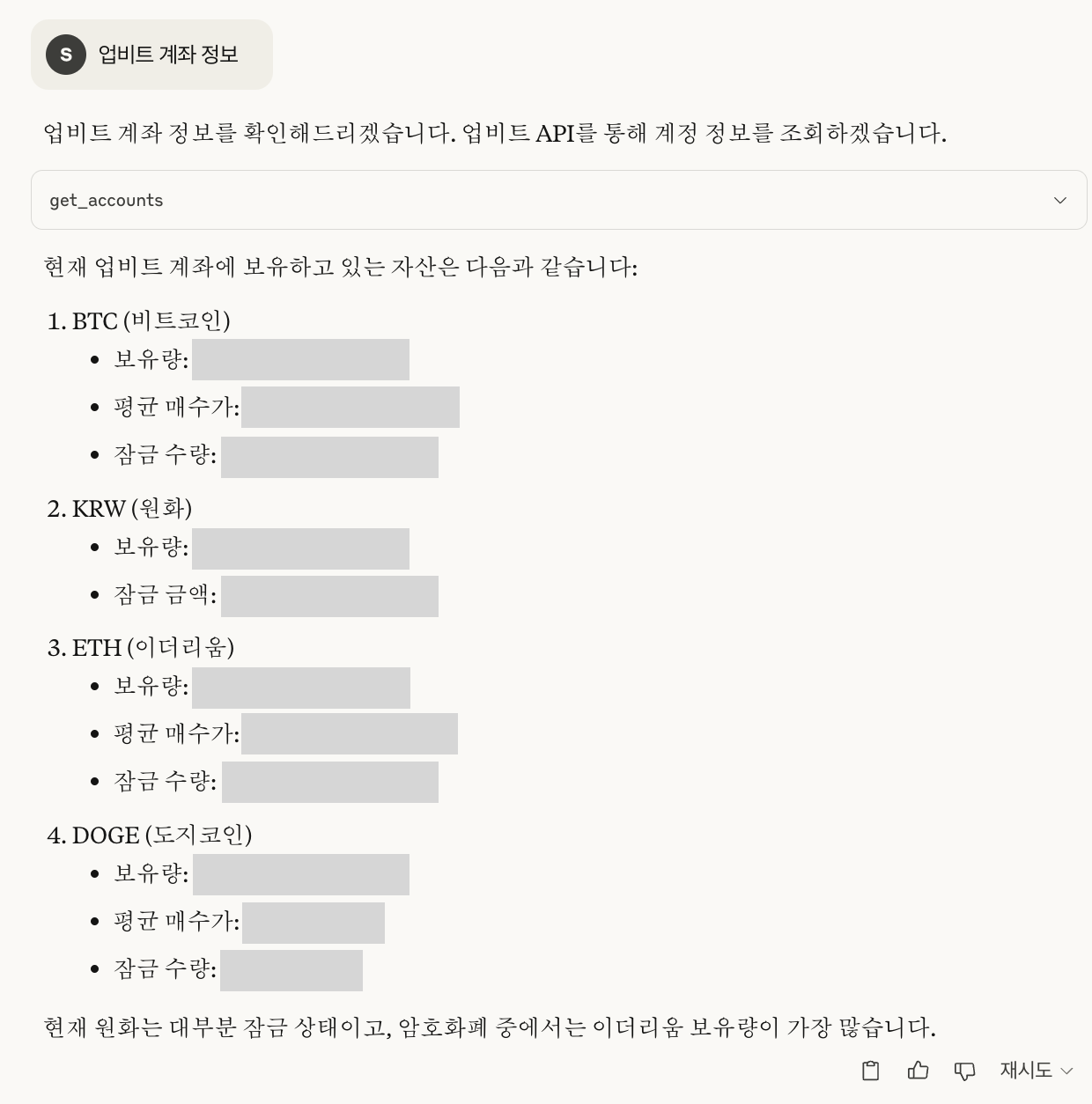
- Verificación de lista de activos y saldo (
get_accounts) - Consulta de historial de órdenes (
get_orders) - Consulta de detalles de una orden específica (
get_order) - Consulta de historial de depósitos y retiros (
get_deposits_withdrawals)
Funciones de trading
- Crear orden de compra limitada/de mercado (
create_order) - Crear orden de venta limitada/de mercado (
create_order) - Cancelar orden (
cancel_order)
Ejemplo de chat
A continuación se muestra una imagen de ejemplo de chat real.
Requisitos previos
Antes de comenzar, necesitas obtener tus claves de API de Upbit:
- Crea una cuenta en Upbit si aún no tienes una
- Ve al Centro de desarrolladores de Upbit
- Crea una nueva clave de API
- Asegúrate de establecer los permisos adecuados (lectura, trading, retiro según sea necesario)
- Guarda tus claves de API (
UPBIT_ACCESS_KEY,UPBIT_SECRET_KEY) en el archivo.env(consulta la sección de Instalación)
Instalación
-
Clona el repositorio:
git clone https://github.com/solangii/upbit-mcp-server.git cd upbit-mcp-server -
Instala las dependencias:
cd upbit-mcp-server
uv sync
Si aún no tienes
uvinstalado, puedes instalarlo de la siguiente manera:Usar
uvproporciona una instalación más rápida y una resolución de dependencias más confiable.# Install uv curl -Ls https://astral.sh/uv/install.sh | sh # Add uv to your PATH echo 'export PATH="$HOME/.local/bin:$PATH"' >> ~/.zshrc source ~/.zshrc # or bashrc, depending on your shell -
Configura las variables de entorno: Crea un archivo
.enven la raíz del proyecto y agrega tus claves de API de Upbit:UPBIT_ACCESS_KEY=your_access_key_here UPBIT_SECRET_KEY=your_secret_key_here
Uso
Instalar en Claude Desktop
Opción 1: Usando el archivo de configuración de Claude (integración directa)
Puedes agregar el servidor MCP directamente al archivo de configuración de Claude:
-
Instala Claude Desktop
-
Agrega lo siguiente a la configuración de Claude Desktop:
- macOS: ``~/Library/Application Support/Claude/claude_desktop_config.json`
- Windows:
%APPDATA%\Claude\claude_desktop_config.json
-
Agrega la siguiente configuración (ajusta las rutas según sea necesario):
{ "mcpServers": { "upbit-mcp-server": { "command": "/full/path/to/upbit-mcp-server/.venv/bin/python", "args": [ "/full/path/to/upbit-mcp-server/main.py" ] } } } -
Reinicia Claude para cargar la nueva configuración.
Opción 2: Usando fastmcp
fastmcp install main.py --name "Upbit API"
Ejecutar directamente con Python
uv run python main.py
Modo de desarrollo (interfaz web)
fastmcp dev main.py
Advertencia
- Este servidor puede procesar operaciones reales, así que úsalo con cuidado.
- Mantén tus claves de API seguras y nunca las subas a repositorios públicos.
Licencia
MIT