Code Runner
Ejecuta fragmentos de código en varios lenguajes de programación y muestra el resultado.
Documentación
Servidor MCP Code Runner


Servidor MCP para ejecutar fragmentos de código y mostrar el resultado.
Soporta la ejecución de múltiples lenguajes de programación: JavaScript, PHP, Python, Perl, Perl 6, Ruby, Go, Lua, Groovy, PowerShell, BAT/CMD, BASH/SH, F# Script, C# Script, VBScript, TypeScript, CoffeeScript, Scala, Swift, Julia, Crystal, OCaml Script, R, AppleScript, Elixir, Clojure, Racket, Scheme, AutoHotkey, AutoIt, Kotlin Script, Dart, Haskell, Ni, Lisp, Kit, V, SCSS, Sass. La lista completa se puede ver aquí en constants.ts.
Configuración
npx para VS Code
Instale el servidor MCP Code Runner en VS Code usando los siguientes botones:
-VS_Code-0098FF)
-VS_Code_Insiders-24bfa5)
Alternativamente, puede agregar la configuración en settings.json:
{
  "mcp": {
    "inputs": [],
    "servers": {
      "mcp-server-code-runner": {
        "command": "npx",
        "args": [
          "-y",
          "mcp-server-code-runner@latest"
        ],
      }
    }
  }
}
npx para Claude Desktop
Configuración en claude_desktop_config.json:
{
  "mcpServers": {
    "mcp-server-code-runner": {
      "command": "npx",
      "args": [
        "-y",
        "mcp-server-code-runner@latest"
      ],
    }
  }
}
Docker
Use VS Code como ejemplo. Instale el servidor MCP Code Runner en VS Code usando los siguientes botones:
-VS_Code-0098FF)
-VS_Code_Insiders-24bfa5)
Alternativamente, puede agregar la configuración en settings.json:
{
  "mcp": {
    "inputs": [],
    "servers": {
      "mcp-server-code-runner": {
        "command": "docker",
        "args": [
          "run",
          "--rm",
          "-i",
          "formulahendry/mcp-server-code-runner"
        ]
      }
    }
  }
}
Problema de npx en Windows
En Windows, los servidores MCP pueden fallar al conectarse con npx.
Puede probar los siguientes dos métodos alternativos:
usar bunx
- Instale Bun.
- En la configuración, cambie
npxporbunx.
usar cmd
A continuación se muestra la configuración de VS Code en settings.json:
{
  "mcp": {
    "inputs": [],
    "servers": {
      "mcp-server-code-runner": {
        "command": "cmd",
        "args": [
          "/c",
          "npx",
          "-y",
          "mcp-server-code-runner@latest"
        ],
      }
    }
  }
}
Ejecutar con Streamable HTTP Transport
npm install -g mcp-server-code-runner@latest
mcp-server-code-runner --transport http
Uso
Antes de usar el Servidor MCP Code Runner, asegúrese de que el intérprete o compilador del lenguaje de programación que desea ejecutar esté configurado en la variable de entorno PATH.
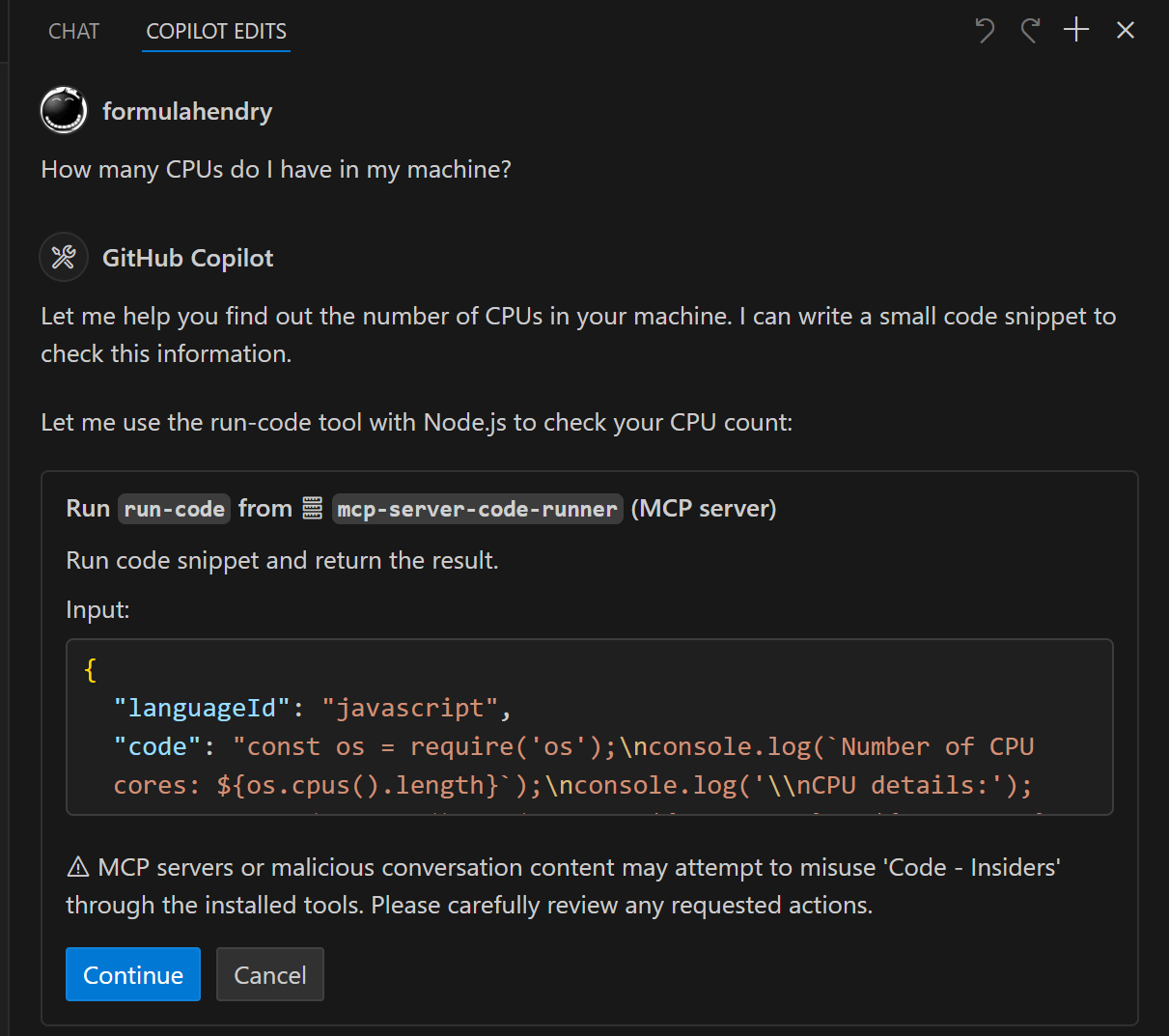
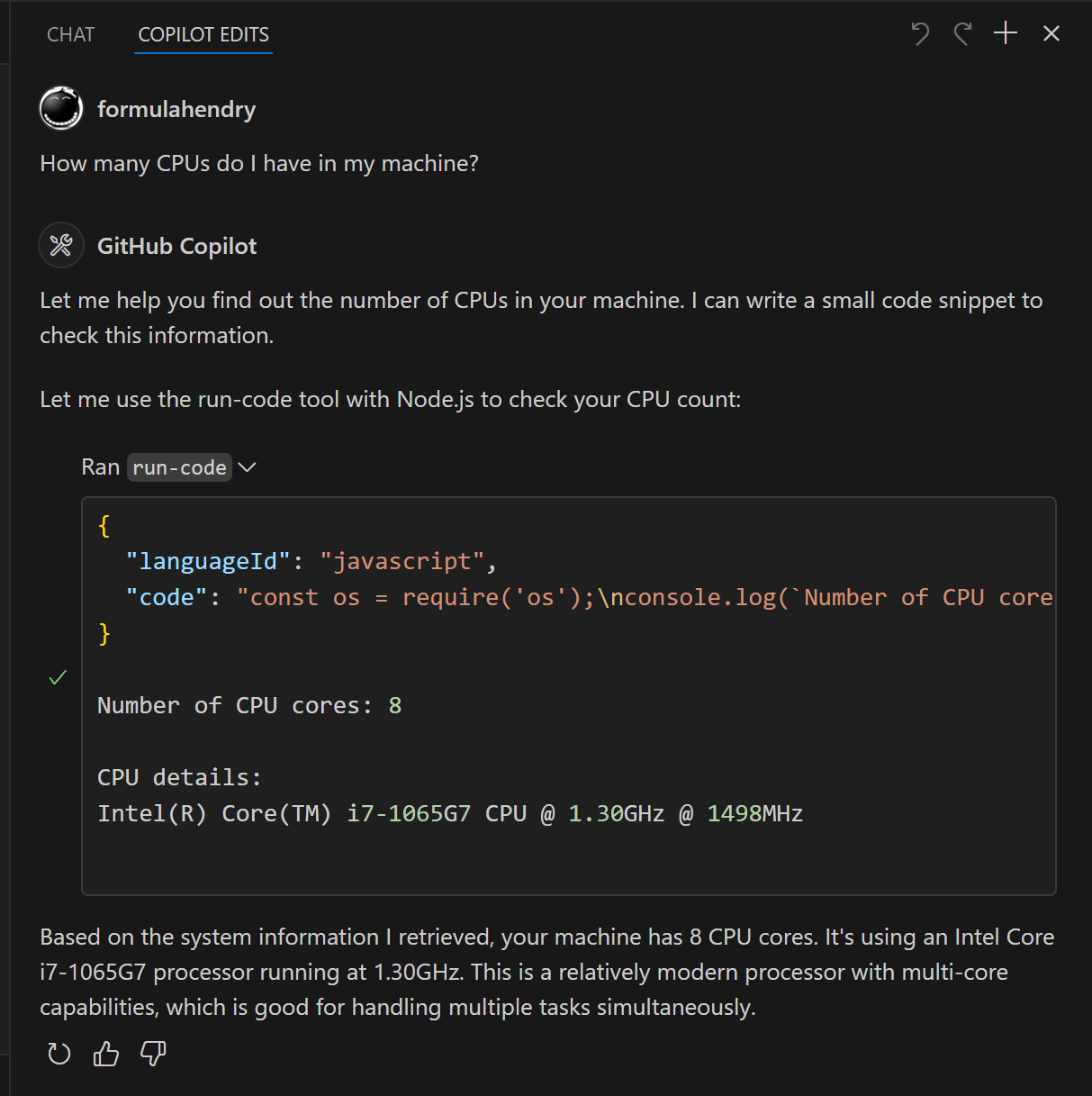
Pruebe los siguientes mensajes en la aplicación que tiene configurado el Servidor MCP Code Runner:
Run the JavaScript Code: console.log(5+6)Where is temporary folder in my OS? Use run-code toolHow many CPUs do I have in my machine? Use run-code tool
Construya su propio Servidor MCP
¿Quiere construir su propio Servidor MCP? ¡Pruebe el Generador Yeoman para Servidor MCP para crear su proyecto de Servidor MCP!