Siri Shortcuts
Lista, abre y ejecuta accesos directos desde la app de Accesos Directos de macOS.
GitHub
194
Prueba este MCPPatrocinadoDocumentación
Servidor MCP de Siri Shortcuts
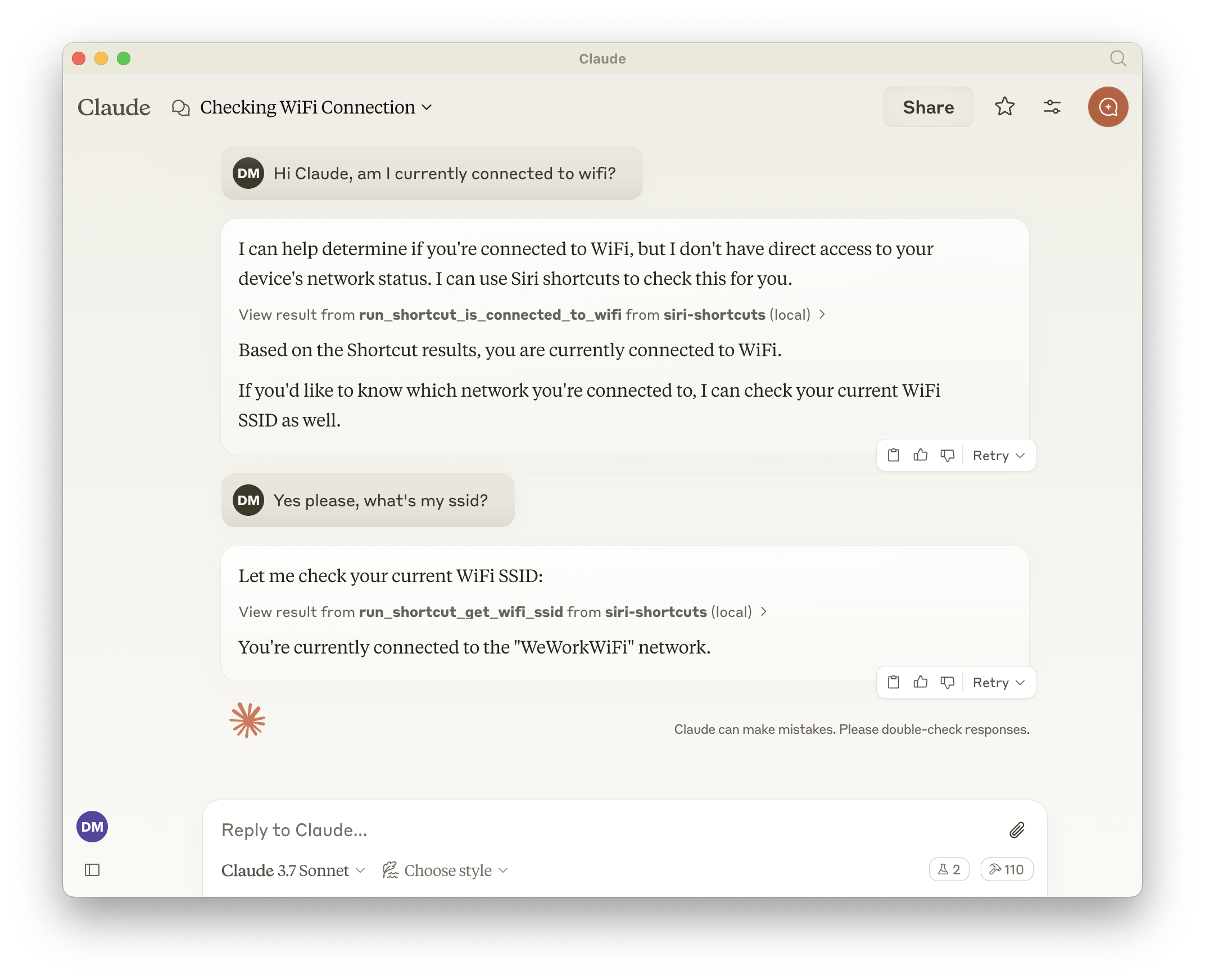
Este servidor MCP proporciona acceso a la funcionalidad de Siri Shortcuts mediante el Protocolo de Contexto de Modelo (MCP). Permite listar, abrir y ejecutar atajos desde la aplicación Shortcuts de macOS.
Características
- Expone todos los atajos, lo que significa que el LLM puede llamar a cualquier cosa disponible en la aplicación Shortcuts.
- Lista todos los atajos disponibles
- Abre atajos en la aplicación Shortcuts
- Ejecuta atajos con parámetros de entrada opcionales
- Herramientas generadas dinámicamente para cada atajo disponible
Herramientas
Herramientas Base
-
list_shortcuts- Lista todos los atajos de Siri disponibles en el sistema
- No requiere entrada
- Devuelve: Matriz de nombres de atajos
{ "shortcuts": [{ "name": "My Shortcut 1" }, { "name": "My Shortcut 2" }] } -
open_shortcut- Abre un atajo en la aplicación Shortcuts
- Entrada:
name(cadena): Nombre del atajo a abrir
-
run_shortcut- Ejecuta un atajo con entrada opcional
- Entrada:
name(cadena): Nombre o identificador (UUID) del atajo a ejecutarinput(cadena, opcional): Entrada de texto o ruta de archivo para pasar al atajo
Herramientas Dinámicas
El servidor genera automáticamente herramientas adicionales para cada atajo disponible en el formato:
- Nombre de la herramienta:
run_shortcut_[sanitized_shortcut_name] - Descripción: Ejecuta el atajo específico
- Entrada:
input(cadena, opcional): Entrada de texto o ruta de archivo para pasar al atajo
Configuración
El servidor admite las siguientes variables de entorno:
GENERATE_SHORTCUT_TOOLS(predeterminado:true): Cuando se establece enfalse, desactiva la generación de herramientas dinámicas de atajos. Solo estarán disponibles las herramientas base (list_shortcuts,open_shortcut,run_shortcut).INJECT_SHORTCUT_LIST(predeterminado:false): Cuando se establece entrue, inyecta la lista de atajos disponibles en la descripción de la herramientarun_shortcutpara ayudar al LLM a comprender qué atajos están disponibles.
Uso con Claude
Agregue a su configuración de Claude:
{
  "mcpServers": {
    "siri-shortcuts": {
      "command": "npx",
      "args": ["mcp-server-siri-shortcuts"],
      "env": {
        "GENERATE_SHORTCUT_TOOLS": "true",
        "INJECT_SHORTCUT_LIST": "false"
      }
    }
  }
}
Detalles de Implementación
- Utiliza el comando CLI
shortcutsde macOS internamente - Sanea los nombres de los atajos para la compatibilidad de nombres de herramientas
- Admite tanto entrada de texto directa como entrada basada en archivos
- Devuelve la salida del atajo cuando está disponible
- Implementa el manejo estándar de errores de MCP