Time MCP Server
Proporciona funciones relacionadas con el tiempo, como consultas de hora actual, conversiones de zona horaria y cálculos de diferencia horaria.
Documentación
Time MCP Server
Un servidor de Model Context Protocol que proporciona capacidades relacionadas con el tiempo. Este servidor permite a los LLM acceder a información de hora actual y convertir horas entre diferentes zonas horarias. Esta es una implementación en Swift de un servidor MCP de tiempo que utiliza el MCP Swift SDK.


✨ Características
- Consultas de hora actual: Obtén la hora actual en cualquier zona horaria
- Conversiones de zona horaria: Convierte la hora entre diferentes zonas horarias
- Información de horario de verano: Comprueba si una zona horaria está actualmente en horario de verano (DST)
- Cálculo de diferencia horaria: Obtén la diferencia horaria entre zonas horarias al convertir
Herramientas Disponibles
-
get_current_time- Obtén la hora actual en una zona horaria específicatimezone(string, obligatorio): Nombre de zona horaria IANA (p. ej., 'America/New_York', 'Europe/London'). Si está vacío o no se proporciona, se utilizará la zona horaria del sistema.
-
convert_time- Convierte la hora entre zonas horariassource_timezone(string, obligatorio): Nombre de la zona horaria IANA de origen. Si está vacío o no se proporciona, se utilizará la zona horaria del sistema.time(string, obligatorio): Hora a convertir en formato de 24 horas (HH:MM)target_timezone(string, obligatorio): Nombre de la zona horaria IANA de destino. Si está vacío o no se proporciona, se utilizará la zona horaria del sistema.
Instalación
Opción 1: Instalación en una línea (curl)
La forma más fácil de instalar es con el instalador de una línea, que descarga automáticamente la última versión y la instala en ~/.local/bin en tu directorio personal:
curl -fsSL https://raw.githubusercontent.com/okooo5km/time-mcp-server/main/install.sh | bash
El instalador:
- Creará
~/.local/binsi no existe - Añadirá este directorio a tu PATH (en .zshrc o .bashrc)
- Descargará e instalará la última versión
- Hará ejecutable el binario
Opción 2: Compilar desde el código fuente
-
Clona el repositorio:
git clone https://github.com/okooo5km/time-mcp-server.git cd time-mcp-server -
Compila el proyecto:
swift build -c release -
Instala el binario:
# Install to user directory (recommended, no sudo required)
mkdir -p ~/.local/bin
cp $(swift build -c release --show-bin-path)/time-mcp-server ~/.local/bin/
Asegúrate de que
~/.local/binesté en tu PATH añadiéndolo a tu archivo de configuración del shell:echo 'export PATH="$HOME/.local/bin:$PATH"' >> ~/.zshrc # or ~/.bashrc source ~/.zshrc # or source ~/.bashrc
Argumentos de Línea de Comandos
El servidor admite los siguientes argumentos de línea de comandos:
-h, --help: Muestra información de ayuda sobre el servidor, su uso y las opciones disponibles-v, --version: Muestra el número de versión de time-mcp-server
Ejemplo de uso:
# Display help information
time-mcp-server --help

# Display version information
time-mcp-server --version
Configuración para Claude.app
Añade a tu configuración de Claude:
"mcpServers": {
  "RealTime": {
    "command": "time-mcp-server"
  }
}
Configuración para Cursor
Añade la siguiente configuración al archivo Settings - mcp.json de tu editor Cursor:
{
  "mcpServers": {
    "RealTime": {
      "command": "time-mcp-server"
    }
  }
}
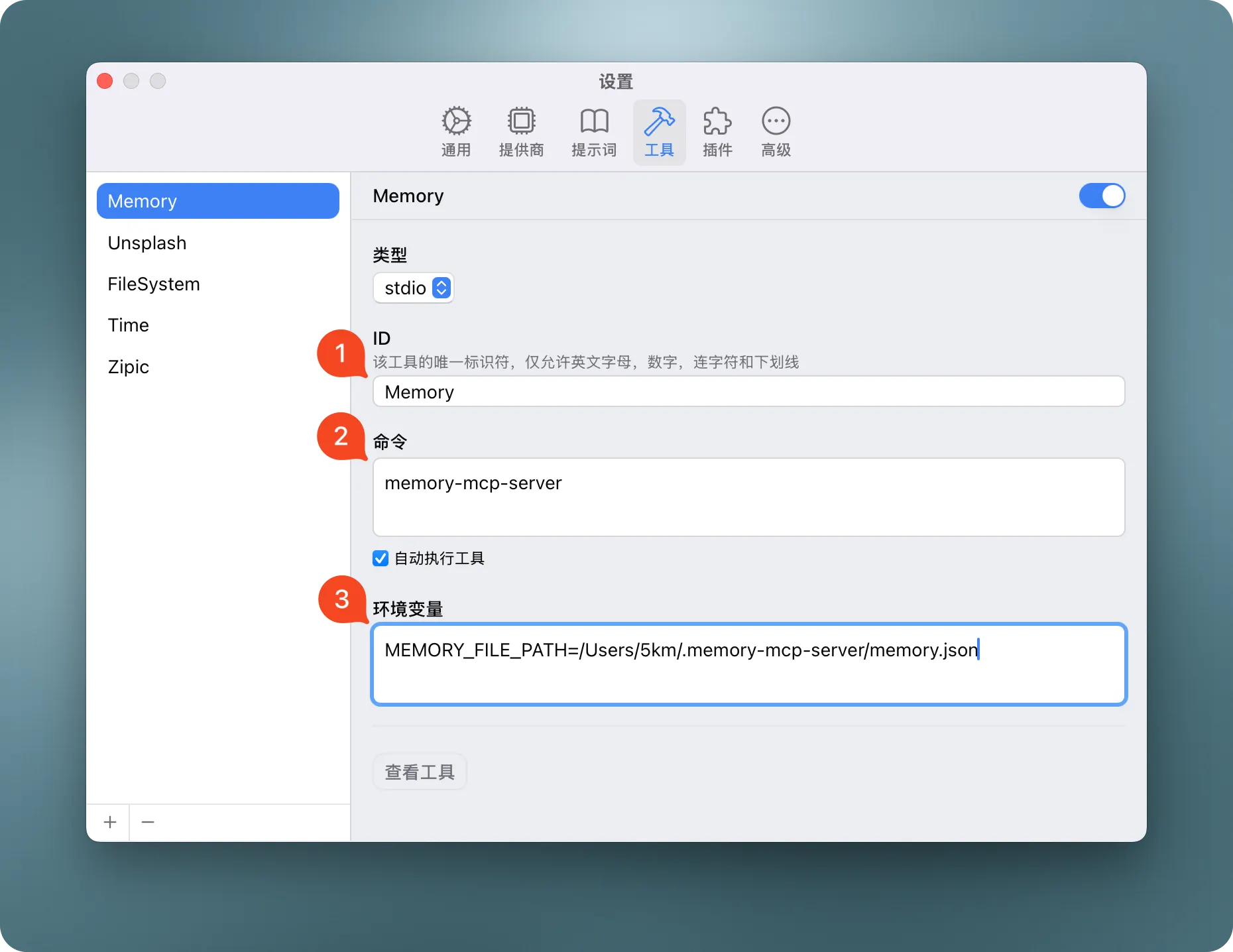
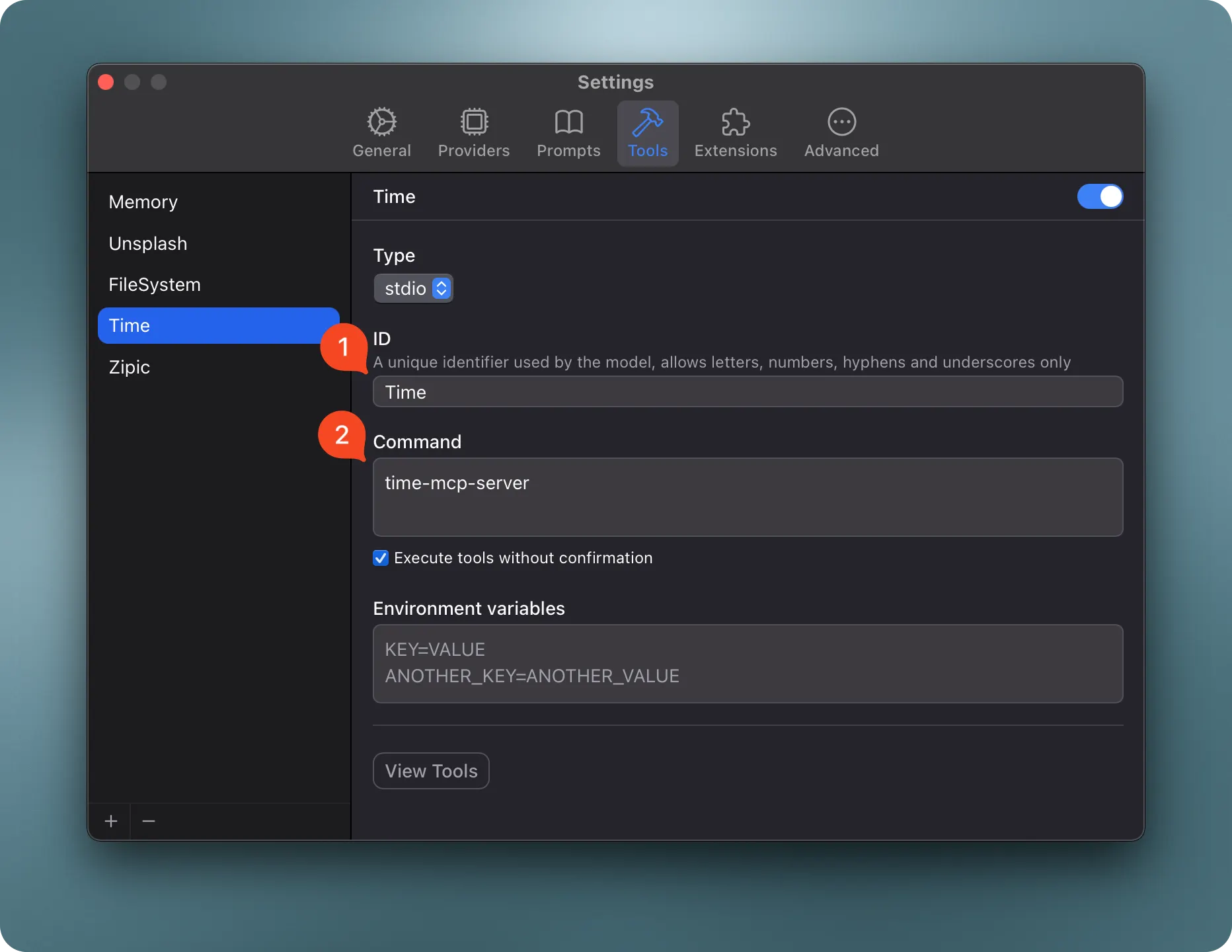
Configuración para ChatWise
Añade el servidor MCP de memoria a tu Chatwise Settings - Tools.
Ejemplo de Prompt del Sistema
Puedes utilizar el siguiente prompt del sistema para ayudar a Claude a utilizar time-mcp-server de manera efectiva:
You have access to time-related tools through MCP. Use these to help users:

- Get the current time in any timezone
- Convert times between timezones
- Calculate time differences between locations
- Plan meetings across different timezones

Use the following tools appropriately:
- `get_current_time` for checking the current time in a specific timezone
- `convert_time` when the user needs to convert between timezones

Always use proper IANA timezone names (e.g., 'America/New_York', 'Europe/London', 'Asia/Tokyo')
rather than abbreviations or common names.
Requisitos de Desarrollo
- Swift 6.0 o posterior
- macOS 14.0 o posterior
- MCP Swift SDK 0.2.0 o posterior
Ejemplos de Uso
Obtener la Hora Actual
{
  "timezone": "America/New_York"
}
Respuesta:
{
  "timezone": "America/New_York",
  "datetime": "2024-11-05T14:30:45-05:00",
  "is_dst": false
}
Convertir Hora
{
  "source_timezone": "America/Los_Angeles",
  "time": "15:30",
  "target_timezone": "Asia/Tokyo"
}
Respuesta:
{
  "source": {
    "timezone": "America/Los_Angeles",
    "datetime": "2024-11-05T15:30:00-08:00",
    "is_dst": false
  },
  "target": {
    "timezone": "Asia/Tokyo",
    "datetime": "2024-11-06T08:30:00+09:00",
    "is_dst": false
  },
  "time_difference": "+17h"
}
Casos de Uso
- Planificación de reuniones internacionales: Programa reuniones en diferentes zonas horarias
- Planificación de viajes: Consulta las horas locales en el destino
- Coordinación de trabajo remoto: Coordina horarios laborales con equipos internacionales
- Programación de eventos: Organiza eventos globales con las horas locales correctas
- Operaciones sensibles al tiempo: Asegura que las operaciones ocurran a la hora local correcta
Historial de Versiones
Consulta GitHub Releases para el historial de versiones y el registro de cambios.
☕️ Apoya el Proyecto
Si encuentras útil time-mcp-server, considera apoyar su desarrollo:
- ⭐️ Marca el proyecto con una estrella en GitHub
- 🐛 Reporta errores o sugiere funciones
- 💝 Apoya a través de:

Licencia
time-mcp-server está licenciado bajo la Licencia MIT. Esto significa que eres libre de usar, modificar y distribuir el software, sujeto a los términos y condiciones de la Licencia MIT.
Acerca de
Una implementación en Swift de un servidor de tiempo para Model Context Protocol (MCP), que permite a los asistentes de IA acceder a información de hora actual y convertir entre zonas horarias. Este proyecto está construido con el MCP Swift SDK.