Terry-Form MCP
Ejecuta comandos de Terraform localmente en un entorno seguro y contenerizado. Incluye integración con LSP para el desarrollo inteligente de Terraform.
Documentación
Terry-Form MCP
Ejecución de Terraform impulsada por IA a través del Protocolo de Contexto de Modelos.



Terry-Form MCP es un servidor del Protocolo de Contexto de Modelos contenerizado que brinda a asistentes de IA como Claude un acceso seguro y estructurado a Terraform. Expone 25 herramientas MCP que abarcan ejecución de Terraform, inteligencia LSP, integración con GitHub y conectividad con Terraform Cloud, todo ejecutándose dentro de Docker con operaciones destructivas bloqueadas por diseño.
Panel de Control
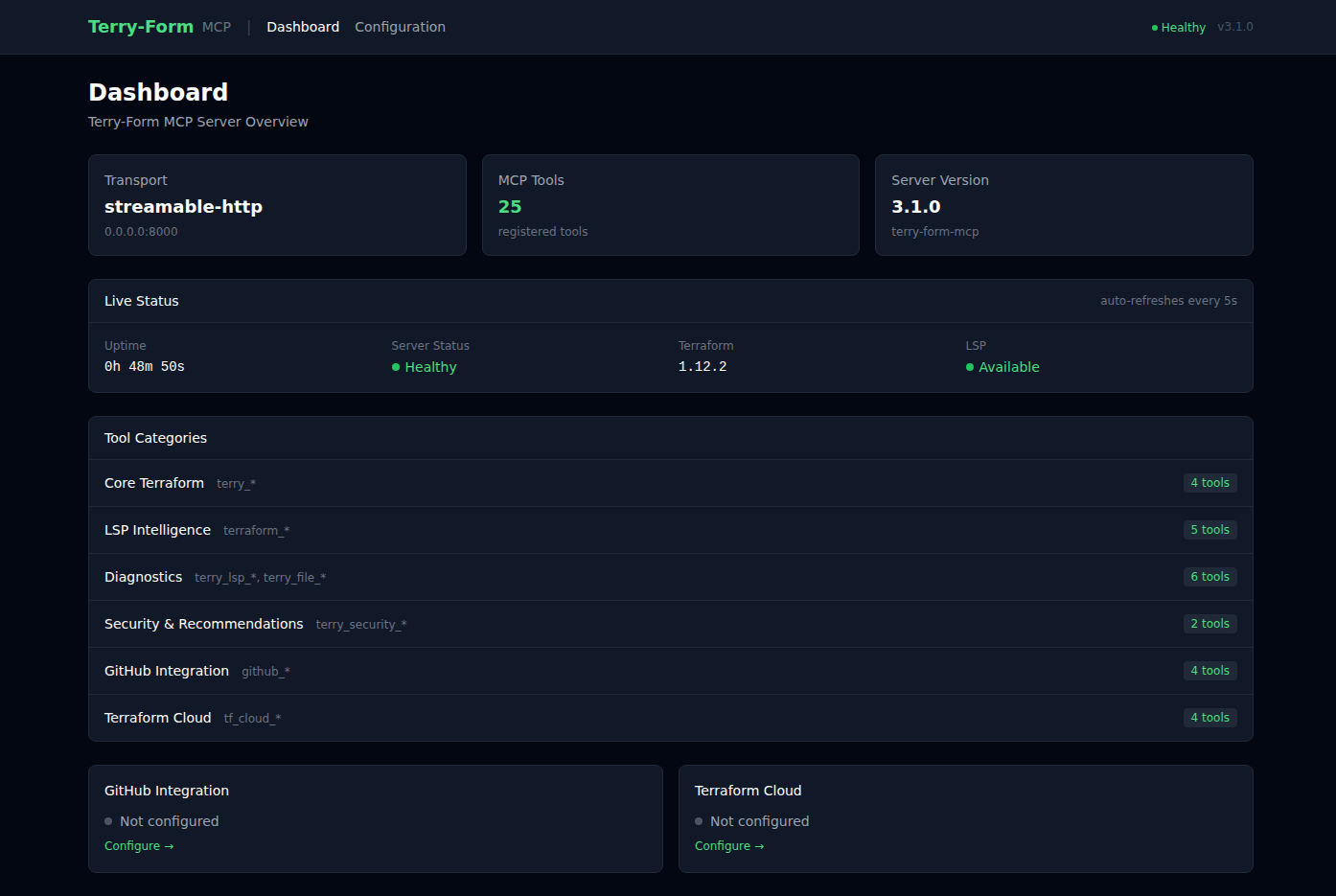
El panel web integrado proporciona monitoreo de salud del servidor en tiempo real, descripción general de categorías de herramientas y estado de integraciones de un vistazo. El estado en vivo se actualiza automáticamente cada 5 segundos.
Interfaz de Configuración
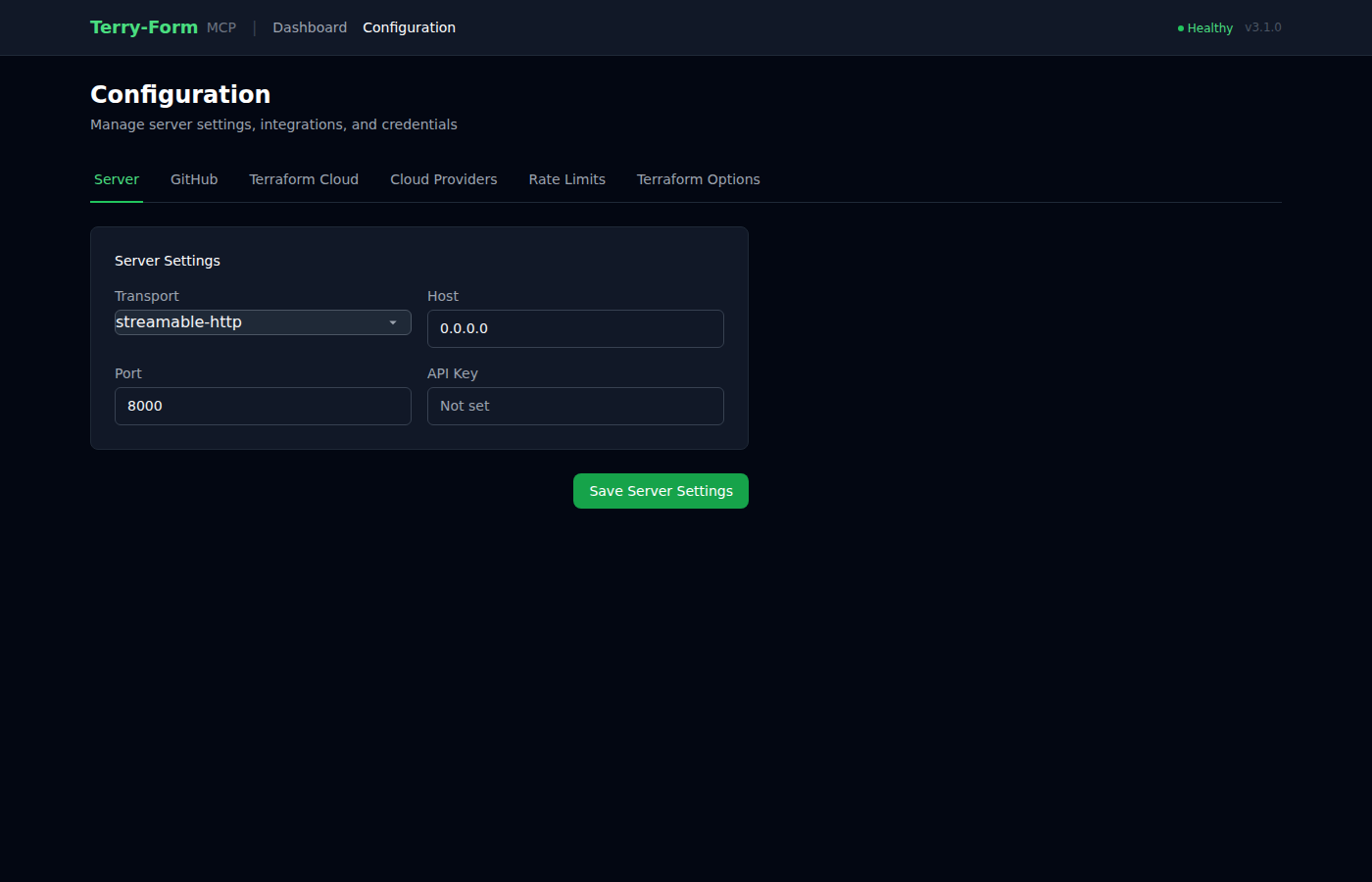
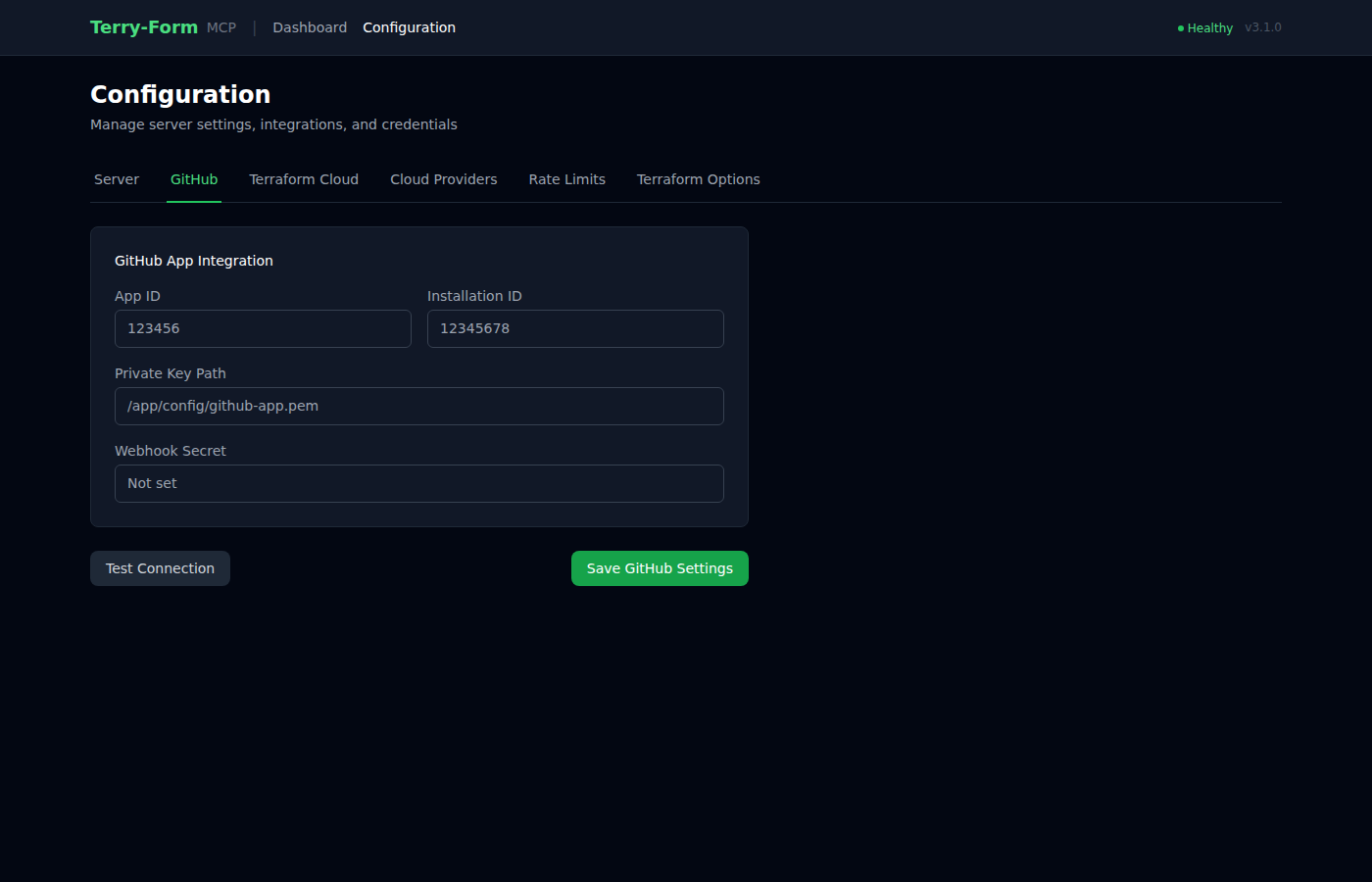
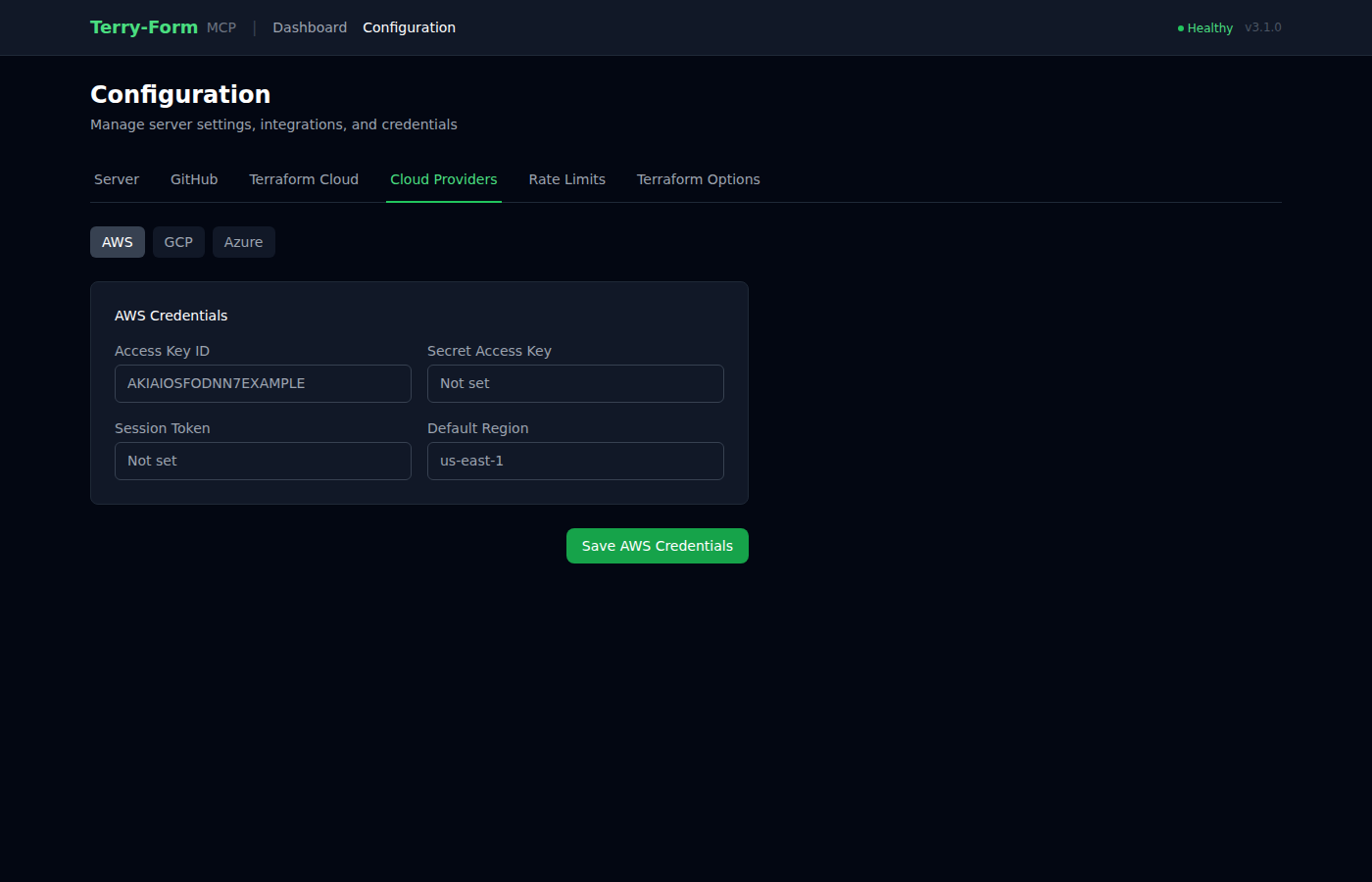
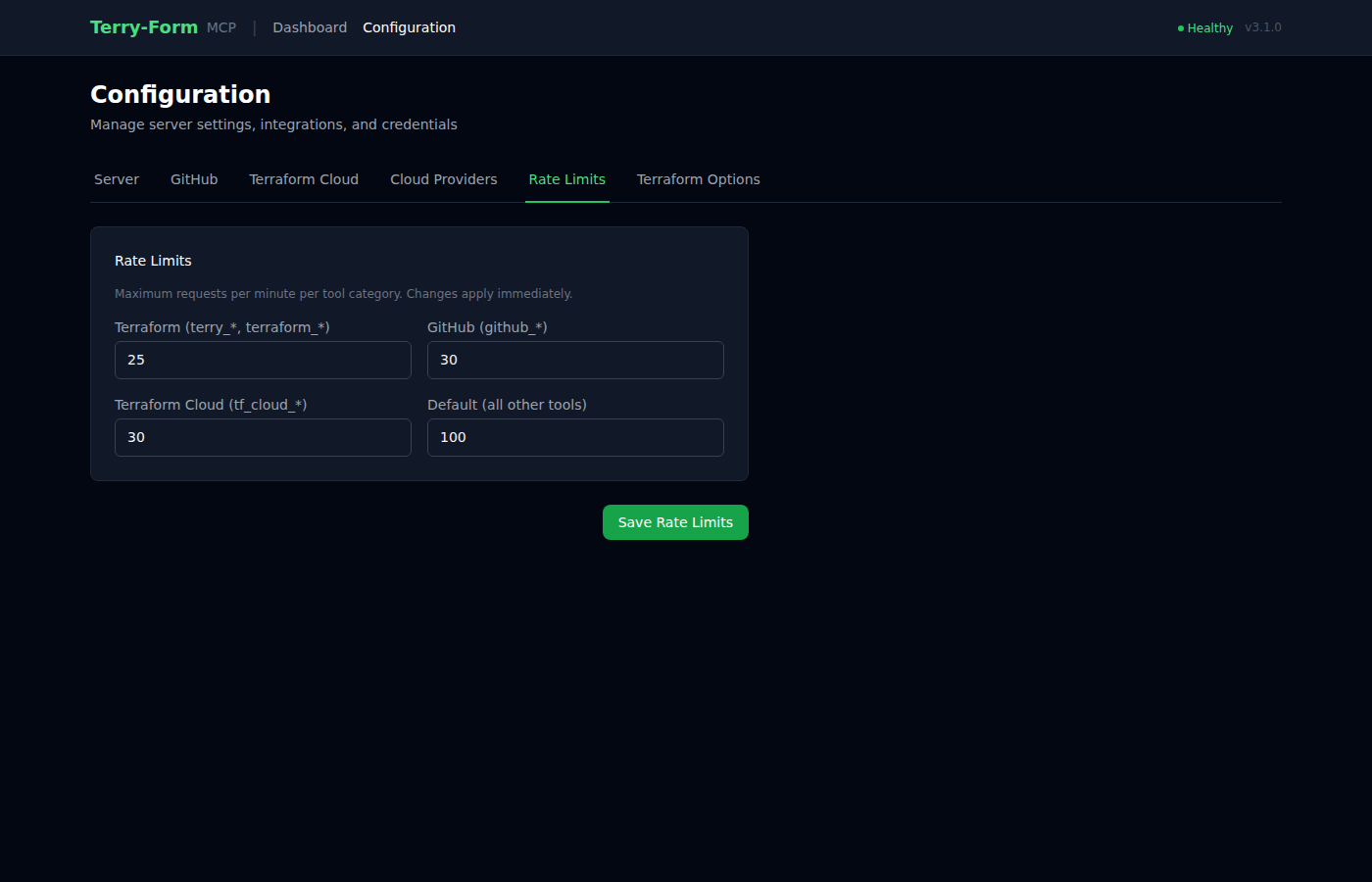
Una interfaz de configuración con pestañas permite gestionar ajustes del servidor, integraciones, credenciales de proveedores de nube y límites de velocidad, todo sin tocar archivos de configuración. Construida con el stack HAT (HTMX + Alpine.js + Tailwind CSS).
| Integración con GitHub | Proveedores de Nube | Límites de Velocidad |
|---|---|---|
 |  |  |
Catálogo de Herramientas
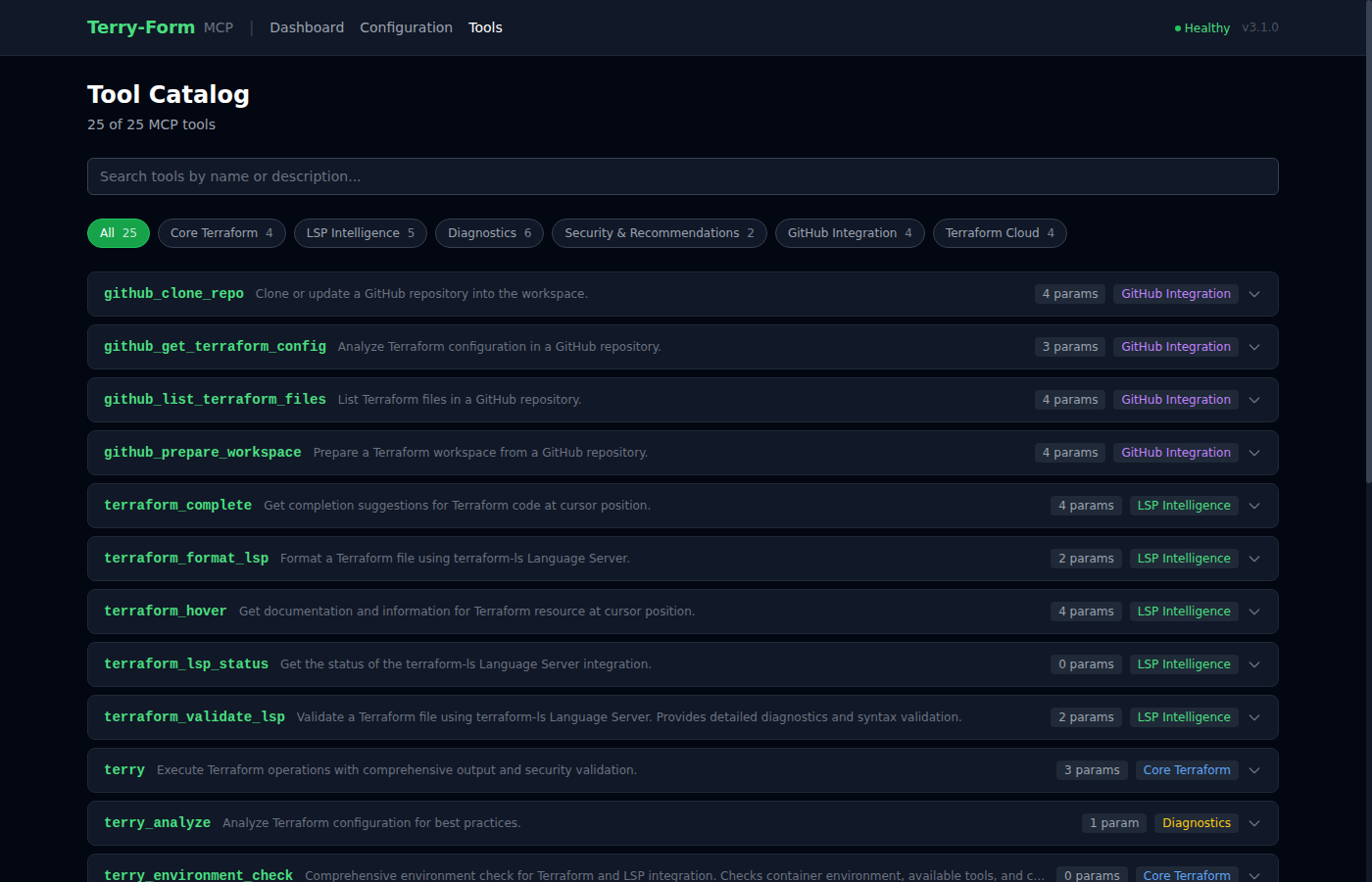
El catálogo interactivo de herramientas en /tools lista las 25 herramientas MCP con búsqueda, filtrado por categoría y detalles de parámetros expandibles. También está disponible como un endpoint JSON sin procesar en /api/tools y como un archivo estático tools.json.
Inicio Rápido
Requisitos Previos
- Docker instalado y en ejecución
- Python >= 3.10 (para desarrollo local)
1. Construir
scripts/build.sh      # Linux/macOS
scripts\build.bat     # Windows
# or directly:
docker build -t terry-form-mcp .
2. Ejecutar como Servidor MCP
docker run -it --rm \
  -v "$(pwd)":/mnt/workspace \
  terry-form-mcp
3. Verificar la Imagen
scripts/verify.sh # Runs 8 checks: Docker, image size, Terraform, terraform-ls, Python, files, tools, startup
Variables de Entorno
Toda la configuración se realiza mediante variables de entorno. No se requiere archivo de configuración para uso básico.
Configuración del Servidor
| Variable | Descripción | Predeterminado | Requerido |
|---|---|---|---|
MCP_TRANSPORT | Protocolo de transporte: stdio, sse o streamable-http | stdio | No |
TERRY_HOST | Dirección de enlace del servidor (respaldo: HOST) | 0.0.0.0 | No |
TERRY_PORT | Puerto del servidor (respaldo: PORT) | 8000 | No |
TERRY_FORM_API_KEY | Clave API para autenticación del frontend; si no se establece, la autenticación está deshabilitada | Ninguna | No |
TERRY_CSRF_SECRET | Secreto del token CSRF; se regenera al reiniciar si no se establece | Aleatorio | Recomendado |
TERRY_WORKSPACE_ROOT | Directorio raíz del espacio de trabajo de Terraform | /mnt/workspace | No |
TERRY_CONFIG_PATH | Ruta del archivo de configuración | /app/config/terry-config.json | No |
Terraform
| Variable | Descripción | Predeterminado | Requerido |
|---|---|---|---|
MAX_OPERATION_TIMEOUT | Tiempo de espera del comando Terraform en segundos (10–3600) | 300 | No |
LSP
| Variable | Descripción | Predeterminado | Requerido |
|---|---|---|---|
TERRY_TERRAFORM_LS_PATH | Ruta al binario terraform-ls | terraform-ls | No |
TERRY_LSP_TIMEOUT | Tiempo de espera de solicitud LSP en segundos | 30 | No |
TERRY_LSP_MAX_RESPONSE_BYTES | Tamaño máximo de respuesta LSP en bytes | 10485760 | No |
Integración con GitHub
| Variable | Descripción | Predeterminado | Requerido |
|---|---|---|---|
GITHUB_APP_ID | ID de la aplicación de GitHub | Ninguna | Para funciones de GitHub |
GITHUB_APP_PRIVATE_KEY_PATH | Ruta al archivo de clave privada de la aplicación de GitHub | Ninguna | Para funciones de GitHub |
GITHUB_APP_PRIVATE_KEY | Clave privada de la aplicación de GitHub (PEM en línea) | Ninguna | Alternativa a la ruta |
GITHUB_APP_INSTALLATION_ID | ID de instalación de la aplicación de GitHub | Ninguna | No |
GITHUB_APP_WEBHOOK_SECRET | Secreto de verificación de firma de webhook | Ninguna | No |
Terraform Cloud
| Variable | Descripción | Predeterminado | Requerido |
|---|---|---|---|
TF_API_TOKEN | Token API de Terraform Cloud | Ninguna | Para funciones de TF Cloud |
Límites de Velocidad
| Variable | Descripción | Predeterminado | Requerido |
|---|---|---|---|
TERRY_RATE_LIMIT_TERRAFORM | Operaciones de Terraform por minuto | 20 | No |
TERRY_RATE_LIMIT_GITHUB | Operaciones de GitHub por minuto | 30 | No |
TERRY_RATE_LIMIT_TF_CLOUD | Operaciones de Terraform Cloud por minuto | 30 | No |
TERRY_RATE_LIMIT_DEFAULT | Límite de velocidad predeterminado por minuto | 100 | No |
Transferencia de Proveedores de Nube
Estas variables se reenvían directamente al subproceso de Terraform. Configúrelas para autenticarse con su proveedor de nube.
AWS: AWS_ACCESS_KEY_ID, AWS_SECRET_ACCESS_KEY, AWS_SESSION_TOKEN, AWS_DEFAULT_REGION, AWS_REGION, AWS_PROFILE
GCP: GOOGLE_CREDENTIALS, GOOGLE_APPLICATION_CREDENTIALS, GOOGLE_PROJECT, GOOGLE_REGION, GOOGLE_ZONE
Azure: ARM_CLIENT_ID, ARM_CLIENT_SECRET, ARM_SUBSCRIPTION_ID, ARM_TENANT_ID
Configuración del Cliente MCP
Agregue Terry-Form a cualquier cliente compatible con MCP:
{
  "mcpServers": {
    "terry": {
      "command": "docker",
      "args": [
        "run", "-i", "--rm",
        "-v", "/path/to/your/workspace:/mnt/workspace",
        "terry-form-mcp"
      ]
    }
  }
}
Ejemplos específicos por plataforma
Claude Desktop (Windows)
{
  "mcpServers": {
    "terry": {
      "command": "docker",
      "args": [
        "run", "-i", "--rm",
        "-v", "C:\\Users\\YourUsername\\terraform-projects:/mnt/workspace",
        "terry-form-mcp"
      ]
    }
  }
}
Claude Desktop (macOS)
{
  "mcpServers": {
    "terry": {
      "command": "docker",
      "args": [
        "run", "-i", "--rm",
        "-v", "/Users/YourUsername/terraform-projects:/mnt/workspace",
        "terry-form-mcp"
      ]
    }
  }
}
VSCode (usa variable de espacio de trabajo)
{
  "mcp.servers": {
    "terry": {
      "command": "docker",
      "args": [
        "run", "-i", "--rm",
        "-v", "${workspaceFolder}:/mnt/workspace",
        "terry-form-mcp"
      ]
    }
  }
}
Herramientas (25)
| Categoría | Herramientas | Cantidad |
|---|---|---|
| Terraform Principal | terry, terry_version, terry_environment_check, terry_workspace_list | 4 |
| Inteligencia LSP | terraform_validate_lsp, terraform_hover, terraform_complete, terraform_format_lsp, terraform_lsp_status | 5 |
| Diagnósticos | terry_lsp_debug, terry_workspace_info, terry_lsp_init, terry_file_check, terry_workspace_setup, terry_analyze | 6 |
| Seguridad | terry_security_scan, terry_recommendations | 2 |
| GitHub | github_clone_repo, github_list_terraform_files, github_get_terraform_config, github_prepare_workspace | 4 |
| Terraform Cloud | tf_cloud_list_workspaces, tf_cloud_get_workspace, tf_cloud_list_runs, tf_cloud_get_state_outputs | 4 |
Terraform Principal
# Initialize and validate a project
terry(path="infrastructure/aws", actions=["init", "validate"])

# Plan with variables
terry(path="environments/prod", actions=["plan"], vars={"instance_count": "3", "region": "us-east-1"})
Solo se permiten init, validate, fmt y plan. apply y destroy están bloqueados.
Inteligencia LSP
# Code completions
terraform_complete(file_path="main.tf", line=10, character=0)

# Hover documentation
terraform_hover(file_path="main.tf", line=15, character=12)

# Detailed validation with error locations
terraform_validate_lsp(file_path="main.tf")

# Format a file
terraform_format_lsp(file_path="main.tf")
Impulsado por terraform-ls v0.38.5: proporciona autocompletado contextual, documentación en línea y diagnósticos con ubicaciones precisas de origen.
Integración con GitHub
# Clone a repo and prepare it for Terraform operations
github_clone_repo(owner="myorg", repo="infrastructure")
github_prepare_workspace(owner="myorg", repo="infrastructure", config_path="environments/prod")
Escaneo de Seguridad
# Scan for hardcoded credentials, missing encryption, overly permissive policies
terry_security_scan(path="my-project")

# Get actionable improvement recommendations
terry_recommendations(path="my-project")
Arquitectura
┌─────────────┐     MCP Protocol     ┌──────────────────────────────────────┐
│ AI Assistant │ ◄──────────────────► │  Terry-Form MCP Server               │
│ (Claude)     │                      │                                      │
└─────────────┘                      │  ┌─────────────┐  ┌──────────────┐  │
                                     │  │ Terraform    │  │ terraform-ls │  │
                                     │  │ CLI 1.12     │  │ LSP 0.38.5   │  │
                                     │  └──────┬───────┘  └──────┬───────┘  │
                                     │         │                 │          │
                                     │         ▼                 ▼          │
                                     │  ┌──────────────────────────────┐   │
                                     │  │   /mnt/workspace (isolated)   │   │
                                     │  └──────────────────────────────┘   │
                                     └──────────────────────────────────────┘
                                              Docker Container
Componentes Clave
| Archivo | Propósito |
|---|---|
src/server_enhanced_with_lsp.py | Servidor FastMCP principal: registra las 25 herramientas |
src/terry-form-mcp.py | Ejecución principal del subproceso de Terraform |
src/terraform_lsp_client.py | Cliente LSP asíncrono que envuelve terraform-ls |
src/mcp_request_validator.py | Saneamiento de entrada, prevención de recorrido de rutas, límites de velocidad |
src/github_repo_handler.py | Clonar repositorios y extraer archivos de Terraform |
src/github_app_auth.py | Autenticación JWT/OAuth de la aplicación de GitHub |
src/frontend/ | Interfaz web del stack HAT (panel + configuración) |
Stack del Frontend
La interfaz web integrada usa el stack HAT:
- HTMX 2.0: actualizaciones parciales de página sin recargas completas
- Alpine.js 3.14: reactividad ligera del lado del cliente para pestañas y notificaciones
- Tailwind CSS: estilos utilitarios con modo oscuro por defecto
Accesible en la raíz del servidor cuando se ejecuta con transporte streamable-http o sse.
Modelo de Seguridad
Terry-Form implementa defensa en profundidad con cuatro capas:
| Capa | Protección |
|---|---|
| Aislamiento de Contenedores | Toda la ejecución en contenedores Docker efímeros. Sin acceso al host. |
| Lista de Operaciones Permitidas | Solo init, validate, fmt, plan. Sin apply/destroy. |
| Aislamiento del Espacio de Trabajo | Todas las operaciones de archivos restringidas a /mnt/workspace. Recorrido de rutas bloqueado. |
| Validación de Entrada | Cumplimiento de esquema JSON, saneamiento de variables, límites de velocidad por categoría. |
Variables de entorno forzadas: TF_IN_AUTOMATION=true, TF_INPUT=false, CHECKPOINT_DISABLE=true.
Ejecución con la Interfaz Web
Para usar el panel y la interfaz de configuración, ejecute con transporte HTTP:
# Local
MCP_TRANSPORT=streamable-http HOST=0.0.0.0 PORT=8000 python3 src/server_enhanced_with_lsp.py

# Docker
docker run -it --rm \
  -p 8000:8000 \
  -v "$(pwd)":/mnt/workspace \
  -e MCP_TRANSPORT=streamable-http \
  terry-form-mcp
Luego abra http://localhost:8000 en su navegador.
Pestañas de Configuración
| Pestaña | Qué configura |
|---|---|
| Servidor | Modo de transporte, host, puerto, clave API |
| GitHub | ID de aplicación, ID de instalación, ruta de clave privada, secreto de webhook |
| Terraform Cloud | Token API |
| Proveedores de Nube | Credenciales de AWS, GCP y Azure |
| Límites de Velocidad | Límites de solicitudes por categoría (aplicados de inmediato) |
| Opciones de Terraform | Nivel de registro, tiempo de espera de operación |
Detalles del Contenedor
Construido sobre hashicorp/terraform:1.12 (basado en Alpine, ~150MB). Incluye:
- CLI de Terraform 1.12
terraform-lsv0.38.5 para soporte LSP- Python 3.12 con FastMCP 3.0+
- Se ejecuta como usuario no root
terraform(UID 1001)
Desarrollo
# Install dependencies
pip install -r requirements.txt

# Run locally
python3 src/server_enhanced_with_lsp.py

# Code quality
black .       # Format (88-char line limit)
flake8 .      # Lint
mypy src/*.py # Type check
Limitaciones
- Sin modificación de estado —
applyydestroyestán bloqueados intencionalmente - Solo variables de cadena — los tipos de variables complejos no son compatibles mediante transferencia CLI
- Arranque en frío de LSP — la primera operación LSP tarda 1-2 segundos en inicializarse
- Ejecución local — diseñado para flujos de trabajo de desarrollo, no para CI/CD de producción