DeepSeek-Claude MCP Server
Mejora las capacidades de razonamiento de Claude al integrar el motor avanzado de DeepSeek.
Documentación
DeepSeek-Claude MCP Server
Mejora las capacidades de razonamiento de Claude con la integración del motor de razonamiento avanzado de DeepSeek R1. Este servidor permite a Claude abordar tareas de razonamiento complejas aprovechando las capacidades de razonamiento del modelo deepseek r1.
🚀 Características
Capacidades de Razonamiento Avanzado
- Integra perfectamente el razonamiento de DeepSeek R1 con Claude.
- Soporta tareas de razonamiento complejas de múltiples pasos.
- Diseñado para precisión y eficiencia en la generación de respuestas reflexivas.
Guía de Configuración Completa
Instalación mediante Smithery
Para instalar DeepSeek-Claude para Claude Desktop automáticamente a través de Smithery:
npx -y @smithery/cli install @HarshJ23/deepseek-claude-MCP-server --client claude
Requisitos Previos
- Python 3.12 o superior
uvgestor de paquetes- Clave API de DeepSeek (Regístrate en Plataforma DeepSeek)
-
Clonar el Repositorio
git clone https://github.com/harshj23/deepseek-claude-MCP-server.git cd deepseek-claude-MCP-server -
Asegurar que UV esté Configurado
- Windows: Ejecuta lo siguiente en PowerShell:
powershell -ExecutionPolicy ByPass -c "irm https://astral.sh/uv/install.ps1 | iex" - Mac: Ejecuta lo siguiente:
curl -LsSf https://astral.sh/uv/install.sh | sh
- Windows: Ejecuta lo siguiente en PowerShell:
-
Crear Entorno Virtual
uv venv source .venv/bin/activate -
Instalar Dependencias
uv add "mcp[cli]" httpx -
Configurar la Clave API
Obtain your api key from here : https://platform.deepseek.com/api_keys -
Configurar el Servidor MCP Edita el archivo
claude_desktop_config.jsonpara incluir la siguiente configuración: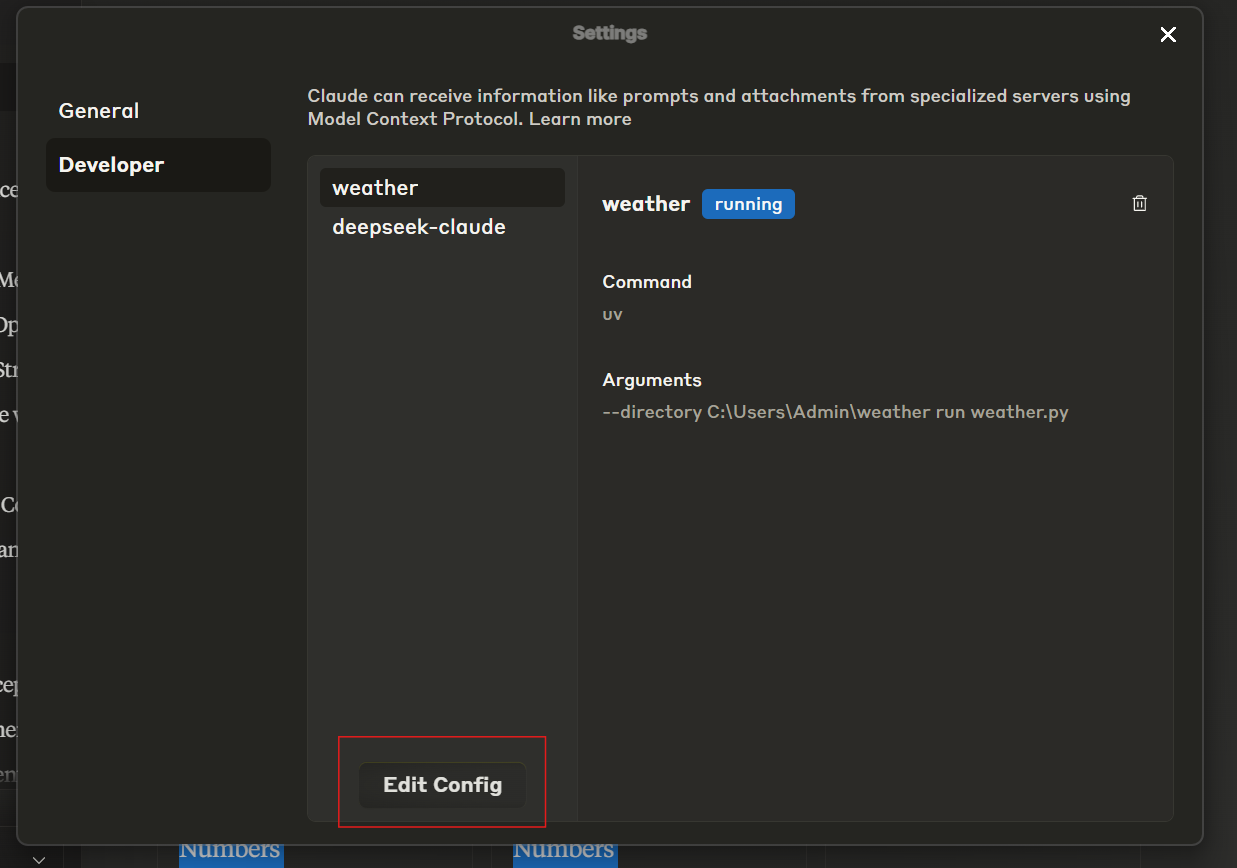
{ "mcpServers": { "deepseek-claude": { "command": "uv", "args": [ "--directory", "C:\\ABSOLUTE\\PATH\\TO\\PARENT\\FOLDER\\deepseek-claude", "run", "server.py" ] } } } -
Ejecutar el Servidor
uv run server.py -
Probar la Configuración
-
Reinicia Claude Desktop.
-
Verifica que el ícono de herramientas sea visible en la interfaz.
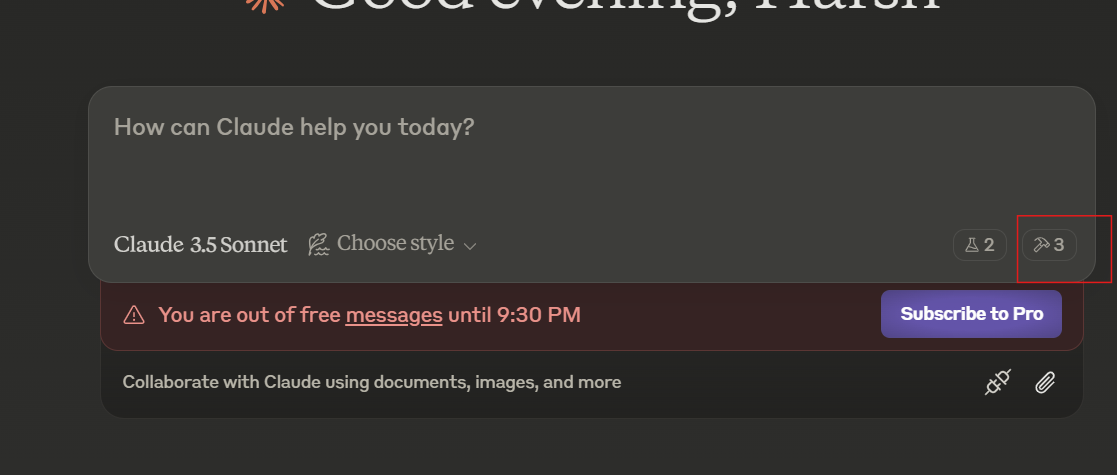
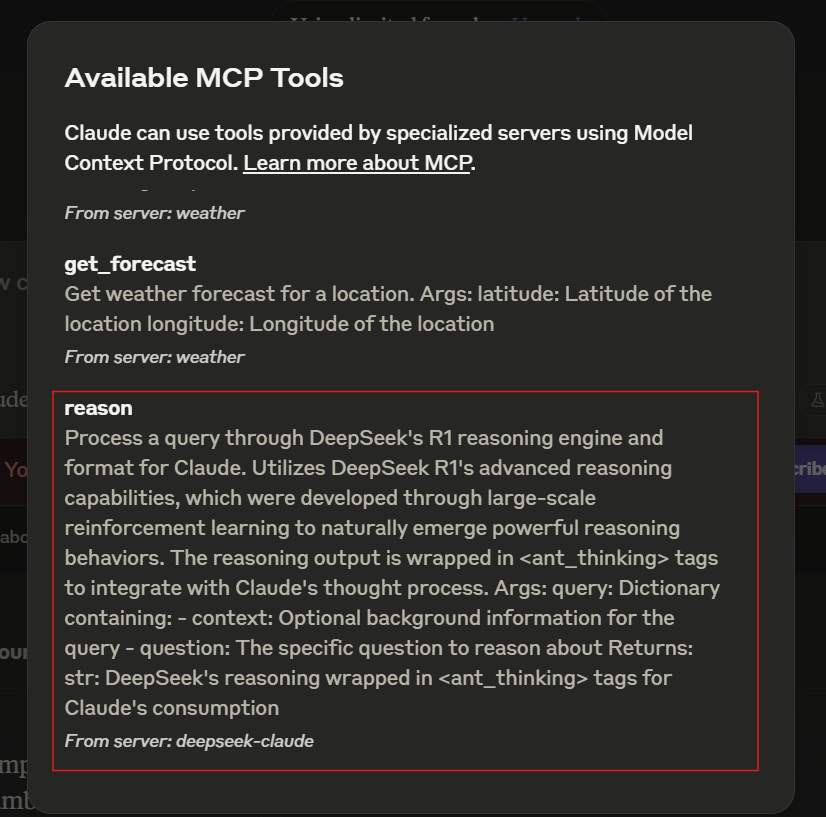
-
Si el servidor no es visible, consulta la guía de solución de problemas.
-
🛠 Uso
Iniciar el Servidor
El servidor se inicia automáticamente cuando se usa con Claude Desktop. Asegúrate de que Claude Desktop esté configurado para detectar el servidor MCP.
Flujo de Trabajo de Ejemplo
- Claude recibe una consulta que requiere razonamiento avanzado.
- La consulta se reenvía a DeepSeek R1 para su procesamiento.
- DeepSeek R1 devuelve un razonamiento estructurado envuelto en etiquetas
<ant_thinking>. - Claude integra el razonamiento en su respuesta final.
📄 Licencia
Este proyecto está licenciado bajo la Licencia MIT. Consulta el archivo LICENCIA para más detalles.