OpenTabs
Plugin-basierter MCP-Server, der KI-Agenten Zugriff auf Webanwendungen über die authentifizierte Browsersitzung des Benutzers ermöglicht. Chrome-Erweiterung mit über 100 Plugins für Slack, Discord, GitHub, Reddit und mehr.
Dokumentation


Your AI calls real web APIs through your browser session — no screenshots, no DOM scraping.
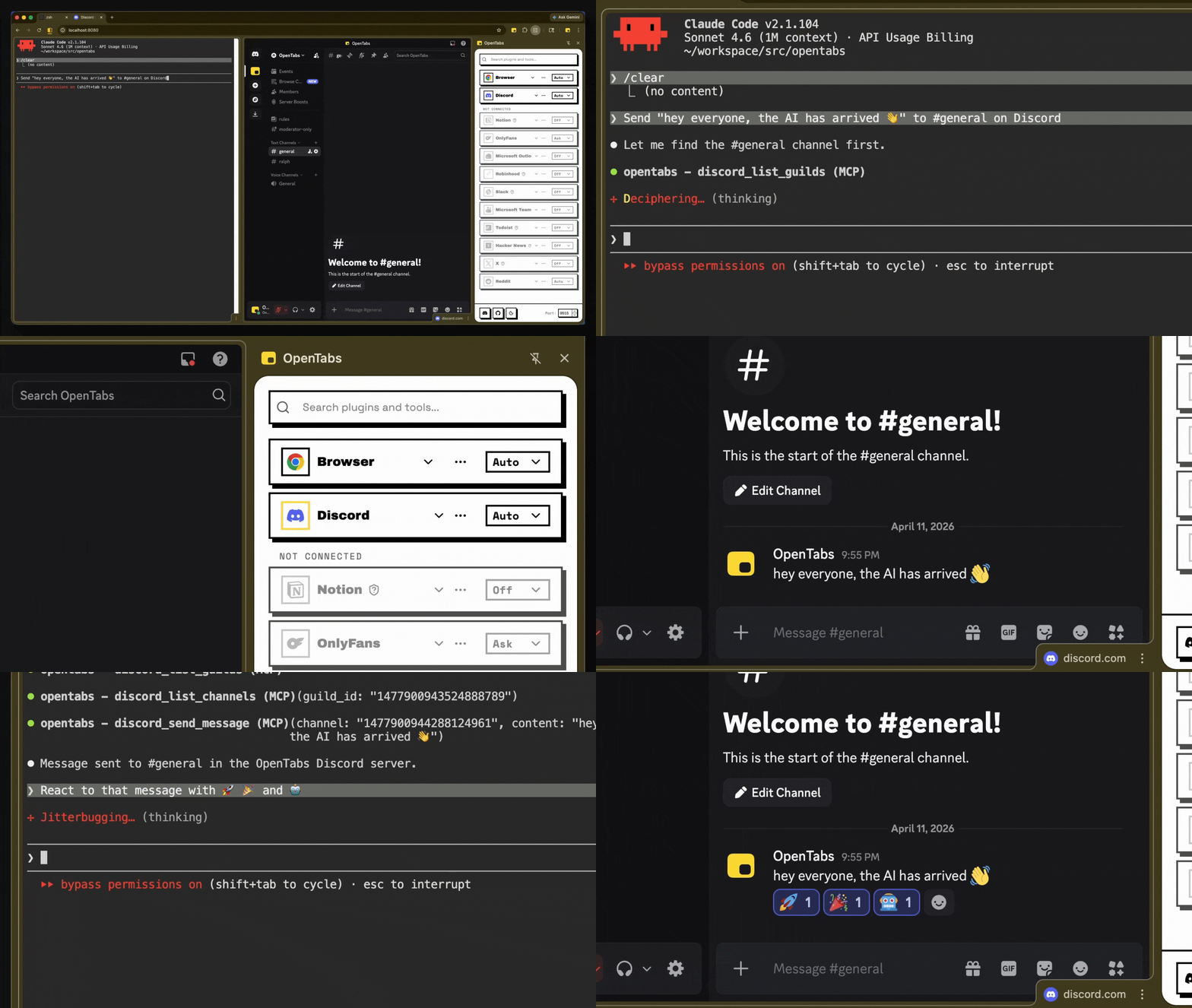
AI sending a Discord message and adding reactions — real API calls, not browser automation
How It Works
- Install the CLI and load the Chrome extension
- Connect — the extension bridges your browser to a local server
- Use — your AI calls web APIs through your authenticated session
No API keys. No OAuth setup. If you're logged in, your AI can use it.
Works with any MCP client. Don't want MCP? Use CLI mode instead.
Quick Start
Requires Node.js 22+ and Chrome.
npm install -g @opentabs-dev/cli
opentabs start
Load the extension from ~/.opentabs/extension in chrome://extensions/ (Developer mode → Load unpacked).
opentabs plugin install <plugin-name>
Full walkthrough: Quick Start guide
What You Get
-
100+ plugins, ~2,000 tools. Slack, Discord, GitHub, Jira, Notion, Figma, AWS, Stripe, and a lot more. One command to install, works immediately.
-
Built-in browser tools. Screenshots, clicking, typing, network capture — works on any tab, no plugin needed.
-
Build your own. Scaffold a plugin in one command, publish to npm, anyone can install it. Or point your AI at any website — it discovers the APIs and builds the plugin for you. Plugin Development guide
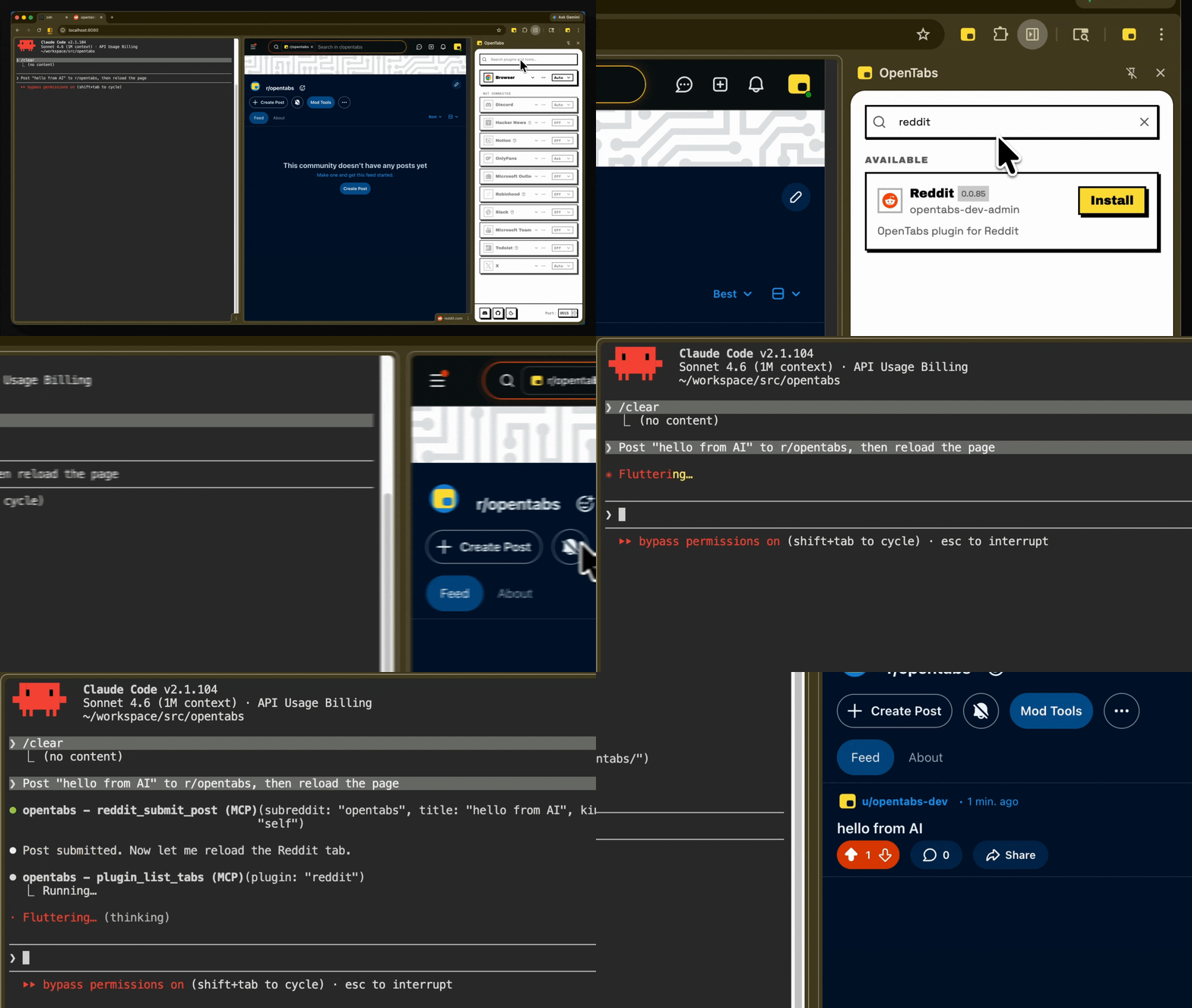
Install a plugin, use it immediately — no restart needed
Security
- Everything starts off. No tool executes until you explicitly enable it.
- Code review built in. Your AI reviews the plugin source before you enable it.
- Version-aware. Permissions reset when a plugin updates.
- Three permission levels. Off, Ask (confirmation dialog), or Auto — per-plugin or per-tool.
- Runs locally. No cloud. Full audit log. Anonymous telemetry (opt-out).
Contributing
git clone https://github.com/opentabs-dev/opentabs.git
cd opentabs && npm install && npm run build
npm run dev       # tsc watch + MCP server + extension
npm run check     # build + type-check + lint + knip + test
Development Setup guide · Discord
License
MIT — Not affiliated with or endorsed by any third-party service. Full disclaimer.
Docs · Quick Start · Plugin Development · SDK Reference · Browser Tools · CLI Reference
Built with Claude Code, OpenCode, Ralph, and RetroUI.