CUFinder
Access 1B+ verified contacts and 85M+ companies for B2B lead generation, person lookup, company enrichment, and local business search directly through AI assistants.
⌘K
IntroductionClaude WebChatGPT Web
What is CUFinder MCP
CUFinder MCP lets AI agents securely access the CUFinder API and enrich their answers with real B2B data. MCP (Model Context Protocol) is a standard that allows AI tools to connect with third-party APIs in a secure, consistent way.
In our case, it connects AI tools with CUFinder, enabling things like finding verified business emails, enriching company profiles, discovering decision-makers, and accessing real-time B2B intelligence directly within your AI workflows, like this:
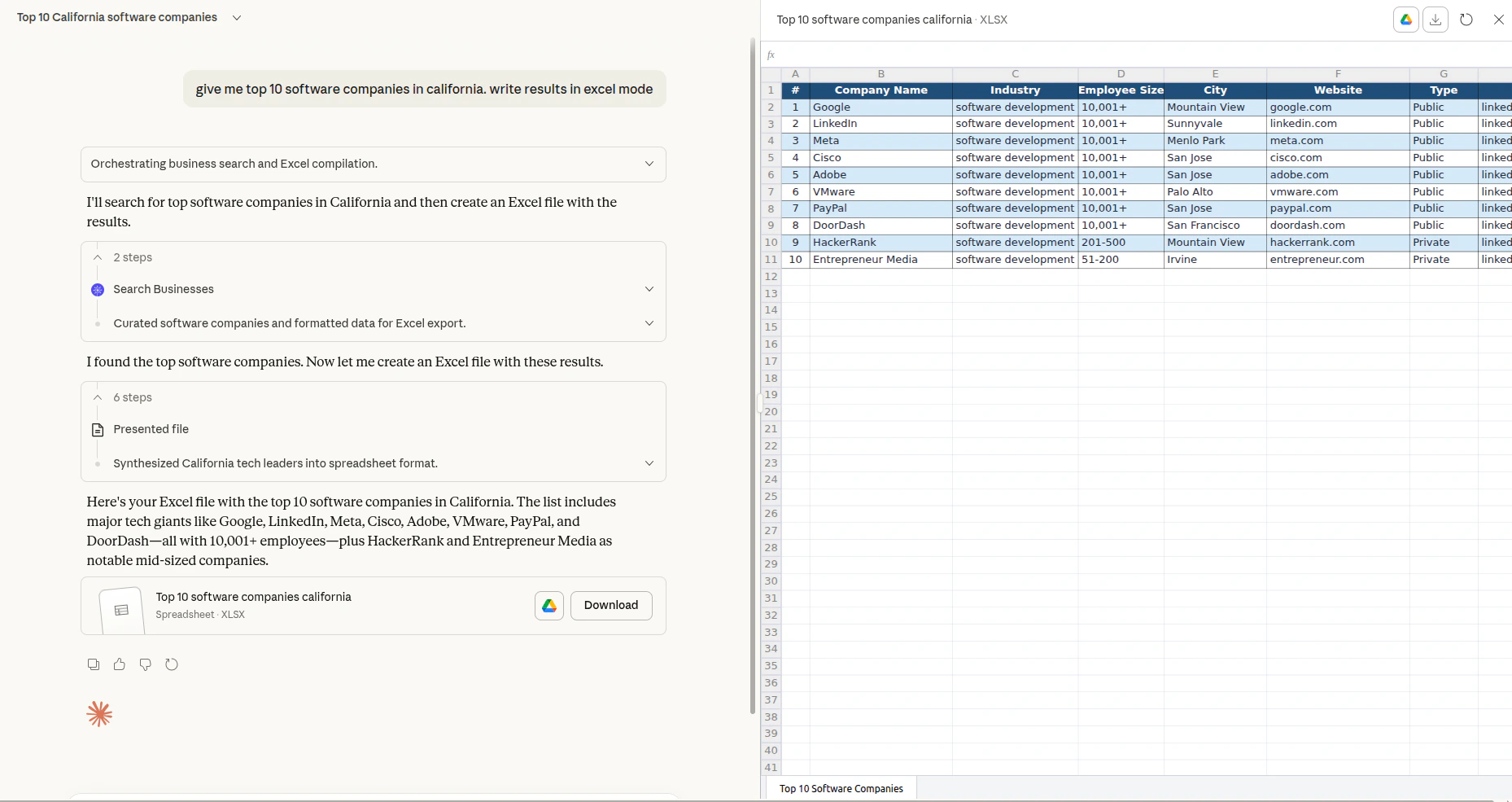
With the CUFinder MCP server, your AI assistant can tap into over 1 billion enriched people profiles and 85 million company records—refreshed daily—without leaving your conversation. Whether you're prospecting for leads, validating contact information, or building targeted outreach lists, the MCP integration brings CUFinder directly to your AI environment.
Ways to use Ahrefs MCP
CUFinder provides the following option for running the MCP server:
Streamable HTTP (recommended): https://mcp.cufinder.io/mcp
Most popular AI tools support connecting to the remote MCP directly. If you run into issues, check out our step-by-step setup guides:
- Claude Web / Desktop / Extension
- Claude Mobile
- Claude Code
- ChatGPT Web
API limits and usage
The remote MCP server is available on paid plans starting from Growth.
- Each plan has a maximum number of rows per request that an AI agent can access.
- Each plan also comes with a limited amount of monthly API units. The higher your plan tier, the more units are included.
- When a third-party app makes an API call on your behalf, it consumes API units from your monthly allowance — The same way as direct API usage.
You can track your current usage in Account settings → API Dashboard.
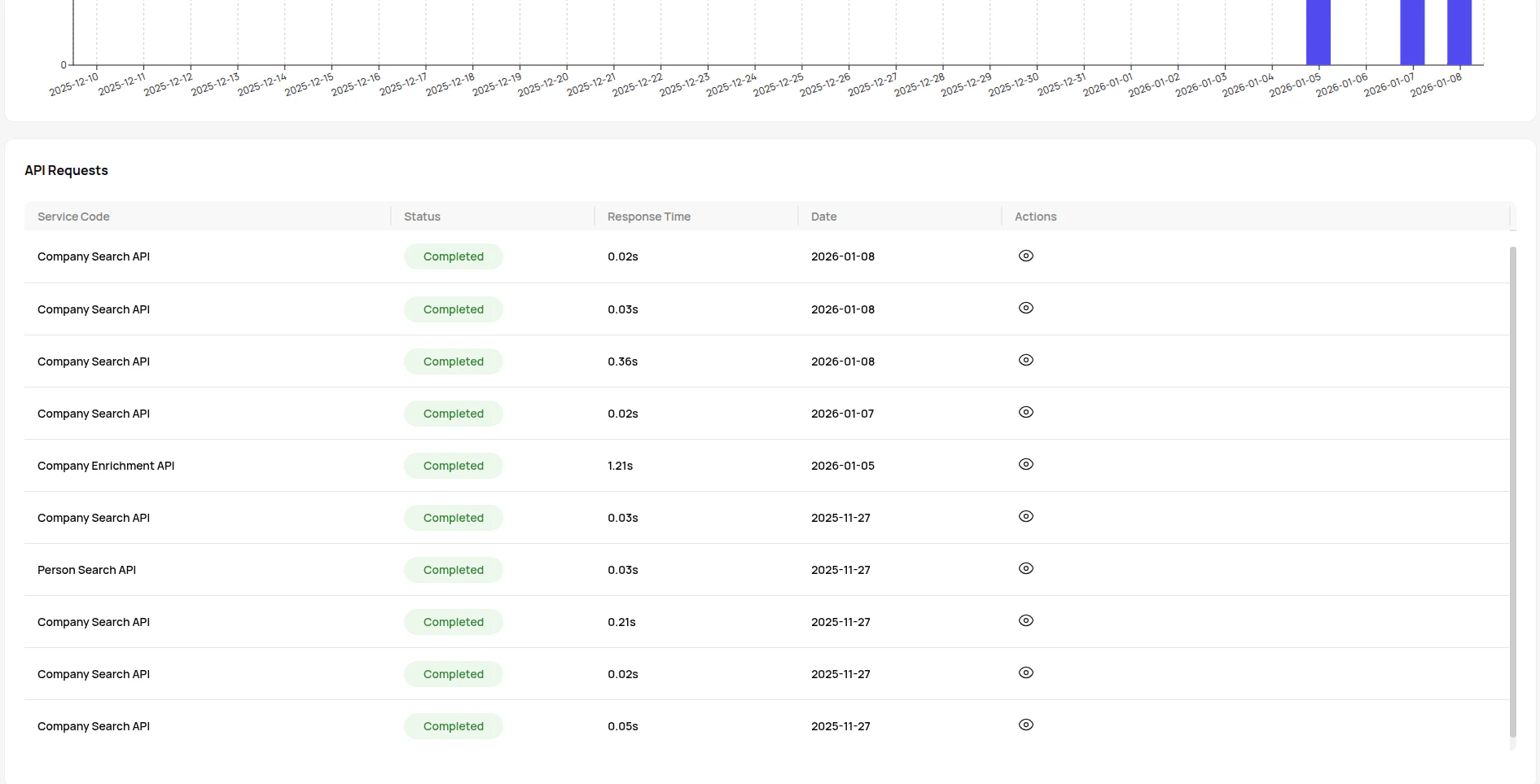
See the CUFinder pricing page for details on plan limits.
Keys and authorization
When you connect CUFinder MCP to an AI agent, you'll need your CUFinder API key to authenticate requests and access the platform's B2B data enrichment capabilities.
How to get your API key:
- Log in to your CUFinder dashboard
- Navigate to Account Settings
- Click on API Dashboard
- Copy your unique API key
Once configured, your AI agent can securely access CUFinder.
Important notes:
- Keep your API key confidential. Never share it publicly or commit it to version control.
- Credits are consumed only when services successfully return results.
- Monitor your usage in the API Dashboard to track credit consumption.
- Need more credits? Explore [CUFinder's pricing plans](https://cufinder.io/pricing) starting from a free tier with 50 credits/month.
Your API key works across all CUFinder services, giving your AI agent access to over 1 billion people profiles and 85 million company records with 93-99% accuracy rates.
相關伺服器
Perplexity MCP Server
Web search using Perplexity's API.
企业风险分析洞察服务
Provides comprehensive enterprise risk analysis, including violation records, mortgage information, business anomalies, and judicial cases.
Docs MCP Server
Creates a personal, always-current knowledge base for AI by indexing documentation from websites, GitHub, npm, PyPI, and local files.
MediaWiki MCP Server
Interact with the MediaWiki API to search and retrieve content from Wikipedia or other MediaWiki sites.
Hacker News
Search for stories, get user information, and interact with Hacker News.
MCP Agent
A lightweight, local MCP server in Python that enables RAG search through AWS Lambda.
Google Search Console
An MCP server for accessing Google Search Console data, including site performance and indexing status.
ReActMCP Web Search
A web search server that integrates with the Exa API to perform basic and advanced searches.
Quotewise Quote MCP
Semantic quote search - 600K quotes with source transparency
Bucketeer Docs Local MCP Server
A local server to query Bucketeer documentation, which automatically fetches and caches content from its GitHub repository.