GZOO Cortex
官方開發者優先的本地知識圖譜。監控專案檔案,透過大型語言模型提取實體與關係,並支援以自然語言及來源引用跨專案查詢。
你可以用 GZOO Cortex MCP 做什麼?
- 以自然語言提問專案相關問題 — 透過
cortex_ask查詢知識圖譜,並取得附有來源引用的答案。 - 檢查系統狀態與圖譜統計 — 使用
get_status查看實體數量、提供者健康狀態及近期活動。 - 列出與管理已註冊專案 —
list_projects、add_project與remove_project可讓您檢視及控制哪些目錄受到追蹤。 - 依名稱或篩選條件尋找與搜尋實體 —
find_entity與search_entities可定位決策、元件、模式等項目。 - 檢視與解決矛盾 —
get_contradictions會列出衝突的決策,而resolve_contradiction則將其標記為已解決。 - 隨需擷取檔案 —
ingest_file可針對特定檔案觸發提取作業,無需等待監控程式。
文件
GZOO Cortex
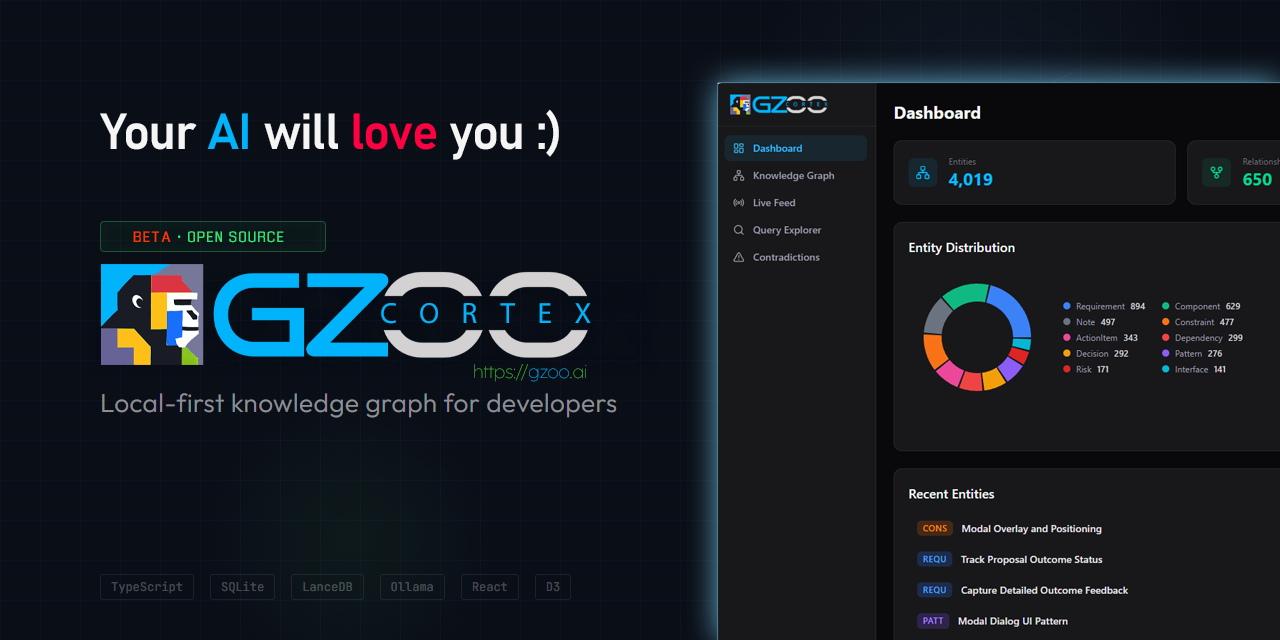
開發者專用的本地優先知識圖譜。 監控你的專案檔案, 使用 LLM 提取實體與關係,並讓你以自然語言 跨所有專案進行查詢。
「我在不同專案中做過哪些架構決策?」
Cortex 會從你的 README、TypeScript 檔案、設定檔 和對話匯出中找出決策 — 然後綜合出附有來源引用的答案。
為什麼需要它
你同時處理多個專案。決策、模式和上下文分散在 數百個檔案中。你忘了三個月前做了什麼決定。你 重複解決已經在其他儲存庫中解決過的問題。
Cortex 監控你的專案目錄,自動提取知識, 並在你需要時提供給你。
它能做什麼
- 監控 你的專案檔案(md、ts、js、py、json、yaml)的變更
- 提取 實體:決策、模式、元件、依賴關係、限制條件、行動項目
- 推斷 跨專案實體之間的關係
- 偵測 決策衝突時的矛盾
- 查詢 以自然語言進行,並附有來源引用
- 語義搜尋 — 混合關鍵字和向量(嵌入)相似度,讓查詢按意義而非僅按關鍵字匹配(可選;請參閱語義搜尋)
- 路由 在雲端和本地 LLM 之間智慧切換
- 尊重 隱私 — 受限專案絕不會離開你的機器
- 網頁儀表板 具備知識圖譜視覺化、即時動態和查詢探索器
- MCP 伺服器 可直接與 Claude Code 整合
快速入門
1. 安裝
npm install -g @gzoo/cortex
如果全域安裝因 EACCES 失敗,請改用使用者前綴:
mkdir -p ~/.local
npm config set prefix ~/.local
echo 'export PATH="$HOME/.local/bin:$PATH"' >> ~/.bashrc
source ~/.bashrc
npm install -g @gzoo/cortex
或從原始碼安裝:
git clone https://github.com/gzoonet/cortex.git
cd cortex
npm install && npm run build && npm link
驗證:cortex --version(目前版本:0.8.1)
2. 設定
執行互動式精靈:
cortex init
cortex doctor                              # verify config, providers, and DB
這將引導你完成:
- LLM 提供者 — Anthropic、Google Gemini、DeepSeek、Groq、OpenRouter 或 Ollama(本地)
- API 金鑰 — 安全地儲存到
~/.cortex/.env - 路由模式 — 雲端優先、混合、本地優先或僅本地
- 監控目錄 — Cortex 應監控哪些目錄
- 預算限制 — 每月 LLM 花費上限
cortex init 將全域設定寫入 ~/.cortex/cortex.config.json。API 金鑰存放在 ~/.cortex/.env。
3. 註冊專案
cortex projects add my-app ~/projects/app
cortex projects add api ~/projects/api
cortex projects list                       # verify
4. 擷取、監控與查詢
先回填現有檔案 — 監控器只會接收新的變更:
cortex ingest "~/projects/app/src/**/*.ts"   # one-shot backfill
cortex serve                                 # dashboard + API + file watcher (recommended)
| 指令 | 功能說明 |
|---|---|
cortex serve | 網頁儀表板 + API + 檔案監控器(ignoreInitial — 啟動時不重新擷取) |
cortex watch | 僅 CLI 的檔案監控器(無儀表板) |
cortex ingest | 一次性擷取;事件不會出現在即時動態中 |
不要同時執行
watch和serve— 它們會競爭檔案變更。 即時動態僅顯示來自cortex serve的即時事件(伺服器執行期間的檔案儲存)。
cortex query "what caching strategies am I using?"
cortex query "what decisions have I made about authentication?"
cortex find "PostgreSQL" --expand 2
cortex contradictions
5. 網頁儀表板
cortex serve # open http://localhost:3710
遠端存取:
cortex serve --host 0.0.0.0
在非 localhost 主機上會自動強制執行驗證。一個 Bearer 權杖會自動產生並儲存到 ~/.cortex/.env(使用 grep CORTEX_SERVER_AUTH_TOKEN ~/.cortex/.env 讀取)。使用 http://<host>:3710/?token=<token> 開啟儀表板一次 — 權杖僅嵌入到已證明擁有它的請求中,然後保留在瀏覽器分頁中(因此匿名訪客永遠不會收到它)。反向代理後方的 API/WebSocket 呼叫使用 Authorization: Bearer <token>。
排除檔案與目錄
Cortex 預設會忽略 node_modules、dist、.git 和其他常見目錄。若要新增更多:
cortex config exclude add docs             # exclude a directory
cortex config exclude add "*.log"          # exclude by pattern
cortex config exclude list                 # see all excludes
cortex config exclude remove docs          # remove an exclude
運作方式
Cortex 在每次檔案變更時執行一個管線:
- 解析 — 檔案內容由語言感知解析器(程式碼使用 tree-sitter,Markdown 使用 remark)進行分塊
- 提取 — LLM 識別實體(決策、元件、模式等)
- 關聯 — LLM 推斷新實體與現有實體之間的關係
- 偵測 — 自動標記矛盾和重複項
- 儲存 — 實體、關係和向量存入 SQLite + LanceDB
- 查詢 — 自然語言查詢搜尋圖譜並綜合答案
所有資料都保留在本地的 ~/.cortex/。只有 LLM API 呼叫會離開你的機器
(且絕不會用於受限專案)。
LLM 提供者
Cortex 是與提供者無關的。它支援:
- Anthropic Claude(Sonnet、Haiku)— 透過原生 Anthropic API
- Google Gemini — 透過 OpenAI 相容 API
- DeepSeek(Reasoner、Chat)— 強大的推理能力,非常實惠
- Groq — 快速推理,提供免費層級
- 任何 OpenAI 相容 API — OpenRouter、本地代理等
- Ollama(Mistral、Llama 等)— 完全本地,無需雲端
成本追蹤對 DeepSeek、Gemini、Groq 和 OpenRouter 模型使用提供者感知費率 — 而非統一的 Anthropic 後備方案。
嵌入(用於語義搜尋)被設定為一個獨立的提供者 — 與你的聊天模型無關 — 因此你可以在 DeepSeek 上執行聊天,並在 OpenAI 上執行嵌入。請參閱語義搜尋。
路由模式
| 模式 | 雲端成本 | 品質 | 需要 Ollama |
|---|---|---|---|
cloud-first | 依提供者而異 | 最高 | 否 |
hybrid | 降低 | 高 | 是 |
local-first | 最低 | 良好 | 是 |
local-only | $0 | 良好 | 是 |
在雲端優先模式下,所有任務都路由到你的雲端提供者。不需要 Ollama,僅在啟用預算後備時使用。混合模式將高流量任務(實體提取、排名)路由到 Ollama,並將推理密集型任務(關係推斷、查詢)路由到你的雲端提供者。
需求
- Node.js 20+
- LLM API 金鑰 用於雲端模式 — Anthropic、Google Gemini、DeepSeek、Groq 或任何 OpenAI 相容提供者
- Ollama — 僅用於
hybrid、local-first或local-only模式(安裝)
設定
設定是分層的 — 後面的來源會覆蓋前面的:
| 優先級 | 位置 | 範圍 |
|---|---|---|
| 1 | 內建預設值 | 全域 |
| 2 | ~/.cortex/cortex.config.json | 全域(由 cortex init 建立) |
| 3 | ./cortex.config.json | 專案覆蓋(可選) |
| 4 | CORTEX_* 環境變數 | 工作階段 |
API 金鑰分開儲存在 ~/.cortex/.env(絕不在設定 JSON 中)。
cortex config list                       # see all non-default settings
cortex config set llm.mode hybrid        # switch routing mode
cortex config set llm.budget.monthlyLimitUsd 10  # set budget
cortex config exclude add vendor         # exclude a directory from watching
cortex privacy set ~/clients restricted  # mark directory as restricted
cortex doctor                            # validate setup
完整設定參考:docs/configuration.md
語義搜尋(嵌入)
Cortex 混合了關鍵字(全文)搜尋與向量相似度,因此查詢是按意義而非精確詞語匹配。嵌入是可選的且預設為關閉 — 使用雲端嵌入提供者啟用它們(無需本地 GPU 或 Ollama):
cortex config set llm.embeddings.enabled true
cortex config set llm.embeddings.baseUrl https://api.openai.com/v1
cortex config set llm.embeddings.model text-embedding-3-small
cortex config set llm.embeddings.apiKeySource env:OPENAI_API_KEY
cortex config set llm.embeddings.dimensions 1536
# then add the key to ~/.cortex/.env:
echo 'OPENAI_API_KEY=sk-...' >> ~/.cortex/.env
嵌入提供者獨立於你的聊天提供者 — 在 DeepSeek(或 Anthropic、Groq 等)上執行聊天,並在 OpenAI 上執行嵌入。任何 OpenAI 相容的嵌入端點都可以使用。
新檔案在擷取時會自動嵌入。若要為已擷取的圖譜建立索引,請執行一次性重新索引:
cortex reindex                 # all projects
cortex reindex my-app          # a single project
指令
| 指令 | 說明 |
|---|---|
cortex init | 互動式設定精靈 |
cortex doctor | 驗證設定、提供者、專案、密鑰和資料庫 |
cortex projects add/list/remove/show | 管理已註冊的專案 |
cortex serve | 網頁儀表板 + API + 檔案監控器(連接埠 3710) |
cortex watch [project] | 僅 CLI 的檔案監控器 |
cortex ingest <file-or-glob> | 一次性檔案擷取(與即時動態分開) |
cortex reindex [project] | 為現有實體重建語義(嵌入)搜尋索引 |
cortex query <question> | 附有引用的自然語言查詢 |
cortex find <term> | 按名稱尋找實體 |
cortex status | 圖譜統計、成本、提供者狀態 |
cortex costs | 詳細成本明細 |
cortex contradictions | 列出活躍的矛盾 |
cortex resolve <id> | 解決一個矛盾 |
cortex models list/pull/test/info | 管理 Ollama 模型 |
cortex mcp | 啟動 Claude Code 的 MCP 伺服器 |
cortex report | 擷取後摘要 |
cortex privacy set/list | 設定目錄隱私 |
cortex config list/get/set/validate | 讀取/寫入設定 |
cortex config exclude add/remove/list | 管理檔案/目錄排除 |
cortex stop / cortex restart | 管理執行中的監控/伺服器處理程序 |
cortex db | 資料庫操作 |
完整 CLI 參考:docs/cli-reference.md
網頁儀表板
執行 cortex serve 以在 http://localhost:3710 開啟完整的網頁儀表板,包含:
- 儀表板首頁 — 圖譜統計、近期活動、實體類型明細
- 知識圖譜 — 互動式 D3 力導向圖,具備叢集功能,點擊即可探索
- 即時動態 — 透過 WebSocket 的即時檔案變更和實體提取事件(僅來自
cortex serve) - 查詢探索器 — 具備串流回應的自然語言查詢
- 矛盾解決器 — 審查並解決衝突的決策
遠端部署
若要在 localhost 之外存取,請綁定到所有介面並將 Cortex 放在反向代理後方:
cortex serve --host 0.0.0.0
nginx 設定範例 — 使用基本驗證保護 /api/ 和 /ws;無需驗證即可提供靜態資源(儀表板會將 Bearer 權杖注入 HTML):
location /api/ {
    auth_basic "Cortex";
    auth_basic_user_file /etc/nginx/.htpasswd;
    proxy_pass http://127.0.0.1:3710;
    proxy_set_header Authorization "Bearer $CORTEX_TOKEN";
}

location /ws {
    auth_basic "Cortex";
    auth_basic_user_file /etc/nginx/.htpasswd;
    proxy_pass http://127.0.0.1:3710;
    proxy_http_version 1.1;
    proxy_set_header Upgrade $http_upgrade;
    proxy_set_header Connection "upgrade";
}

location / {
    auth_basic off;
    proxy_pass http://127.0.0.1:3710;
}
在設定中設定 CORTEX_SERVER_AUTH_TOKEN 或 server.auth.token。啟用驗證後,Cortex 會將權杖注入儀表板 HTML,以便 API 和 WebSocket 呼叫自動進行驗證。
MCP 伺服器(Claude Code 整合)
Cortex 包含一個 MCP 伺服器,讓 Claude Code 可以直接查詢你的知識圖譜:
claude mcp add cortex --scope user -- npx @gzoo/cortex mcp
這為 Claude Code 提供了 12 個工具:
| 工具 | 說明 |
|---|---|
cortex_ask | 關於你專案的自然語言問題 |
get_status | 系統狀態和圖譜統計 |
list_projects | 列出已註冊的專案 |
find_entity | 按名稱查找實體 |
query_cortex | 結構化知識圖譜查詢 |
get_contradictions | 列出偵測到的矛盾 |
resolve_contradiction | 解決一個矛盾 |
search_entities | 使用篩選器搜尋實體 |
ingest_file | 觸發檔案擷取 |
add_project | 註冊一個新專案 |
remove_project | 取消註冊一個專案 |
session_brief | 目前工作階段的上下文摘要 |
架構
包含八個套件的 Monorepo:
- @cortex/core — 型別、EventBus、設定載入器、錯誤類別
- @cortex/ingest — 檔案解析器(tree-sitter + remark)、分塊器、監控器、管線
- @cortex/graph — SQLite 儲存、LanceDB 向量、查詢引擎
- @cortex/llm — Anthropic/Gemini/OpenAI 相容/Ollama 提供者、路由器、提示詞、快取
- @cortex/cli — Commander.js CLI
- @cortex/mcp — 模型上下文協定伺服器(stdio 傳輸,12 個工具)
- @cortex/server — Express REST API + WebSocket 中繼
- @cortex/web — React + Vite + D3 網頁儀表板
架構文件:docs/
隱私與安全
- 被歸類為
restricted的檔案絕不會傳送到雲端 LLM - 敏感檔案(.env、.pem、.key)會被自動偵測並封鎖
- API 金鑰密鑰在傳輸到雲端之前會被掃描和編輯
- 所有資料都儲存在本地的
~/.cortex/— 沒有任何資料會回傳
完整安全架構:docs/security.md
使用技術
- SQLite 透過 better-sqlite3 — 實體與關聯儲存
- LanceDB — 用於語義搜尋的向量嵌入
- Anthropic Claude — 雲端 LLM 提供者
- Google Gemini — 雲端 LLM 提供者(透過 OpenAI 相容 API)
- DeepSeek — 雲端 LLM 提供者(推理 + 對話)
- Groq — 快速雲端推論
- Ollama — 本地 LLM 推論
- tree-sitter — 語言感知的檔案解析
- Chokidar — 跨平台檔案監控
- Commander.js — CLI 框架
- React + Vite — 網頁儀表板
- D3 — 知識圖譜視覺化
貢獻
請參閱 CONTRIBUTING.md 了解指南。
授權
MIT — 詳見 LICENSE
關於
由 GZOO 打造 — 一個 AI 驅動的商業自動化平台。
Cortex 最初是一個內部工具,用於在多個客戶專案間維持上下文。 我們將其開源,因為每位同時處理多項工作的開發者都會遺失上下文, 而我們認為這種方法——自動檔案監控 + 知識圖譜 + 自然語言查詢——正是解決此問題的正確途徑。