Chargebee
官方連接AI代理至Chargebee平台的MCP伺服器。
你可以用 Chargebee MCP 做什麼?
- 搜尋 Chargebee 文件 — 針對 API、功能或計費概念提出問題,並透過
chargebee_documentation_search從官方文件中取得解答。 - 生成整合程式碼大綱 — 使用
chargebee_code_planner請求結構化的程式碼計畫與範例片段,以進行 Chargebee 整合。 - 查閱版本說明與常見問題 — 擷取最新的產品更新、常見問題及其他知識庫內容。
文件
Chargebee 模型上下文協定 (MCP) 伺服器


⚠️ 棄用通知
此套件已棄用,將不再接收更新或支援。 請遷移至我們全新的 KnowledgeBase MCP 伺服器,它提供了增強的功能和更高的準確性。 在此了解更多並升級:Chargebee MCP 伺服器文件
模型上下文協定 (MCP) 是一種標準化協定,旨在管理大型語言模型 (LLM) 與外部系統之間的上下文。
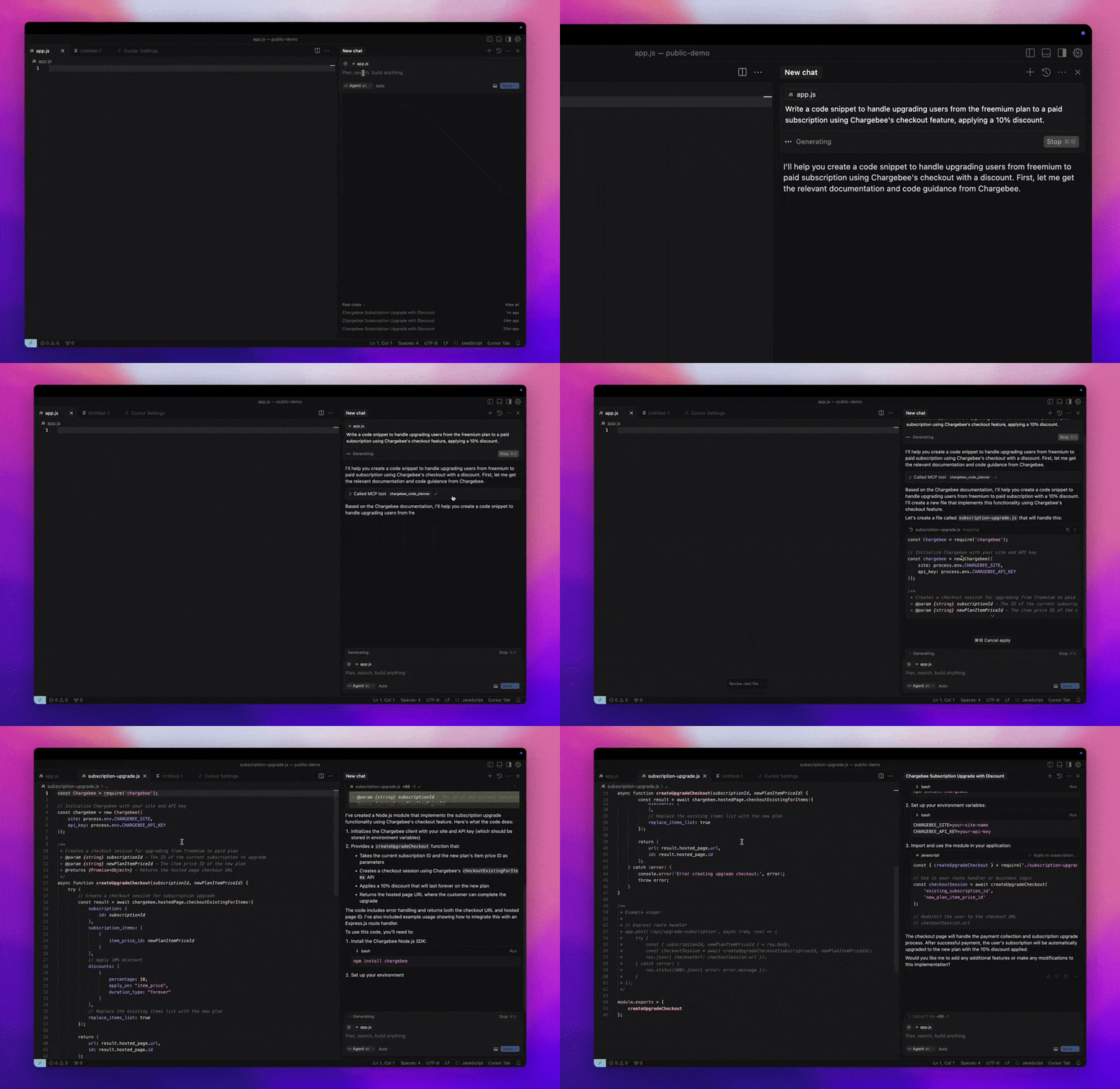
Chargebee MCP 伺服器 提供了一套強大的工具來提升開發者效率。它能與 Cursor、Windsurf 和 Cline 等 AI 驅動的程式碼編輯器整合,也能與 Claude Desktop 等通用工具搭配使用。它相容於任何 MCP 客戶端。
透過此 MCP 伺服器,您可以:
-
取得關於 Chargebee 產品和 API 服務的即時解答。
-
接收針對您整合需求所量身打造的上下文感知程式碼片段。
-
存取 Chargebee 的知識庫,包括:
- 文件
- 常見問題
- 版本發布說明
- 以及更多內容
先決條件
- Node.js LTS - Chargebee MCP 伺服器需要 Node.js LTS 版本才能正常運作。
設定
若要使用 Node.js npx 執行 Chargebee MCP 伺服器,請執行以下指令:
npx -y @chargebee/mcp@latest
可用工具
| 工具 | 說明 |
|---|---|
chargebee_documentation_search | 搜尋 Chargebee 的文件,以取得詳細資訊和使用指南。 |
chargebee_code_planner | 產生結構化的程式碼大綱和範例程式碼,用於整合 Chargebee 的 API 和功能。 |
安裝
Cursor
若要將此伺服器新增至 Cursor IDE:
- 導覽至
Cursor Settings>MCP。 - 點擊
+ Add new Global MCP Server。 - 將以下設定新增至您的全域
.cursor/mcp.json檔案:
{
  "mcpServers": {
    "chargebee": {
      "command": "npx",
      "args": [
          "-y",
          "@chargebee/mcp"
      ]
    }
  }
}
請參閱 Cursor 文件 以取得更多詳細資訊。注意:您也可以將其新增至專案特定的 Cursor 設定中(Cursor 0.46+ 版本支援)。
Windsurf
若要使用 Cascade 設定 MCP:
- 開啟 Windsurf 並導覽至
Settings>Advanced Settings,或使用指令面板 >Open Windsurf Settings Page。 - 捲動至 Cascade 區塊,以新增伺服器、檢視現有伺服器,或存取位於
mcp_config.json的原始 JSON 設定檔。 - 點擊「新增自訂伺服器 +」,將 Chargebee MCP 伺服器直接加入
mcp_config.json:
{
  "mcpServers": {
    "chargebee": {
      "command": "npx",
      "args": [
          "-y",
          "@chargebee/mcp"
      ]
    }
  }
}
請參閱 Windsurf 文件 以取得更多資訊。
VS Code
使用以下任一按鈕在 VS Code 中安裝 Chargebee MCP 伺服器:

或者,您可以使用 VS Code CLI 安裝 Chargebee MCP 伺服器:
# For VS Code
code --add-mcp '{"name":"chargebee","command":"npx","args":["-y","@chargebee/mcp"]}'
# For VS Code Insiders
code-insiders --add-mcp '{"name":"chargebee","command":"npx","args":["-y","@chargebee/mcp"]}'
安裝完成後,Chargebee MCP 伺服器將可在 VS Code 中與您的 GitHub Copilot 代理程式搭配使用。
Claude
將以下設定新增至您的 claude_desktop_config.json 檔案。請參閱 Claude Desktop 文件 以取得更多詳細資訊:
{
  "mcpServers": {
    "chargebee": {
      "command": "npx",
      "args": [
          "-y",
          "@chargebee/mcp"
      ]
    }
  }
}
Cline
透過 Cline MCP 伺服器設定,手動將以下 JSON 新增至您的 cline_mcp_settings.json 檔案:
{
  "mcpServers": {
    "chargebee": {
      "command": "npx",
      "args": [
          "-y",
          "@chargebee/mcp"
      ]
    }
  }
}
Roo Code
在 Roo Code 設定中選取 Edit MCP Settings,或在 VS Code 指令面板中使用 Roo Code: Open MCP Config 指令,以存取 MCP 設定:
{
  "mcpServers": {
    "chargebee": {
      "command": "npx",
      "args": [
          "-y",
          "@chargebee/mcp"
      ]
    }
  }
}
貢獻
若要為此專案做出貢獻,請參閱貢獻指南。