DBHub
支援主流資料庫的通用型資料庫 MCP 伺服器。
文件
[!NOTE]
Brought to you by Bytebase, open-source database governance platform.

            +------------------+    +--------------+    +------------------+
            |                  |    |              |    |                  |
            |                  |    |              |    |                  |
            |  Claude Desktop  +--->+              +--->+    PostgreSQL    |
            |                  |    |              |    |                  |
            |  Claude Code     +--->+              +--->+    SQL Server    |
            |                  |    |              |    |                  |
            |  Cursor          +--->+    DBHub     +--->+    SQLite        |
            |                  |    |              |    |                  |
            |  VS Code         +--->+              +--->+    MySQL         |
            |                  |    |              |    |                  |
            |  Copilot CLI     +--->+              +--->+    MariaDB       |
            |                  |    |              |    |                  |
            |                  |    |              |    |                  |
            +------------------+    +--------------+    +------------------+
                 MCP Clients           MCP Server             Databases
DBHub is a minimal MCP server: token-efficient, zero-dependency, and just two tools by default with opt-in extras. This lightweight gateway allows MCP-compatible clients to connect to and explore different databases:
- Minimal: Zero dependency, token efficient with a minimal set of MCP tools to maximize context window
- Multi-Database: PostgreSQL, MySQL, MariaDB, SQL Server, and SQLite through a single interface
- Multi-Connection: Connect to multiple databases simultaneously with TOML configuration
- Guardrails: Read-only mode, row limiting, and query timeout to prevent runaway operations
- Secure Access: SSH tunneling and SSL/TLS encryption
DBHub is the official example in the Claude Code docs for connecting to PostgreSQL via MCP.
Token Efficiency
DBHub loads just 2 tools by default at 1.4k tokens — 13-14x fewer than alternatives — keeping the context window open for your actual work.
| MCP Server | Default Config | Default Tools |
|---|---|---|
| DBHub | 1.4k | 2 (execute_sql, search_objects) |
| MCP Toolbox | 19.0k | 28 |
| Supabase MCP | 19.3k | all |
Use Cases
- Local Development: Schema exploration, query validation, and data debugging with Claude Code, VS Code, Cursor, etc.
- Non-Technical Access: Expose curated, read-only views to non-technical staff via Claude Desktop, VS Code, Cursor, etc.
- Multi-Database Consolidation: Replace separate MCP servers for each database with a single DBHub process
- Production Troubleshooting: Read-only diagnostics with guardrails against runaway queries
Supported Databases
PostgreSQL, MySQL, SQL Server, MariaDB, and SQLite.
MCP Tools
DBHub implements MCP tools for database operations:
- execute_sql: Execute SQL queries with transaction support and safety controls
- search_objects: Search and explore database schemas, tables, columns, indexes, and procedures with progressive disclosure
- explain_sql (opt-in): Show a query's execution plan without running it
- health_check (opt-in): Report connection pool state and buffer cache hit ratio
- Custom Tools: Define reusable, parameterized SQL operations in your
dbhub.tomlconfiguration file
Workbench
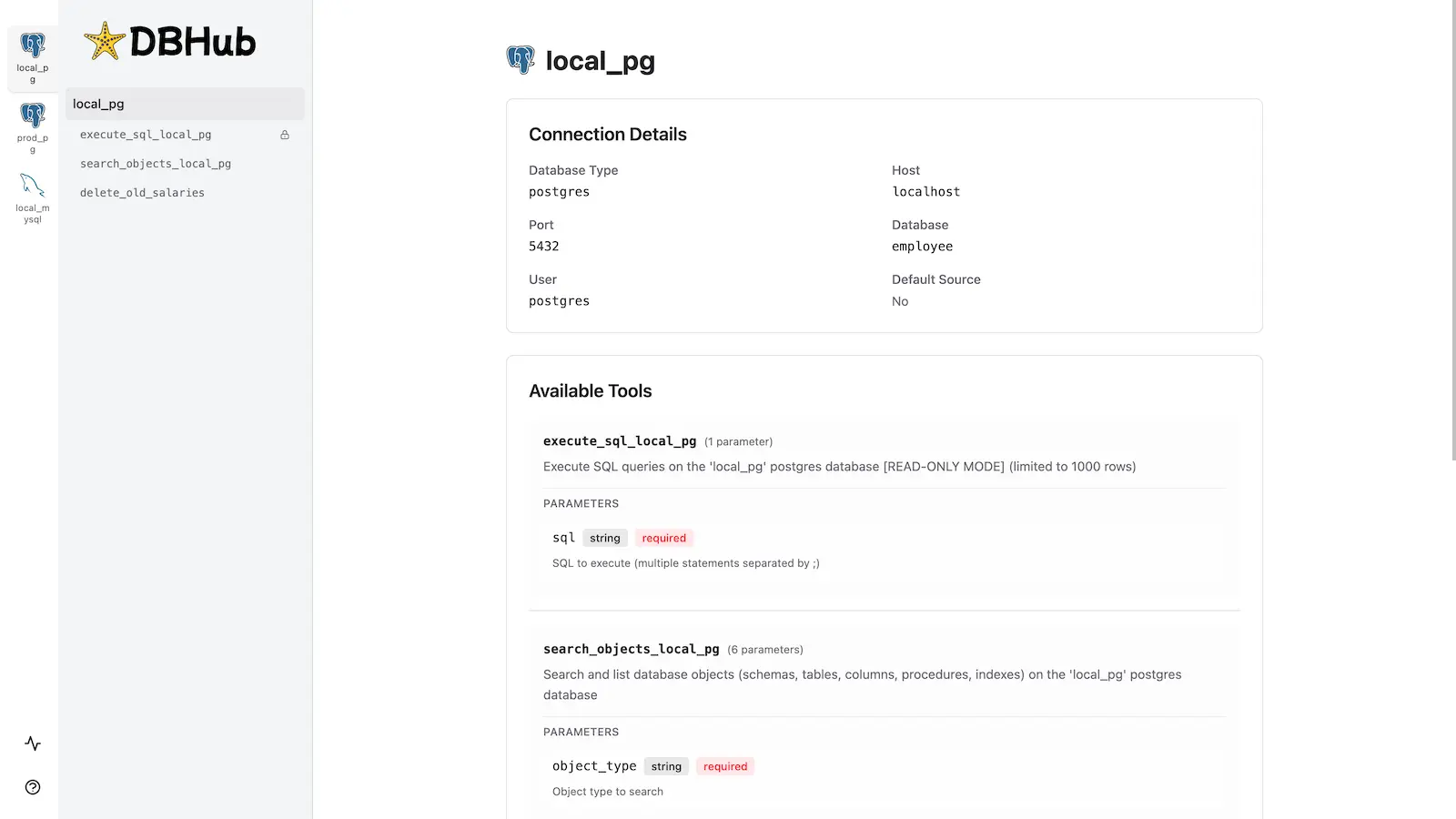
DBHub includes a built-in web interface for interacting with your database tools. It provides a visual way to execute queries, run custom tools, and view request traces without requiring an MCP client.
Installation
npx @bytebase/dbhub@latest --transport http --port 8080 --dsn "postgres://user:password@localhost:5432/dbname?sslmode=disable"
Also available as:
- Docker image
- MCP Bundle (one-click install, read-only)
- Claude Code plugin
See the Installation Guide for all options, Command-Line Options for parameters, and Multi-Database Configuration for connecting several databases at once.
Development
Requires Node.js >= 22.5.0 (DBHub uses the built-in node:sqlite module).
# Install dependencies
pnpm install

# Run in development mode
pnpm dev

# Build and run for production
pnpm build && pnpm start --transport stdio --dsn "postgres://user:password@localhost:5432/dbname"