Urlbox Full Page Screenshots
chính thứcMột máy chủ MCP cho API chụp ảnh màn hình Urlbox. Nó cho phép ứng dụng khách của bạn chụp ảnh màn hình, tạo PDF, trích xuất HTML/markdown, và nhiều hơn nữa từ các trang web.
Bạn có thể làm gì với Urlbox Full Page Screenshots MCP?
- Chụp ảnh màn hình trang web — Sử dụng công cụ
renderđể chụp ảnh PNG, PDF hoặc MP4 của bất kỳ URL nào. - Trích xuất nội dung trang dưới dạng HTML hoặc Markdown — Lấy toàn bộ HTML của trang hoặc chuyển đổi sang Markdown để xử lý tiếp.
- Tạo PDF có gắn thẻ với dàn bài — Kết xuất PDF toàn trang có gắn thẻ hỗ trợ tiếp cận và dàn bài tài liệu.
- Chặn quảng cáo và biểu ngữ cookie — Cấu hình công cụ
renderđể ẩn quảng cáo và tắt các biểu ngữ đồng ý cookie trong ảnh chụp màn hình. - Lưu kết xuất cục bộ — Đặt
store_renders: trueđể tải ảnh chụp màn hình, PDF hoặc nội dung đã trích xuất trực tiếp về máy tính của bạn.
Tài liệu
Máy chủ MCP Urlbox
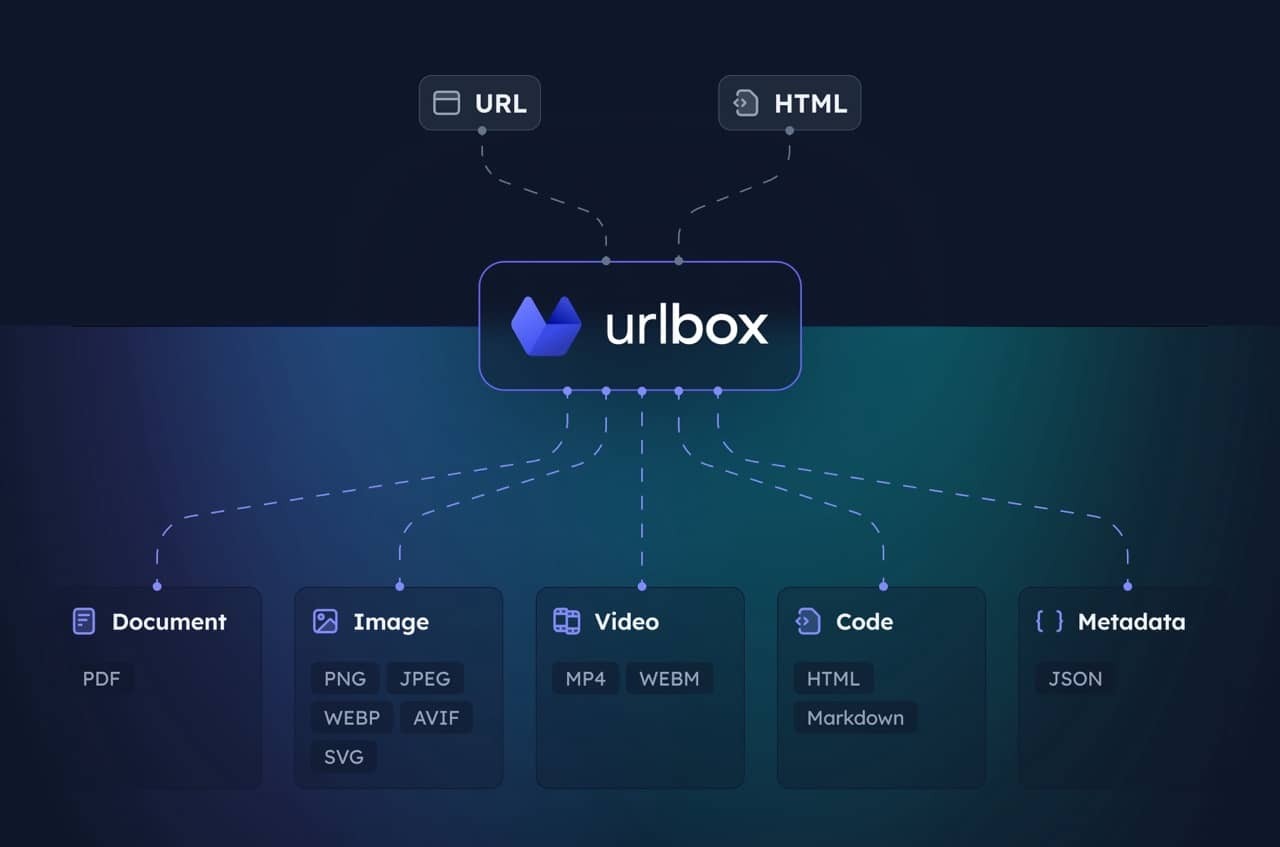
Máy chủ MCP cho API Chụp màn hình Urlbox. Cho phép máy khách của bạn chụp ảnh màn hình, tạo PDF, trích xuất HTML/markdown và nhiều thao tác khác từ các trang web.
Truy cập Urlbox để biết thêm thông tin, và hãy đọc tài liệu của chúng tôi hoặc trò chuyện với LLM sau khi cài đặt để hiểu rõ về các tùy chọn và khả năng của nó.
Thiết lập
-
Cài đặt các phụ thuộc và xây dựng:
npm install npm run build -
Lấy thông tin xác thực API Urlbox:
- Đăng ký tại urlbox.com
- Lấy Khóa Bí mật API của bạn từ bảng điều khiển
-
Đặt biến môi trường:
claude_desktop_config.json
{
  "mcpServers": {
    "screenshot": {
      "command": "npx",
      "args": ["-y", "@urlbox/screenshot-mcp"],
      "env": {
        "SECRET_KEY": "your_api_key_here"
      }
    }
  }
}
Cách sử dụng
Máy chủ cung cấp một công cụ render có thể:
- Chụp ảnh màn hình ở nhiều định dạng (PNG, PDF, MP4 và nhiều định dạng khác)
- Chuyển đổi trang sang HTML, markdown
- Trích xuất siêu dữ liệu và cookie
- Lưu tệp cục bộ vào thư mục tải xuống của bạn với
store_renders: true
Claude sẽ tự động sử dụng công cụ này khi bạn yêu cầu chụp ảnh màn hình trang web hoặc chuyển đổi nội dung web.
Lời nhắc hữu ích
Chụp ảnh màn hình sạch sẽ không có quảng cáo hoặc biểu ngữ cookie:
Take a screenshot of https://example.com but block ads and hide cookie banners
Chụp ảnh màn hình và lưu các kết xuất phụ như HTML/markdown:
Take a screenshot of https://example.com and also save it as HTML and markdown. Download the result to my computer.
Tạo PDF của toàn bộ trang:
Convert https://urlbox.com to a PDF and save it to my computer. Make sure to generate a PDF that has an outline and is tagged.