SketchUp MCP Server
Điều khiển SketchUp bằng AI. Máy chủ MCP (Model Context Protocol) cho phép các trợ lý AI như Claude, Cursor và Gemini tạo mô hình 3D trong SketchUp theo cách lập trình.
Tài liệu
SketchUp MCP Server
Controla SketchUp con IA. Servidor MCP (Model Context Protocol) que permite a asistentes de IA como Claude, Cursor y Gemini crear modelos 3D en SketchUp de forma programática.




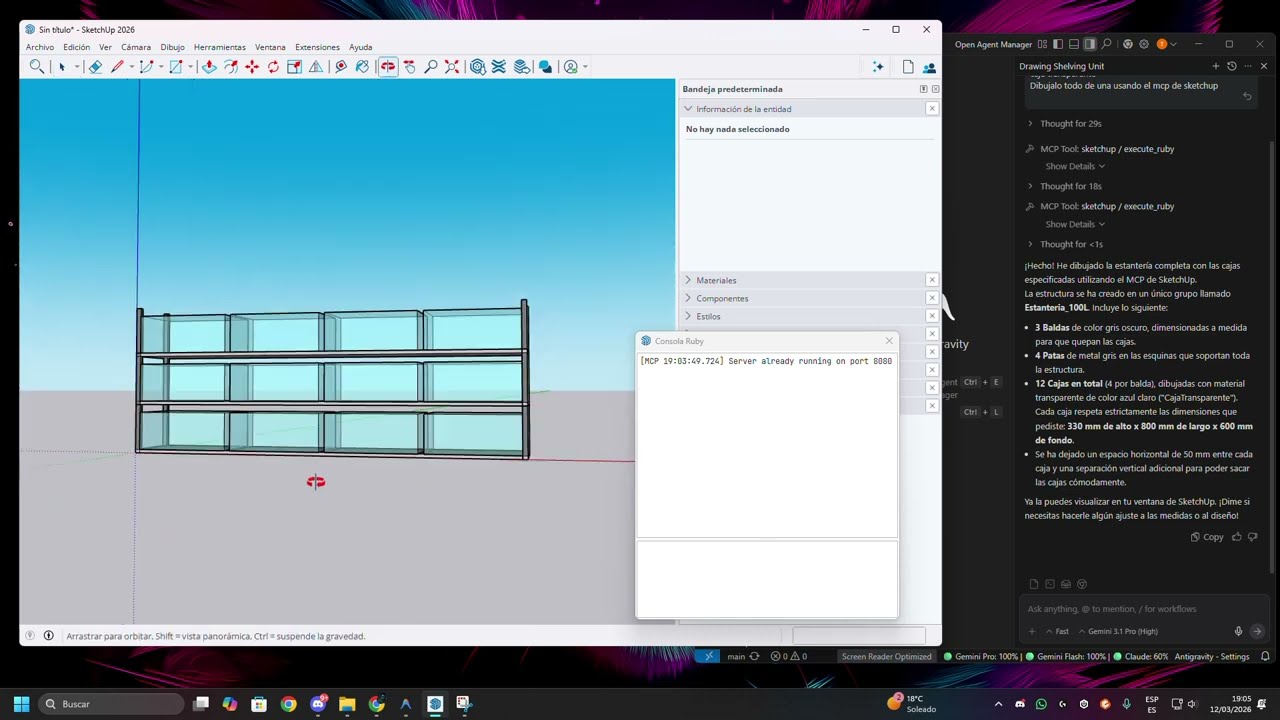
Cómo Funciona
┌──────────────┐     MCP (stdio)     ┌──────────────┐     HTTP :8080     ┌──────────────┐
│  AI Client   │ ◄──────────────────► │ Python MCP   │ ◄────────────────► │  SketchUp    │
│  (Claude,    │                      │ Server       │                    │  Ruby Plugin │
│   Cursor,    │                      │              │                    │              │
│   Gemini)    │                      │ src/         │                    │  sketchup_   │
│              │                      │ sketchup_mcp/│                    │  plugin/     │
└──────────────┘                      └──────────────┘                    └──────────────┘
El sistema tiene dos componentes:
- Plugin Ruby (
sketchup_plugin/sketchup_mcp_server.rb) — Se ejecuta dentro de SketchUp, expone una API HTTP enlocalhost:8080que controla la API Ruby de SketchUp - Servidor MCP en Python (
src/sketchup_mcp/server.py) — Traduce llamadas MCP de los clientes IA en peticiones HTTP al plugin de SketchUp
Inicio Rápido
1. Instalar el Plugin de SketchUp
Copia el archivo Ruby a la carpeta de Plugins de SketchUp:
Windows:
Copy-Item "sketchup_plugin\sketchup_mcp_server.rb" "$env:APPDATA\SketchUp\SketchUp 2026\SketchUp\Plugins\" -Force
macOS:
cp sketchup_plugin/sketchup_mcp_server.rb ~/Library/Application\ Support/SketchUp\ 2026/SketchUp/Plugins/
Nota: Sustituye
2026por tu versión de SketchUp (2024, 2025, etc.)
2. Instalar el Servidor MCP en Python
# Clona el repositorio
git clone https://github.com/Tarkiin/sketchup-mcp.git
cd sketchup-mcp

# Instalar con uv (recomendado)
uv sync

# O con pip
pip install -e .
3. Configurar tu Cliente IA
Gemini (Antigravity / Google AI Studio)
Añade a tu mcp_config.json:
{
  "mcpServers": {
    "sketchup": {
      "command": "uv",
      "args": [
        "--directory",
        "/RUTA/ABSOLUTA/A/sketchup-mcp",
        "run",
        "sketchup-mcp"
      ]
    }
  }
}
Claude Desktop
Añade a claude_desktop_config.json:
{
  "mcpServers": {
    "sketchup": {
      "command": "uv",
      "args": [
        "--directory",
        "/RUTA/ABSOLUTA/A/sketchup-mcp",
        "run",
        "sketchup-mcp"
      ]
    }
  }
}
Ubicaciones del archivo de configuración:
- Windows:
%APPDATA%\Claude\claude_desktop_config.json - macOS:
~/Library/Application Support/Claude/claude_desktop_config.json
Alternativa en Windows (sin depender de uv en el PATH): tras instalar con uv pip install -e . o pip install -e ., puedes apuntar directamente al ejecutable del script de consola generado en el entorno virtual:
{
  "mcpServers": {
    "sketchup": {
      "command": "C:\\ruta\\a\\sketchup-mcp\\.venv\\Scripts\\sketchup-mcp.exe"
    }
  }
}
Cursor
Añade en los ajustes MCP (Settings → MCP Servers):
{
  "sketchup": {
    "command": "uv",
    "args": [
      "--directory",
      "/RUTA/ABSOLUTA/A/sketchup-mcp",
      "run",
      "sketchup-mcp"
    ]
  }
}
4. Usar
- Abre SketchUp — El plugin arranca automáticamente el servidor HTTP en el puerto 8080
- Abre tu cliente IA — El servidor MCP se conecta automáticamente
- Pide al IA que cree geometría — Ej: "Crea una habitación de 3x3x2.5 metros"
Si el servidor no arranca solo, ve a Plugins → MCP Server → Start Server en SketchUp.
Tools Disponibles (21)
Consulta
| Tool | Descripción |
|---|---|
get_model_info | Info del modelo: nombre, ruta, unidades, contadores |
list_layers | Listar capas (tags) con visibilidad |
list_materials | Listar materiales con colores y texturas |
list_entities | Listar entidades (caras, aristas, grupos, componentes) |
list_components | Listar definiciones de componentes |
Creación de Geometría
| Tool | Descripción |
|---|---|
create_face | Crear polígono a partir de puntos 3D ordenados |
create_edge | Crear segmento de línea entre dos puntos |
create_group | Crear grupo vacío con nombre |
create_box | Crear caja (ancho × fondo × alto) |
create_circle | Crear círculo desde centro, normal y radio |
create_arc | Crear arco con ángulos de inicio/fin |
create_polygon | Crear polígono regular (triángulo, pentágono, etc.) |
Operaciones de Geometría
| Tool | Descripción |
|---|---|
push_pull | Extruir una cara a una distancia |
follow_me | Extruir una cara a lo largo de un camino de aristas |
Transformaciones
| Tool | Descripción |
|---|---|
move_entity | Mover entidad con un vector |
rotate_entity | Rotar entidad alrededor de un eje |
scale_entity | Escalar uniforme o no uniformemente |
Componentes
| Tool | Descripción |
|---|---|
create_component | Crear nueva definición de componente + instancia |
place_component | Colocar componente existente en una posición |
Construcción
| Tool | Descripción |
|---|---|
create_roof_truss | Crear cerchas de techo (king post o fink) |
Avanzado
| Tool | Descripción |
|---|---|
execute_ruby | Ejecutar código Ruby arbitrario en SketchUp |
Recursos
El servidor incluye recursos de conocimiento sobre construcción accesibles por la IA:
construction://roof-trusses— Guía de diseño de cerchasconstruction://framing— Estándares de estructuraconstruction://stairs— Estándares de diseño de escaleras
Estructura del Proyecto
sketchup-mcp/
├── src/
│   └── sketchup_mcp/
│       ├── __init__.py         # Entry point del paquete
│       ├── __main__.py         # Soporte python -m
│       └── server.py           # Servidor MCP (Python)
├── sketchup_plugin/
│   └── sketchup_mcp_server.rb  # Plugin Ruby para SketchUp
├── resources/                  # Archivos de conocimiento de construcción
├── pyproject.toml
├── .gitignore
├── LICENSE
└── README.md
Solución de Problemas
"Cannot connect to SketchUp"
- Asegúrate de que SketchUp está abierto
- Ve a
Plugins → MCP Server → Start Server - Comprueba si el puerto 8080 está libre:
netstat -an | findstr 8080(Windows) olsof -i :8080(macOS)
"Port 8080 already in use"
- Cierra otras instancias de SketchUp
- O mata el proceso que usa el puerto 8080
El plugin no carga
- Verifica que el archivo
.rbestá en la carpeta de Plugins correcta - Comprueba la Ruby Console de SketchUp (
Window → Ruby Console) para errores - El plugin es un archivo único y autocontenido, no necesita carpetas adicionales
Timeout del servidor
- Operaciones complejas pueden tardar más. El timeout es de 120 segundos.
- Si SketchUp muestra "no responde", espera a que termine.
Requisitos
- SketchUp 2024, 2025 o 2026
- Python 3.10+
- uv (recomendado) o pip
Licencia
MIT