MCP OAuth Sample
Một triển khai máy chủ MCP OAuth mẫu sử dụng Next.js, cung cấp xác thực OAuth 2.1 với Google và PostgreSQL.
Tài liệu
MCP OAuth Sample on Vercel and Analytics
A production-ready MCP (Model Context Protocol) OAuth 2.1 server implementation built with Next.js 15, providing secure authentication and analytics for MCP clients.
Overview
This project was built using run-llama/mcp-nextjs as a reference implementation and significantly enhanced to be fully compliant with the MCP Authorization Specification or here.
Key Enhancements
✅ OAuth 2.1 Compliance - Full implementation of MCP authorization specification
✅ OAuth Refresh Tokens - Automatic token refresh for seamless user experience
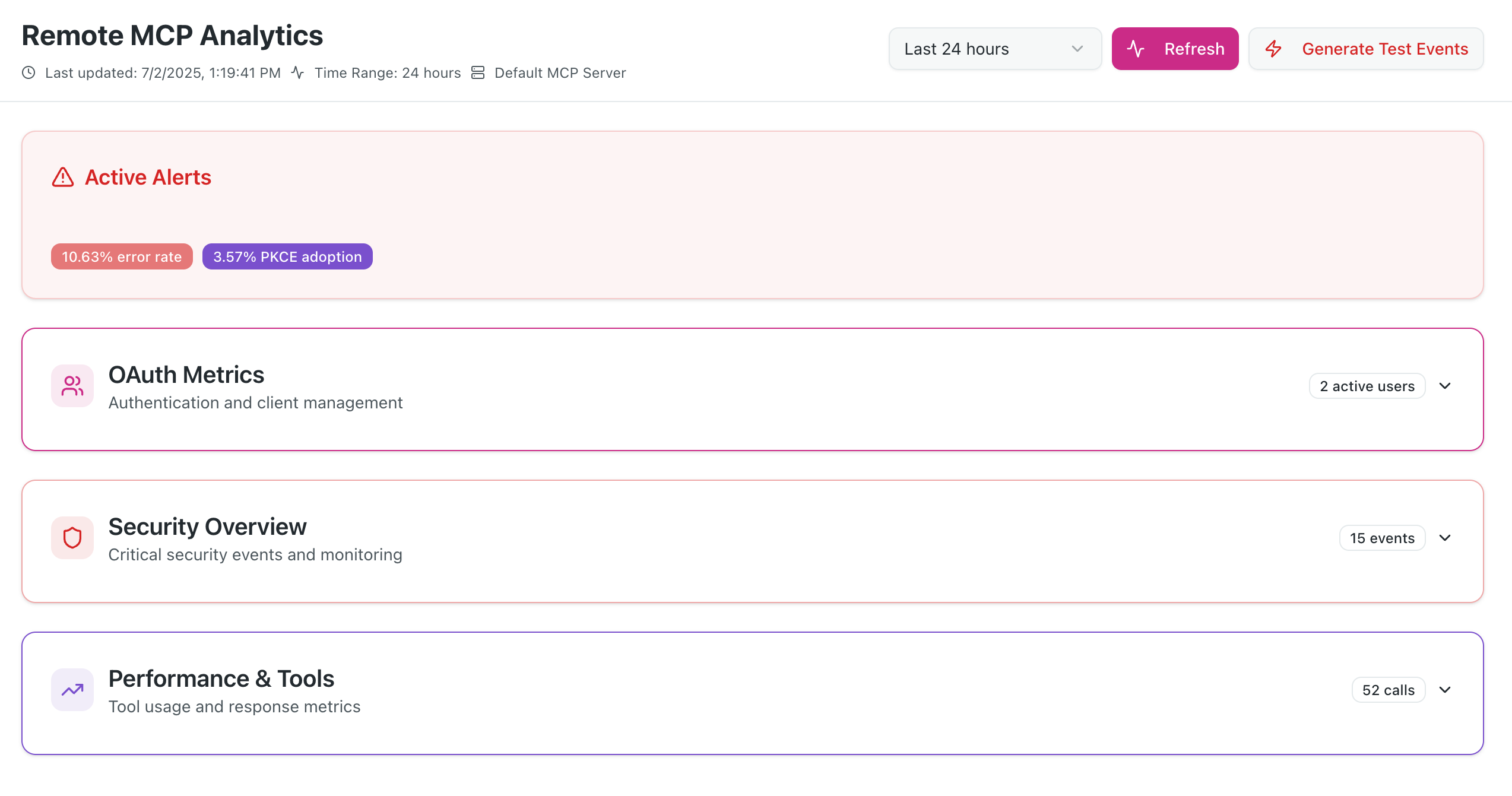
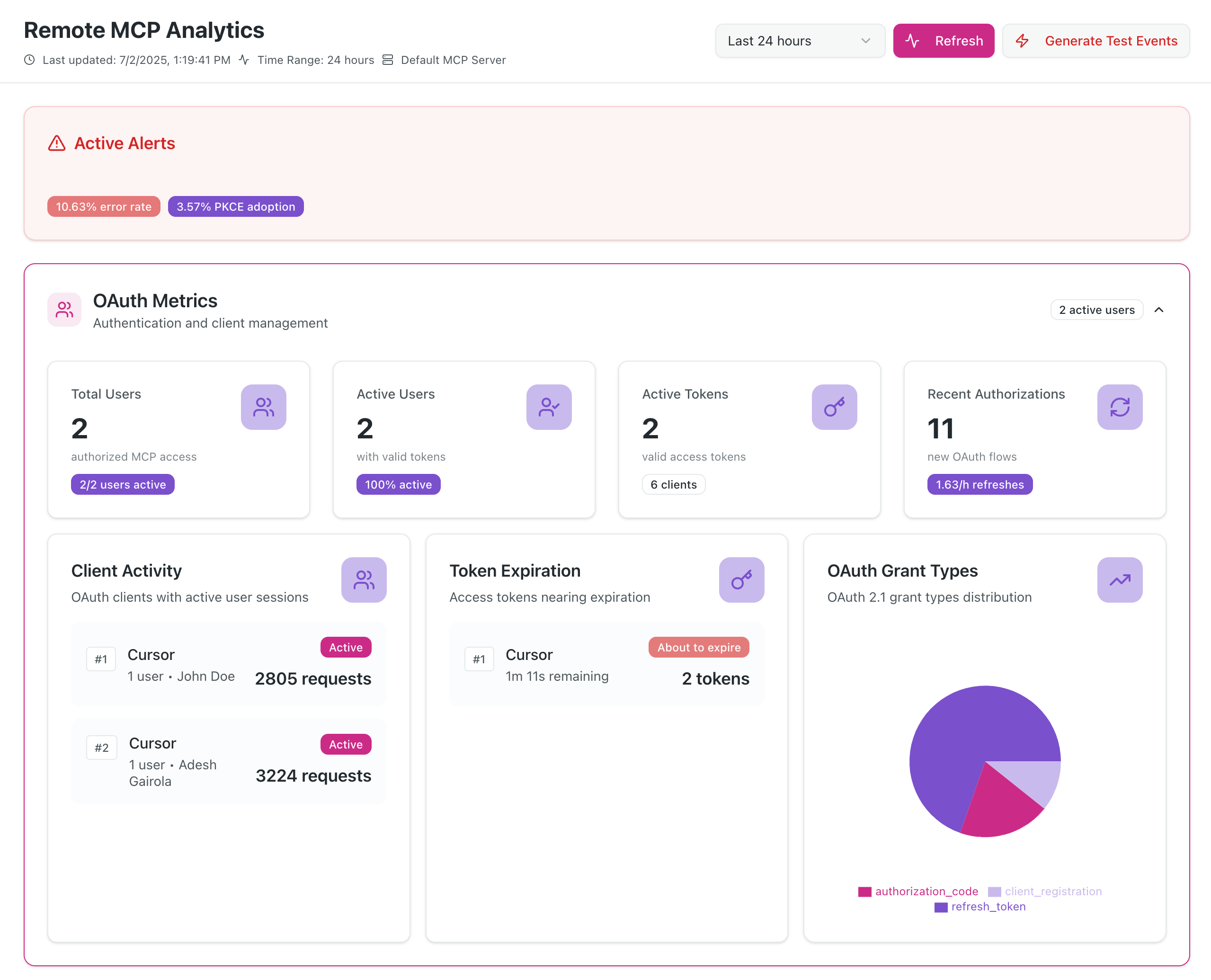
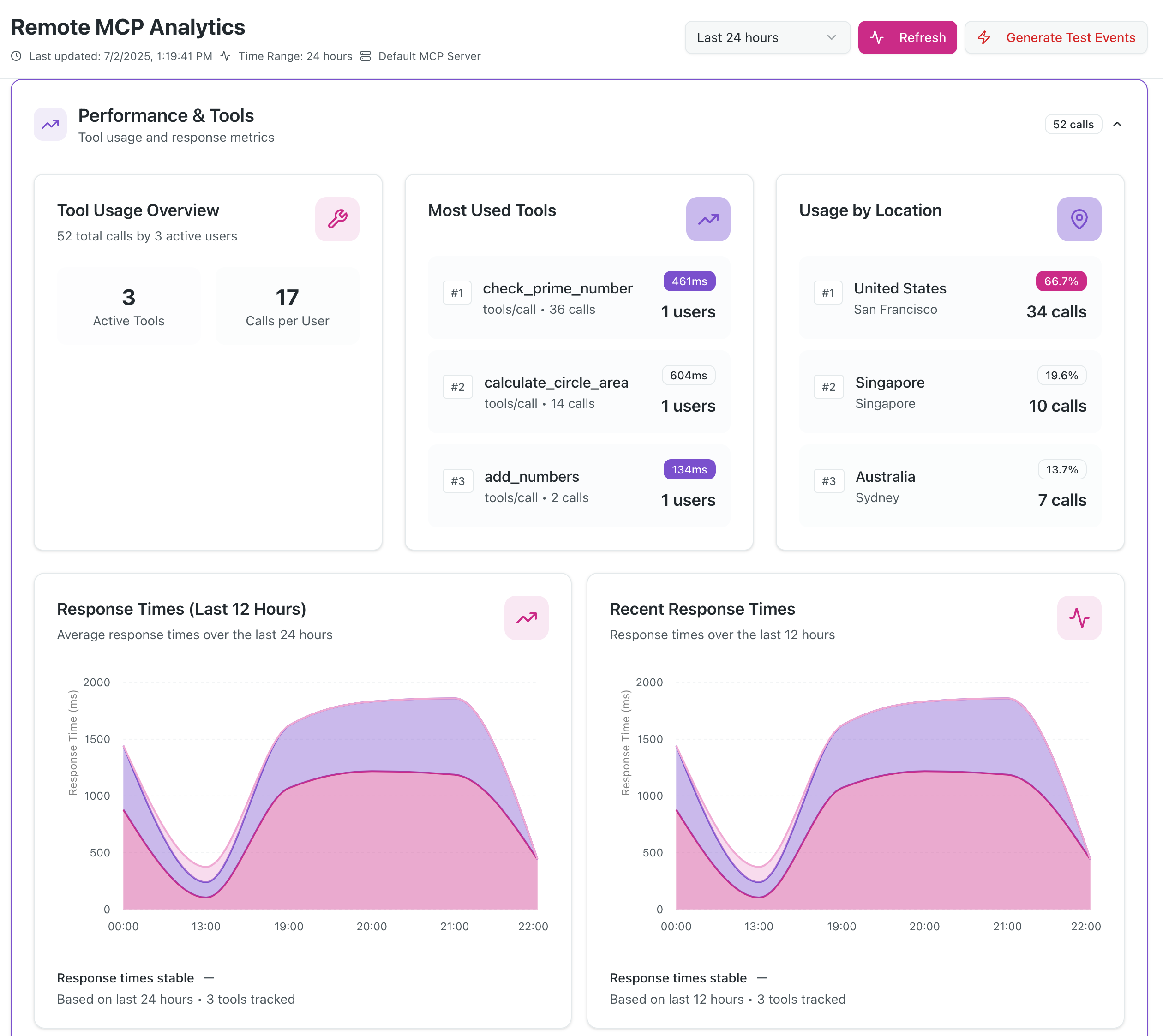
✅ DIY Analytics Dashboard - Real-time analytics with security monitoring
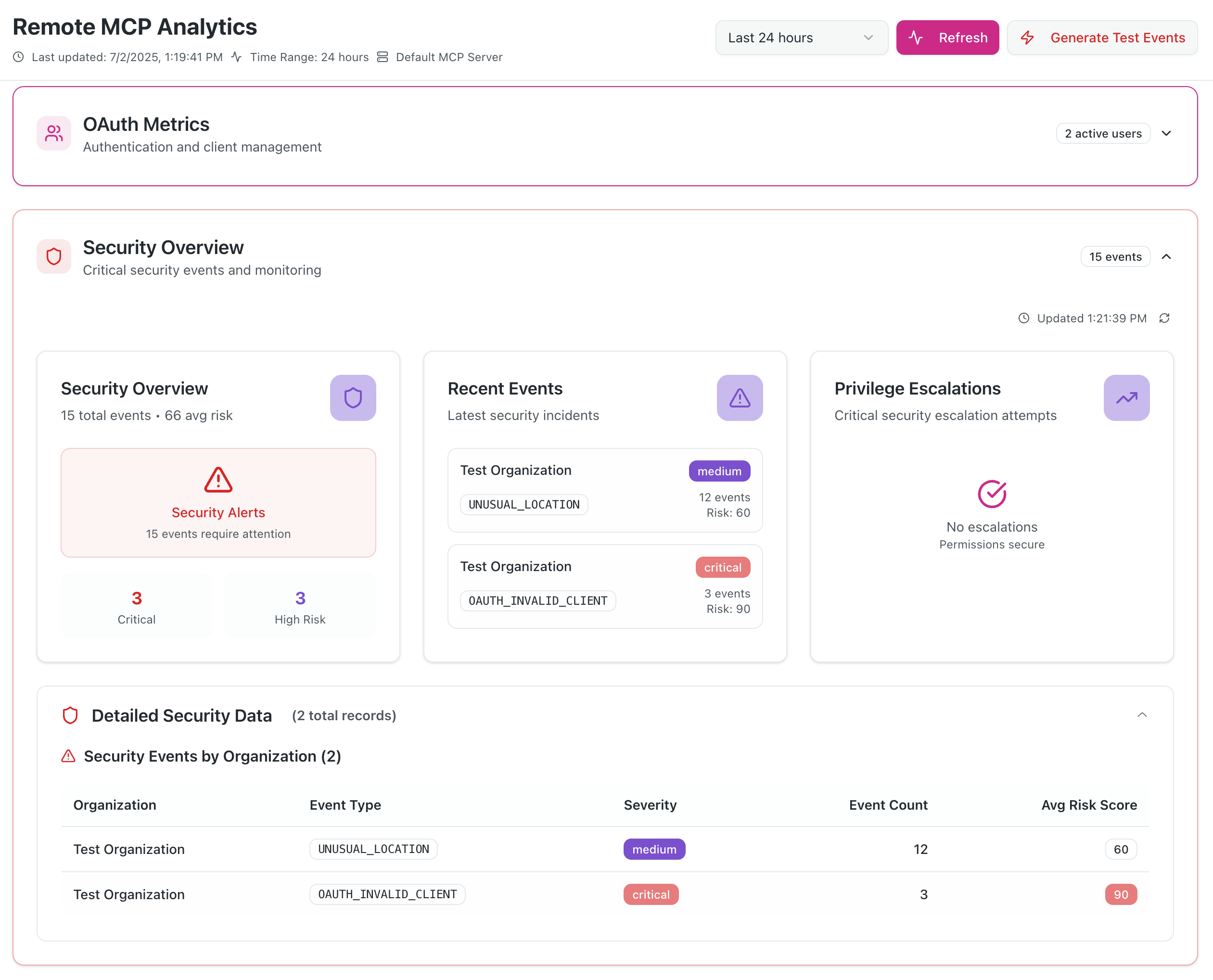
✅ Enhanced Security - Comprehensive threat detection and monitoring
Quick Start
# Install dependencies
pnpm install

# Setup environment variables (see docs/setup.md)
cp .env.example .env

# Setup database
pnpm prisma generate
pnpm prisma db push

# Start development server
pnpm dev
Screenshots
Dashboard
OAuth Usage Metrics
DIY Security Monitoring
MCP Clients Tools Usage
Features
- Complete OAuth 2.1 Server with PKCE and refresh token support
- MCP Authorization Flow compliant with latest MCP specification
- Analytics Dashboard with real-time security monitoring
- Google Authentication integration via NextAuth.js
- Dynamic Client Registration for seamless MCP client onboarding
- Security Monitoring with threat detection and alerting
- PostgreSQL Database with automated cleanup and TTL management
Documentation
📚 View Full Documentation - Interactive Material for MkDocs site
Local Documentation Development
# Serve documentation locally with hot reload
./docs-serve.sh

# Or on Windows
docs-serve.bat

# Manual setup
pip install -r requirements.txt
mkdocs serve
MCP Specification Compliance
We have attempted to implement all the mandatory requirements specified in the MCP Authorization Specification.
What Makes This Different
- Discovery Endpoints - Proper RFC 8414 and RFC 9728 implementation
- Resource Parameter Support - RFC 8707 Resource Indicators implementation
- Token Audience Validation - Strict security boundary enforcement
- Refresh Token Flow - OAuth 2.1 compliant token refresh
- WWW-Authenticate Headers - Proper 401 response handling
- Dynamic Client Registration - RFC 7591 support for MCP clients
Quick Links
- Live Demo: mcp-oauth-sample.vercel.app (Analytics dashboard requires Gmail address allowlist)
- Analytics Dashboard:
/analytics(supports multiple Gmail addresses) - MCP Endpoints:
- SSE:
/mcp/sse - HTTP:
/mcp/mcp
- SSE:
- OAuth Discovery:
/.well-known/oauth-authorization-server
MCP Client Integration
For Claude Desktop/Web
{
  "mcpServers": {
    "raxIT-oauth": {
      "url": "https://your-domain.com/mcp/sse",
      "transport": "sse"
    }
  }
}
For Cursor
{
  "mcpServers": {
    "raxIT-oauth": {
      "url": "https://your-domain.com/mcp/mcp",
      "transport": "http-stream"
    }
  }
}
Contributing
We warmly welcome contributions from the community! This project is open source and we encourage developers to help make it even better.
Ways to Contribute
🐛 Report Bugs - Found an issue? Open a bug report
✨ Request Features - Have an idea? Submit a feature request
📝 Improve Documentation - Help make our docs clearer and more comprehensive
🔧 Submit Code - Fix bugs, add features, or improve performance
🧪 Add Tests - Help us increase test coverage and reliability
🎨 Enhance UI/UX - Make the analytics dashboard even better
Getting Started
- Fork the repository to your GitHub account
- Clone your fork:
git clone https://github.com/your-username/mcp-oauth-sample.git - Install dependencies:
pnpm install - Set up environment: Follow our Setup Guide
- Create a branch:
git checkout -b feature/your-feature-name - Make your changes and test thoroughly
- Commit: Use Conventional Commits format
- Push and create a Pull Request
Development Guidelines
- Code Style: Follow existing patterns and use ESLint/Prettier
- Testing: Add tests for new features and ensure existing tests pass
- Documentation: Update relevant docs for any changes
- Security: Follow security best practices, especially for OAuth flows
- Performance: Consider analytics and monitoring impact
Community
- 💬 Discussions: Join conversations in GitHub Discussions
- 💼 LinkedIn: Follow us on LinkedIn
- 🐦 X (Twitter): Follow @raxit_ai for updates
- 🦋 Bluesky: Connect on Bluesky
All contributors are welcome! Whether you're fixing typos, adding major features, or helping with docs - every contribution matters. 🙏
License
This project is licensed under the Apache License 2.0 - see the LICENSE file for details.
Support
- Issues: GitHub Issues
- Documentation: docs/
Built with ❤️ by raxIT AI
Based on run-llama/mcp-nextjs with enhancements to learn MCP authz.